



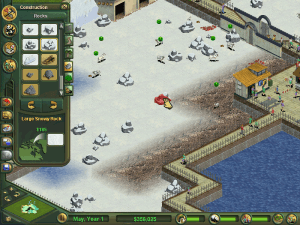
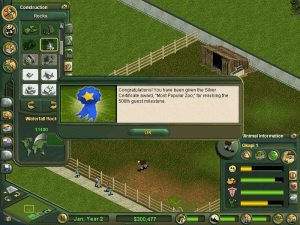
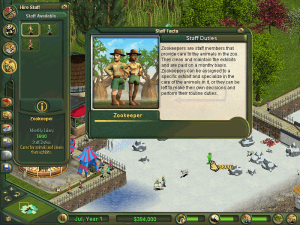
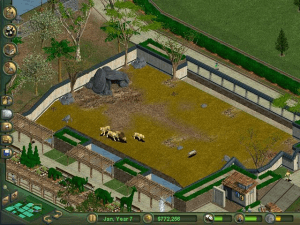
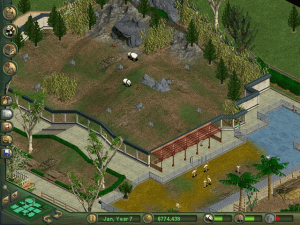
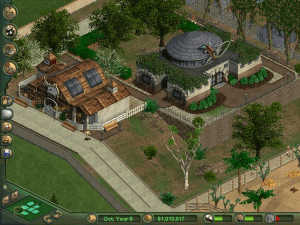
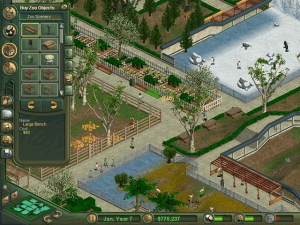
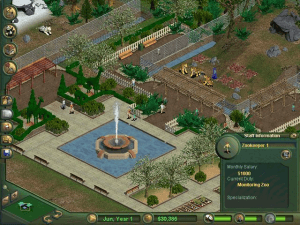
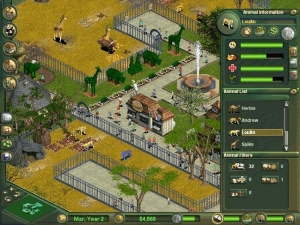
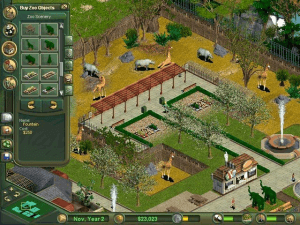
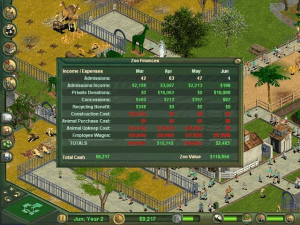
Zoo Tycoon takes the classic “city-building” strategy game gameplay and transplants it to the design and operation of private zoos. Additionally, it adds a more-than-thin veneer of educational value by including write-ups on the dozens of animals available and mechanics that reward matching species with their appropriate environments. The results are a fun, if somewhat fiddly, experience.
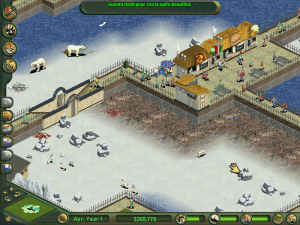
Your goals are two-fold in Zoo Tycoon: create enclosures that would make your animals content and offer amenities to keep your guests content. The latter perhaps has undue weight, as your zoo is principally funded by ticket revenues and concession sales. The resultant zoos are an amusing paradox: animal habitats will be far more natural and enrichment-filled than what you would see in a typical zoo, while the spectacular theme park trappings also exceed what would be deemed acceptable or appropriate with a typical zoo. Of course, this is because most accredited zoos operate on public and private grants, donations, trusts and taxes rather than stuffed animal sales and elephant rides.
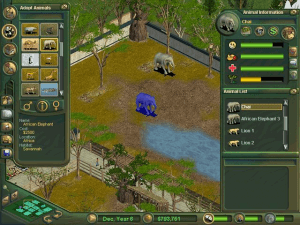
The most time-consuming part of gameplay is tweaking your enclosures: while there is immediate feedback from animals in the form of increases and decreases to their happiness, the detailed “keeper” report refreshes more slowly, which can lead to the biggest in-game waste of money, especially since you have to build exhibits around animals rather than planning them in advanced [though someone who has mastered the game can certainly ballpark it]. Filling your park with amenities to keep guests happy is much easier, and you're far less prone to waste your money on screw-ups.
Overall, Zoo Tycoon is a fun game that will appeal to planners, strategists and city-builders. There several scenarios available with a wide range of difficulties and challenges on top of the many free-play maps available. One major drawback is the lack of a “campaign” game, where one might string together a career as a successful park manager.
Review By P. Alexander
 English
  German
  Spanish
  Italian
  Dutch
Dutch  Portuguese (Brazil)
  Swedish
  Traditional Chinese




 Czech
Czech 





Comments and reviews
It's the complete edition version?
The French version here - https://www.abandonware-france.org/ltf_abandon/ltf_jeu.php?id=3112
Another update: the crash was one time, I played all night last night and it went all good!! Game saves good and I can play my saved game. I LOVE ITT!!!
Ok update if I put grass or something in my park the whole thing crashes and close. Pffttt I can't play it!
I finally got it working on my MacBook yes!! But how to get it full screen?
SEAN : the disc files can be in multiple formats : bin/cue (as here), nrg, mdf/mds, img/ccd/sub, b6t/b6i... and the most common are bin/cue and iso. For that, 2 possibilities :
- convert bin/cue into iso by using a software like Anyburn and then, double click the iso to mount
- use an image manager such as DAEMON Tools to mount it (mount the cue file) and other formats
why does the english version not have the iso?
I downloaded this game. Installed and played via Deamon tools. But then i get "Not Supported" and a blank screen. There is sound but no picture. Zoo Tycoon 2 works on my computer but not this one. What could be the problem?
Spanish version provided :
https://archive.org/details/zoo.-tycoon..-nocd.-espanol-spanish.-.-clone-cd.-.spanishare.com.-.by.-sir-jander
Italian :
https://archive.org/details/pc-ita-zoo-tycoon
Dutch :
https://archive.org/details/zootycoon-1
Portuguese :
https://archive.org/details/Zoo_Tycoon_2001_PTBR
Thanks for the game!!
make zoo.ini file read only,
fullscreen=0
resolution 1900x600
worked for me. But you have to change mouse speed manually
this comment is from the zoo tycoon complete collection but ill post it here just incase it works, havent tested it with this version of the game tho, but ill post just in case it works for someone.
it seems the game doesn't run due to fullscreen and resolution.
to get the game to run, open zoo.ini and change the resolution, i use 1280x720.
1024x768 also works, 1920x1080 and 1600x900 didnt work for me.
you can mess with it and find other resolutions that work.
you can also turn fullscreen off by setting it to 0 that also works.
no need to change to xp compatibility or change the zoo.exe to zoodemo.exe
I used DAEMON Tools for Mac and was able to get this installed successfully, and the disk is mounted, but when I click "play" it says I need to "insert the cd-rom." any advice?
Hey please make it without the iso version thank you
Honestly, I'm really surprised I was even able to get this working! I'm not really a tech guy and definitely had quite a few issues trying to sort everything out. I ended up using both WinBin2Iso and WinCDEmu to get it running properly. Super thankful I was able to relive some great childhood memories with this :)
ok so i downloaded just fine the first time but now this second time its not even looking the same when downloaded the marina part doesn't even show its nothing like the first time at all this time i cant figure out how to download it cant even get to the setup/download screen all the files are different
same computer as the first time and everything
Hat bei mir ohne Probleme oder nachladen irgendwelcher dll`s funktioniert. Guter Download! Danke!
Ich hoffe das Ich dieses Spiel KOSTENLOS bekomme auf Windos 10. Weil das ist ein super Spiel .
This doesn't work, don't waste your time.
Guys you don't need Demontools. You can just use WinRAR.
Open the ISO with WinRAR then drag all of its contents into a new folder (named something like "Zoo Tycoon setup"). Run the file called SETUP and go through the installer.
After that the game should be available to play, HOWEVER I ran into two problems which I've fixed.
ERROR: "The code execution cannot proceed because ilj15.dll was not found"
SOLUTION: Download the missing file from here and drop it into your Zoo Tycoon folder (not the setup one, the one with the game in): https://www.dlldownloader.com/ijl15-dll/
IF THE GAME CRASHES ON START UP / DOESN'T LOAD: Right-click zoo.exe, select the Compatibility tab, tick "Run in compatibility mode for" and then select Windows XP (Service Pack 3) in the drop down menu. That loaded the game up perfectly fine for me.
I mounted the game with Daemon and ran the installation process, but when I click play it still says "Cannot start Zoo Tycoon!". Was wondering if anyone can help me fix this?
this game is really scarey DO NOT remove pieces of the fences of exhibits from wild animals such as lions because the lions will escape and kill the tourists in the zoo! you have been warned.
eu tenho esse jogo em portugues ele foi lançado no brasil SIM porem tem poucas unidades em portugues
i remember getting this game in my cereal
Downloaded and can play, but the challenges won't complete once I finish them. The checks come up on the trophy page, but the pop up that say I've completed it won't register :( anyone else have a similar bug?
Downloaded it perfect on my 2021 MacBook , from the unique instructions given in the comments. every time I try to save my game it crashes , any suggestions ?
havent played it but i think i will like it
no lo he jugado pero se ve bueno, diganme sus opiniones aserca de este juego plss
how does this work :( whats a cue file and what is daemon
Saw Wilbur Soot play this game and now I wanna play it too but I don't fully understand on how to install this. Does anyone have any good tutorials or so?
Don’t use Daemon, it installed malware on my computer. Hopefully there’s an alternative because the game is great
To use the Bonus Animals from Misc downloads, put the ZTD files in the Updates folder of the game directory, and the lang.dll files in the main game directory. However, the reindeer's lang.dll seems to be corrupt or otherwise doesn't load properly, so you won't be able to see the animal's description inside the game.
i need step by step, i have no idea what im doing, can someone help the steps here i dont understand
works perfectly epic
Thanks to comments, I can confirm working 2022.
I had 'No CD error'. To resolve, mount CD1 and go through install, point the install to your installation directory, and it will say it needs 0mb to install. Then go through the installation process.
Do the same for CD2(Marine) mount and run the setup/install, point it to your installation directory, it will say it needs 0mb, run the installation, then you can play.
I dont know why we would need to install each time, but it works, and only takes 5 mins overall. Make sure to save/load your progress. (backup saves are always good idea)
I figured it out! The no cd issue-- To start off, I'm running this game on a 2021 Macbook Air using Daemon Lite and Crossover. First, I downloaded the install file from here and mounted it using daemon tools lite. That part is pretty simple. You'll see that it's a .cue or .bin file, so the only way I could use it was by getting daemon tools. I then downloaded Crossover. With Crossover once you've mounted the file in daemon tools, you can install it. This part y'all can follow the tutorials for. After that, here's where it get's funky. The game will install but it won't play because you need to insert a CD. For this part, download the no CD patch file. Unzip it, it's a .exe file. Then in CrossOver, you have to open the "bottle" for zoo tycoon, double click it and select open the c drive, then go to Users folder and click Crossover, then find the windows applications and open zoo tycoon. From there, you should be able to find the .exe file that matches the name of the patch file and delete it, then you replace it with the .exe patch file. It MUST be the file that has the exact same name, I believe this one is "zoo.exe". Voila! It should run. Y'all that took me two days and endless googling to figure out. But it worked finally! :)
where is CD-ROM?
can't do Shift+4 for more money,please fix it :(
Hey it isn't compulsory to download deamon tools to play the game right?
Downloading and installing the game worked just fine, mounted it with deamon. But now, as soon I click on "play" nothing happens at all. The window disappears and thats it. Any help? Am using Win 10
So I've uploaded the game, installed it by mounting it to Deamon tools and running the full install. Get to the section that says "play game" and it just crashes. On Windows 10. I have absolutely no idea how to get passed the final stage :(
I love zoo tycoon
@the french girl, you wrote its obligate to click on quick mount before every launch. Which file do I have do mount?
nice thank you
nevermind, i found the answer. its unlocked through gameplay for anyone wonder.
for some reason i have only 8 animals to choose from and barely any rocks and trees to place. is this a bug or do i need to unlock it through gameplay? what's the deal?
For anyone having trouble with the game not starting, heres a video tutorial on how to solve the problem in the grand majority of cases: https://www.youtube.com/watch?v=rhBez_vKxNY
kérlek legyempn elérhető appstorba is!
I can't mount the image on daemons tools, it does not work (even with the step by step solution ...). Could someone help us out ?
i cant play this game with no disc?
so I have downloaded the files but when i click on them it doesn't say I can open them!! does anyone have some amazing step by step instructions?
Hello, I own the original game on CD including Marine Mania and Dinosaur Digs. Is there any way I could contribute to this?
Game is installed.
1. make sure to download all of the files
2. the main file contains the cue file VLC
3. put the cue file out of his original file
4. start up your daemon tolls and click on the button in left bellow named as quick mount.
5. click on de cue VLC. Then a blue disc appears in bellow. click again and you are able to install the game.
6. Have some fun!
I mounted the cue file in Daemon tools. However it opens the cue file with VLC player and nothing is happening.
Can anyone help me out?
Thanks
I love this game, put hours into it. just wish they had the dino and marine version of it
AMAZING GAME
Spent a lot of time playing this and rollercoaster tycoon. I'd buy this on steam in a heartbeat.
Zoo Tycoon 1 is one of the classics I allways loved. But rn I am downloading it so I can download Zoo Tycoon 2, just for more animals..But Zoo Tycoon 1 was the best tycoon game I played.
If you download Zoo tycoon 1 on internet and you don't have a disk, here is a solution:
Step 1 : Make sure to download the game as a compress folder with a CUE file
Step 2 : Download Demon tool - the software allows you to turn CUE files into disc and create game support
Step 3 : Open Demon Tools. At the Bottom on left, click on "Quick Mount"
-this step is obligate every time you want to launch the game -
Step 4 : The creation of the CD disc is made, you must see the icone when you open 'This PC' , it will be in "Devices and drives" next to "Windows C"
Step 5 : Then run the game installer until the last step
FINAL : Start the game and the problem should be fixed!
==Don't forget to do the step 3 every time you turn off/on your computer to play !
Can someone tell me how to fix the 'you need to insert disc' problem?
this game are best
why only videos were downloaded??
EXTINCT AND DINOSAUR
Even though I already installed and mounted the file it's still asking me for the disk to play what do I do?
No se como instalar el juego podrían ayudarme?
THIS WEBSITE IS SO COOL. Finding all my old childhood games on here!
yay it works hope it doesn't give me cancer later
I love this game
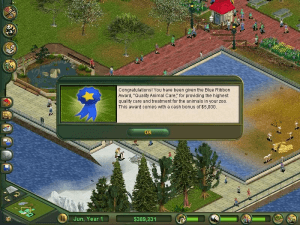
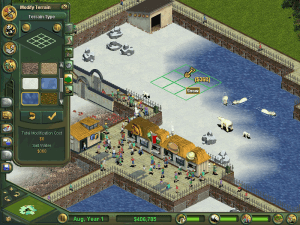
SEVERAL visual aspects on the IU and objects in-game from the classic game are VERY different in these screenshots. Is this some kind of remaster?
Great download. Mounted it using daemon tools lite and it worked on the first try. THANK YOU!! This used to be my favorite game growing up, so it's really great to be able to play it again.
I LOVE THIS GAME
How do yall get it to work? im not too tech savy. Is it similar to downloading mods for the sims 4?
Been gaming since 200, can't get enough
Works great for me using WinCDEmu to mount the cue file. This is only disc one of the complete collection, so I think no marine or prehistoric creatures.
Thank you!! Please add disc 2 if you can.
I hope I get ZOO TYCOON not zoo tycoon 2
The game has DRM, you have to download a crack/no cd patch in order for the game to work. Or else you could re-enable Secdrv (SafeDisc) DRM in Windows.
it doesn´t work! I can´t open it and it makes me really sad, I waited an hour to play it but it doesn´t work :(
I try it again and I hope now it´ll work
I pay warframe,
and this is STILL one oof my favourites. Thank you for the easy download!
So I downloaded the file and it has 2 files in it, a .bin and a .cue what do I do?
Thank youuuu, I love this game so much
hmm is there a way to get the dino/marine park from "disc two" installed also?
wonderful game
I'm downloading now & I think this is will make someone creative
got the game downloaded, mounted, installed and ran, on ingame loading page after intro movie clips it auto closes with "a problem has caused blahblah stopped working" :|
Thank you
Thank you
It's a perfect game for me.I love it
thanks
Didn't work here, don't know how to make it :/
thanks
this is gonna give my computer cancer isnt it?
thanks
thanks
Thank you
Hi there! I am on mac using PlayonMac to run games such as heroes 2 or AOE 2, it works fine but I can't seem to be able to install zoo tycoon, could anyone help? thx
I've been trying to get this to work, I'm at a loss... HELP!
NIce game
GOOD
Thanks
thanks
You have to mount the .cue file with a program such as Daemon tools to install and while you play.
No comment nor review for this game at the moment.