


Brian Reynolds Rising
There is no doubt that this is a fantastic time for Brian Reynolds fans. Microprose has recently released Civ2 Multiplayer Gold, a multiplayer version of the classic game that made Brian a widely-recognized name in the gaming industry, and it's likely that by the time you read this we'll be seeing the full retail release of Sid Meier's Alpha Centauri, a "Brian Reynolds Design" that picks up where Civilization 2 left off. Having just wrapped up involvement with the Alpha Centauri beta program only a week or so before receiving my copy of Civ2 Gold for this review, I found it impossible not to compare the two in great detail. While this is supposed to be a review of Civ2 Gold and not a preview or review of Alpha Centauri, I'll warn you right now that I don't think I'll be able to discuss Civ2 Gold without mentioning the game that many people think of as "Civilization 3". In the end, though, there are no real losers in this comparison - it's a great blessing to strategy gamers everywhere (and perhaps a big problem for their employers and spouses) that both of these games hold up so very well.
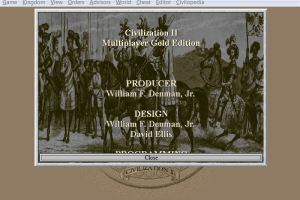
Having heard plenty of words like "ugly" and "fiasco" (and several not fit for a family publication) used to describe the original CivNet multiplayer adaptation, I was a little concerned when I popped open my copy of Civilization 2 Multiplayer Gold. Loyal Civ2 fans need not worry, however - in addition to the full single-player game and both expansion packs, Civ2 Gold contains a very stable and playable multiplayer component. I'll try to focus on the multiplayer aspects, since Civ2 Gold in single-player mode is essentially still just a very clean and very complete version of the strategy game that GDR's strategy editor Tim Chown once called "the best PC strategy game that money can buy". Two years later it's still an excellent bargain.
Far and away most important thing to note about the Civ2 Gold Multiplayer edition is that it is still very much a turn-based game. When you play a game of multiplayer Civ2, you will take turns in fullest sense: there will be a period of time when you are not able to move your units because you are waiting for the other players to move theirs. While you wait you can tinker with production, plan your research efforts, and/or raise and lower your taxes. Any changes you make won't take effect until later, however, because in your empire things only really happen on your turn.
Somewhat surprisingly, this works out pretty well. I played a large number of multiplayer games on a LAN and found that for three players or fewer you rarely find yourself watching the timer and waiting for your turn. Before long you grow accustomed to moving your units during your turn and handling everything else - including diplomacy - during someone else's. Civilization is such a complex game world that there is almost always something useful to look at or do while you are waiting. It's a slightly different story as you add more human competitors - with four players you may start to find yourself idle for a few seconds between your turns at bat, and with a full seven human players the game may seem a little slow (depending on the time limit) for the impatient gamers among us. When I did find myself becoming a little restless I usually came to the conclusion that, well . . . I could really find something worthwhile to do like spending a little extra time in the Civilopedia to figure out what sorts of research would get me to that next crucial Wonder of the world. (In a challenging game filled with human players, every moment you spend in planning between turns usually pays off.) All in all, the turn system works well enough that it's renewing my interest in the multiplayer aspects of Heroes of Might and Magic III, which is allegedly going to have a turn-based system very similar to the one found in Civ2 Gold.
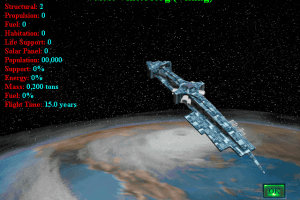
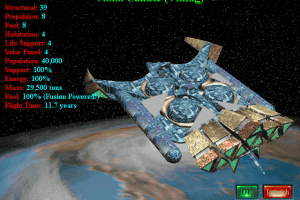
When I say that Civilization is a complex game world, though, it's definitely a relative sort of complexity. Victory in Civ2 sometimes involves the launch of a spaceship - a spaceship that in some senses flies right out of your game of Civilization 2 and right into a game of Sid Meier's Alpha Centauri. While*** Alpha Centauri*** bears a family resemblance to its predecessor and may not represent a four light-year leap beyond the gameplay found in Civ2 Gold, it is a substantial evolutionary leap indeed. Anyone who doesn't believe me should spend some time in the Alpha Centauri system and then try a return trip to planet Earth - you'll realize just how much you've changed since you've been away.
We're Not In Kansas Anymore
In some respects Sid Meier's Alpha Centauri is one of the most ambitious multiplayer strategy games ever released. Unlike Civ2 Gold, Alpha Centauri was built from the ground up to be a multiplayer game. It offers up a host of gameplay enhancements and a wide variety of fresh design elements while at the same time allowing all players to take their turns simultaneously. (This is somewhat similar to the simultaneous-turn mode employed in Warlords III.) So even the though the game is considerably more complex than Civilization 2 - you'll find yourself dealing with 3D terrain, a complex sociological model and custom unit designs, among other things - you'll find yourself waiting even less in multiplayer mode than you would in a game of Civ2 Gold. I can only imagine how much more intricate the programming model must be for a game design of this complexity.
After playing many hours of Alpha Centauri, Civilization2 Gold Multiplayer seems a little bit like "strategy lite". Lite or not, though, Civilization 2 in multiplayer mode is still a lot of fun. The multiplayer-specific portions of the interface are pretty basic, but they are solid and they work right out of the box. Saving and loading works for multiplayer games, and if the host crashes then the AI takes over the player slot and server duties are passed on to someone else. You can also re-load the game at any time and swap a human in for AI players, which means that someone who crashes (and has the AI take over for him) has a chance to join back in right away. About the only really negative thing that can be said of the multiplayer suite is that it doesn't spawn - each human participant will have to shell out $29.95 (US) for his or her own copy of the game. Considering the included expansion packs and the excellent single-player value, though, that's still worth the price of admission. Internet play is sponsored on the MSN Gaming Zone - I haven't played on the net but when I checked the site it was midnight (west coast, USA) and there were at least 20 people still playing.
Since Alpha Centauri was designed to be a multiplayer game from the very beginning, I found its multiplayer suite to have nearly every option I could possibly want. There were many instances in playing Civ2 where I found myself missing the features and functionality I enjoyed in Civ2's heir to the strategy throne. Perhaps the best example I could point to in comparing Civ2 Gold and SMAC is the multiplayer negotiating screen - I found the Civ2 interface workable but a little difficult to use, while the analogous screen in SMAC is far and away the best negotiation screen I've seen in any multiplayer strategy game, bar none. Have you ever hesitated to trade technologies in a game of Master of Orion 2 because you didn't know who was getting the better end of the deal? In Civ2 you'll still have to refer to your tech chart to figure out who's taking advantage of who, but in Alpha Centauri all of the crucial information is presented in such a way that you can make those tricky trading decisions in only a second or two. In convincingly launching deep strategy into deep space, SMAC manages to overcome almost every nagging shortcoming I encountered in multiplayer turn-based sci-fi strategy games like Master of Orion 2 and Deadlock.
Civ2 Multiplayer Gold and Sid Meier's Alpha Centauri are both games every strategy enthusiast should own. If you've never purchased Civ2 or own the original version and are interested in the expansion scenarios or the multiplayer capabilities, Civ2 Multiplayer Gold is definitely a good buy. Civ2 Multiplayer Gold ably resurrects a classic strategy game of the past, and in doing so paves the way for an equally monumental strategy game of the future. If you see them sitting side by side on the shelf and can only afford one, well then you obviously weren't listening - you should own them both. If you really can only afford one, though - and this is "off the record" because I'm not reviewing SMAC - you should find your answer somewhere in the night-time sky.
Review By GamesDomain
 English
  German
  French









Comments and reviews
OpenCiv2 for Windows, version 1.0 is out!
Sid Meier’s Civilization II: Multiplayer Gold Edition now runs as a single portable 64-bit OpenCiv2.exe on Windows 10 and 11, with nothing to install: no installer, no Wine, no emulator and no virtual machine. Show it your own copy of the game (a zip, 7z or rar archive, a .cue/.bin or .iso CD image, or a folder) and it checks every file, copies what the game needs into a GameData folder beside the program and starts the game. Keep the two together and they go anywhere, a USB stick included.
It is built on OpenCiv2, Richard Penman’s reconstruction of the game’s source code (https://github.com/richardpenman/civ2), which is verified against the original game pixel for pixel and random number for random number. Richard also publishes a Windows build of every commit, which you unpack into an installed Civ2 folder. This fork adds the set-up from CD images and archives, full screen with Alt+Enter, proper closing with Alt+F4, tidier menus, light and dark mode, and fixes: world building in about a second instead of a minute or more, game folders at any depth, dialogs no longer cutting their text off, and the Game menu’s commands matched to their labels with the 5.4.0f patch.
You need your own copy of Civilization II Multiplayer Gold Edition. No game files are included.
Coming next: a ready-to-run macOS release with the same set-up.
Download: https://github.com/Buyukcaglar/OpenCiv2/releases/latest
Project and documentation: https://github.com/Buyukcaglar/OpenCiv2
Upstream reconstruction: https://github.com/richardpenman/civ2
Made with the assistance of Anthropic’s Claude AI, under my direction and tested by me. Provided “as is”, without warranty; use it at your own risk and back up your saves. Icon: “Icon Civilization II” by alexielios on DeviantArt. A fan project, not affiliated with or endorsed by Firaxis, 2K, Take-Two or MicroProse.
Hello,
After downloading the 603Mb disk Image file, and mounting image,
seems to be the civ2 MGE 1.0 version.
Civ2UIALauncher warns
"Game version Multiplayer Gold Edition 5.4.0f (Patch 3) is supported only."
And that's it :
Error: Wrong size of game exe file. Game version Multiplayer Gold Edition 5.4.0f (Patch 3) supported only.
Win 10 64 bits.
Any help would be appreciated.
THX
i love this game
For some reason some scenarios some units, have no sound any fixes?
I just got Civ 2 with multiplayer running from the 51mb install in Winlator 11.1 without all the extra steps to get a 16bit app to run in a 32bit environment. Write a comment if you want help to play civ 2 on your phone. I got civ 1 and civ 1 multiplayer running in Magic Dosbox and civ 3 and civ 4 in winlator also.
Wow. It almost works. Dowload and unzip works OK, and when you start a scenario all pop ups work, except for the very last one...
I can't say why KRAZMATAZ's guide didn't work for UCanYeetToo, but I'm chiming in to say it worked perfectly for me.
ok I'm crying here... I download EVERYTHING based off of Bob and then KRAZMATAZ and I go to mount my CD image file from the ISO download and it says it can't find the Setup.exe when the installation window pops up :( help?
I remember having trouble with this version. Because a lot of problems happened like the exe crashing. But I just used this version: https://gamesnostalgia.com/download/sid-meiers-civilization-ii/4510
All I say when downloading this, is that when you press download, if anything pops up close it. The site is filled with ads, but the Civ 2 game is legit. But I don't know if it's "mge" or has any add ons, since I just started playing the game. But the exe works, some things are broken though, like the high council screen.
I love this game!!!
I had to come here to say Tkx to Krazmataz, after doing what he said the game works perfectly, including the videos! Thank you, buddy!
dont need all that fancy crap just download the rip version and the cd version than extract the CD files and add them to the rip version and its all good. Just compare both and add any files missing in the rip version.
Followed Krazamatz's steps posted below. Worked like a charm! No audio issues. Added the game manually to my GoG library linked to the FoxAhead exe, so now I can launch from there.
I followed Krazmataz steps and I can confirm that it works on Win 11.
The only problem I have right now is the stuttering music. Anybody else experiencing that?
For PAT
To install "https://github.com/FoxAhead/Civ2-UI-Additions" u need to install one release version, in the README.md at the end is a link to download and the isntructions btw, you just need to download the .zip "Civ2UIA.v1.21.5.2785.zip" then
1. Unzip files Civ2UIALauncher.exe and Civ2UIA.dll to game's folder
2. Run Civ2UIALauncher.exe
3. Click 'Play'
I had a couple of issues getting the full program to run following Bob and Domanator83 directions. Below is the process I used.
1. Downloads
A. 603mb Disc Image - from here
B. 3mb patch 1.3 - from here
C. Civ2 UI Additions - https://github.com/FoxAhead/Civ2-UI-Additions/releases/tag/v1.21.5
D. Codec Tweak Tool - https://www.codecguide.com/download_other.htm
E. Daemon Tools Lite - https://www.daemon-tools.cc/products/dtLite#page
F. Indeo Video Codec - https://soggi.org/misc/articles/Intel-Indeo-video-audio-codec.htm
G. 16-Bit Installshield Support Package - https://learn.microsoft.com/en-us/troubleshoot/windows-client/application-management/x64-windows-not-support-16-bit-programs#use-16-bit-installshield-installers-to-install-32-bit-applications
2. Installation Process.
A. Install Daemon Tools
B. Install Indeo Video Codec
C. Install 16-bit Installshield Support Package
D. Extract, mount (using Daemon Tools lite), and install Civ 2.
E. Install 3mb 1.3 patch.
F. Extract and copy to the Civ2 directory the Civ2 UI Additions
This allowed me to play this almost 30 year old masterpiece on modern equipment complete with videos, audio, and an unglitched throne room. Hopefully someone else finds as much enjoyment from this as I did, do, plan to have.
For anyone struggling with getting the music working, I have solved it. Here's what I did:
I followed BOB's original instructions posted on 2024-07-02.
However, the problem is that WinCDEmu doesn’t fully support mixed-mode BIN/CUE images, so it only mounts the data track and ignores the Redbook audio tracks. To get the music, you need a mounter like Daemon Tools Lite that properly emulates both data and audio sessions.
Here's how you can check. Use Windows Media Player to try and play the music. If you use WinCDEmu, you won't be able to play the tracks. Once you use Daemon Tools Lite, you can play the audio.
love it classic civ
I am using Windows 2000 as a Virtual Machine on Oracle's Virtual Box Software. I downloaded the ISO and mounted the .CUE file. I was able to install and play the game. The sound is terrible, but plays well. My original CD died and the ISO copies I made have failed. Thank for the CD.
Someone posted "Install https://github.com/FoxAhead/Civ2-UI-Additions
(this fixes the perma-aggressive AI bug in MGE vs civ 2 vanilla, so diplomacy actually matters)" How do I install this addition?
with the windows version
i go to the app named "civ2" and when i start a new world the game turns off
sorry guys i am a poor beggar that happened to stumble onto a computer...cant buy you coffee....
A virtual machine is another option for getting Civ II running.
VMware 17.5.2 (free) running Windows XP (free WinworldPC).
Use imgdrive portable to mount Civ II cue file in host OS in my case Windows 11. In VMware connect a physical CD drive it'll see the virtual drive in Windows 11 as one. Now the disc will show up in Windows XP as a mixed-mode CD with data+audio. Install and play with working CD audio.
The german "cd-image" is a pile of mess a.k.a. "multi-track-disc".
If you a having trouble like me, use CDmage beta to merge the 12 bin-files to one single file. https://www.videohelp.com/software/CDMage
THEN you can mount it with wincdemu or whatever and install.
Tested on Windows 10 Pro
Any idea what I'm supposed to do with the german cue/bin image ?
I tried to mount it with different tools but no luck.
I mean,I COULD burn it to a physical CD 8o)
Following Bob's instructions I did get it to work properly for a LAN game but it is adding about 30 seconds of wait time between each person's turn so we're spending more time waiting than playing.
Any thoughts?
Does anyone know how to play the Fantastic Worlds expansions? I followed Bob's and Radek's steps, super helpful and the gold edition runs for me on Windows 10 64 bit Pro. But every time I try to load one of the Fantastic Worlds Scenarios, the game crashes.
I tried downloading the separate Fantastic Worlds add on from here on the site, but the disc is the "Alcohol CD/DVD image". Trying to mount it with WinCDEmu gives an error that the file is missing or corrupt.
Would love it if anyone has tips on how to play those scenarios! I'm new to this and appreciate all advice.
Unable to install. When the CD image runs, and I click "install", the setup.exe just spins then nothing happens. Broken garbage.
Thanks Bob and thanks Radek for the emphasis "to uncheck "Disable CD Check"".
Everything is running smooth as butter (Windows 10). Even an unsophisticated lunk head like me got it to run. :)
@Danny: It works if you follow Bob's instructions. Alas, the music won't work. Even with Imgdrive. Running Win 11 Pro.
Does this version still work on Windows 11 Pro?
had the "APPLICATION WAS UNABLE TO START CORRECTLY 0xc0000022" error too. I found a solution to this on a toms hardware post:
----------
1) Go into Safe Mode (check out guides on how to)
2) Press [Windows + X] or open the Control Panel and look for "Programs and Features"
3) Click on "Turn Windows features on or off" on the left menu
4) Look for "Legacy Components" and tick "Direct Play"
5) Wait for it to install and confirm it's done
6) Reboot normally
7) Now your game should launch properly
----------
fwiw, I didn't even go into safe mode. And didn't reboot. worked immediately with civ2uia seems that this is a direct play issue.
full disclosure, I haven't gotten audio working yet, but the game itself is running at least!
Looks like WinCDEmu does not support mixed data/audio cds and mounts only data track. As a result there is no music in game and "Game/Pick Music" does not work. To fix this use other virtual cd drive like ImgDrive https://www.yubsoft.com/imgdrive/ works
Another successful install using bobs instruction on win 10 64 bit
Ad 1/ Do not install/uncheck intel indeo codecs in game installer. They are present but disabled in win 10. Pt 4 from bobs instruction will enable it.
Ad 3/ Important patch. In addition to UI changes it contains patch for 64 bit windows. Game crashes to desktop without it.
Remember to uncheck "Disable CD Check" in Civ2UIALauncher.exe for intro and videos to work. The CD image must be mounted.
The instructions from Bob still work on Windows 10 (64bit, Pro).
Something has indeed changed.
I've played the game for a year and now, suddenly I can't even start it anymore. My only guess is that an update for Windows 11 changed things. If I try to excecute the .exe file nothing happens at all. No error messages, just nothing. Sad.
Seems something has changed, I followed the instructions from BOB and no matter what I try it gives me a "The application was unable to start correctly (0xc0000022)" error.
I've tried numerous things to get it work but to no avail.
At a high level, here are the steps to get EVERYTHING (intro/wonder videos, background music, fixed AI) working for Multiplayer Gold Edition (MGE) on Windows 10 64 bit:
1. Download the 603mb ISO version, mount with WinCDEmu, and run installer
(ISO/disk version has the music and video files)
2. Download the 3mb 1.3 patch file and patch game
(ISO doesn't install latest version of MGE so need to patch)
3. Install https://github.com/FoxAhead/Civ2-UI-Additions
(this fixes the perma-aggressive AI bug in MGE vs civ 2 vanilla, so diplomacy actually matters)
4. Download Codec Tweak Tool from https://www.codecguide.com/download_other.htm - open - ACM/VFW (x86) - check "Indeo 4"
(videos won't play unless you tell windows to enable the ancient video codec civ2 uses)
To play:
1. Make sure ISO is mounted with WinCDEmu
2. launch Civ2UIALauncher.exe in civ2 install folder, options - uncheck "Disable CD Check"
3. Play with everything working!
Well.. The app runs. But when i'm about launch a game the app just close itself.
There is a way to fix it? I cant' play :')
Phew, got it to work on win11. Downloaded Iso, patch and WinCDEmu, opened Iso with WinCDEmu, autorun, had installation error but rebooting computer let it install game and apply patch but had error trying to install Indeo codec and game wouldn't get past loading screen. Registered indeo codec according to this instruction, now it works! https://forums.civfanatics.com/resources/intel-indeo-video-audio-codec-for-civ2-mge-videos.29545/
Try testing it and see if it can run on win11. If that doesn't work. Try the patches too. Pretty sure, you have to do some trial and error here and there. Win11 can have indeo codec issues when trying to launch the game.
Well not really too sure about win11. It works on wins10 though, been playing with no issues.
Does anyone know if this rom works on Windows 11?
Btw, if you want to watch the intro and wonder movies you will need to mount the CD image from the "Civilization.2.Multiplayer.Gold.Edition.cue" before playing the game, and also disable the No-CD patch that is included in the User Interface Additions.
There's a patch that makes the game playable on Windows 10 and fixes a bug where the other civilizations AI are very hostile to you, now their attitude towards you is like was original intended. Is this one:
https://forums.civfanatics.com/threads/civilization-ii-mge-user-interface-additions-civ2uia.623515/
Tengo que agradecer el comentario de AKSHAY, lo intenté como indicaron algunos usuarios pero no tuve suerte.
Sin embargo descargándolo desde este enlace, me funcionó correctamente: https://gamesnostalgia.com/game/sid-meiers-civilization-ii
Saludos y disfruten de este gran juego.
I got it to work just fine. Followed WINNERLONKIRK instructions, ran the path, then ran this patcher https://forums.civfanatics.com/threads/civilization-ii-64-bit-editbox-patcher-mge-tot-also-works-on-win10-1709-fall-creators-update.622154/ and then it worked fine. When initially starting it I had to click to get the UI to show up but everything was working fine after that (I did have to copy over the videos from the ISO into the installs for some reason though..)
it is not possible to run setup.exe and it gives an error message
Tried it to day properly did not work. Sorry.
Sorry but just discovered. You need to the mount ever time you restart your Window 10 or just do before you play.
I was able to get the full play Civilization II: Multiplayer Gold Edition for Windows 10. By downloading the "ISO Version English version 603 MB" and then installing the WinCDEmu program then right click "Civilization.2.Multiplayer.Gold.Edition.bin" file then selecting Open with. Next select the WinCDEmu Mounter to open that and select automatic start then what letter you want your virtual drive to be what letter. Then select one drive, to mount into and then let it. Then use the virtual driver and set the auto-run and then install. Then from there it is all like it was back in 1998.
It worked for me.
The non-ISO game worked on Windows 10, but it didn't contain the high council. Downloaded the ISO version, mounted it, then went into the Civ2/Video folder. Copied the contents of that fold into the Civ2/Video folder of the non-ISO game. Then copied the Civ2/Kings folder from the ISO to the non-ISO. The high council then worked.
A brilliant game - I must have played it for hours, days, months ... probably years in total.
The music is choppy but i've managed it to work fine
Downloaded civ2 for win 10 does not work gutted, a favourite game from way back when.
Unfortunately I cant get passed being able to select my race. No matter who I choose, as soon as I click cntinue, the game crashes out.
how do I get this to work on new windows. I get it to start screen but wint go from there.
While I respect whoever added this version here, I had crashes and bugs with this version. The only version I found which works on Windows 10 without any extra work is here - https://gamesnostalgia.com/game/sid-meiers-civilization-ii
I used the 17.75 Mb version from the above link and all I had to do was extract the archive, that's it.
Game works great as it did all those years ago.
Anyone figure out how to get the music to work?
I have launched it with emulator from other than T2 link. Works like a charm on my macOS 10.13.
Steps:
1. Install Mac OS 9 app from here: http://www.columbia.edu/~em36/macos9osx.html
2. Transfer Civilization 2 Gold.toast file (no need to unarchive .toast, only zip) by dragging the file to icon of Mac OS 9
3. Install the game
4. Launch from Mac OS 9's application folder
Having same problem, managed to get files into the shared folder etc but when I'm running the application it appears to start but then I just get an 'error 3'..help..
ok, i got this to work. they key is getting the right files in the right places, working til it functions. thanks T2.
Shared Civ Toast, Installer, Civ II Gold
Civ II Gold Civ II Files, other files in civ 2 gold folder
Thanks to T2 for the advice on set up. i followed it, but got the same error message "Could not find a translation extension with appropriate translators" as other commenters. I did open the Toast folder in OS X, then move the files to Shared folder.
When i tried installing the Civ II Gold update, i got a file not found error: Civilization II Gold. When i try opening Civ II Gold Rel PPC, i get a similar error that this file needs to be in the same folder as the Civilization II application. i don't see any file like that in the zip folder, so i am a bit lost.
likewise. have installed don't see civ.
T2's instructions do work. But at first Civilisation II Gold.toast is an archive that needs to be opened in the OS X environment - the contents then go in the user/shared folder.
Retro Gamer, I'm getting the same error message. Did you figure out how to get around it?
"I demand tribute for my patience!' spent so many hours on this game.
The error i'm getting is: Could not find a translation extension with appropriate translators.
followed these instructions but the game is quitting after initially loading up, saying that there is a type 3 error. any ideas?
HP, I installed it last night and it runs beautifully. Everything you need is there, including the old scenarios I remember. You do need to ensure you have an emulator running OS 9 for it to open. None of these old games will run on OS X. The one I used is this one: http://jon.brazoslink.net/jlg/COIV4.0.1+.zip
There's more info about it here (http://www.macwindows.com/Emulator-for-Mac-OS-9-in-OS-X-updated-for-Mountain-Lion.html), but essentially it's the simplest way to get OS 9 up and running on your modern Mac. Once it's running, just open the Civilisation II Gold.toast file and move the contents to the users/shared folder on your Mac. Open up the emulator, click on the Unix drive, and you'll see Civ there. Just double click and you're away.
can someone create a walkthru on how to install and run this please? I'm new to all this stuff and am in dire need of help....
No comment nor review for this game at the moment.