How to Play
Video-instruction how to launch the game on Windows 10 (in German)
Install & play guide:
- Mount the disc image. You will need the utility for mounting disc image files, like WinCDEmu, UltraISO, Alcohol 52%/Alcohol 102% or Daemon Tools Lite
- Open the mounted disc, right click on setup.exe - Properties - Compatibility - Set "Run this app in compatibility mode with Windows 95/98". The game was programmed for Windows 95/98 and Win2000 and installer works only in compatibility mode with Windows 95/98
- Install the game
- Also it is recommended to install DirectX 7.0 (look for the installer in Download section)
- Install the patch 1.05 (just copy-paste the files in the game directory)
- The sound files of the game doesn't work on Windows Vista or newer OS, so install sound fix to have sound in the game
- Optionally install NoCD
- Open the directory with the game and find thandor.exe. Right click on thandor.exe - Properties - Compatibility - Set "Run this app in compatibility mode with Windows 95/98"
- Launch the game and play. If the game doesn't run - open Task Manager (Ctrl+Alt+Del by default) and check for processes thandor.exe and rundll32.exe. Close thandor.exe but don't touch rundll32.exe (it's a Windows app for running old apps from 32-bit operational systems, most old games running through rundll32.exe). Now try to launch the game again, it must work. Don't forget to close rundll32.exe process in Task Manager after finishing playing.
Troubleshooting (on Windows Vista or newer OS the game might have troubles - no sound, graphic glitches, etc., here's some technical advices):
- It is recommended to install DirectX 7.0
- If your game doesn't have sound - install sound fix (just copy-paste the files in the game directory)
- If all landscape textures are black - change graphic settings to different level of details (Low, Medium or High), after that return settings to previous selection, it should help
- If you're playing Russian or German version and all text is on English or just broken - delete PATCH00.PCK file from the game directory
Note: The patch 1.05 generates standard false positive alerts on VirusTotal https://www.virustotal.com/gui/file/53d097963e0b99c92b3b635255373d83f8b2ae5f65451ec76a11ff41588bd969 The game with patch has been tested by different users on different PCs, nobody had any troubles, so it should be safe to use. The patch 1.05 is necessary to launch the game on modern systems. Alternatively, you can also launch the game without the patch inside Virtual Machine, game works fine on VirtualBox with Windows 98
- The game with Patch 1.05 and sound fix has been tested on Windows 7, Windows 8 and Windows 10, all language versions works fine. The game doesn't support resolutions higher than 1400x900, try to use dgVoodoo if you want to play in higher resolution




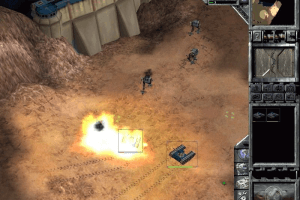
 English
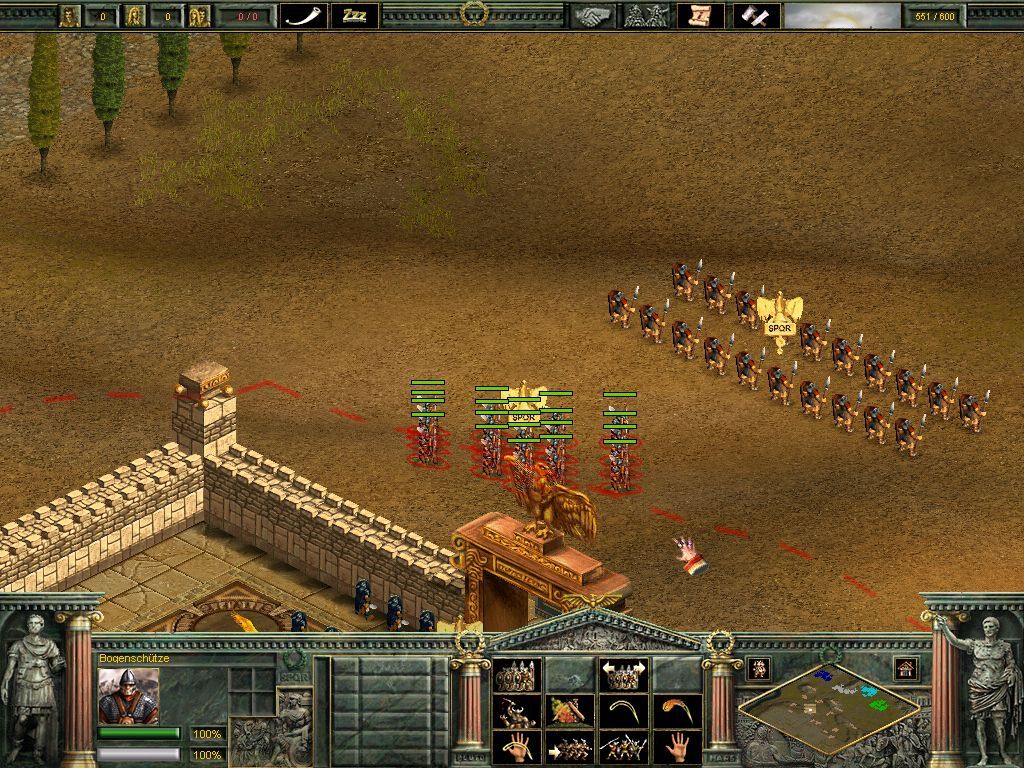
  German
  Russian







Comments and reviews
Hey guys,
I love Thandor because it's my very first RTS game. But even I'm having trouble getting it to run on Windows 11.
That’s why I decided to rebuild the entire game using DX11. The game is a 1:1 replica of the original, with a few modifications and enhancements, but the core of the game and the gameplay remain true to the original! It also runs on older PCs and doesn’t require a complicated installation.
Stay tuned for more informations
French :
https://www.abandonware-france.org/ltf_abandon/ltf_jeu.php?id=5943&fic=liens
Este juego es impresionante, por poco lloro cuando lo vi disponible, tuve el CD original lanzado y solo permitía arrancar en so antiguos, al leer los comentarios anteriores salté de alegría, el modo campaña es genial, siendo su sencillez el aspecto más
I managed to make it run without crashes on Win10.
If your game crashes at random after a couple minutes of play, check if DINPUT.DLL is mentioned in the windows crash log. If so, download a directx6 sdk, open it with 7zip, search for a DINPUT.DLL and put it in the thandor folder. Fixed it for me .
Sadly crashes as soon as i move my mouse. Was not able to figure out why.
Interestingly, clicking does not crash the game, so i can start the Tutorial, by clicking in place on the menu screen and starting the scenario with repeatedly pressing enter. It all starts up fine, surprisingly. But whenever i move the cursor on any screen, it crashes after half a second.
The "Rip" version works on win 11 with Win XP compatibility mode. Crashes from time to time, so you have to do a save after every bit of progress to prevent frustrating losses. I managed to play through the full single player campaign :D
Also hope, the network code for multiplayer is just as bad as it was back then, so that the nostalgia gets even greater...
love this game
If you want to play Windows XP compatible games it may work best using Virtual Box 6.0 (sadly all newer versions dropped 3D support for Windows XP).
DxWnD is another compatibility solution for modern Windows to play old Windows games from (Windows 95/98/+) and even enhance them. It can also properly play CD audio tracks from CD images.
Thank you soooooo much - Thandor works (with some CTD from time to time) on Win 11. One dream of mine came true!!!
Like everyone, my game crash after 1-15 minutes of gameplay.
I have managed to "fix" it by not using the sound patch & setting the compatibility to windows 95. The sounds will still "somehow" work (it will appears bit by bit), but you'll never have commender sounds, gunfire etc, but it's that or a crashing game.
But since the last windows 11 update, i cannot make it work without crashes anymore, if someone has a fix ... Thanks !
Thandor is like one of my very first pc games ever, but i cant make it work.. i installed the game, did the patch, sound fix etc.. i can also start the game, everything is fine - but after a few seconds, the game crashes/freeze and i have to close it.. has anyone some advise?
I could not install the game on windows 10 (just a white screen and the install program stops working), but the Full Rip Version does work fine. (see 64-Bit Dragons comment)
Unfortunately it's only in english.
the disc version doesn't install this error message fatal error b104 couldn't execute "c:\temp\ tgsetup tmp\tgsetup.exe" / ba:\setup.exe"" error code 2 or something similar people on discord channel getting same error as well
So I love this game which is why I wanted it uploaded on this website and now that it's here I made a quick installation guide for the "Full rip version" because the installation guide provided above (which is probably quite foolproof, I haven't tested yet) can seem quite daunting. So as not to discourage people from trying this game I uploaded my video:
https://youtu.be/OeTISp1vkic
My installation is probably not going to work for everyone so if it doesn't, please try the guide above.
TL:DW, download "full rip version", extract, launch (possibly with dgVoodoo and/or sound fix)
No comment nor review for this game at the moment.