


MechWarrior 4: Mercenaries is a classic “BattleTech” simulation developed by FASA and published by Microsoft in 2002 and re-published in 2010 by MekTek as a free download. Eventually MekTek decided to separate from the franchise.
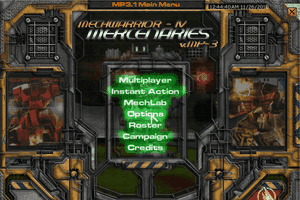
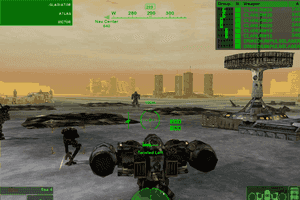
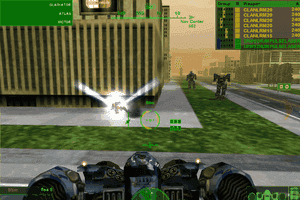
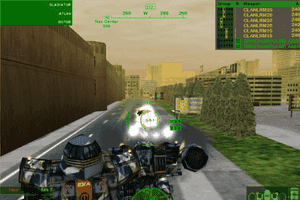
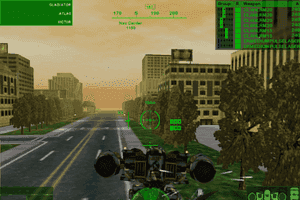
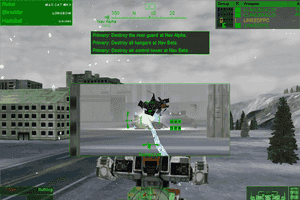
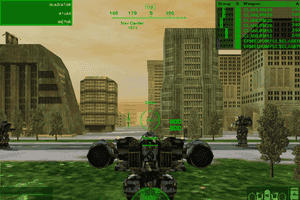
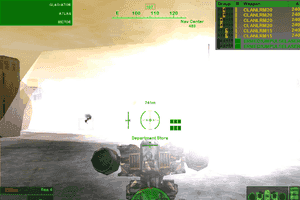
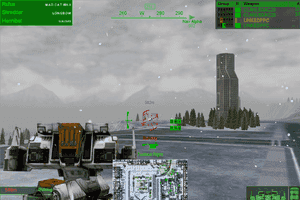
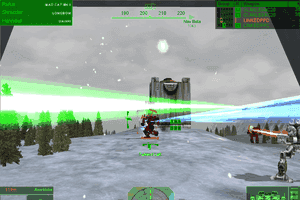
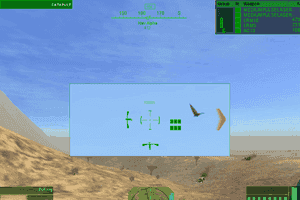
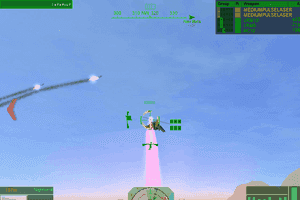
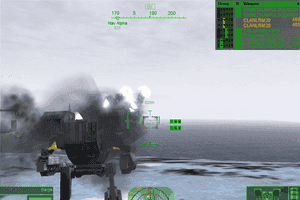
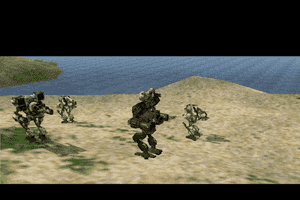
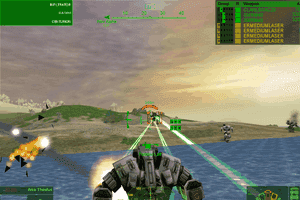
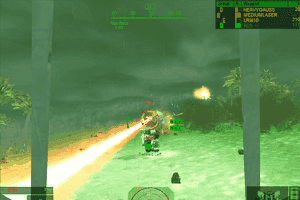
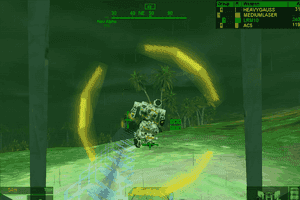
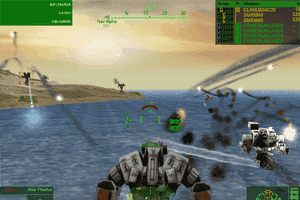
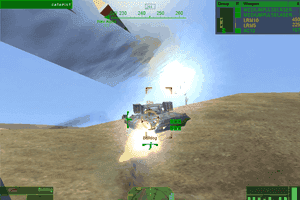
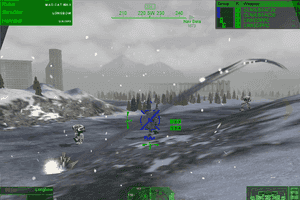
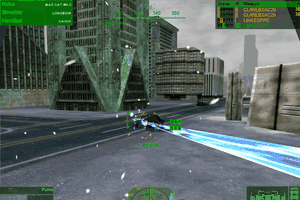
With the inclusion of Inner Sphere, Clan and MekTek packs, the game gained a huge following. Like its predecessors, it is first person aspect within a “Mech” cockpit. Controls are detailed with the ability customize for gaming comfort. The graphics are solid for the time period. It is best played with a joystick. A game pad will work, but it is not as much fun. Online play was a huge factor and many “clans” participated in online matches. An entire gaming universe was created with the advent of the Astral Dominion League. Clans could win resources, planets and fight for the honor of their clan.
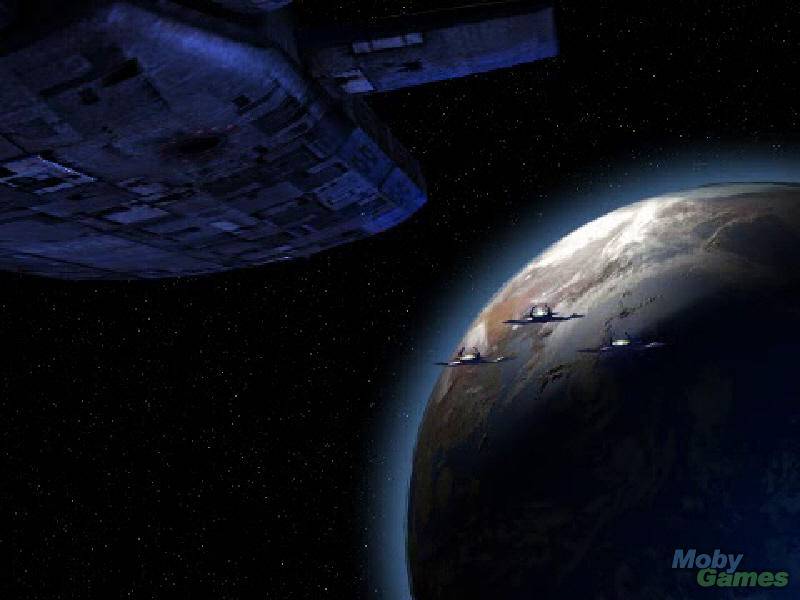
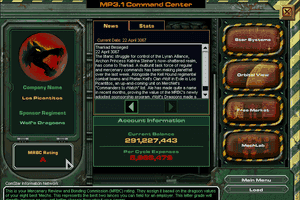
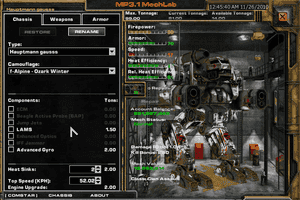
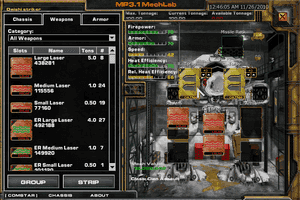
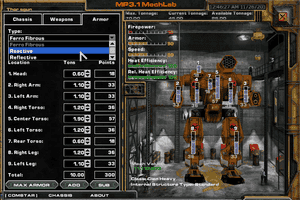
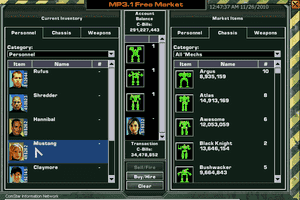
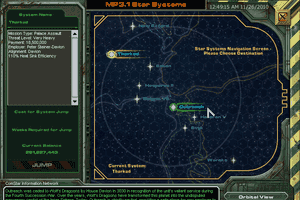
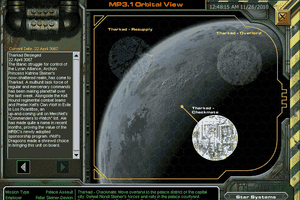
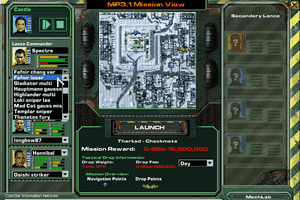
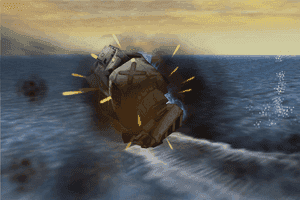
The Story: It’s the year 3066 and you are a MechWarrior for hire. In a galaxy embroiled in war you find your loyalties lie with the highest bidder. Will you fight for House Davion, House Steiner or will you let your bank account decide? As a mercenary you will need to manage your finances, buy, sell and equip your “Mechs”. Nothing is cheap and everything costs you money. Want to make some fast cash? Try your luck on Solaris and see if you can rise to the top of the Solaris Tournament ranks. Here you will, run fight, make temporary alliances and then stab them in the back!
Hey, it’s about the money. In the end will you be rich or broke? It’s a merc’s life.
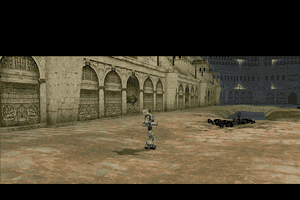
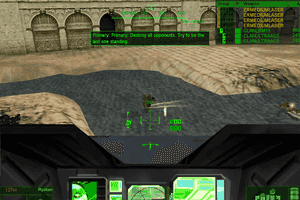
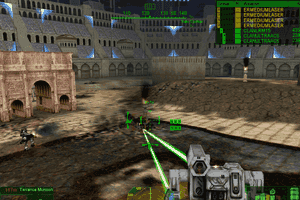
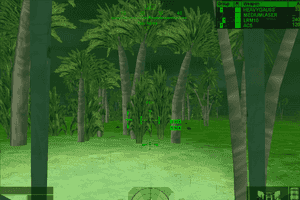
 English





Comments and reviews
If the mouse is acting up it's to do with mouse setting of your system. The game does not work with any kind of mouse acceleration.
Disable acceleration for your mouse in windows itself (it's usually on by default) or whatever program you have that controls your mouse.
Also check for any 'improved accuracy' settings you might have. On a previous computer I had a mouse that came with it's own settings-program and it had a 'better mouse precision' setting. I had to turn it of or the mouse ingame would just be locked in the center of the screen.
tried installing this. Mouse settings seem broken or unintuitive.
I move the mouse it just stares at the ground, it doesn't look up when I move the mouse the other way.
ahhhhh AMAZING!
Played this so much growing up with my dad helping me out. Loved the game to bits until my files got corrupted during my pc transfer, BUT NOW I HAVE HOPE TO PLAY AGAIN
Even patched version just kept asking for CD2 to go in drive.
The mektek version is overhyped garbage. Lots of cool new mechs but it was intended to be multiplayer only. Only includes 3 missions and no campaign to speak of.
can't believe these games are free!
Wow, I remember this one. I loved loading up on flamers and other heat guns and overheat big mechs till the blow.
I had this game around for a while. The one time (I don't care for online games) I dropped in on a clan match, I thought "Hey, I'm really good!" Then I began getting complaints. Seems there were 'understood' rules being used, limits on weight, firepower, etc. I had broken all of them!
I was able to get MechWarrior 4 Mercenaries to work with Windows 10 by first downloading the available MekTek version (1.8 GB).
After extracting the folder from the downloaded file, I renamed the "Base" subfolder to a name of my choosing (MechWarrior 4 - Mercenaries) and then cut and pasted the renamed folder wherever I wanted it to run from on my PC (for me from an external hard drive, but could have been from my desktop, for example). Next I right-clicked on the "MW4Mercs" file inside the game folder, went to Properties, and set the Compatibility to run this program in compatibility mode for Windows XP (Service Pack 3) and to Run this program as an administrator. After clicking OK, I then right-clicked on the "MW4Mercs" file again and clicked on Create shortcut. After creating the "MW4Mercs - Shortcut", I then right-clicked on the shortcut, went to Properties, and added a single space at the end of the Target line followed by:
-f 1920x1080-window /gosnovideo /gosnojoystick -gl -GameTime.MaxVariableFps 30
After double-clicking the MW4 - Shortcut, the game then started properly for me on Windows 10. I had to accept a license agreement first and then was presented with a game menu window that I was able to maximize into full screen to play the game.
I've tried and it even works for Windows 11 as well !!
does anyone know if this works on Debian 12 bookworm?
Download for MekTek version gets stuck at 56%.
Can i control mechs using my mouse to look and aim.. ?
Does anybody have a good link for MekTek 3.2B?
@BEARDEDMALLARD
TYSVM! I still had the cd for this game but couldn't figure out how to get it to work on Win10. You da man!
I LOVE THIS GAME IT MAKES YOU THINK, THATS WAY I LOVE THIS GAME ANY MANY OTHERS WHO KEEP YOU ON YOUR TOES MICHAEL
all mach warrior games are not the same .
I've looked through the comments and and various other places and couldn't find a solution to my problem. MW4 mercs was working fine earlier for me but suddenly I started getting a soundbuffer error and soundpause error and I don't know what caused it. Does anyone know what to do?
I got this going fine on Windows 10 BUT I can only play the game in one resolution! I tried compatibility settings, but if i play full screen, its a tiny little square in middle of screen, if i play windowed its much bigger but mouse cursor keeps going off screen. Any widescreen fix please? If you help me, leave your email ill send you a few free GoG codes or sumtin?
I really love all these old games and I am glad that you are saving them for future generations. Please let me know if you have any jobs I can do. I would be glad to work for free! I just want to help save all of these old games.
The archive link from Zool's post is the one. No install portable, IS pack, Clan pack, latest MekTek community pack adding many mechs and elementals. Too bad the server is defunct, you could set one up altering the IP in the database i guess, its still good for LAN though (even if its set up with a VPN). All expansion pack mechs are multiplayer ONLY. This is the best Battletech sim there is and this file is most current version. Ancient by today's standards, still a real gem.
KEYBOARD NOT WORKING IN WINDOWS 7
The game can be found here in .RAR form
https://archive.org/details/mek-tek
https://www.mektek.net/
is defunct
Also, I suggest the mektek download as it's the final version of the game and doesn't need a no cd crack as it uses windows direct play.
Link: https://www.reddit.com/r/mechwarrior/comments/7y3twy/how_to_run_all_mechwarrior_4_games_on_windows_10/
Many hours spent on this game (PR1) with Merc unit Tau'ri. A true classic.
I love the game. My org disks will not work with window 10 / 11 , . tried to use the compatibility options for XP. no go. So I will give this a try. Thanks.
i really need help to install this
Dayum, I had so much fun with this game. Though I frankly prefer Mechcommander 2 in hindsight.
Trying to beat the game in hardmode was impossible for me. Would require waaay too much jump-sniping at max range, on top of reloading saves to avoid gamebreaking bugs. E.g. sometimes, enemies would randomly sink 2 Kilometres into the ground, making the mission unbeatable. Or escorts getting stuck and refusing to move.
I also played the Mektek version, but back then it still required a CD check with the original MW4: Mercs CD, which made it rather annoying since I was playing it with a NoCD hack that was easy as pie to find and install.
Also the Mektek version locked out the new fan-made weapons and Mechs from the solo Campaign game... UNLESS you did some additional hacking to put them in, which was a lot more tedious and not simple at all.
forgot to mention, it also seems to be missing the rifleman
It's a technical nightmare to set up, thats just how the game is, not compatible by default with modern tech, but it seems to run fine, although, i AM missing a few mechs(archer, marauder, marauder 2, warhammer, wasp, battle cobra, linebacker) but overall it works well(by the way, the instructions for how to install it here need updated, since it's not that simple to install it anymore)
I want to play 1024x678 or better, since I have a NV GTX video card, but auto config at at setting above medium only gives me part of the screen not all of it. Yes I have the mek tek version but I would like full width screen, not this full screen with bars on the side like an old tv.
thank you
will donate soon
This is by far the most comprehensive and effective guide I've found for installing all the MW4 variants. I thoroughly encourage you follow this link as it includes detailed win 10 instructions and various things like patches. 1 thing though, there's a line telling you to go to a map.zip at the beginning, replace that w/the name of the mektek download. Also, I suggest the mektek download as it's the final version of the game and doesn't need a no cd crack as it uses windows direct play.
Link: https://www.reddit.com/r/mechwarrior/comments/7y3twy/how_to_run_all_mechwarrior_4_games_on_windows_10/
Hi Virtue, why don't you try firefox ?
I miss these old FASA Microsoft battletech games. I really liked the video cutscenes at the start of the games and the music was great in all of the games too. Sort of indutrial rock vibe to it all and when it was kicking off the music really added to all the action happening around you. Quality voice acting too and variety in the missions which were also quite long with objectives suddenly changing as things happened within the game. In fact has everything the current Mechwarrior 5 is missing now.. even graphically it's not much worse then the current offering by Pirahna (aka Mechwarrior Online fame). MW5 plays way too much like it's online cousin and much of what made the MW great seems to be missin gin the latest game. Give the license back to them! lol.
Like quite a few on this forum i had problems running the original Mechwarrior games discs on win 10.
Installing itself was not a problem, it would happen after pressing the games icons in desktop. So what has worked - for me today (1/4/2020 - is downloading and running the Mek Tek version from this site.
Just follow a previous instruction from a post below: I'll repeat here.
Download Met Tek Version. Unzip the file to chosen drive (should come up automatically)
C:MW4mercs...etc Open folder and look for "Auto config_Mercs.exe" It's about halfway down the files, then select the card and graphics settings (it should pop up) since it's an old game you can set everything to max set resolution to 1024x768 - there's a choice of three - Find the "MW4mercs.exe "line again to create a shortcut, go to properties on shortcut and select "run in admin mode.
Just one problem ( least for me) it won't run from the shortcut, there's an error that says: "missing language Dll" i have to keep opening the game from the exe.file in the games folder....but hey, the game runs and works.
Hope this helps.
I followed an easy guide youtube video and downloaded all the Mech4 games and set them up properly with Voodoo support and both Mech4 Vengeance and Black Knight work perfectly but for some reason Mech4 Mercs still says it needs a disk 2. Can someone help me find a way to bypass it? It did with the Mettak download and did it with the Original download and I did the steps like with Vengeance properly and also with the NODC HOTFIX download witch I believe was required for the Original. I would like a response on this issue because I really want to play with the new toys.
Sir. I want to download the big image ISO files.
why now IDM can not be used.
when i use browser like google chrome for download. it cannot be resume if internet connection lost.
how to download big files with resume capabilities ?
For those who don't wish to go through the hassle of fighting through the above steps, load a no cd patch and have HD game play, then DL the game here: http://www.shadows-of-empirion.de/drupal/node/562
this is an installer and installs to version 3.1.093.
Mods may want to host this file here
I got one way to get it to work on Windows 10 64 bit newest version.
1. Download the original ISO
2. Extract the ISO's in the zip
3. In the search box in windows type "Powershell"
4. In the shell type Mount-DiskImage -ImagePath or just copy and paste and drag the ISO to the Powershell
5. Now type in search bar " Thispc "
6. right-click on the mech warrior cd drive and hit explore
7. click install and let it install and go through it.
8. When it asks for 2nd cd of that drive letter. go back into this pc and click eject on
the mech warrior cd.
9. go back into Powershell and push the up arrow key and replace the one with a two
in the file. and click enter and wait for it to mount.
10. go into search box again and type Disc management and click on "create and format disk partitions"
11. right-click the Mechwarrior second cd and click change drive letter and paths
and click change. also make it the first driver letter to whatever it was example D:\, f:\, H:\
12. continue installing
13. after you are done install the no-cd file on this site and extract it. Copy and replace the EXE with the new one the installation directory should be
C:\Program Files (x86)\Microsoft Games\Mechwarrior Mercenaries.
and overwrite the file. you could copy and back up the original one.
Hope this helps and is clear :)
Always been a battletech/mechwarrior fan . Read the books have all the house , comstar , star league , and unit books,the mech books . Had the miniatures played it that way . Started buying the games for computer when they came out . This site is great downloaded mechwarrior 4 mercenaries unzipped and installed on my Predator gaming computer had alittle trouble with it being larg we than the screen did a restart and it started perfect. Been playing all day .
Requires a second drive. What should I do?
I did everything on the steps, and even dowloaded DirectX 9 and enabled DirectPlay. However, when I go to run the program, no matter how im running it (whether its admin or regular), I always get this message:
The procedure * could not be located in the DLL mtshellmq.dll.
I try to open said file and it wont work. Is there a way to fix this?
works, and works good! even compatible with my new joystick! awesome
Great game, it was the first and one of the only that I became really involved with from a multiplayer standpoint (PR1).
to all from those days, I'm glad the community is still alive and well! I might have to load it up again when I have some time. :)
on behalf of Ar'Kel too. (RIP brother). :(
I do not have step 2. Can someone please help me?
I'm trying to unzip and run a game using Windows 7. The game ran on an earlier version of Windows.
Myabandonware.com gives these instructions
1 Download MekTek Version.
2 Unzip the file to your chosen drive. C:\MW4Mercs etc.
3 Open folder and run under admin mode “autoconfig_MERCS.exe”
4 Select your video card and graphics setting.
5 Find MW4Mercs.exe and make a shortcut on your desktop.
6 Run in admin mode.
First I downloaded the program named 7Zip
I am not sure if I correctly unzipped the file.
Within the game, there is a Tab for setting Video, but the Screen Resolution drop down button does not do anything
I reached all the way to step six, but the game launches to a black screen
and I get an error message: STOP: You do not have the correct video codec installed to play Content\Movies\mektek_mekpak31_logo.mpeg
It then gives choice buttons: More Details, Continue, Exit
When I choose Continue, the game appears to launch, but the screen is completely black and there is no sound. I may not be waiting long enough.
Sometimes when I click a few times with my mouse, an animated mouse cursor for the game appears on the black screen.
sometimes the black screen then shirnks to about one fourth of my monitor screen, and it appears to be the whole game, but music stutters a bit.
I try to select the option to go full screen, but then, it crashes to black screen again, and I get:
Fatal Error Nested exception - Cause: EnterWindowMode.
Error: You do not have the correct video codec installed to play
Content\Movies\mektek_mekpak31_logo.mpeg at 0x0
The Minimize button works fine, it just won't enlarge to full screen
Come play with us on GameRanger
I did all those methods, still doesn't work, same problems.
Help.
Maybe make new patch or new update for this game?
If you have Windows use a DPI / Text Scaling setting other then 100%, you'll notice all the MW4 games having an offset screen that seems to be shifted to the lower-right, leaving a black bar on the top, regardless of game screen resolution. (The main menu will look fine, but once you start a mission, like training, the screen has a black bar on top, and hitting ESC has the menu shoved down in the lower right corner.. it's still centered on the game screen, but the game screen is offset from your monitor).
Reason... The MW4 games use fonts (eg: for menus) that are impacted by the Windows DPI / Text Scaling setting. You may have changed the DPI / Text Scaling in order to keep a high resolution (eg 1080) but to scale the fonts up in size so you could read them instead of them looking super small.
You can double-check your DPI / Text Scaling in Win 10 by...
1) right-click desktop
2) Display Settings
3) Change size of text, apps and other items
If it's set to anything higher then 100%, it can cause issues in MW4.
The Work-Around...
1) Right-click the MW4 shortcut on your desktop
2) Properties
3) (tab) Compatability
4) (button) Change High DPI Settings
5) (checkbox) Override high DPI Scaling
6) (dropdown .. Scaling Performed By) Application
This will let the Application use whatever DPI / Text Scaling it wants (basically make it use 100% w/o you having to manually set that in the Windows Display Settings.)
Do this to all the shortcuts for the MW4 games you've installed: Vengeance, Black Knight, Mercenaries
When i try to play mech warrior 4 mercenaries on gameranger. It always froze like this:
https://i.imgur.com/hpoe9Sf.jpg
And then like this:
https://i.imgur.com/Esxo9eI.jpg
How to fix this problem?
When i try to install mercpr1 i always get this message:
https://i.imgur.com/4qYG73m.jpg
How to fix this problem?
At the Battletech Retro Gaming League we have 2 download links for this both mektek 3.1 patched but one is hd modded as well. check it out in our discord's download link so here is invite link: https://discord.gg/rxrddpA
Download says it will take an hour (which is fine with me) but it doesn't download anything, it just sits there
Play this with us on GameRanger and MechWarrior 4 Vengeance
Followed instructions and everything is working great on my Win10 laptop. Thanks. Using the Logitec Extreme 3D Pro joystick and looks like I can map everything.
Hi all, This was one I never played much and excited to have it working with Win 7. I am having issues figuring out a way to get it in 1080. Mainly because I want to record it. Not finding any good instruction on this. Thanks all ahead of time.
A great game, and my favorite in the series next to MechWarrior 3. Though, unlike 3 this game takes less effort to get working on Windows newer than 98/XP, and you can have a nice WSAD setup with this, too!
@ROBOMUNKY You are a moron. The instruction on how to get this game to play is already on this page. Look at the section above the snapshots.
Im getting a No File message when trying to download the MekTek version and a Can't Find Video Card message when trying to use the ISO one
Am Getting a "No File " error when downloading the game
need a download counter, can't tell if download started or progress.
I have posted a detailed guide to getting all Mechwarrior 4 game titles to run on Windows 10 on Reddit. I have tested all versions of the game and they are working on windows 10. https://www.reddit.com/r/mechwarrior/comments/7y3twy/how_to_run_all_mechwarrior_4_games_on_windows_10/
"No CD fix" doesn't work, as the problem seems to prevent complete installation. Obviously, I'm wasting my time with this site, as no useful fix seems to be available for the defective software purveyed.
I had issues running my original copy on windows 10, it did not matter what I did to the installed EXE file it just crashed on start, using the no CD-fix apparently worked for me. You basically just replace the original "MW4Mercs.exe" file in the install directory with the one downloaded in the "no CD fix".
Do note that I already had DirectPlay enabled, I did not need to start it as administrator, and I had run the auto-config tool prior to launching it.
I think that as a kid I played through the game three times, but it seems like I've always taken the Davion path, this time I'm going Steiner and I'm playing missions that I don't even remember, so there was something to come back to.
Running MekTec on win7 32bit install with vitual clone drive.
The game doesn't work. When launched, it freezes and displays the message "Can't open Resource\textures.mw4". It won't run without it, apparently. It seems the download doesn't include this important piece, rendering the game unplayable. Suggestions?
Files downloaded, but no idea how to install, with no instructions whatsoever. Did I waste my time downloading this?
my favorite rpg first person shooter/third person shooter. i have most games, and those are vengance, black knight, and this one in disk.
Installed on Windows 10 with the 2 .iso disks. Goto play and it keeps asking to insert correct cd-rom and restart the program. How do I fix.
I've played this game for many years using the original disc. The disc has developed reading problems that cannot be repaired. I suspect scratches or nicks in the disk. What I have noticed from several attempts to download the game from various websites is the executable file has a virus (Trojan.Gen2) that has been there for over nine years. Most of the virus catchers will catch it and allow it to be exempted. Windows 10 version 107 does not allow it, and deletes it entirely. Even the .rar files will get hit if they are in the download folder. I'm hoping the files from this website are clean and playable. The buggiest downloads were from Clan Coyote's downloads. I informed the WEB master, but have not received a reply yet. Beware.
Hi, can someone help me to play it on windows 8.1? Ive unzipped it and whenever I double click or open the mw4mercs.exe file nothing happens. Any help would be appreciated
TO: BACKOFFSON
Yes, you can install with out disks.
download - Extract- RUN AutoConfig -
https://clancoyote.com/main/download/33/mw4mercs-3-1-w-maps/
Got this running on my Windows 10 workstation.
1. Downloaded the MekTek version
2. Needed to enable Direct Play, this website walks you through how to do it: http://www.dosgamers.com/directx-9-windows-10-windows-8
3. Right click MW4Mercs.exe, 'Troubleshoot compatibility', used defaults, to get it to run full screen.
Cheers
how do i get past the needing to install disk 2?
How do I install the Mektek version on windows 10?
Some notes:
-Mektek version gives you tons more mechs and includes the original content with minimal modifications and slightly better performance. By far the version to grab.
-For the above version, MW4Mercs.exe launches the game.
-You can unpack it anywhere. Heck, you could run it straight off a USB stick and carry that around... and the game isn't too intensive to worry much about the performance implications of that.
-For windows 10 users, I suggest a run through the compatibility troubleshooter if you have issues.
I've found that any bugs with this game are variable based on what other contents you have on your system, such as driver quirks or other programs. The operating system does not make or break MW4 as I have played it on Windows XP, Vista, 7 and 10 without issues.
I have been playing this game since it started. I even got my son started on this game. This is one awesome game. Please make it compatible with the newer platforms. Y'all will make tons of money and we will have an awesome game to speed throughout the web. The games today that are knockoffs can't come close to the original.
every time I try to launch it it says "can not find VideoCard.txt"
I downloaded it, but which file do i select to start the game?
When I open the exe it just closes itself and doesn't start up
When I install it, both virtual disks dont work, no app is selected to open it, you know, when the icon is a white page. They are both ISO as you should know, so please help! I need them mounted virtually onto my PC to install mechwarrior4. My old computer works with them, but my new one doesn't, and also a problem I found on my old PC, it tells me to insert disc 2 onto E: which is the first one, moving it or pasting it into the first one cant work because no space. Probaly did it wrong, but I dont know anything!
Is there a way I can install this without the disks? im using windows 10 direct X12
good,very good ilike it
Hey guys I used this command line in the shortcut target and it seems to run all my mechwarrior 4 games on windows 10.
-32bit -window -f 1024x768 -gl -GameTime.MaxVariableFps 60 /gosnovideo /gosnojoystick
I posted more detail on how to make this work here: https://www.reddit.com/r/mechwarrior/comments/5tjgkj/running_all_mechwarrior_4_games_on_windows_10/
Just downloaded and unpacked the MekTek download. just unpacked and edited the option notepad file with videodriverindex=-1
works great in a window :)
Thanks new player, admins and up-loaders :)
great game i remember from years gone by
This game is sick!
i ran more 'needy' games like skyrim and high ram mmo's on my refurbished laptop w/ windows 10 without problems. hope this is encouraging
when windows "improved" after windows 8, the game got "broken" I was told. which means if u have windows 9 or higher it won't work. game came out 2 early 4 windows 9 or above 2 comprehend and download. Harebrained Schemes is coming out w/Battletech pc game in 2017; i'm personally gonna wait 4 that 2 come out. then we'll have our gaming we all loved back in windows 7 & 8 back. just b patient.
Everything you NEED & need to know about MW4 is at clancoyote (dot) com
nothing to say give me a free game!
It's ironic that when I installed this on my 2k Gaming PC that it works like a charm; but, when I install it on my 2009 HP desktop it won't work lol.
Q: Does the guide in "The Gaming Session" link actually work? I'm running a Win 10 and running into a lot of problems. Should I follow the guide to a 't'? When even I launch the game I get a message saying I don't have minimum specs, or if i do get into the game, the graphics glitch out at the menu, where I promptly close the program. Any hints? What has worked for everyone else?
Getting a nested exception error, and tried the /gnosvideo and sound. neither worked.
windows 10 radeon r380, 16 gig of ram, tried everything please help?
for those who have video glitch, like what some our friend comment previously, please go to "base" folder, find a notepad named "option", and change this videodriverindex=-1
goodluck.. :)
Just a tip-- once you have a 'Mech with 3 critical beam/omni slots and enough tonnage, make sure to equip at least one ER PPC. They're lightweight (6-7 tons), have no ammo cost, and can remove almost a ton of armor in a single shot. The only downside is that they generate a LOT of heat, so make sure to save room for a few heat sinks. I typically outfit a Daishi with 2 ER PPC's, an MRM-30, 2 Small Pulse Lasers, and 2 Large Pulse Lasers, saving the rest of the tonnage for missile ammo, armor, heat sinks, and engine power.
Ill try that. Thank you.
@ the48thronin I have win7 64 bit and works fine.
-I downloaded the mektek version
-I used WinRAR to unzip it
-then I played it, no problems.
so try the WinRAR program.
Alright, I'm running Win7 64 and I have managed to install the game with VirtualClone but when I try to run the game all I get is a error message stating the program has stopped running. I've tried running in compatibility mode but no dice.
No comment nor review for this game at the moment.