



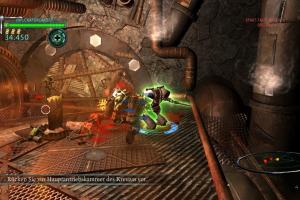
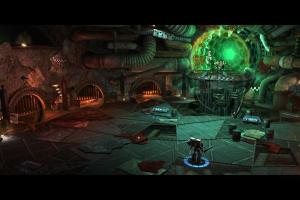
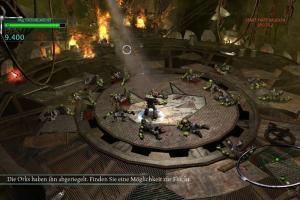
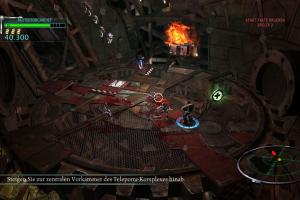
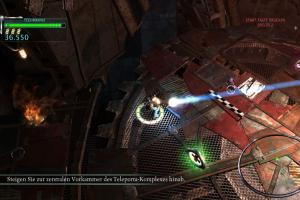
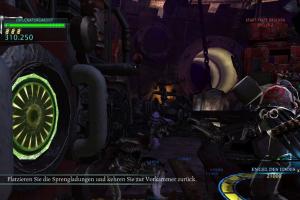
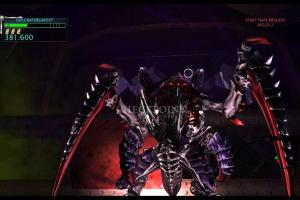
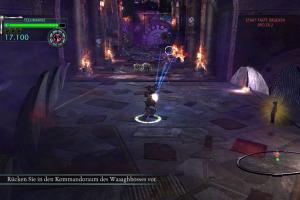
How to Play
The game has been tested on Windows 7 64-bit, Windows 8, Windows 10 and Windows 11, it works fine. You may experience some small troubles when you play the game on modern systems, check our Guide and Notes for details
Install & play guide:
- Mount the disc image. You will need the utility for mounting disc image files, like WinCDEmu, UltraISO, Alcohol 52%/Alcohol 120% or Daemon Tools Lite
- Install the game. It is recommended to install the game not in default path, but in some other, non-system folder, like
C:/Games/Warhammer 40000 Kill Team, so you won't have troubles with NoDVD or fixes - After you installed the game - use NoDVD, simply copy all files from the archive and put them in the game folder, agree to replace the original files
- Open the game folder and find killteam.exe. Right-click on killteam.exe -> Properties -> Compatibility -> Set "Run this app in Compatibility mode with Windows 7" and "Run as Administrator"
- Launch the game and play. If the game doesn't work in compatibility mode with Windows 7 - try to launch it in Compatibility mode with other version of Windows (Windows XP, Vista, 8, etc.)
Notes:
- If the installation doesn't start - try to launch Setup.exe in compatibility mode with old version of Windows (98, 2000 or XP)
- It is recommended to install all versions of Microsoft Visual C++ Redistributable and NET Framework for the correct work of the game. Also it is recommended to install K-Lite Codec Pack for the correct work of in-game videos
- The game works on DirectX 10, so if you're using Windows 8, 8.1, 10 or 11 - you need to enable DirectPlay: Go to Control Panel, and select 'Programs'. Select 'Turn Windows features on and off', click on 'Legacy Components' and check the box 'DirectPlay'. Select OK, once the installation is done, restart your computer
- If the game doesn't start - forbid the game to connect to the Internet, add the rule in Windows Firewall for killteam.exe. Here's the video guide how to block the Internet access for the app through Windows Firewall. As alternative, disable the Internet connection before running the game
- Also, Data Execution Prevention (DEP) may block the executable file of the game. If the game doesn't run at all, even the killteam.exe process doesn't start - add killteam.exe to the list of DEP exceptions, here's the guide with pictures how to do that
- The game has support of widescreen resolutions but by default the maximum supported screen resolution is 1920x1080. If you want to play in higher screen resolutions or on ultrawide display - set the game to Windowed mode in settings and then run it through Borderless Gaming app. To have the correct FOV (Field of View) in high screen resolutions, use CheatEngine app with this FOV Fix, visit WSGF page for instructions
- There's a bug with elevator physics in the game when the elevator may kill the playable character or character model falling through the elevator floor. Looks like that bug happens due to high FPS when the game runs on 60 FPS or more. The fix is to turn Vsync on in the game settings (also, looks like sometimes turning Vsync off may help too); or cap the framerate to 60 FPS or less in GPU control panel or with one of framerate limiter utilites. The framerate cap should fix most of the issues with in-game physics, check this thread for more details
- There's a critical bug in The Teleporta mission (4th mission) when the level doesn't load or the game crashes to desktop during the loading. The possible solution is to enable Vsync or cap the framerate to 30~40 FPS or less in GPU control panel or with one of framerate limiter utilites. Also, at the level selection screen wait 10-15 seconds before switching to 4th mission, and then wait 10-15 seconds before actually starting the 4th mission, looks like it should help, according to this thread
- If you have a camera bug when the in-game camera doesn't follow the playable character or follows it with some delay - make sure to enable Vsync in game settings. If it didn't work - reload the game from the last checkpoint, it should help
- The game has Local Co-op mode for 2 players on one screen, the second player can "jump in" to the game at any moment. To play in Local Co-op mode you will need 2 controllers, either keyboard & mouse + gamepad or 2 gamepads; you cannot play in Co-op mode with 2 keyboards & mice
- The game has controller support but only for XInput-type of gamepads (Xbox gamepad or similar). If you have some other type of gamepad, it is recommended to use X360CE emulator. If the game doesn't recognize your controller - try using one of the additional tools from PCGamingWiki guide for controllers
- The game saves the progress only BETWEEN the missions. If you exit the game before finishing the mission, and then continue the game - you will have to start the mission from the very beginning and not from the last checkpoint
- If you want to reset the progress of the game to start playing it again - savegame files for "cracked" version are located in
C:\Users\%USERNAME%\AppData\Local\EMU\Steam\275610\remotefolder; just delete savedata.dat file - Don't forget to check PCGamingWiki if you have troubles! You can also check Steam forums, if you haven't found the solution for your problem
 English
  French
  German
  Spanish
  Italian







Comments and reviews
Nice, I managed to find this a few years ago.
Thanks guys !
Fun game as long as you are not one of those fans of the WH40K universe who can't tolerate anything which is not perfect.
It's not a huge game, I played it for my channel (playlist link here if anyone cares), like 10 years ago. I recommend it for some shooting action without many worries.
https://www.youtube.com/watch?v=HQzT8vtTBw8&list=PLtpqh8ebqvxcljQeKUx2uW5zNEm8XWIGZ
No comment nor review for this game at the moment.