
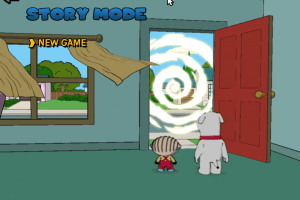
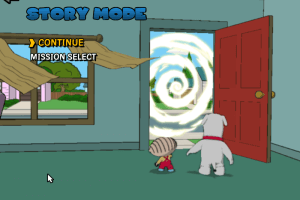
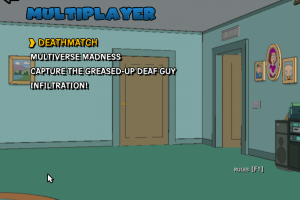
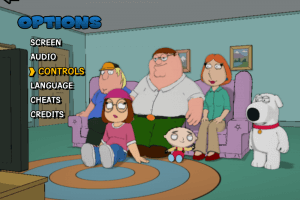
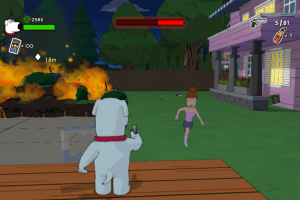
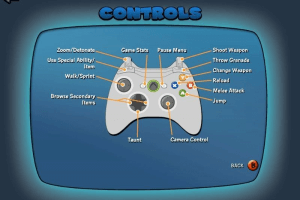
How to Play
The game with NoDVD has been tested on Windows 7 64-bit and Windows 10, it works fine, the game supports widescreen resolutions up to 4k. You may experience some small troubles when you play the game on modern systems, check our Guide and Notes for details
Install & play guide:
- Mount the ISO image with disc image utility, like WinCDEmu, UltraISO, Alcohol 52%/Alcohol 120% or Daemon Tools Lite, etc. Or, if you have WinRAR installed, extract the files from ISO image
- Install the game (if autorun doesn't work - simply launch the installation from Setup.exe inside the disc). It is recommended to install the game not in default path, but in some other, non-system folder, like
C:/Games/Family Guy Back to the Multiverse - After you installed the game - install NoDVD, simply copy all files from the archive and put it into game folder, agree to replace original file
- Don't run the game right now, first block the Internet access for FGUY.exe through Windows Firewall, otherwise the game will try to connect to the Internet. Here's the guide how to do that, and also a video guide
- Open the directory with the game and find FGUY.exe. Right click on FGUY.exe -> Properties -> Compatibility -> Set "Run this app in compatibility mode with Windows 7" and "Run as administrator"
- Launch the game and play. If the game doesn't work in compatibility mode with Windows 7 - try to launch it in compatibility mode with other version of Windows (Windows XP, Vista, etc.)
If the game doesn't work even after you added the Windows Firewall rule - disable the Internet connection and try to run it again
Notes:
- If the installation doesn't start - try to launch Setup.exe in compatibility mode with old version of Windows (98, 2000 or XP)
- It is recommended to install all versions of Microsoft Visual C++ Redistributable and NET Framework for the correct work of the game. Also it is recommended to install K-Lite Codec Pack for the correct work of in-game videos
- The game works on DirectX 9, so if you're using Windows 8, 8.1, 10 or 11 - you need to enable DirectPlay: Go to Control Panel, and select 'Programs'. Select 'Turn Windows features on and off', click on 'Legacy Components' and check the box 'DirectPlay'. Select OK, once the installation is done, restart your computer
- NoDVD is required for the launch because the game is using Steam API DRM, if you don't use it the game will try to launch the Steam client, and you will see only the "Steam must be running in order to launch the game" error. NoDVD "cracks" DRM protection and allows to run the game. If you see the error that there's not enough space on the hard drive when you copy NoDVD files - re-install the game in non-system folder, like
D:/Games/Family Guy Back to the Multiverse, Windows Protection may block copying of files to system folders (likeC:/Program FilesorC:/Windows) - If the game crashes on the start or in random moments: open Windows Registry editor (press Win+R -> type regedit.exe), go to
HKEY_CURRENT_USER/Software/Heavy Iron Studios Inc./Family Guy/Settings, find the lineScreenWindowedand change from01 00 00 00to00 00 00 00(if there's any other value than01 00 00 00, change it to00 00 00 00anyway). After that run the game in compatibility mode with Windows 7. Here's also the guide with pictures - If it didn't help: delete the whole
Settingsfolder fromHKEY_CURRENT_USER/Software/Heavy Iron Studios Inc./Family Guy/SettingsRegisty path. Additionaly, enable Vsync in control panel of your video card (if it was already enabled - try to disable it). Then run the game in compatibility mode with Windows 7 - If you want to change FOV (Field of View) in the game, you need to edit FGUY.exe with any HeX-editor, check WSGF and PCGW for more details, or use FOV Fix, it has edited exe-files with a higher FOV for 4:3 and 16:9 screen ratios
- If you run the game in Windowed mode and it doesn't save the settings for Windowed mode, and/or the screen resolution is labelled as undefined, you need to set up your screen resolution like in this guide, or use FOV Fix
- The game supports widescreen resolutions up to 4k, however, it doesn't have an option to select ultra-wide screen resolutions. But you can enable it through Windows Registry, by changing
ScreenWidthandScreenHeightparameters inHKEY_CURRENT_USER/Software/Heavy Iron Studios Inc./Family Guy/SettingsRegisty path - If you don't like blurring in game, you can disable it by running the game through dgVoodoo, check this guide for details
- There's a known problem when the game crashes at the exit if you run it in Windowed mode. Running the game with dgVoodoo can fix the problem, the instruction is in the same guide
- The game has a controller support and should work fine with any XInput-type controllers, like Xbox gamepads. If you XInput-controller and the game doesn't recongize it, use x360ce tool. If you have any other type of controllers (like DirectInput), you probably will need to use additional tools that can emulate XInput controllers
- If you have problem with broken sound effects or disappearing sound - first try to change the sound settings. If it didn't work - set sound quality to 24 bit, 48000 Hz or 24 bit, 44100 Hz. Read this guide how to do that
- Don't forget to check PCGamingWiki if you have troubles!
 English
  German
  Spanish
  Italian





 Portuguese




Comments and reviews
As of 2026, I couldn't find a way to actually load the game when I downloaded the file. Does anybody have a solution for this?
Run the game as administrator so that you have the ability to save the game.
Hope this gam works its all i have left
Play back to multverse
hey there i have been getting nothing but errors when i try turning the game on can you tell me whats happening?
someone make a walkthrough video on how to download and run\
This is what greed gets you. A game that is delisted on all platforms so you cant buy it anymore, but the abandonware or pirated versions are hella hard to get running. Wow...
This is why companies when they delist games should either make the game free or strip the drm from it.
bru how do u get out of having no lisense
please work or elsew
good a game family guy
this game is carcy
The most important part is to keep the money flowing so you don’t lose it
Glad I bought the steam keys on amazon for the game when I got the chance..it actually holds up really well when upscaled to 4k using borderless windows and smooth motion on a 4090 pc.
i love this game i played it all the time when i was younger this is going to bring back so much memories. I couldn't find this game anywhere i though i would never play it again im so happy lol
when i start the game it says that it cant run and steam says i dont have the license
is there a way to still play it
Runs perfectly on Windows 11
good game:)
I played this game with my brother now i try it again and it has nostalgia
:)
i been wanting this lol
you guys must've read my mind cuz i've been thinking about playing this lol
No comment nor review for this game at the moment.