



- Export saves: export the savegame files from your browser, so you can switch to another browser or computer. You can also use them in an emulator installed on your computer.
- Import saves: import savegames that you exported before with the Export saves button.
- Download disk: export the whole game from your browser, with all your savegames. Useful to switch to an emulator installed on your computer.
- Reset game files: if you somehow messed up the game files, you can reset them to an exact copy of the original.
- Reset saves: delete all savegames from your browser. We recommend that you export them first: there is no turning back!
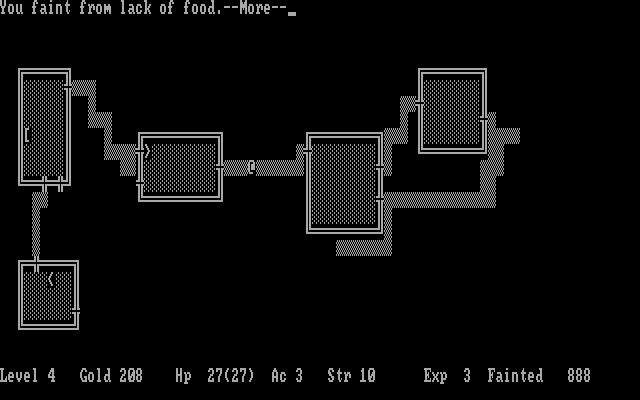
Beneath Apple Manor - Play Online
PC Booter - 1983
Also available on: Apple II - Atari 8-bit
For small DOS games like Beneath Apple Manor, you can play online immediately with your browser (Chrome, Firefox, Safari, Edge, Opera...). This feature is experimental, the game may not work properly.
Warning: game save should work, but you should try it early! Also, be careful to select the right game executable in the list above.

 English
 Similar games
4.5/5 - 116 votes
Rogue DOS, Mac, Commodore 64, Amiga, ZX Spectrum, Amstrad CPC, Atari 8-bit, Atari ST
1984
4.3/5 - 84 votes
Wizardry: Proving Grounds of the Mad Overlord PC Booter, Mac, Commodore 64, MSX, Apple II, FM-7, PC-88, PC-98, WonderSwan Color
1984
3.8/5 - 13 votes
Dunjonquest: Temple of Apshai DOS, Commodore 64, Atari 8-bit, Apple II, VIC-20
1982
4.2/5 - 84 votes
Wizardry: Knight of Diamonds - The Second Scenario PC Booter, Commodore 64, Apple II, FM-7, PC-88, PC-98
1987

4.5/5 - 1441 votes
Sid Meier's Civilization DOS, Windows 3.x, Mac, SEGA Saturn, Amiga, Atari ST
1991
Comments and reviews
Command list for my game is in the manual which is online here: https://www.mocagh.org/firstera/applemanor-alt2-manual.pdf
I found this series of instruction. Hope this helps.
http://www.mocagh.org/firstera/applemanor-alt2-manual.pdf
https://archive.is/ZKVt6
Does anyone here know how the controls work. I know how to move and I learned to open one of the chests, but I dod not know what the other buttons are for.
Not to mention that when I try to buy a weapon or an armor, I have trouble returning to the menu.
Any help with that?
This is pretty cool, playing the earliest game credited with procedural generation!
No comment nor review for this game at the moment.