
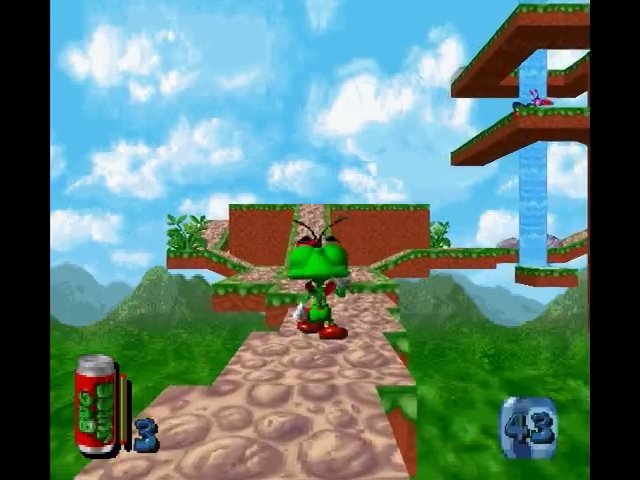
How to Play
You can install the game only in Windows 9x.
To run in Windows XP, do the following:
- Create the directory C:~GAMES_SEGA\BUGTOO\DATA (with the "~" symbol);
- Mount the image in the virtual drive and copy to the directory created on the hard disk all the files from the Data folder on the disk image;
- Copy to the directory C:~GAMES_SEGA\BUGTOO (that is, no longer in the Data subfolder) and then rename the following files from the disk image:
- EXEC.RTA - rename it to BugToo.exe;
- DUKDLL95.DL_ - rename it to DUKDLL95.DLL;
- MSS32.DL_ - rename it to MSS32.DLL;
- TITLE.BMP;
- Unzip the attached archive with the * .reg file into the same folder, launch it by double-clicking the left mouse button and agree to the offer to add information to the registry;
- Be sure to set the Bugtoo.exe file properties to be compatible with Windows 95 or 98 / Me (otherwise the game will not start).
Please note that if you want to hear music while playing, the disk image must remain in the virtual drive, and this drive should be the first in a row.
To start the game in Windows 7, you need to follow all the same steps as for starting in Windows XP, however, you will additionally have to use the DgVoodoo 2 emulator (by copying the corresponding * .dll from the subfolder of the emulator \DirectX to the subfolder with the game executable file).
 English
  Japanese







Comments and reviews
I saw on a SEGA PC thread on Sonic Retro that video playback can be restored via registry editing. Has anyone tried? I made the music work via winmm.dll and OGG tracks
Pcemu with Win 98 second ed. !! Working!
@lpockets try using dgvoodoo
I have been trying to get this working and followed all the steps. However, when I try to run I am getting the error "Video System Initialization Failure!" Any ideas as to why?
Oh man! Thanks for the game! And a little help for others if they also didn't understand these directories:
The " \ " signs are missing in the description!
So it's NOT:
"C:~GAMES_SEGABUGTOODATA" but "C:\~GAMES_SEGA\BUGTOO\DATA"
And it's NOT:
"C:~GAMES_SEGABUGTOO" but "C:\~GAMES_SEGA\BUGTOO"
Maybe it's only me, but for me figuring this stuff out, oh boy, was loooong minutes of confusion. :)
Anyway BIG BIG THANKS for the game, now it's up and running!
ZONTARI you have to mount the files using something like Daemon tools. Quit bitching
Windoes game?! It does not play in windows. It has files iso-bugtoo!.bin and bugtoo!.cue. These do not work in windows
! So what emulator do they really work with?? :-(
No comment nor review for this game at the moment.