
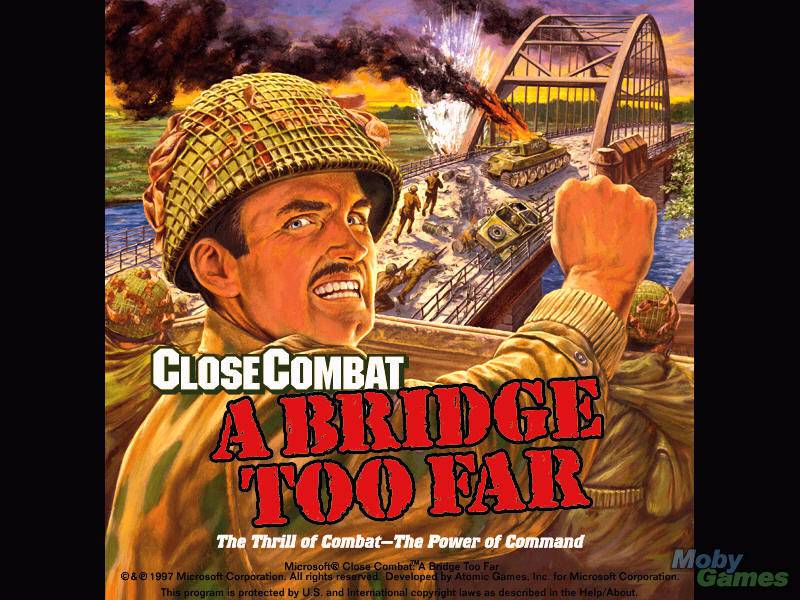
Considered by many wargamers to be the best in the series, Close Combat 2 is a classic real-time tactical-level wargame from Atomic Games, makers of the renowned V for Victory games.
Adrenaline Vault's wargame expert Pete Hines explains in detail what makes this title worthy of being in our Hall of Belated Fame: "In Close Combat: A Bridge Too Far (ABTF), you have the opportunity to test your hand at commanding either German or Allied troops in [Operation Market Garden, a] bloody struggle for control [during World War 2]. As the Allies, you try to make the push successful and rewrite history by bringing the attack to a close and seizing that final bridge at Arnhem. If you play as the Germans, your task will be to halt the advancing Allies at all costs and keep them from controlling this all- important corridor into the Fatherland.
This sequel to Close Combat has both similarities and differences from the original, and offers some strong military strategy gameplay. ABTF really offers three ways to play: battles, scenarios, or campaigns. Each relates to how much of the map -- which shows the key points of Operation Market Garden -- you play at a time. A battle is a single skirmish that takes place in one location. A scenario is a series of interrelated battles, in which your performance in one battle determines your troop strength and position for the next battle. Scenarios comprise a larger portion of the overall operation. A campaign is made up of several scenarios linked together and includes a major part of the operation, or can be the entire Operation Market Garden, from beginning to end.
Each battle map has a number of objectives spread throughout the landscape. These objectives will be controlled by one side at the beginning of the battle. If you are playing the "battle," then you have no choice over which soldiers to use, but you can determine where you want them to begin the battle. If you are playing a scenario or campaign, you can pick and choose, up to a point, the type and number of units you'll use in the upcoming battle. Depending on which side you are playing and whether you are defending or attacking, you will have a lot or only a little room in which to maneuver your units before the fighting begins.
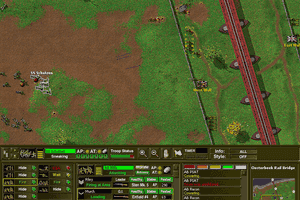
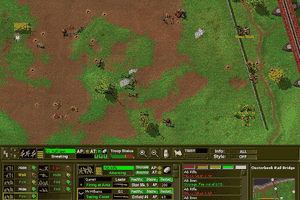
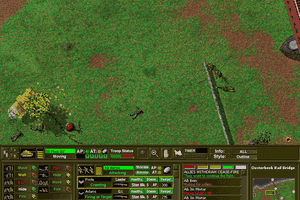
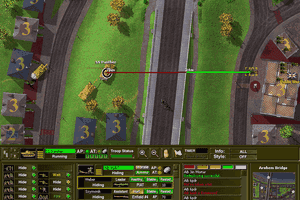
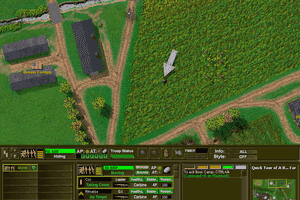
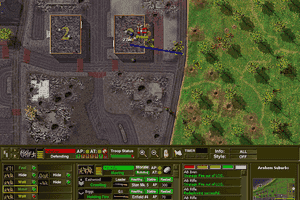
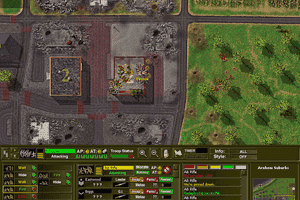
Commanding your troops is largely a point-and-click affair. Right-clicking on any of your units brings up a menu of options for that unit. By pointing to a location on the map (i.e, at a building or enemy troops), you can move that unit to a particular location or ask him to fire his weapon. Individual soldiers are not controlled, but rather you command a group of units, whose size can vary. You can order troops to move, move fast, sneak, fire, lay smoke, defend, or hide. Moving means heading towards the indicated location while looking for enemy units while move fast is a quicker move and with less regard for locating or firing at the enemy. The sneak command is used to move at a much slower rate with the objective of reaching the target undetected by enemy forces, and defend means you want them to stay put and, well...defend. The hide command means they'll look for the best cover in their immediate area and try not to be seen (good for ambushes).
If you're ready for new and different challenges, use the game's battlemaker to construct your own battle. Starting with one of the maps provided, you can determine which and how many units each side will have. You can also choose where to place objectives on the map and how much each one is worth. Using the battlemaker you can see if a small, but experienced and heavily-armed group of soldiers can hold off a larger, but less equipped force.
This game was an awful lot of fun to play and very addicting. It's a very solid four star game and should get serious consideration for adding this to your game library. It was the type of game that I'd end up looking at the clock and realizing that three or four hours had just gone by without me noticing it. There are very few games of this type out on the market that kept my attention the way ABTF did. For those that have played the original, this game offers a ton of improvements. I think Atomic did a great job of making a good thing even better, without messing up what they had already established. This is definitely a sequel worth getting, and a great game for anyone looking to make an entrance into this genre. "
Review By HOTUD


 English



Comments and reviews
CAELESTIAL, I fixed it by running it with compatability mode for WinXP
@CAELESTIAL
I had the same error. Running in Windows 98 compatibility mode fixed it for me.
Followed all of the above steps, and somehow managed to get a new error that shouldn't be possible.
"Unable to start the program because your video card does not support at least 800x600x16bit resolution."
Now obviously in this day and age I don't think a video card even exists that can't run at least 800x600x16bit resolution, so any ideas or suggestions? Pretty please, I am dying to play this gem of a game again.
@OldieButGoldies you say to replace the DATA folder with a valid clean CC2 ABTF archive which contains all videos. Where would I find that?
Got it to work on Win7 x64 -How?
Step 1 :Follow exactly and that order steps from
ANONYMOUS D 2016-09-05 1 point Windows version
The registry key supplied does not work with 64-bit windows since the path requested by the game is different. Edit the included CC2.reg file so that all paths that mention
HKEY_LOCAL_MACHINE\SOFTWARE\Microsoft\Microsoft Games
are changed to
HKEY_LOCAL_MACHINE\SOFTWARE\Wow6432Node\Microsoft\Microsoft Games
Also make sure the InstalledTo entry matches the correct folder. And then run the reg file to add the entries to registry.
Step 2 :Further more after completing these steps ,overwrite DATA folder ENTIRELY from archive given from Abandonware with the one from a valid clean CC2 ABTF archive which contains all videos ,as it seems game requires those videos IN DATA FOLDER ,(otherwise it will pop-up an error message)and those dont exist on provided archive.
Hey guys do any of you know how to make this run on D-Fend Reloaded or any of the options this site recommends? I have tried to run it using the sites steps and it just wont work. Any help is appreciated. Thank you.
ANONYMOUS D you are a genius! Works great on my Win764 machine!
i fixed wineskin, did al the adjustments, but when i start the game it says it cannot find the video files..
for graphics solutions
https://appdb.winehq.org/objectManager.php?sClass=version&iId=6369&iTestingId=91921
Can't open the SETUPENU.DLL to install -Any advice? I'm not really tech savvy sorry!
Thanks for the wineskin tip Anonymous Canadian. Anyone else having trouble with the graphics loading slowly? I experienced this on a Win 7 system and also on the wineskin'd Mac system. But, on Windows 10, it loads really fast. However, on Windows 10 it often crashes :{
Any ideas? I've played with so many graphics options with no luck. It seems like I'm possibly missing the old DirectX version required? Any ideas?
Running a Dell D830 laptop with XP... I remember spending too much time on this game in the mid and late 90's. I downloaded the game and drug the .exe file over the dosbox icon. Eight hours later... Hey, it's the New Year! Okay, time to download the Russian Front and see if it works too. Great time to spend while recovering from a foot surgery. Russ, in Kansas
Never did have any luck with this one. The zip file didn't have a default path or install program, so tried to install it to a few different directories without success.
Works in 64Bit mode if you change/replace the entry keys as suggested by
"Anonymous D". Thanks for the info you are a star ;-)
[HKEY_LOCAL_MACHINE\SOFTWARE\Wow6432Node\Microsoft\Microsoft Games]
[HKEY_LOCAL_MACHINE\SOFTWARE\Wow6432Node\Microsoft\Microsoft Games\Close Combat]
[HKEY_LOCAL_MACHINE\SOFTWARE\Wow6432Node\Microsoft\Microsoft Games\Close Combat\2.00]
Thanks Anonymous. Works perfectly on Windows 10 64-bit after adding that info to the registry keys.
Download works great! Got it running on Mac with Wineskin.
The registry key supplied does not work with 64-bit windows since the path requested by the game is different. Edit the included CC2.reg file so that all paths that mention
HKEY_LOCAL_MACHINE\SOFTWARE\Microsoft\Microsoft Games
are changed to
HKEY_LOCAL_MACHINE\SOFTWARE\Wow6432Node\Microsoft\Microsoft Games
Also make sure the InstalledTo entry matches the correct folder. And then run the reg file to add the entries to registry.
Does not work, complains about th emissing registry entries, even after writing them from the supplied .reg-file and adjusting the InstalledTo path to point to the proper direction. Any tips how to get it to work?
the game will not open. files will extract and properties can be adjusted for compat. the registry files cause it to not open. x3 attemps confirm this.
OEFM USE THE CC2 FILE
This download doesn't work, why say that it will? Such a waste of time
#John
This is one of the grat Mac game titles of all time although it was created in 1996!. It will only run in Classic (OS 9) on G3, G4 or G5 PPC (with Classic). If you have an Intel Mac from 2005+ the Mac version wont work. Your alternative is to install Steam and then pay / download one of the 7 or 8 Windows editions - I think the last of these from Matrix is about 2012 (so its still being developed after 15 years)
Ha, I meant dosbox....
Hey man, how the heck do I get this to work for a mac. I got dropbox and boxer but can't figure it out.
No comment nor review for this game at the moment.