You are on the beta version of My Abandonware. The live site is still myabandonware.com. Your favorites and ratings here are copied to the live site. Comments and other changes are not — we delete them every morning at 08:00 Paris time, when this site goes down for about an hour. Leave feedback through this link to Pastel (email required).
The beta goes down at 08:00 Paris time, in a few minutes. We rebuild the database from the live site. It comes back in about an hour.
If you have cursor issue, you can get updated cursor files on this reddit thread.
Comments and reviews
Nini05 Sep. 2026
Played it without any issues on windows 11! You just have to delete the content in the "cursor" folder!
1
DD06 Apr. 2026
Does not work on windows 11 even with changing compatibility.
0
DanM22 Mar. 2024
Works well on Windows 10, just download and install. It was a bit glitchy (but still playable) for me, so as others have mentioned, I switched the compatibility to Windows 98/ME, no more glitches, runs great!
0
poyochan09 Mar. 2024
thanks a lot!! i love the diner dash franchise and wanted to replay it for the longest time. thanks to everyone's comment, that's why community matters ^_^ if you're having trouble with a clunky gameplay or the game crashes, follow JES's advice: it worked for me like a charm as well.
1
Jes08 Nov. 2023
This is exactly what worked for me, thanks:
"If glitchy, as 'N' says in previous comment - right click application file, "Properties', 'Compatibility', 'Windows 98'. But to avoid crashing the game after this change, instead of opening game as usual, right click game icon, 'Run as admin'. Works well for me now. (Thx 'N'!)"
5
Thea0215 Oct. 2023
hi i hope ican play it without problem
0
OI BUBBY!22 Feb. 2023
Top comment
If glitchy, as 'N' says in previous comment - right click application file, "Properties', 'Compatibility', 'Windows 98'. But to avoid crashing the game after this change, instead of opening game as usual, right click game icon, 'Run as admin'. Works well for me now. (Thx 'N'!)
8
n13 Jul. 2022
The game is safe to play. If there's an issue with the mouse or if it lags, right-click the .exe file, go to "Properties", then "Compatibility", then change the Compatibility Mode to Windows 98. It should work perfectly fine.
3
DarkeningDemise11 Jun. 2022
Diner Dash games are not compatible on modern hardware. Expect issues.
1
rancidpossum09 Jun. 2022
The game has some bugs... when the cursor moves it glitches and makes the screen glitch too. After trying to play the first level it crashed within a few seconds.
1
ROBBIE16 Mar. 2022
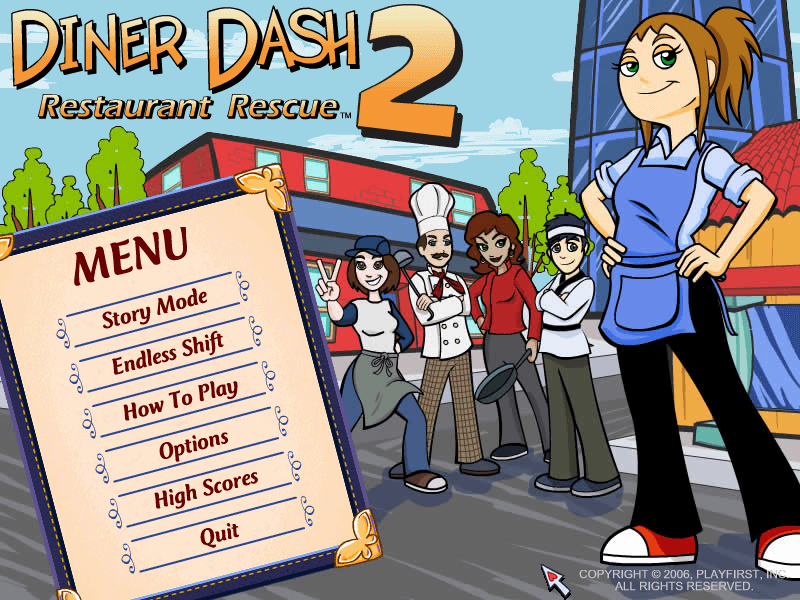
I played the game and then i noticed the screen in the main menu was glitching and the mouse had a black outline? I turned it off because i was scared my Laptop had a virus and checked my antivirus but it had none. When i checked the setup agreement it says something like do not sue WDoubleYouW and other weird things that do not appear regularly in the setup agreement. Can you replace the file or contact the Donator about this? I think the Donator tampered with the game










 English



Comments and reviews
Played it without any issues on windows 11! You just have to delete the content in the "cursor" folder!
Does not work on windows 11 even with changing compatibility.
Works well on Windows 10, just download and install. It was a bit glitchy (but still playable) for me, so as others have mentioned, I switched the compatibility to Windows 98/ME, no more glitches, runs great!
thanks a lot!! i love the diner dash franchise and wanted to replay it for the longest time. thanks to everyone's comment, that's why community matters ^_^ if you're having trouble with a clunky gameplay or the game crashes, follow JES's advice: it worked for me like a charm as well.
This is exactly what worked for me, thanks:
"If glitchy, as 'N' says in previous comment - right click application file, "Properties', 'Compatibility', 'Windows 98'. But to avoid crashing the game after this change, instead of opening game as usual, right click game icon, 'Run as admin'. Works well for me now. (Thx 'N'!)"
hi
i hope ican play it without problem
If glitchy, as 'N' says in previous comment - right click application file, "Properties', 'Compatibility', 'Windows 98'. But to avoid crashing the game after this change, instead of opening game as usual, right click game icon, 'Run as admin'. Works well for me now. (Thx 'N'!)
The game is safe to play. If there's an issue with the mouse or if it lags, right-click the .exe file, go to "Properties", then "Compatibility", then change the Compatibility Mode to Windows 98. It should work perfectly fine.
Diner Dash games are not compatible on modern hardware. Expect issues.
The game has some bugs... when the cursor moves it glitches and makes the screen glitch too. After trying to play the first level it crashed within a few seconds.
I played the game and then i noticed the screen in the main menu was glitching and the mouse had a black outline? I turned it off because i was scared my Laptop had a virus and checked my antivirus but it had none. When i checked the setup agreement it says something like do not sue WDoubleYouW and other weird things that do not appear regularly in the setup agreement. Can you replace the file or contact the Donator about this? I think the Donator tampered with the game
Please give this guide a try for Diner Dash 2
https://www.youtube.com/watch?v=TaOzH4f42oI
I mean, I can download and play it but it has some trouble. maybe its my laptop but idk
No comment nor review for this game at the moment.