
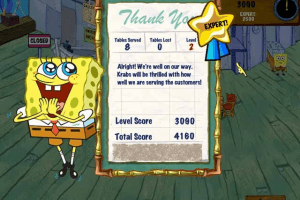
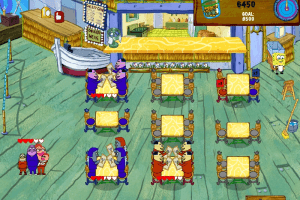
How to Play
SpongeBob Diner Dash 2.exe file inside the archive showed few warnings about possibly malicious file because it is "cracked" version of the game, nothing to worry about
Notes:
- If you have troubles with running of the game on Windows 10/11 - try to launch it in compatibility mode with old version of Windows (Windows XP, Vista, Win7 etc.) and as administrator
- The game might have a graphical glitch on some modern systems when mouse cursor is blinking/flashing or have a purple square around. There are no known fixes for this problem, but you can try to run the game through utility like dgVoodoo, but you probably will still have glitches
- If you have cursor issue, you can get updated cursor files on this reddit thread.
 English





Comments and reviews
i want to play it
I want to download this app because I miss and I'm so enjoyful when I'm playing this Diner Dash
TIM is right. Just remove the cursor assets to fix the cursor issue
i want to download games
Hello, though I should share that an easier solution for the cursor flickering is to simply remove the cursors images form the assets folder, that way your typical cursor will show up instead.
Thank you Somedude, you helped make an old game I loved as kid playable once again. I had the game CD but I am not sure where it went...Anyways thanks, and for anyone trying to fix the cursor, the last step is to hit save only! I was trying replace with that new drawing of it but it wouldn't let me do it, I downloaded another zip file from the store only to find out it has the same problem, so I did it again this time hitting save only and it worked! No more blinking or glitching.
@ PEACEFULAUTISTIC this is a false positive
Heads up, there is a virus. a trojan, on this download. At least Virus Total told me so.
My solution for the mouse cursor issue is to edit each of the cursor images in the assets folder using a program called paint.NET (https://www.getpaint.net/)
Steps:
1. Increase the canvas size so the image is 1000x1000
2. Fill in the whole canvas with the same default purple color (HEX :FF00FF) using the color picker & paint bucket.
I noticed that when I crop the canvas down to the cursor it would now display a black box near the cursor in-game, but the flickering was resolved. So the idea I had was to increase the image size of each of the cursor images to 1000x1000 to push out the black box outside of gameplay window so that it wouldn't be noticed anymore.
No comment nor review for this game at the moment.