






How to Play
How to install and play:
- Mount the disc image for CD1. You will need the utility for mounting disc image files, like WinCDEmu, UltraISO, Alcohol 52%/Alcohol 120% or Daemon Tools Lite.
- Install the game through
splash.exe - The installer will prompt you to insert the second disc after a while. Unmount the first disc image and mount the CD2 image. Then press OK to continue with the installation.
- Extract the contents of NoCD archive to the installation location. Overwrite files when prompted.
Note:
- The game will always run in fullscreen mode and has no graphical settings. Using dgvoodoo2 might have no effect and using Dxwnd simply results in the game being unable to detect available resolutions. It also ignores any changes made in the config file.
 English





Comments and reviews
I downloaded it idk what to do is there a tutorial video of how to set it up?
Legendy głosza że jest wersja na pc z polskimi napisami, czy ktos wie czy to prawda czy nie ma polskiej wersji i tylko gra z2007 ma polski dubbing a reszta gier jest w bez Pl, napisy dubbing itd ?
Russian bootleg :
https://archive.org/details/tmnt-3_202512
@intelpel
There is no other language except English. There are a series of files named like "french.lng", "spanish.lng" and so on in the installation folders, but I checked them with Notepad++ and they're all identical and in English. They just contain a list of the phrases and words that appear during the installation and in the tmntConfig.exe file, like key buttons or gamepad buttons.
From what I could find the only the PS2 port of the game got an European multi-language release (PAL). All other ports were North American exclusives.
Coming back to this topic I realized I forgot to link the page were Widescreen patches can be downloaded, I apologise for that.
They're here: https://community.pcgamingwiki.com/files/file/2394-tmnt-mutant-melee-widescreen/
You just pick the resolution you like and replace the original .exe with the new one. The result may not be 100% perfect (a few elements are just stretched), but they work. While I'm at it I'm sending an email to My Abandonware itself so that they are uploaded directly here.
Can I change language? thx
Works well on my Windows 11, and there are even Widescreen patches available. You just download the EXE with the resolution you want and replace the original EXE. Keep in mind that Widescreen EXEs stretch the aspect of cutscenes and the menu, but the gameplay retains its correct proportions.
I managed to play the game with a generic controller by setting it up on "tmntConfig.exe". Commands all have to be set manually, but it works. From what I experienced the gamepad doesn't properly work if it's connected to the PC while the game is running, so remember to connect the controller before you run the game.
Has anyone been able to get this working with a controller?
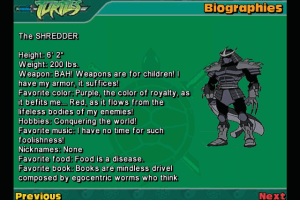
As an average TMNT fan, I never actually played this game, so can't wait to get into it. But looking at Shredders character card "Nickname: none". For the new TMNT fans out there, Oroku Saki was/is his "real" name. Shredder is the nickname.
No comment nor review for this game at the moment.