You are on the beta version of My Abandonware. The live site is still myabandonware.com. Your favorites and ratings here are copied to the live site. Comments and other changes are not — we delete them every morning at 08:00 Paris time, when this site goes down for about an hour. Leave feedback through this link to Pastel (email required).
The beta goes down at 08:00 Paris time, in a few minutes. We rebuild the database from the live site. It comes back in about an hour.
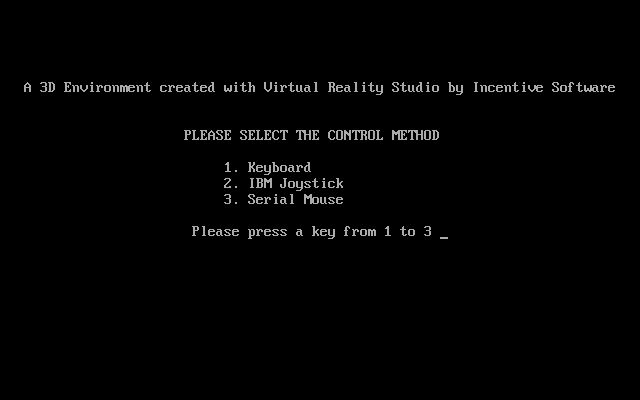
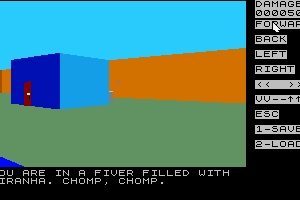
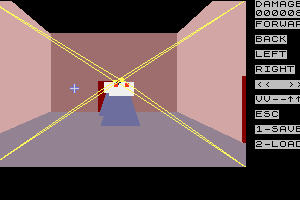
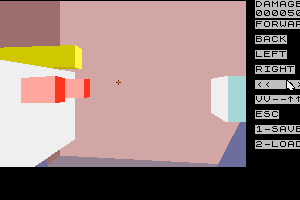
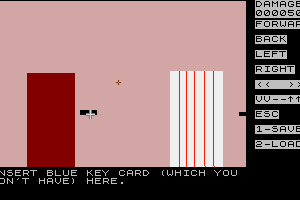
Looks to be a game created with Incentive's 3D Construction Kit.
0
Tworedshirt16 Jul. 2017
I can't be arsed to post this elsewhere. The Menace of Doctor Spoil Sport. 1. Introduction.
2.Lack of controls.
3. Step By Step Walkthrough.
Introduction I DO NOT OWN THIS GAME, It is, however, abandonware since ever, not sure what the registered version would even add to it given you can play the whole thing.
Taken Verbatim from the manual.
Menace of Dr. Spoil Sport
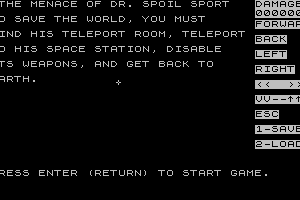
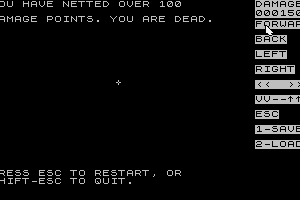
Oh, Boy, we're in trouble now. The evil mad scientist Dr Spoil Sport has decided that if he can't have the world, nobody can. He has built a giant space station in orbit above the Earth and threatened to blast the Earth with super laser beams if we don't.Our only hope is for you to get to the space station disable the weapons before the deadline. It would also nice if you could get back to Earth alive so we can give a big The evil scientist has set up space mines around the station. The only way to get up to the station is to use teleport booth in Dr Spoil Sport's laboratory. You must into his lab, past all the traps and robot guards, and the teleport booth. Once you have reached the space you must find a way to disable the station's weapons and return to Earth. You have an electro-laser gun that may you to blast some of the obstacles out of the way. Good A final warning: Some things, like getting shot or exposed to radiation, can cause damage to you. If accumulate more than 100 damage points, you are dead. Try avoid that. Game copyright David Leithauser 1992
Controls F - moves you forward
B - moves you backward
R - moves you right
L - moves you left
- rotates you right
^ (Shift-6) - rotates your vision up
V - rotates your vision down
- (minus sign, representing the horizon) - repositions your vision to the horizon
T - executes a U-turn, a fast way of turning 180 degrees
Esc - restarts game from the beginning
Shift Esc - exits program totally, returns you to DOS
1 - saves current game position to a file. A box will appear on the screen. Type in a name up to eight letters for the name to save data under. If you type less than eight letters, press ENTER. You will also see another box, with something like "NUE" in it. Just hit ENTER again when you see this box.
2 - load saved game. when the box appears, type in the name of the file you saved the game under.
C - clears the little plus sign crosshair from the center of the screen, in case it is in you way. Pressing C again restores it.
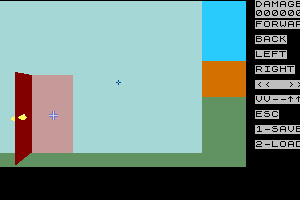
To fire at something, use the cursor keys to move the mouse cursor to the object you want to shoot. The mouse cursor will look like a crosshair while on the view screen, an arrow when off the view screen. When you have the crosshair on the object you want to shoot, press the space bar. To activate an object, move the crosshair to the object and press the A key. What "activate" means will depend on the object and the circumstances. Loose objects will usually be taken when activated. That is, "Activate" can mean GET. Activating a button or doorknob can mean pushing the button or turning the knob. Activating a keyhole or card key slot can mean inserting the key or card key, if you have it. If you cannot activate the object, you will just get a message if you try to activate it. For example, trying to turn a doorknob on a locked door or insert a key card in a slot when you do not have the key card will just give you a message.
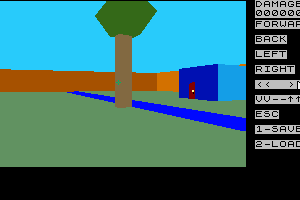
Activating some objects just gives you information about the object. To use the mouse, move the mouse pointer to the word or symbol you want to use and press either mouse button. For example, to go forward, move the mouse pointer to FORWARD on the right side of the screen and press either mouse button.To rotate left, click on the
1
No comment nor review for this game at the moment.





 English



Comments and reviews
Looks to be a game created with Incentive's 3D Construction Kit.
I can't be arsed to post this elsewhere.
The Menace of Doctor Spoil Sport.
1. Introduction.
2.Lack of controls.
3. Step By Step Walkthrough.
Introduction
I DO NOT OWN THIS GAME, It is, however, abandonware since ever, not sure what the registered version would even add to it given you can play the whole thing.
Taken Verbatim from the manual.
Menace of Dr. Spoil Sport
Oh, Boy, we're in trouble now. The evil mad scientist Dr Spoil Sport has decided that if he can't have the world, nobody can. He has built a giant space station in orbit above the Earth and threatened to blast the Earth with super laser beams if we don't.Our only hope is for you to get to the space station disable the weapons before the deadline. It would also nice if you could get back to Earth alive so we can give a big The evil scientist has set up space mines around the station. The only way to get up to the station is to use teleport booth in Dr Spoil Sport's laboratory. You must into his lab, past all the traps and robot guards, and the teleport booth. Once you have reached the space you must find a way to disable the station's weapons and return to Earth. You have an electro-laser gun that may you to blast some of the obstacles out of the way. Good A final warning: Some things, like getting shot or exposed to radiation, can cause damage to you. If accumulate more than 100 damage points, you are dead. Try avoid that. Game copyright David Leithauser 1992
Controls
F - moves you forward
B - moves you backward
R - moves you right
L - moves you left
- rotates you right
^ (Shift-6) - rotates your vision up
V - rotates your vision down
- (minus sign, representing the horizon) - repositions your vision to the horizon
T - executes a U-turn, a fast way of turning 180 degrees
Esc - restarts game from the beginning
Shift Esc - exits program totally, returns you to DOS
1 - saves current game position to a file. A box will appear on the screen. Type in a name up to eight letters for the name to save data under. If you type less than eight letters, press ENTER. You will also see another box, with something like "NUE" in it. Just hit ENTER again when you see this box.
2 - load saved game. when the box appears, type in the name of the file you saved the game under.
C - clears the little plus sign crosshair from the center of the screen, in case it is in you way. Pressing C again restores it.
To fire at something, use the cursor keys to move the mouse cursor to the object you want to shoot. The mouse cursor will look like a crosshair while on the view screen, an arrow when off the view screen. When you have the crosshair on the object you want to shoot, press the space bar. To activate an object, move the crosshair to the object and press the A key. What "activate" means will depend on the object and the circumstances. Loose objects will usually be taken when activated. That is, "Activate" can mean GET. Activating a button or doorknob can mean pushing the button or turning the knob. Activating a keyhole or card key slot can mean inserting the key or card key, if you have it. If you cannot activate the object, you will just get a message if you try to activate it. For example, trying to turn a doorknob on a locked door or insert a key card in a slot when you do not have the key card will just give you a message.
Activating some objects just gives you information about the object. To use the mouse, move the mouse pointer to the word or symbol you want to use and press either mouse button. For example, to go forward, move the mouse pointer to FORWARD on the right side of the screen and press either mouse button.To rotate left, click on the
No comment nor review for this game at the moment.