You are on the beta version of My Abandonware. The live site is still myabandonware.com. Your favorites and ratings here are copied to the live site. Comments and other changes are not — we delete them every morning at 08:00 Paris time, when this site goes down for about an hour. Leave feedback through this link to Pastel (email required).
The beta goes down at 08:00 Paris time, in a few minutes. We rebuild the database from the live site. It comes back in about an hour.
Nascar Legends does not play It cant find track description
0
Isaac03 May. 2025
Will it work either on "mobile" or on Windows 11 on my laptop?
-2
Dan12311 Sep. 2022
Any idea how to calibrate your steering because, i can't
1
Benny20 Dec. 2021
Top comment
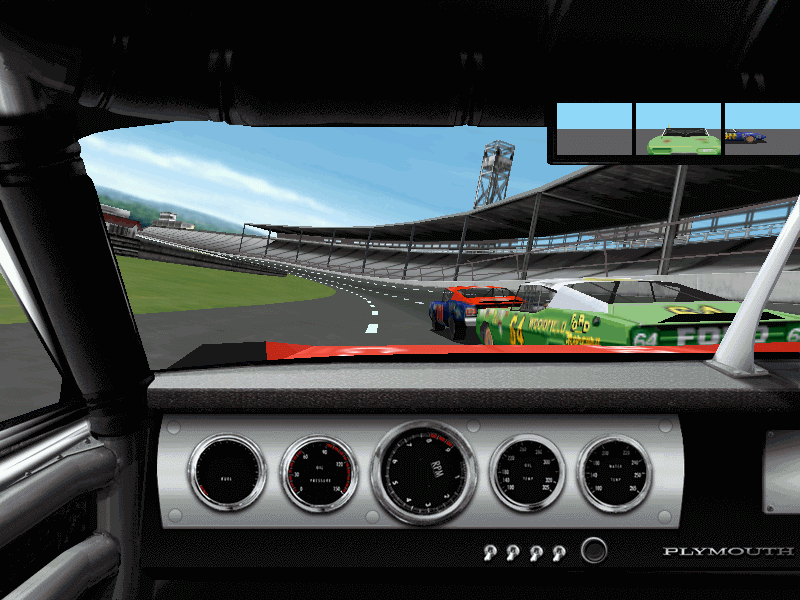
For best results on win10 you must use nglide 3dfx emulator and of course select 3dfx in the game. For better fluidity run the game in win95 compatibility mode, uncheck ''full screen enhencement'' aslo help FPS and display the proper 4:3 ratio. I have a G-force RTX 3060 so I configured the game in Nvidia control panel where you can override software graph options such as anisotropic filtering and antialiasing to make the game looks way better, even better if you set higher than original resolution in Nglide configurator. I run 1920x1080 (original game maxed 1024x768) the UI looks blurry but in the game it's awesome. The game never looked this great back in the days. By the way the game engine will not go over 31fps. (we used to get 20-25 fps full details on at 800x600 on a pentium 233mmx/voodoo3 in the days....
7
The ultimate ross chastain fan15 Jun. 2021
Aw. It did not open. I will try again when I get a new computer
-1
The ultimate ross chastain fan15 Jun. 2021
Never tried this before ima try it
-2
walker26 Feb. 2021
cool game
1
MG12 Jan. 2021
Rich Bagel read these links about using nglide and 3dfx voodoo. Read first before install and do so at your own risk.
I actually OWN NASCAR Racing 3 and NASCAR Legends, and still have my original game CDs and manuals for the games :) Anyhow, I figured that I'd post this here, maybe someone can be of help.
I recently got a Windows 10 PC and installed Papyrus Software's NASCAR Racing 3 and NASCAR Legends (same game engine and renderers for both games). The games start up just fine, but when moving the mouse over an option in the menus the mouse slows down to a crawl. Also, when I actually manage to start a race (as everything is sluggish like I described above) the framerate is terrible.
This happens when I select the Direct3D renderer. It doesn't happen with the software renderer, but of course, that looks horrid.
Does anyone know of a Compatibility Administrator (Windows Application Compatibility Toolkit) fix for this with an ".SDB" file? I'm assuming that would be the way to fix it if it's at all possible.
Thanks for any help! :)
3
Quadrajet08 Oct. 2020
Not bad, runs fine on Windows 7 64bit. If you're an old school Nascar buff this is definitely a must try.
1
Toni Cesar21 Nov. 2019
You can only run this at 30 FPS, looks too sloppy but it's not a bad game.
-2
No comment nor review for this game at the moment.







 English





Comments and reviews
I LOVE RACING
Nascar Legends does not play
It cant find track description
Will it work either on "mobile" or on Windows 11 on my laptop?
Any idea how to calibrate your steering because, i can't
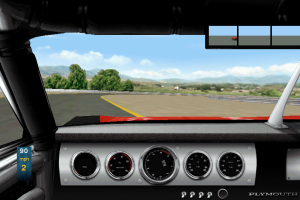
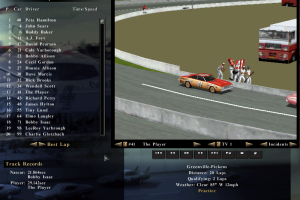
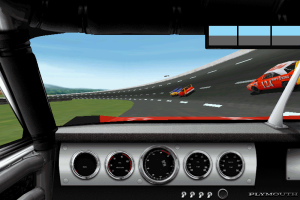
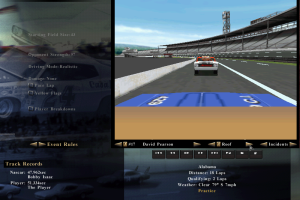
For best results on win10 you must use nglide 3dfx emulator and of course select 3dfx in the game. For better fluidity run the game in win95 compatibility mode, uncheck ''full screen enhencement'' aslo help FPS and display the proper 4:3 ratio. I have a G-force RTX 3060 so I configured the game in Nvidia control panel where you can override software graph options such as anisotropic filtering and antialiasing to make the game looks way better, even better if you set higher than original resolution in Nglide configurator. I run 1920x1080 (original game maxed 1024x768) the UI looks blurry but in the game it's awesome. The game never looked this great back in the days. By the way the game engine will not go over 31fps. (we used to get 20-25 fps full details on at 800x600 on a pentium 233mmx/voodoo3 in the days....
Aw. It did not open. I will try again when I get a new computer
Never tried this before ima try it
cool game
Rich Bagel read these links about using nglide and 3dfx voodoo. Read first before install and do so at your own risk.
http://www.zeus-software.com/downloads/nglide
http://www.sierrahelp.com/Patches-Updates/Patches-Updates-Games/NASCARRacingUpdates.html
https://soggi.org/drivers/3dfx-voodoo.htm
https://www.vogons.org/viewtopic.php?t=44364
I actually OWN NASCAR Racing 3 and NASCAR Legends, and still have my original game CDs and manuals for the games :) Anyhow, I figured that I'd post this here, maybe someone can be of help.
I recently got a Windows 10 PC and installed Papyrus Software's NASCAR Racing 3 and NASCAR Legends (same game engine and renderers for both games). The games start up just fine, but when moving the mouse over an option in the menus the mouse slows down to a crawl. Also, when I actually manage to start a race (as everything is sluggish like I described above) the framerate is terrible.
This happens when I select the Direct3D renderer. It doesn't happen with the software renderer, but of course, that looks horrid.
Does anyone know of a Compatibility Administrator (Windows Application Compatibility Toolkit) fix for this with an ".SDB" file? I'm assuming that would be the way to fix it if it's at all possible.
Thanks for any help! :)
Not bad, runs fine on Windows 7 64bit. If you're an old school Nascar buff this is definitely a must try.
You can only run this at 30 FPS, looks too sloppy but it's not a bad game.
No comment nor review for this game at the moment.