You are on the beta version of My Abandonware. The live site is still myabandonware.com. Your favorites and ratings here are copied to the live site. Comments and other changes are not — we delete them every morning at 08:00 Paris time, when this site goes down for about an hour. Leave feedback through this link to Pastel (email required).
The beta goes down at 08:00 Paris time, in a few minutes. We rebuild the database from the live site. It comes back in about an hour.
@Rich Nagel and others. After install and to get a smooth running game. Install dgvoodoo put the latter's programme exe in the Nascar 3 folder and start. At the top of this programme make sure it names nascar 3 as a direction to the game. Then from dgvoodoo you should have a folder with dll files inside. Look for the MS folder and put all those dll files inside the games main folder alongside the previously mentioned programme exe. Then go to the game and select none for renderer. You should get decent fps now.
1
papyrus24 May. 2023
Why is the game file corrupted? Help?
0
papyrus23 May. 2023
why is the game super zoomed in when I play?
-2
King_Burger#118 May. 2023
AWSOME...how do II play
0
DOG eater Hitoaki Minami02 Feb. 2023
Hey Hitoaki,parts ga tairyou ni baramakareru NASCAR ha nainokai?
-1
moses01 Apr. 2022
ISOS wont work at all. Autorun stops right after you click "install". And it's every game.
1
Benja051025 Jan. 2022
HI i download the game and tried to open it but when i do a message apears telling me that the audio system beigin failed and then the program closes Any help:)
-2
pro30 Jan. 2021
mencanta el juego es genial ledoi 5 es trellas porque peencanta
-2
Rich Nagel30 Dec. 2020
I actually OWN NASCAR Racing 3 and NASCAR Legends, and still have my original game CDs and manuals for the games :) Anyhow, I figured that I'd post this here, maybe someone can be of help.
I recently got a Windows 10 PC and installed Papyrus Software's NASCAR Racing 3 and NASCAR Legends (same game engine and renderers for both games). The games start up just fine, but when moving the mouse over an option in the menus the mouse slows down to a crawl. Also, when I actually manage to start a race (as everything is sluggish like I described above) the framerate is terrible.
This happens when I select the Direct3D renderer. It doesn't happen with the software renderer, but of course, that looks horrid.
Does anyone know of a Compatibility Administrator (Windows Application Compatibility Toolkit) fix for this with an ".SDB" file? I'm assuming that would be the way to fix it if it's at all possible.
Thanks for any help! :)
2
Dugglet McNugglet12 Oct. 2020
Also important is to have nGlide installed so you can use the Voodoo 3D acceleration after installing the patch, which hugely improves the performance.
0
Dugglet McNugglet12 Oct. 2020
Running as administrator fixed the crash for me.
0
M11 May. 2020
I had the same issue with it crashing. Run the game in Windows Compatibility mode for windows 7 or XP.
0
Sally29 Mar. 2020
I tried to use Dave's method, the setup program never seems to open for me. So I dragged the nascar3 folder to my C drive and opened Nascar3 and the game opens but when i go to pick a track and then race, the game exits. I don't know what to do!
0
Dave3333321 Aug. 2019
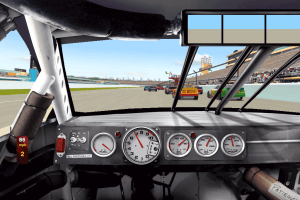
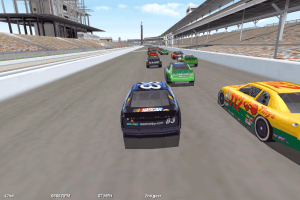
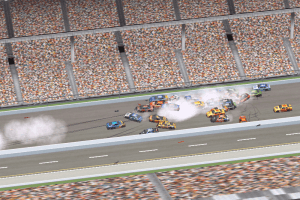
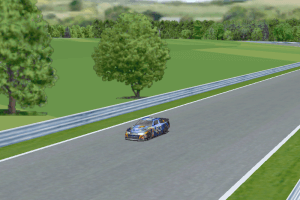
NASCAR Racing 3 is an odd game when you look between it's brothers and sisters that came before and after it. More or less, this was a transitional era for the Papyrus series. Compared to what NASCAR Racing 1 and 2 put out, 3 looked like a DOS game that ran like a windows application, however, it showed a much improved driving model and you wouldn't have trouble keeping the pace against the field. This is also the first (and debatably only) game to fully integrate the Busch Grand National and Craftsman Truck Series, barring a few missing drivers, which could take some digging to find their custom files.
Now, to install this and get it working on modern systems is amazingly simple compared to what NR2003 has put out.
Download the ISO file, ignore the rip, it's better to have the ISO anyway. Use WinCDEmu or whatever virtual drive software you got on hand, and mount the iso. Run the installer as normal, you don't even need a serial number to continue installation, at least, until you confront the Truck Series Expansion, where the key is required to run.
Once you got the game installed, ignore the stuff from AT&T and WON, both are obviously outdated offers and a dead gaming network, in fact, WON became what we know as Steam, little fun fact there. Now, don't start the game yet, there's one more thing you gotta do. Go to compatibility settings and set the program to Windows 98/Me, otherwise the program runs excruciatingly slow.
20 years old, and a solid game and a welcome part to any NASCAR game collection. You can even port forward and do online racing with it, amazingly.
4
Tiercon17 Aug. 2019
File is corrupt. Please fix
2
zain ul abdeen31 Jul. 2019
is the game compatible of windows vista
0
ahmad9907 Mar. 2019
the RIP file is not working. Pls repair, thanks
3
No comment nor review for this game at the moment.






 English




Comments and reviews
@Rich Nagel and others. After install and to get a smooth running game.
Install dgvoodoo put the latter's programme exe in the Nascar 3 folder and start. At the top of this programme make sure it names nascar 3 as a direction to the game.
Then from dgvoodoo you should have a folder with dll files inside. Look for the MS folder and put all those dll files inside the games main folder alongside the previously mentioned programme exe.
Then go to the game and select none for renderer. You should get decent fps now.
Why is the game file corrupted? Help?
why is the game super zoomed in when I play?
AWSOME...how do II play
Hey Hitoaki,parts ga tairyou ni baramakareru NASCAR ha nainokai?
ISOS wont work at all. Autorun stops right after you click "install". And it's every game.
HI i download the game and tried to open it but when i do a message apears telling me that the audio system beigin failed and then the program closes
Any help:)
mencanta el juego es genial ledoi 5 es trellas porque peencanta
I actually OWN NASCAR Racing 3 and NASCAR Legends, and still have my original game CDs and manuals for the games :) Anyhow, I figured that I'd post this here, maybe someone can be of help.
I recently got a Windows 10 PC and installed Papyrus Software's NASCAR Racing 3 and NASCAR Legends (same game engine and renderers for both games). The games start up just fine, but when moving the mouse over an option in the menus the mouse slows down to a crawl. Also, when I actually manage to start a race (as everything is sluggish like I described above) the framerate is terrible.
This happens when I select the Direct3D renderer. It doesn't happen with the software renderer, but of course, that looks horrid.
Does anyone know of a Compatibility Administrator (Windows Application Compatibility Toolkit) fix for this with an ".SDB" file? I'm assuming that would be the way to fix it if it's at all possible.
Thanks for any help! :)
Also important is to have nGlide installed so you can use the Voodoo 3D acceleration after installing the patch, which hugely improves the performance.
Running as administrator fixed the crash for me.
I had the same issue with it crashing. Run the game in Windows Compatibility mode for windows 7 or XP.
I tried to use Dave's method, the setup program never seems to open for me. So I dragged the nascar3 folder to my C drive and opened Nascar3 and the game opens but when i go to pick a track and then race, the game exits. I don't know what to do!
NASCAR Racing 3 is an odd game when you look between it's brothers and sisters that came before and after it. More or less, this was a transitional era for the Papyrus series. Compared to what NASCAR Racing 1 and 2 put out, 3 looked like a DOS game that ran like a windows application, however, it showed a much improved driving model and you wouldn't have trouble keeping the pace against the field. This is also the first (and debatably only) game to fully integrate the Busch Grand National and Craftsman Truck Series, barring a few missing drivers, which could take some digging to find their custom files.
Now, to install this and get it working on modern systems is amazingly simple compared to what NR2003 has put out.
Download the ISO file, ignore the rip, it's better to have the ISO anyway. Use WinCDEmu or whatever virtual drive software you got on hand, and mount the iso. Run the installer as normal, you don't even need a serial number to continue installation, at least, until you confront the Truck Series Expansion, where the key is required to run.
Once you got the game installed, ignore the stuff from AT&T and WON, both are obviously outdated offers and a dead gaming network, in fact, WON became what we know as Steam, little fun fact there. Now, don't start the game yet, there's one more thing you gotta do. Go to compatibility settings and set the program to Windows 98/Me, otherwise the program runs excruciatingly slow.
20 years old, and a solid game and a welcome part to any NASCAR game collection. You can even port forward and do online racing with it, amazingly.
File is corrupt. Please fix
is the game compatible of windows vista
the RIP file is not working. Pls repair, thanks
No comment nor review for this game at the moment.