You are on the beta version of My Abandonware. The live site is still myabandonware.com. Your favorites and ratings here are copied to the live site. Comments and other changes are not — we delete them every morning at 08:00 Paris time, when this site goes down for about an hour. Leave feedback through this link to Pastel (email required).
The beta goes down at 08:00 Paris time, in a few minutes. We rebuild the database from the live site. It comes back in about an hour.
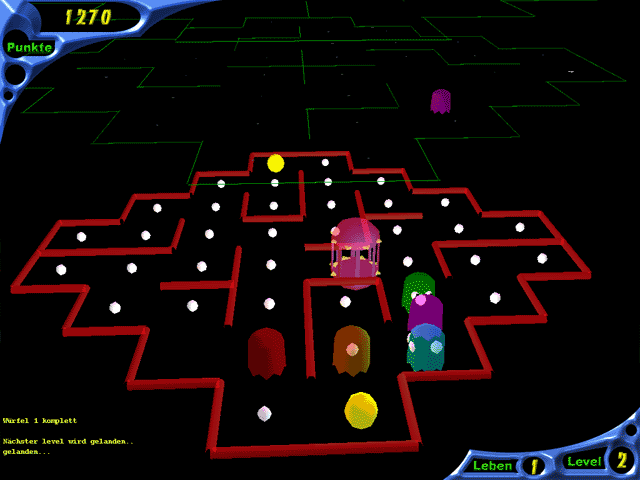
As for the launch error after installing PacMania 3D, the solution is to download the file d3drm.dll at https://www.dll-files.com/d3drm.dll.html and put it in the main game directory, the game runs fine in Windows 11 after that.
0
XenonS22 Dec. 2025
The version on this site is a download executable, the game doesn't exist in the Alawar servers any longer, so it will not work. There is a CD version in the page PacMania 2D+ containing PacMania 3D, but it will not work after installation, also not in WinXP under VMWare, an installation and a file corruption error will appear, not starting the game.
0
Gabe_the_gamer!!!10 Jul. 2025
This game looks very fun, but i do not know how to install it:(
0
No comment nor review for this game at the moment.







 English




Comments and reviews
As for the launch error after installing PacMania 3D, the solution is to download the file d3drm.dll at https://www.dll-files.com/d3drm.dll.html and put it in the main game directory, the game runs fine in Windows 11 after that.
The version on this site is a download executable, the game doesn't exist in the Alawar servers any longer, so it will not work. There is a CD version in the page PacMania 2D+ containing PacMania 3D, but it will not work after installation, also not in WinXP under VMWare, an installation and a file corruption error will appear, not starting the game.
This game looks very fun, but i do not know how to install it:(
No comment nor review for this game at the moment.