You are on the beta version of My Abandonware. The live site is still myabandonware.com. Your favorites and ratings here are copied to the live site. Comments and other changes are not — we delete them every morning at 08:00 Paris time, when this site goes down for about an hour. Leave feedback through this link to Pastel (email required).
The beta goes down at 08:00 Paris time, in a few minutes. We rebuild the database from the live site. It comes back in about an hour.
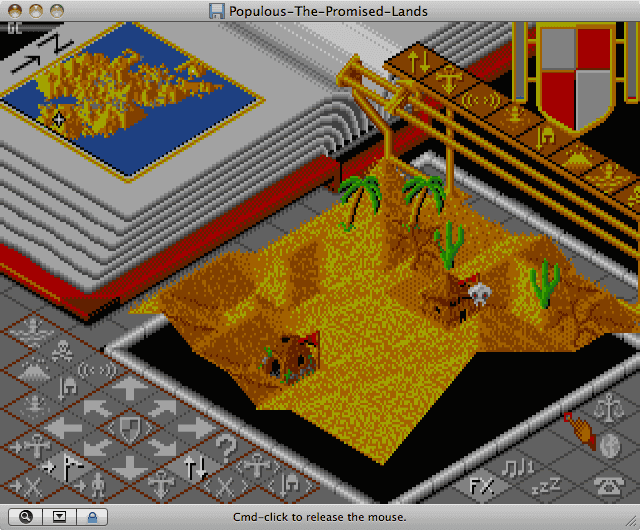
The addon disk for Populous, the archive contains Populous with the additional disk installed.
Comments and reviews
CLASSICLOVER03 May. 2026
The zipped version used may start but will not accept the shield verification name when provided. Nor will it accept it when you try to save. Just keeps prompting for the shield name. I know that the shield names are correct since I have the Command Summary card in PDF. This copy of the game did not work in DOSBox or DOSBox-X when it comes to the verification portion. Had to find another file source that worked without the summary and another that needed the summary card correctly.
0
Quil the Great19 Oct. 2018
A small amendment - in a few older games, you do not run an exe file, but a .bat file instead. This being the case in Populous, instead of running Populous.exe, you must run pop.bat. Just type "pop", then hit return/enter.
1
Quil the Great10 Oct. 2018
Cumulonimus_Incus, you need to use a program called DosBox. There are many good tutorials for using DosBox, but the basic idea is: First, download DosBox from here: https://www.dosbox.com/download.php?main=1 . Select the version for your operating system and install it. Move your Populous folder to your local disk (usually C:). Create a folder called ‘oldgames’, and move Populous into it. Ensure the folder is called 'populous', without any capitals. Next, run DosBox. You should be given a basic command line reading Z:\. Type "mount c c:/oldgames/populous", then hit enter. If no errors show, continue. Type “C:”, and hit enter. The command line should read 'C:\' instead of 'Z:\'. Now, look inside your populous folder and find the executable used to run it. It should be easily identifiable, and will usually bear resemblance to the name of the game. Type in the file name of the executable. For example, if the executable was 'populous.exe', then type populous, and so on. Your game should start. For more detailed help, look online. There are loads of great tutorials.
1
Kyle P16 Jul. 2017
THIS IS AWESOME!!!
And its got new landscapes such as the Wild west. Even the SNES version didn't have this.
You need to play this. EVERYONE SHOULD!
Thank you again for posting this!
2
Mike16 Jul. 2015
Thanks
0
Cumulonimus_incus01 Dec. 2013
I am unable to get this to run on Win 7 64-bit, however Populous II runs fine. Darn. I like the worlds in this one better actually! All it does is black out my screen as if it's going to work, then the DOS windows screen comes up blank, it flickers, and I'm back where I started. Anyone know any work arounds? I did a Google search but could not find anything.
1
Devin14 Sep. 2013
i need to know the world shields so i can save
0
Theresajayne04 Oct. 2012
I remember playing the lego world on my old Amstrad PC1812 Amazing game, why aren;t games like this anymore
0
McKraken03 Apr. 2012
I love this one just as much today as i did back in the day ... a true master piece :) Between this one and syndicate, Bullfrog consumed a good chunk of my childhood LOL
0
myabandonware21 Sep. 2011
one of bullfrogs early success stories that was lead by Peter Molyneux and still looks good today
0
No comment nor review for this game at the moment.




 English



Comments and reviews
The zipped version used may start but will not accept the shield verification name when provided. Nor will it accept it when you try to save. Just keeps prompting for the shield name. I know that the shield names are correct since I have the Command Summary card in PDF. This copy of the game did not work in DOSBox or DOSBox-X when it comes to the verification portion. Had to find another file source that worked without the summary and another that needed the summary card correctly.
A small amendment - in a few older games, you do not run an exe file, but a .bat file instead. This being the case in Populous, instead of running Populous.exe, you must run pop.bat. Just type "pop", then hit return/enter.
Cumulonimus_Incus, you need to use a program called DosBox. There are many good tutorials for using DosBox, but the basic idea is:
First, download DosBox from here: https://www.dosbox.com/download.php?main=1 . Select the version for your operating system and install it.
Move your Populous folder to your local disk (usually C:). Create a folder called ‘oldgames’, and move Populous into it. Ensure the folder is called 'populous', without any capitals.
Next, run DosBox. You should be given a basic command line reading Z:\. Type "mount c c:/oldgames/populous", then hit enter.
If no errors show, continue. Type “C:”, and hit enter. The command line should read 'C:\' instead of 'Z:\'. Now, look inside your populous folder and find the executable used to run it. It should be easily identifiable, and will usually bear resemblance to the name of the game.
Type in the file name of the executable. For example, if the executable was 'populous.exe', then type populous, and so on. Your game should start.
For more detailed help, look online. There are loads of great tutorials.
THIS IS AWESOME!!!
And its got new landscapes such as the Wild west. Even the SNES version didn't have this.
You need to play this. EVERYONE SHOULD!
Thank you again for posting this!
Thanks
I am unable to get this to run on Win 7 64-bit, however Populous II runs fine. Darn. I like the worlds in this one better actually! All it does is black out my screen as if it's going to work, then the DOS windows screen comes up blank, it flickers, and I'm back where I started. Anyone know any work arounds? I did a Google search but could not find anything.
i need to know the world shields so i can save
I remember playing the lego world on my old Amstrad PC1812
Amazing game, why aren;t games like this anymore
I love this one just as much today as i did back in the day ... a true master piece :) Between this one and syndicate, Bullfrog consumed a good chunk of my childhood LOL
one of bullfrogs early success stories that was lead by Peter Molyneux and still looks good today
No comment nor review for this game at the moment.