





- Export saves: export the savegame files from your browser, so you can switch to another browser or computer. You can also use them in an emulator installed on your computer.
- Import saves: import savegames that you exported before with the Export saves button.
- Download disk: export the whole game from your browser, with all your savegames. Useful to switch to an emulator installed on your computer.
- Reset game files: if you somehow messed up the game files, you can reset them to an exact copy of the original.
- Reset saves: delete all savegames from your browser. We recommend that you export them first: there is no turning back!
Prince of Persia 2: The Shadow & The Flame - Play Online
DOS - 1993
For small DOS games like Prince of Persia 2: The Shadow & The Flame, you can play online immediately with your browser (Chrome, Firefox, Safari, Edge, Opera...). This feature is experimental, the game may not work properly.
Warning: game save should work, but you should try it early! Also, be careful to select the right game executable in the list above.

 English
Similar games
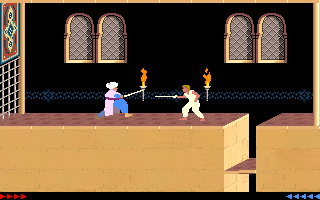
4.6/5 - 833 votes
Prince of Persia DOS, Mac, Genesis, SEGA Master System, Game Gear, Amiga, Amstrad CPC, Atari ST, Apple II, FM Towns, PC-98, SAM Coupé, SEGA CD, Sharp X68000, TurboGrafx CD
1990
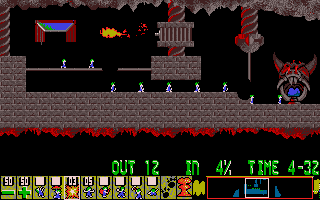
4.6/5 - 314 votes
Lemmings DOS, Mac, Genesis, Commodore 64, SEGA Master System, Game Gear, Amiga, ZX Spectrum, Amstrad CPC, 3DO, Atari ST, CD-i, Lynx, Acorn 32-bit, Amiga CD32, J2ME, CDTV, FM Towns, PC-98, SAM Coupé, Sharp X68000, TurboGrafx CD
1991

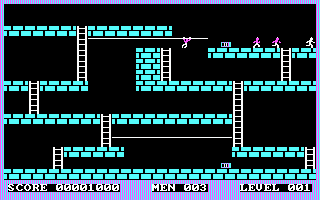
4.5/5 - 60 votes
Lode Runner DOS, Mac, Commodore 64, MSX, ZX Spectrum, WonderSwan, Amstrad CPC, Atari 8-bit, Atari ST, Apple II, VIC-20, Arcade, BBC Micro, J2ME, FM-7, PC-88, PC-98, SG-1000, iPod Classic, Hitachi S1, SMC-777
1987

Comments and reviews
I found out the saves you do only stays on your PC even if you play online 😅
i also had ended it on rip version and was shocked there is only me on hall of fame list !!
I found out that no one had ended the game here after all this years , so I ended it once and left saves on apt rip version
Alt + L to load hope you will enjoy it ❤️
save the game before picking father's sword!!!!! alt+o
better at the beginning of the level.
then exit and refresh the page. then load your saved game with alt+l
if you don't save and load while not using the second, the game will exit to dos and will not start again until refresh
Controls arrows for walking ctrl for the sword and shift for slow walking and for catch if you jump
Thank me later ❤
Share your tips to run properly Prince of Persia 2: The Shadow & The Flame in your browser: best browser to use, specific DOSBox config... You can drop a comment for anything too!
gemiye nasıl atlanıyor?
Doesn,t play after picking up father,s sword
Hi how to do it in full screen after downloading
you're not meant to make it past the boat in the browser play.
also if you want proper music on put the sound to sound blaster or sound blaster pro and then in game hold alt and press o and turn ambient music on
7cWkzBxd
For those who are not too keen about the PC Speaker sound:
1. Exit the Game using CTRL+C so that you're back to the DOS prompt
2. Run SETUP.EXE and configure Sound and Music to Sound Blaster
3. For Sound Options use Address 220, IRQ 7, DMA 1
4. "Save" the Options (which are only valid for the current session of the emulation!)
5. Run PRINCE.EXE
6. Enjoy the Game with enhanced Sound!
make a option to download it
for sword press:ctrl
to keep the sword back in press:d
and the regular directional keys to move and jump
Hi, does anybody know the controls? I am being killed over and over by the first guy.
Worse then angry birds. When I was 10 I was allot better haha
العبة جميلة بس مش بطردا تشتغل
No comment nor review for this game at the moment.