
- Export saves: export the savegame files from your browser, so you can switch to another browser or computer. You can also use them in an emulator installed on your computer.
- Import saves: import savegames that you exported before with the Export saves button.
- Download disk: export the whole game from your browser, with all your savegames. Useful to switch to an emulator installed on your computer.
- Reset game files: if you somehow messed up the game files, you can reset them to an exact copy of the original.
- Reset saves: delete all savegames from your browser. We recommend that you export them first: there is no turning back!
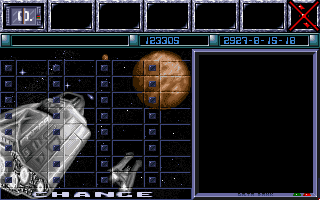
Reach for the Stars: The Conquest of the Galaxy - Third Edition - Play Online
DOS - 1988
Also available on: Amiga - Apple IIgs
For small DOS games like Reach for the Stars: The Conquest of the Galaxy - Third Edition, you can play online immediately with your browser (Chrome, Firefox, Safari, Edge, Opera...). This feature is experimental, the game may not work properly.
Warning: game save should work, but you should try it early! Also, be careful to select the right game executable in the list above.
Similar games

4.5/5 - 1441 votes
Sid Meier's Civilization DOS, Windows 3.x, Mac, SEGA Saturn, Amiga, Atari ST
1991
Comments and reviews
Use FUNCTION keys (F1, F2, etc) in order, relative to whichever "menu headings" (located at the BOTTOM of the screen), in order to "open" that menu. Arrow keys Up/Dn to navigate, and Enter to select.
When "windows" open on the game screen (or, eg, if you choose to view the MAP via a menu choice), use the MINUS ("-") key to cycle through open windows (note the header bar "highlights" the currently-active "window").
To CLOSE an active window (first be sure it is selected -- i.e. "highlighted" as currently-active), press the [Del] key.
No, it's NOT intuitive, but it's an OLD game. I'm "used to" going through the keyboard to see what does what, so.. that's what I discovered. Don't complain about not having mouse capability, especially for games this old, please. :P
Almost like saying "There's no screen on this rotary phone, how am I supposed to know what number I'm dialling?"
Duh. :D
Use Left / Right arrow keys to move the "cursor" (field highlight) around on maps -- and when a planetary info box opens, use Del to close it -- and when instructing how many Scout ships (etc) to send out. For the Movement phase, highlight the ". . . . ." field and START TYPING the name of an intended destination system -- it will AUTOCOMPLETE. Press Enter to confirm.
DO READ the Wiki page for some useful info (e.g. Scouts CAN'T CARRY Colonists, so don't (waste resources to) make Colonists until you have made ships which can carry them)... Here:
https://en.wikipedia.org/wiki/Reach_for_the_Stars_(video_game)
Here's an update in 2005 of the 2000 re-release:
http://www.matrixgames.com/products/product.asp?gid=308
Maybe MyAbandonware can get a hold of the 2005, now it's discontinued and not for sale..??
The game works without mouse, with the keyboard, the game was made first for c64 with no mouse :-)
Fantastic game!
mouse not active, game unplayable as a result. can't even get started.
No comment nor review for this game at the moment.