You are on the beta version of My Abandonware. The live site is still myabandonware.com. Your favorites and ratings here are copied to the live site. Comments and other changes are not — we delete them every morning at 08:00 Paris time, when this site goes down for about an hour. Leave feedback through this link to Pastel (email required).
The beta goes down at 08:00 Paris time, in a few minutes. We rebuild the database from the live site. It comes back in about an hour.
I got this running using Virtual Box! Here's a helpful video on setting up a Windows 95 'machine': https://youtu.be/FoJESSDvEEU?si=EGlsUz6vpCd_OXLE
0
Loramir19 Sep. 2022
I can't remember what I had for breakfast this morning but of COURSE I still remember all the songs and most of the lines from this game.
I'm a total DOSBox n00b so it took some finagling to get this to run (on Windows 11 64 bit). Here's what I did, in case it helps anyone:
-I used D-Fend Reloaded instead of vanilla DOSBox
-There's a forum thread on Abandonia by The Fifth Horseman with a version of Windows 3.1 for DOSBox, ready to run - I used that
-In D-Fend Reloaded, click Extra - Open Games Folder to open VirtualHD folder
-Extract the Windows 3.1 zip file and copy the contents to D-Fend's VirtualHD folder (I just put all 4 folders + 2 files in the root VirtualHD folder, not in a subfolder, so that the Windows system files were in C:\windows)
-Used WinCDEmu (seems like Daemon Tools is sketchy nowadays) to mount the ISO file of the game
-Opened the mounted drive to view files, copied them all, and put in the VirtualHD folder in a subdirectory called "RBJ"
-Open DOSBox from the main screen of D-Fend
-Possibly optional: To install sound drivers (included in the Win 3.1 zip but I'm not sure if they're already installed? Video drivers do appear to be) type "C:\sb16\install.exe" or "cd C\sb16" and then "install.exe" on the DOSBox command prompt and let that run (pick "set up windows," not the top "install programs" option in the installer menu)
-From the main DOSBox command prompt, type "windows.bat" to run Windows 3.1
-Possibly optional: once in Windows, click Main under Program Manager and then Windows Setup, then click File - Change Windows Settings and change Display driver. Picking the wrong ones here can cause Windows to crash and not load (I just replaced all the Windows files in the VirtualHD directory with the files from the original zip to fix it) but 800x600, 256 colors worked well
-In Windows, open File Manager, C drive, then open RBJ folder and run SETUP.EXE to install the game
-Clicking on the game shortcut in the new Reading Blaster Junior folder in the Program Manager, I got an error saying the working directory was wrong
-Select the game shortcut, then click File - Properties
-In the Properties box, change Working Directory from "C:\Resource" to "C\RBJ\Resource" AND look at the Command Line box - the first part, pointing to the EXE is correct, but the second part, pointing to the BAP file also needs to be changed to "C:\RBJ\resource\rbjr.bap" instead of "C:\resource\rbjr.bap"
-(At first I only changed the Working Directory, and the game would open as far as a black screen with stars, but nothing further. Fixing the BAP part of the Command Line box got it working.)
There's probably easier ways to do all this if you know what you're doing, but I'm mostly going by trial and error and comments on forum threads from 2011, so YMMV, but I did get it to work in the end :)
1
Pearlite13 Dec. 2019
I can successfully run this game using a virtual disk mount and a DOSBox running Windows 3.1.
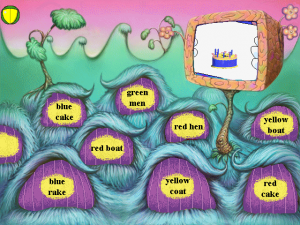
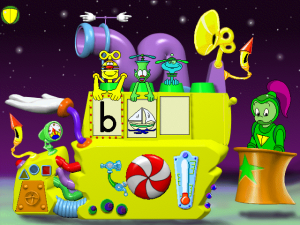
First, we go to the Planet of Lost Things. Then, we go to the Toy Station, and then the Planet of the Story Heads. Ah, good times learning phonics and rhymes.
You guys don't happen to know where I can find a working copy of Math Blaster Junior and Math Blaster Pre-Algebra (also re-released as Math Blaster 5th Grade)?
1
tsmith05 Aug. 2019
I have tried countlessly to download this game as well the math blaster on my laptop, and it is not working. Is this available on all platforms? I am using a Dell and it has Microsoft Windows. Any reason why it wont work?
1
No comment nor review for this game at the moment.









 English



Comments and reviews
I got this running using Virtual Box! Here's a helpful video on setting up a Windows 95 'machine': https://youtu.be/FoJESSDvEEU?si=EGlsUz6vpCd_OXLE
I can't remember what I had for breakfast this morning but of COURSE I still remember all the songs and most of the lines from this game.
I'm a total DOSBox n00b so it took some finagling to get this to run (on Windows 11 64 bit). Here's what I did, in case it helps anyone:
-I used D-Fend Reloaded instead of vanilla DOSBox
-There's a forum thread on Abandonia by The Fifth Horseman with a version of Windows 3.1 for DOSBox, ready to run - I used that
-In D-Fend Reloaded, click Extra - Open Games Folder to open VirtualHD folder
-Extract the Windows 3.1 zip file and copy the contents to D-Fend's VirtualHD folder (I just put all 4 folders + 2 files in the root VirtualHD folder, not in a subfolder, so that the Windows system files were in C:\windows)
-Used WinCDEmu (seems like Daemon Tools is sketchy nowadays) to mount the ISO file of the game
-Opened the mounted drive to view files, copied them all, and put in the VirtualHD folder in a subdirectory called "RBJ"
-Open DOSBox from the main screen of D-Fend
-Possibly optional: To install sound drivers (included in the Win 3.1 zip but I'm not sure if they're already installed? Video drivers do appear to be) type "C:\sb16\install.exe" or "cd C\sb16" and then "install.exe" on the DOSBox command prompt and let that run (pick "set up windows," not the top "install programs" option in the installer menu)
-From the main DOSBox command prompt, type "windows.bat" to run Windows 3.1
-Possibly optional: once in Windows, click Main under Program Manager and then Windows Setup, then click File - Change Windows Settings and change Display driver. Picking the wrong ones here can cause Windows to crash and not load (I just replaced all the Windows files in the VirtualHD directory with the files from the original zip to fix it) but 800x600, 256 colors worked well
-In Windows, open File Manager, C drive, then open RBJ folder and run SETUP.EXE to install the game
-Clicking on the game shortcut in the new Reading Blaster Junior folder in the Program Manager, I got an error saying the working directory was wrong
-Select the game shortcut, then click File - Properties
-In the Properties box, change Working Directory from "C:\Resource" to "C\RBJ\Resource" AND look at the Command Line box - the first part, pointing to the EXE is correct, but the second part, pointing to the BAP file also needs to be changed to "C:\RBJ\resource\rbjr.bap" instead of "C:\resource\rbjr.bap"
-(At first I only changed the Working Directory, and the game would open as far as a black screen with stars, but nothing further. Fixing the BAP part of the Command Line box got it working.)
There's probably easier ways to do all this if you know what you're doing, but I'm mostly going by trial and error and comments on forum threads from 2011, so YMMV, but I did get it to work in the end :)
I can successfully run this game using a virtual disk mount and a DOSBox running Windows 3.1.
First, we go to the Planet of Lost Things. Then, we go to the Toy Station, and then the Planet of the Story Heads. Ah, good times learning phonics and rhymes.
You guys don't happen to know where I can find a working copy of Math Blaster Junior and Math Blaster Pre-Algebra (also re-released as Math Blaster 5th Grade)?
I have tried countlessly to download this game as well the math blaster on my laptop, and it is not working. Is this available on all platforms? I am using a Dell and it has Microsoft Windows. Any reason why it wont work?
No comment nor review for this game at the moment.