


How to Play
The game with NoCD has been tested on Windows 7 64-bit, Windows 10 and Windows 11 22H2, it works fine. You may experience some small troubles when you play the game on modern systems, check our Notes for details
Notes:
- If the installation doesn't start - try to launch Setup.exe in compatibility mode with old version of Windows (98, 2000 or XP)
- It is recommended to install all versions of Microsoft Visual C++ Redistributable and NET Framework for the correct work of the game. Also it is recommended to install K-Lite Codec Pack for the correct work of in-game videos
- The game works on DirectX 7, so if you're using Windows 8, 8.1, 10 or 11 - you need to enable DirectPlay: Go to Control Panel, and select 'Programs'. Select 'Turn Windows features on and off', click on 'Legacy Components' and check the box 'DirectPlay'. Select OK, once the installation is done, restart your computer
- The game doesn't have any strict DRM protection, only simple disc check. To disable disc check and play without the disc - use NoCD, simply replace ocean_pc.exe in game folder with file from the archive
- If the game doesn't work - try to launch it in compatibility mode with old version of Windows (XP, Vista or Windows 7) and as administrator (right click on ocean_pc.exe -> Properties -> Compatibility)
- Unfortunately, the PC version of SEGA Marine Fishing has some bugs. For example, when you go to Options menu, the game may freeze on the loading screen, or you can see some visual glitches. If you encounter any errors and cannot exit the game - press Alt + F4 or close it via Task Manager (Ctrl + Alt + Del)
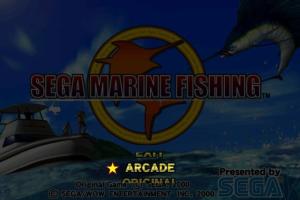
- Looks like you can "fix" the bug with Options menu if you first run the game in Arcade mode, load one of levels, then exit to the menu (press Enter and then Left Mouse Button to exit to menu). After that the game shouldn't "freeze" when you go Options menu and you'd be able to change the settings of the game
- You cannot change the screen resolution of the game in Options, but it is possible to run the game in high resolutions with dgVoodoo utility. To use it copy the dll-files from the
MS/x86folder, dgVoodooCpl.exe and dgVoodoo.conf to the game folder, open dgVoodooCpl.exe and in DirectX tab enable the settings that you need, then save & exit and run the game from desktop shortcut or ocean_pc.exe. If you run the game with dgVoodoo, at the launch the game will ask "Software RGB device wanted?" - press "No". Then it will ask "dgVoodoo HAL (Direct3D HAL) wanted?" - press "Yes", and the game will run with dgVoodoo. The game with dgVoodoo v2.83.2 has been tested on Windows 10, it works good
 English





 Japanese




Comments and reviews
works perfect on flycast. On first boot. wait for network to fail then press the test switch. choose game test mode. then game assignments. change cab type from dlx to std and exit the menus. The game will launch now.
@Mooz
1. Download NoCD from our website https://www.myabandonware.com/game/sega-marine-fishing-snj#download (big button "NOCD")
2. Extract the archive
3. Copy ocean_pc.exe from extracted archive and put it in the folder where you installed the game, agree to replace original file
That simple. If Windows shows error that there's not enough memory - re-install the game in non-system folder, like C:/Games/SEGA Marine Fishing, Windows Protection may block copying of files to system folders (like C:/Program Files or C:/Windows)
use NoCD, simply replace ocean_pc.exe in game folder with file from the archive,
I'm stuck at this point not understanding it. Can you explain it steps by steps please or a video??
No comment nor review for this game at the moment.