







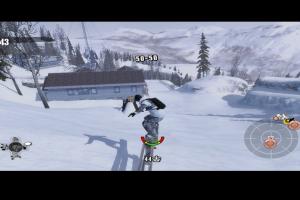


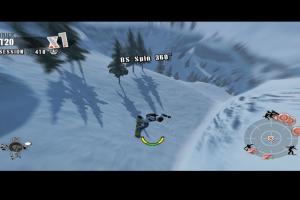

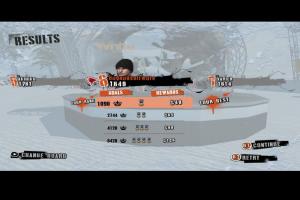
How to Play
Windows
The game has been tested on Windows 7 64-bit and Windows 10, it works fine. You may experience some small troubles when you play the game on modern systems, check our Guide and Notes for details
Install & play guide:
- Mount the ISO image with disc image utility, like WinCDEmu, UltraISO, Alcohol 52%/Alcohol 120% or Daemon Tools Lite, etc.
- Install the game (if autorun doesn't work - simply launch the installation from Setup.exe inside the disc). It is recommended to install the game not in default path, but in some other, non-system folder, like
C:/Games/Shaun White Snowboarding - After you installed the game - install the patch v1.01
- If you have a system with 8 or more logical cores - additionally use the patched executable, simply replace ShaunWhiteSnowboardingGame.exe inside the game folder
- Open the directory with installed game and find ShaunWhiteSnowboardingGame.exe. Right click on ShaunWhiteSnowboardingGame.exe-> Properties -> Compatibility -> Set "Run this app in compatibility mode with Windows XP" and "Run as administrator"
- Run the Launcher (ShaunWhiteSnowboarding.exe) to configure the game settings
- Launch the game and play. If the game doesn't work in compatibility mode with Windows XP - try to launch it in compatibility mode with other version of Windows (Windows Vista, Windows 7, etc.)
Notes:
- If the installation doesn't start - try to launch Setup.exe in compatibility mode with old version of Windows (98, 2000 or XP)
- It is recommended to install all versions of Microsoft Visual C++ Redistributable and NET Framework for the correct work of the game. Also it is recommended to install K-Lite Codec Pack for the correct work of in-game videos
- The game works on DirectX 9, so if you're using Windows 8, 8.1, 10 or 11 - you need to enable DirectPlay: Go to Control Panel, and select 'Programs'. Select 'Turn Windows features on and off', click on 'Legacy Components' and check the box 'DirectPlay'. Select OK, once the installation is done, restart your computer
- There's no DRM protection in the game, you can simply install and play, serial key is required only for online multipler (which doesn't work anymore). If the game asks to enter the serial key, simply enter
SWSfollowed by any set of numbers (likeSWS-1234-5678-9012-3456), it should work - The game won't run if your system has 8 or more logical cores. To fix it use patched executable by Dan Herman, simply replace ShaunWhiteSnowboardingGame.exe in game folder
- Alternatively, if you don't want to use that fix, you can manually select the number of processors (cores) through System Configuration: press Win+R, type msconfig.exe, press Enter, go to
Boot->Advanced Options, and inNumber of processorsselect 4, then click OK and reload the system; if it didn't work, select 2 processors. If you want to return to default settings, in same System Configuration click onNormal startupinGeneraltab. We recommend to use this method only if the patched executable didn't work - The game has a support of high resolutions, but by default you can select only 4 resolutions in the Launcher: 800x600, 1024x768, 1280x720 and 1680x1050. But you can enable any other screen resolution by editing of Windows Registry, to do it do the next steps: set your desktop resolution to your desired game resolution, open Windows Registry (press Win+R -> type regedit.exe), go to
HKEY_CURRENT_USER/Software/Ubisoft/ShaunWhiteSnowboarding/1.0/Enginepath and edit the decimal value (not hex) of both these keys:ScreenResolutionHeightandScreenResolutionWidth. Also, with Windows Registry edit you can enable ultra-wide screen resolutions, or make the game to work on multi-display setup, check WSGF page for details - The game tends to switch back to default 1680x1050 screen resolution. If the in-game aspect ratio or screen resolution doesn't match your settings, try this : set
ScreenResolutionHeightandScreenResolutionWidthto twice your desktop values, or any other superior resolution of the same aspect ratio, in example for a 1366x768 screen setScreenResolutionHeight 1080andScreenResolutionWidth 1920(1920x1080 is a larger screen resolution with same 16:9 aspect ratio) - Online multiplayer mode of the game doesn't work since the online servers were shut down on November 11, 2017. But the game also had a support of LAN multiplayer, so you can try to play the game in multiplayer with LAN emulators like Hamachi or RadminVPN
- The game have a controller support, run DeviceMapper.exe inside the game folder to select your controller and check the button mapping. If the game doesn't recognize your controller - try use one of the additional tools from PCGamingWiki guide for controllers
- Don't forget to check PCGamingWiki if you have troubles!
Mac
Notes:
- The serial key is not needed to play a singleplayer mode. However, if the game asks to enter the serial key, simply enter
SWSfollowed by any set of numbers (likeSWS-1234-5678-9012-3456), then click OK, it should work. Serial key was required only for multiplayer mode, but online servers were shut down on November 11, 2017 - Update fixes Intro movies for Spanish, Italian, and German language modes and resolves some compatibility issues
- If the game is lagging, disable Post Effects and Shadows in settings, the game will start working faster. Also, you can disable Post Effects if you don't like the default white-yellow filter of the game
- Visit MacintoshGarden for more details about Mac version
 English
  French
  German
  Spanish
  Italian






 Russian




Comments and reviews
It's not working. I've already installed the patch and followed your installation guide and notes to the letter, but the game won't run. When I open it, the screen stays black and then it closes on its own.
I am still getting EK shaders compilation error. how to fix it? i copy pasted the patch files and ran it. no luck
No comment nor review for this game at the moment.