



Good movies are made by good directors, not big-name studios (although certainly the studios' deep pockets are necessary to fund ambitious projects). Hence, blockbusters from Disney, Miramax, Universal or any other studio would be nothing without the talented directors and crew behind them.
Computer games are no different: great designers, not the companies themselves, are what guarantee a good game. It should come as no surprise to anyone, then, that the combined talents of Sid Meir and Will Wright - arguably two most well-known names in the industry today - would produce something special. That game is Sid Meier's SimGolf, a veritable tour de force that combines Sid Meier's skills in crafting an accessible and challenging strategy game engine with Will Wright's by-now famous digital people from The Sims (which I actually don't think is a very good game).
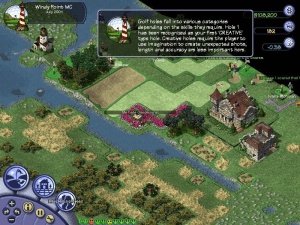
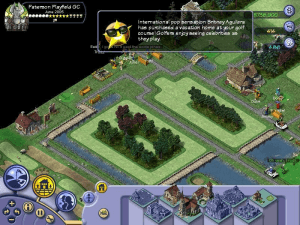
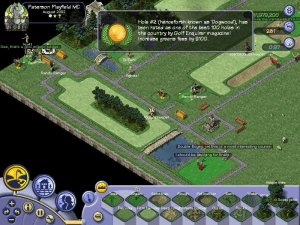
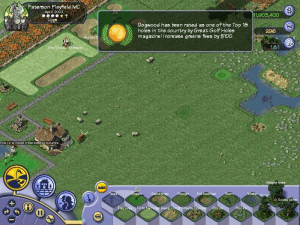
Sid Meier's SimGolf is essentially a golf course/club simulation that lets you design your own courses, manage the golf club, and even play your own creation. The game automatically calculates the par for every hole you design, and shows you the route golfers will take. As soon as you open your first hole, golfers will begin to appear, and it won't be long before your course is full of flying miniature golf balls and amusing speech bubbles from golfers who talk in the now-legendary "Simese" speech The Sims fans will feel at home with.
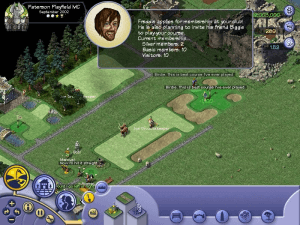
Similar to other please-the-consumer games like Theme Park and Rollercoaster Tycoon, you will have to pay close attention to the happiness of golfers. You must hire enough employees to maintain the course, provide golfers with drinks, and even hurry along those players who take too long on the hole (thereby upsetting other golfers who are waiting to play). The more you expand your course and attract more golfers, more buildings and other options become available. In addition to a wide variety of terrain and trees to plant on the course, you will soon be able to build snack shops, marinas, resort hotels, and even holiday homes you can sell to rich members ("Silver Member" level and above). If your course is really attractive, you will even get a celebrity such as Jennifer Elopes to purchase a house - and watch their amusing antics on your course.
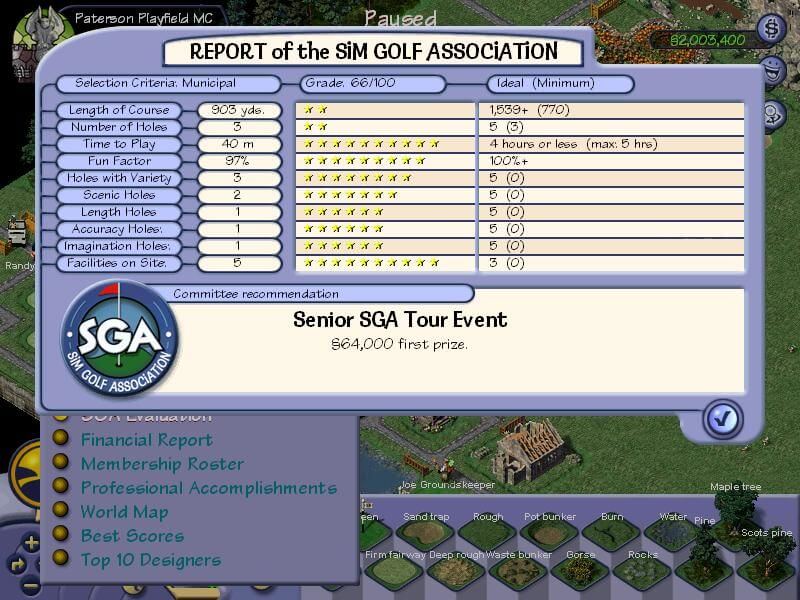
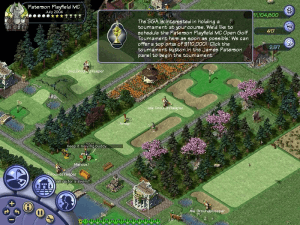
Similar to SimCity series of games, you will be awarded landmarks to place on the course once enough celebrities become happy customers. Although designing courses is already a lot of fun, you have a more long-term goal in the game: entice the golf championship board to host a tournament on your course. When that happens, you can use your very own pro golfer to compete for prize money in the tournament. Before you can host a championship, your course needs to conform to various specifications such as length of course, number of certain holes, etc. The number of specifications your course fulfills determines the level of prestige - and hence prize money - of the championship. Each Sim golfer has his or her own name, personality, appearance and dialogue that are fully customizable.
As great as the game is, it is the numerous subtle touches from Sid Meier that elevate it from "outstanding" to "must-have." For example, you can make more money by pairing up golfers who share similar personalities (outgoing, playful, etc.). They will start the round happier and pay higher green's fees on the first hole. Golfers that you have paired up are also more likely to have a 'story' (i.e. an ongoing story between them, shown in the speech bubbles) than those automatically paired by the computer.
With plenty of nuances and a constant challenge to get the difficulty level "just right" (i.e. neither too difficult as to frustrate golfers, nor too easy as to make them bored), golf on the computer has never been more addictive or interesting. Whether or not you play golf in real life, Sid Meier's SimGolf is a must-have if you enjoy business simulations or strategy games. Two thumbs up, and a venerable induction into our Hall of Belated Fame.
Review By HOTUD
 English







Comments and reviews
Easy way to play now is https://github.com/crspytopgn/opensgolf
When I try to start the setup I get the error message "error extracting support files". Anyone know how to fix this issue?
So I followed Clyde's instructions and it works for me, on Win11.
I ALREADY TRIED TO RUN SIMGOLF ON MY PC, but the game patch could make my pc too risky. I also downloaded the no-CD patch and changed compatibility to WinXP (service pack 2) and set it to Run as Administrator, but no luck. What can I do to fix it?
@BUDDY1
potentially, you'd probably have to go through a Wine wrapper unless you want to turn your mac into a dual-OS system. i used to use Wine to get a lot of games to work on Mac back in like 2011--there are a lot of tutorials online if you google, but you are probably going to have to do a lot yourself.
Is it possible to get this to work on a macbook air?
is it possible to change the language?
Configurar la pantalla para que se vea 1 sola y no 2
the nocd is after you click the yellow download button. you'll get the options for the iso, rip, etc. and also the nocd
Where is the no-cd patch?
Have it running on CachyOS using Lutris.
1. download iso
2. sudo sudo mkdir /mnt/iso
3. sudo mount -o loop /path/to/my-iso-image.iso /mnt/iso
4. open lutris and navigate to the mounted iso. run .exe
5. download no-cd patch, open .zip and replace files in directory eg mine is in (/mnt/Games/Lutris/sim-golf/drive_c/Program Files (x86)/EA Games/Firaxis Games/Sid Meiers SimGolf)
6. Configure options in Lutris. Make target golf.exe as the executable
Known issues, bad rendering. Still haven't figured out how to make it look pretty
Any chance this has been ported for use in an emulator like Delta?
quiero compatir este deporte con amigos
Someone please explain this like I am a 5 year old. Windows 10. Service pack 3 is the only option. None of the step-by-step instructions are detailed enough. Too generic. Cannot get the game to run. See below
1. Download ISO Version - Done
2. Extract the file (anywhere at this point) - Done
3. Right-click and MOUNT the file -Done
4. Open the setup file (this is the installer) and install the app in your drive and the where you put your games. -Done
5. Input the CD key indicated on the uploader's comment. - Done
6. After installing, right-click on the golf application and choose "Troubleshoot Compatibility" pick WinXP (Serv pack 2) and run as administrator. - "Golf Application" is where? When I click on "golf" it only shows SP3. And there are 2 different "golf" files with 2 different dates.
7. Download NOCD and extract the files INSIDE the game's file and just choose replace all. - As soon as a try to choose the location, the extract option goes away. INSIDE the game's file makes no sense to me. Need way more detail.
8. Do this step for the patch as well and just extract inside the game folder and replace all. - Same as #7
i cant get it too work at all any help. windows 11
Installed the RIP part. sometimes starts, and after a while freezes the game... and the sound doesnt ´work.
Hey followed JM instructions also and works well. only issue is anytime i try anything with golfer gary or torny mode the game crashes. anyone else have these issues
I can't extract the NOCD files and patch files to the game files
Game WORKING on Windows 11 as of June 2024
I followed JM's instructions, and it works great so far! I had to change the option to not run at 640x480 or something like that, and now it opens for me. Sound working. Everything seems good so far. Will update if I have issues.
I'm trying to run this in CrossOver for mac but keep getting a black screen once the titles clip is done. Any ideas what the issue could be?
I am trying to get this to run for me and my computer doesn't even react to running the application after downloading. Would love to play if possible
It locks up my computer and I have to do a hard reboot.
*i can confirm working for me!*
currently on Window10 home and i ran the "golf" file from the rip folder. initially no sounds but game loads fine visually.. i quit the game and run the reg batch file and the setup batch file and started the game after and now it functions with sound! its fully working thus far for me (only 3 holes test) and its full screen defo not demo sandbox mode and tried to start 3 courses on easy mode just to mess about and it works. the camera panning is my only complaint as its slightly laggy but i can live with it. my settings are compatiblity to XP service pack 3, run as admin, disable full screen optimisations and uncheck the rest - hope this helps someone!
OMG! I love this game and have wanted to play it again for years! I have downloaded it, done the reg fix issue and the game loads with sound but when I get to selecting the first course location i just get a blue spinning wheel. Any ideaS?
I am not a tech and dont know what files to look at. I am running windows 10.
pleeeease help i love this game so much!!!
where do i find the game patch and nocd patch
For those having an issue with sound, try running the Regsetup executable. That seems to properly associate the game with the Registry and fixed the sound for me.
Windows10 - ran RIP and patch. Am able to get into the game and main menu but when I select a course, it freezes up. Thoughts? Ideas?
What is this NOCD????
Using QEMU with WinXP guest (and NOCD patch), only the 'cirrus' video driver works. QXL even with guest tools installed and other driver permutations seem to fail with a black screen and an unresponsive game.
Windows 10. Use the RIP file instead of the ISO. Extract file. Extract patch file into that location. Right click golf.exepropertiescompatibility. Select Windows XP service pack 2 and run as admin. Run app. Thanks all.
I had the flashing black screen and not working. I changed screen resolution to PC 800x600 - worked first time!
Game works great except no sound.
Are there any clear instructions at all? I can download the no cd patch but that is it. HOW do you replace the no cd file and HOW do you log onto windows 10 as an administrator. Plenty of non intelligible advice but no real step by step instructions.
I've managed to get the ISO image "mounted" but there is no "Autoplay" option when I right click the drive as instructed.
I think we might need clearer instructions in how to use Daemon Tools
I've got a 5900x and 3090 with a 32 inch 4k monitor and the majority of my time gaming is spent playing this game. If I could have only one game on my computer, this would be it.
This works on my Windows as of Jan. 2022
1. Download ISO Version
2. Extract the file (anywhere at this point)
3. Right-click and MOUNT the file
4. Open the setup file (this is the installer) and install the app in your drive and the where you put your games.
5. Input the CD key indicated on the uploader's comment.
6. After installing, right-click on the golf application and choose "Troubleshoot Compatibility" pick WinXP (Serv pack 2) and run as administrator.
7. Download NOCD and extract the files INSIDE the game's file and just choose replace all.
8. Do this step for the patch as well and just extract inside the game folder and replace all.
YOU'RE DONE
Works great on Windows 11. For those that are having trouble getting to run on this version of Windows, download the ISO, run the installer, then download the "NOCD" game extra.
Hey guys. Can some make a vid or better explain what you mean by mount the disk image.
cant get this to work , followed everything but dont get what yous mean by mount ?
Oh man, I used to play this constantly!
Thank you for bringing back some great memories. I can't wait to dive back in.
Confirmation: Clyde's method works!
run compatibility on - XP Service Pack 2
I've also reduced color to 8 Bit (256)
Please note: Patch and No CD are separate downloads below the game download.
(took me a while to stumble around before figuring that out)
Another FYI - Use the product code for the game that is listed in the comments. (it was said before but it is important)
Run It in VirtualBox windows xp
how to install windows xp on VB: https://www.sysnettechsolutions.com/en/install-windows-xp-virtualbox-windows-10/
then follow Clyde's instructions (minus compatibility mode) and move all the files into your VirtualBox shared folder and it works perfectly
So i installed the patch (i believe) but I'm having trouble "replacing the .exe game file, like i have the nocd Mounted but its mounted on a separate drive do i need to somehow mount them together or what? also johnny idk if youll; see this but the cd key
is at the bottom of the comments
The Windows ISO version requires CD key :(
I Everyone.
I Followed all the instructions, Mount, patch, nocd, service pack 2. I open game and the screen goes black and tries to resize and crashes.
Any idea what went wrong?
Thanks so much Clyde! I got to play this gem of a game again.
Thanks myabandonware too!
Clydes instructions worked for me
So, when i try to install or uninstall it says it has had a "catastrophic failure". Can anyone help me?
Converted the image to .iso for easier use
Clyde's 3-step instructions on 2020-08-27 worked for me, but I needed to take an additional step before I could mount the disk image. I had to convert the .bin file within the "ISO Version" download to an .iso file. To create the .iso file, I used the freeware "WinBin2Iso," which is available here: https://www.softwareok.com/?Download=WinBin2Iso.
Hope this helps others!
1st: ------------------
- Download the "ISO VERSION";
- Then mount the disk image (I use daemon tools lite works great and its free);
- Right click your new drive and select "Open AutoPlay"
- Install the game and use game key provided in this comments section;
2nd: -----------------
- Download the game patch and no-cd patch;
- Install the game patch first;
- Then swap out the installed golf.exe for the one provided in the no-cd patch download;
3rd: -----------------
- Change compatibility to WinXP (serv pack 2) and set to Run as Administrator;
AND YOUR DONE! :)
OK, I'm not so bright.
Can someone please provide instructions on how to install on Win10? I downloaded the 4 files below.
Can't figure out what the ISO-version is.
I unzipped the RIP version and assume this is the installed location.
I ran the Patch file and installed it in the same RIP folder as golf.exe
I ran the compatability check (XP patch 3 was the only option on my comp).
No dice.
Thanks for your feedback!
In Windows 10, set golf.exe to run in compatibility mode for Windows XP (Service Pack 2).
unable to get past the second layer of game menus (selecting where you'd like to build your course) without the game becoming non-responsive. Win10
Thanks Clyde, I think the "demo" was a full RIP, I extracted the patch and noCD, they are now in separate downloads.
Hi everybody!,
So i discovered a fix by accident. After i couldn't get the full game to work, I said f*** it and downloaded the demo. In the zip file I noticed two extra files; One being a patch for the FULL GAME and the other being a "no-cd patched" exe game file..... So I said "What the hell!" and first ran the patch update (I still had the full game installed [p.s. I have windows 10 and have experienced the black screen to desktop with no error]) then I exchanged the "golf.exe" file with the one in the "SIMGOLF.102.ENG.MYTH.NOCD.ZIP" folder........... and OMG IT WORKED!!!!!!!!!!!!!!!!!
------- I hope this helps others
Your Friend,
Clyde!!!!
your download requires some conversion and loaded to a disk. this had a download, that was just a small program. my disk drive isnt working, so i cant download this.
I found the solution. You'll need a no cd patch to get it to work on Windows 10. Apparently for some security reasons Windows 10 doesn't allow accessing virtually mounted drives or something.
Like some others, I can't run this on Win10. Installed using the serial number provided but not able to start even with Windows XP SP2 compatibility mode,
Yeah, unfortunately, this copy of an amazing game will not run in Windows 10. The serial number will get you through installation (Thanks PQXF) but it just wont run. Anyone have some insight?
Here's a serial number for the full version 2495-6442747-3576919-6013
Use UltraISO to convert from B6I/B6T to BIN/CUE
When I download it, it just comes as a file.
Not a playable format, what am I doing wrong?
What's the serial number at the back of the box? :)
You have to run this in Windows XP SP2 compatibility mode to get this to work on Windows 10
I'm having a lot of trouble getting this to run on Windows 10, anyone had success?
It's the demo
No comment nor review for this game at the moment.