You are on the beta version of My Abandonware. The live site is still myabandonware.com. Your favorites and ratings here are copied to the live site. Comments and other changes are not — we delete them every morning at 08:00 Paris time, when this site goes down for about an hour. Leave feedback through this link to Pastel (email required).
The beta goes down at 08:00 Paris time, in a few minutes. We rebuild the database from the live site. It comes back in about an hour.
I download the game here... https://www.old-games.com/download/10595/smart-games-puzzle-challenge-2 This game has been set up to work on modern Windows (11/10/8/7/Vista/XP 64/32-bit) computers without problems.
0
Gothmog06 Apr. 2026
I installed this on Win95 (Pcem) - ISO version, and works fine.
0
lee24 Feb. 2026
has anyone found a way to make this work in windows 11? I've tried Dosbox-X and PCem but both are failing me.
0
Eva24 Nov. 2025
I love this game ! In order to play it you need win 7 and download win xp emulator
0
new_to_this_stuff24 Jan. 2025
Does anyone else get and error when trying to run the installation?
1
Chellsaur17 Aug. 2023
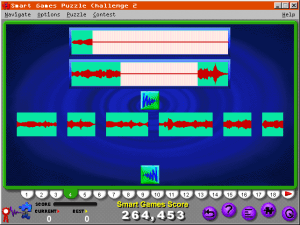
I remember playing this game for hours and hours over weeks at a time. My favorite by far was the audio clip puzzle. I learned some famous phrases and they got so insanely hard towards the end! Each segment was a one millisecond clip of a classical music piece. I think I got to the point where I wrote it off as impossible. Which I’m sure it is not, but it says a lot about the difficulty because I am a completionist to the core. 😂
1
Joe Mama10 Feb. 2022
Everyone trying to figure out how to play this game, it needs Windows 3.x. So you need to download a DOS emulator like DOSBox, and then download a copy of Windows 3.1 or so and install it in your DOS folder. Then install this game there and run it under Windows.
4
Schneller32130 Oct. 2021
I was so excited and hoped this would work, but I get the same error message when launching either download option as when I try to launch the CD ROM I have - This app can't run on your PC. Bummer.
0
jayjay15 Aug. 2021
I can't get either the iso or the preinstalled download to work. Can anyone explain how to get this to run?
-1
msaeiou06 Jul. 2020
found my way to play the game already....awesome!
-1
msaeiou06 Jul. 2020
how can i play in my win7?
1
Giamat28 May. 2020
how can i play in my win10?
0
Elly30 Jan. 2020
Thank you for your help
1
grandma01 Oct. 2019
These had some of the best games on them for my kids back in the 90's.I've been trying to find them on an updated format ever since.
2
ConzpiracyZero29 Aug. 2018
My grandma had this game when I was a kid. Used to go straight to her computer when we got to her house just to play it.
2
No comment nor review for this game at the moment.



 English



Comments and reviews
I download the game here...
https://www.old-games.com/download/10595/smart-games-puzzle-challenge-2
This game has been set up to work on modern Windows (11/10/8/7/Vista/XP 64/32-bit) computers without problems.
I installed this on Win95 (Pcem) - ISO version, and works fine.
has anyone found a way to make this work in windows 11? I've tried Dosbox-X and PCem but both are failing me.
I love this game ! In order to play it you need win 7 and download win xp emulator
Does anyone else get and error when trying to run the installation?
I remember playing this game for hours and hours over weeks at a time. My favorite by far was the audio clip puzzle. I learned some famous phrases and they got so insanely hard towards the end! Each segment was a one millisecond clip of a classical music piece. I think I got to the point where I wrote it off as impossible. Which I’m sure it is not, but it says a lot about the difficulty because I am a completionist to the core. 😂
Everyone trying to figure out how to play this game, it needs Windows 3.x. So you need to download a DOS emulator like DOSBox, and then download a copy of Windows 3.1 or so and install it in your DOS folder. Then install this game there and run it under Windows.
I was so excited and hoped this would work, but I get the same error message when launching either download option as when I try to launch the CD ROM I have - This app can't run on your PC. Bummer.
I can't get either the iso or the preinstalled download to work. Can anyone explain how to get this to run?
found my way to play the game already....awesome!
how can i play in my win7?
how can i play in my win10?
Thank you for your help
These had some of the best games on them for my kids back in the 90's.I've been trying to find them on an updated format ever since.
My grandma had this game when I was a kid. Used to go straight to her computer when we got to her house just to play it.
No comment nor review for this game at the moment.