You are on the beta version of My Abandonware. The live site is still myabandonware.com. Your favorites and ratings here are copied to the live site. Comments and other changes are not — we delete them every morning at 08:00 Paris time, when this site goes down for about an hour. Leave feedback through this link to Pastel (email required).
The beta goes down at 08:00 Paris time, in a few minutes. We rebuild the database from the live site. It comes back in about an hour.
They actually have made a version for iOS and it's a pretty good version too!
0
jomama1234109 Feb. 2022
This was also on mac
0
Myriad Pro23 Mar. 2019
The birth of vaporwave
0
leghorn03 Jul. 2017
its not letting me download the whole way and keeps canceling
0
kb11 Mar. 2014
it works. You just load the cdrom with daemon tools open the cd, copy and paste the folder onto your drive, then assign the windows batch file (LAB) as the executable
1
lamer-lamer29 Aug. 2013
You have to use the "imgmount" command inside dosbox to setup the virtual CDROM drive with that ISO file. Look at the very end of the dosbox.conf included in the ZIP file, and adjust the drive and path as needed. For example, I ran it like this imgmount f /tmp/labtime/cd/labyrinth.iso That's because I already had drives C-E configured for other stuff...
-1
Lei31 Jan. 2013
well I've downloaded it twice, read the help, etc. I already had dosbox but I also downloaded d-fend just to make this game work. It has no executable file in the download. I've tried everything I can think of, its been zipped, unzipped, mounted, unmounted, and screwed sideways. Can anyone help? I love this game
-1
No comment nor review for this game at the moment.
Buy on Digital Stores
The Labyrinth of Time is available for a small price on the following websites, and is no longer abandonware.





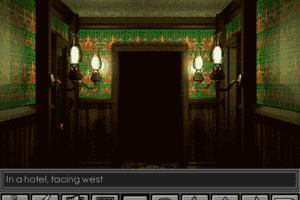
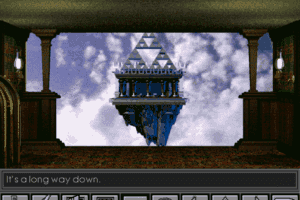
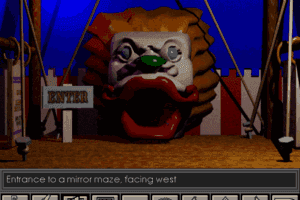
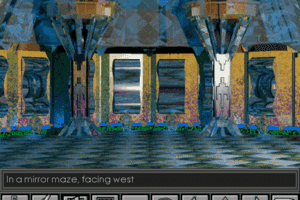




Comments and reviews
They actually have made a version for iOS and it's a pretty good version too!
This was also on mac
The birth of vaporwave
its not letting me download the whole way and keeps canceling
it works. You just load the cdrom with daemon tools open the cd, copy and paste the folder onto your drive, then assign the windows batch file (LAB) as the executable
You have to use the "imgmount" command inside dosbox to setup the virtual CDROM drive with that ISO file. Look at the very end of the dosbox.conf included in the ZIP file, and adjust the drive and path as needed. For example, I ran it like this
imgmount f /tmp/labtime/cd/labyrinth.iso
That's because I already had drives C-E configured for other stuff...
well I've downloaded it twice, read the help, etc. I already had dosbox but I also downloaded d-fend just to make this game work. It has no executable file in the download. I've tried everything I can think of, its been zipped, unzipped, mounted, unmounted, and screwed sideways. Can anyone help? I love this game
No comment nor review for this game at the moment.