





- Export saves: export the savegame files from your browser, so you can switch to another browser or computer. You can also use them in an emulator installed on your computer.
- Import saves: import savegames that you exported before with the Export saves button.
- Download disk: export the whole game from your browser, with all your savegames. Useful to switch to an emulator installed on your computer.
- Reset game files: if you somehow messed up the game files, you can reset them to an exact copy of the original.
- Reset saves: delete all savegames from your browser. We recommend that you export them first: there is no turning back!
Vette! - Play Online
DOS - 1989
For small DOS games like Vette!, you can play online immediately with your browser (Chrome, Firefox, Safari, Edge, Opera...). This feature is experimental, the game may not work properly.
Warning: game save should work, but you should try it early! Also, be careful to select the right game executable in the list above.
Similar games
4.4/5 - 117 votes
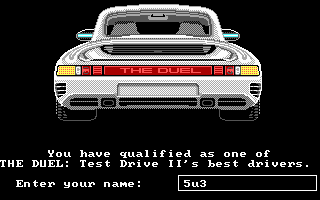
The Duel: Test Drive II DOS, Mac, Commodore 64, Amiga, MSX, ZX Spectrum, Amstrad CPC, Atari ST, Apple IIgs
1989
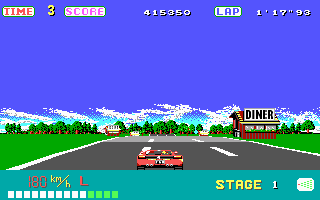
4.7/5 - 114 votes
OutRun DOS, Genesis, Commodore 64, SEGA Master System, Game Gear, TurboGrafx-16, SEGA Saturn, Amiga, MSX, Amstrad CPC, Atari ST, Arcade, J2ME
1989
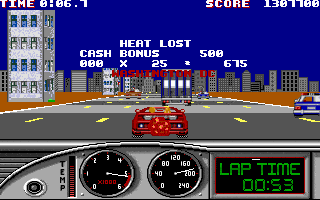
4.6/5 - 54 votes
Turbo Out Run DOS, Genesis, Commodore 64, Amiga, ZX Spectrum, Amstrad CPC, Atari ST, Arcade, FM Towns
1990
Comments and reviews
Does anyone know what key to press to drive?!
This is quite amazing. An open world street racing game from 1989 with an attempt at an accurate recreation of a real city? That's so wild. Cool game. I got beat by a girl in a Porsche on the easy level in automatic. :P
ขอเล่นงับ
idk the controls
how do you get out of 1st person
Its an ok version of it but its one of the best emulated versions i've played
No comment nor review for this game at the moment.