You are on the beta version of My Abandonware. The live site is still myabandonware.com. Your favorites and ratings here are copied to the live site. Comments and other changes are not — we delete them every morning at 08:00 Paris time, when this site goes down for about an hour. Leave feedback through this link to Pastel (email required).
The beta goes down at 08:00 Paris time, in a few minutes. We rebuild the database from the live site. It comes back in about an hour.
Install The Emulator And Game: 1. Unzip the 'atari800-4.2.0-win32-sdl.zip' file to some folder of your choice. 2. Unzip the 'Video-Easel_Atari-8-bit_EN.zip' until the .rom file is available. 3. Then copy-paste it to the same folder as the atari800.exe file. 4. Open your command prompt. How to do that: https://www.howtogeek.com/235101/10-ways-to-open-the-command-prompt-in-windows-10/#:~:text=Open%20Command%20Prompt%20from%20the,open%20an%20administrator%20Command%20Prompt. 5. Navigate to the folder containing the atari.exe and .rom files. Windows CMD navigation EXAMPLE 'cd C:Users\UserName\SomeFolder\Atari800Folder\' 6. Once you've navigated to that folder run the emulator executable on the .rom file with mouse-to-joystick emulation: 'atari800.exe "Video Easel (1979)(Atari)(US).rom" -mouse joy' The '-mouse joy' part let's you emulate the old Atari joystick with your mouse. ! You can rename the .rom file to something shorter, but then you must change the command line to match it. 7. Now the emulator should open and it will prompt you to pick a cartridge. I picked the first option: 'Standard 8 KB Cartridge' Old machines didn't seem to have much permanent secondary storage built in, so programs ran from and were saved to cartridges. Cartridges??? https://en.wikipedia.org/wiki/ROM_cartridge Use ENTER/RETURN and the arrow keys (sometimes numpad) to select things. 8. The game/drawing platform opens! :)
How to Draw?
Quick Guide! 1. Press D for Drawing and then Enter/Return. You have to press enter between issuing commands. 2. You can use your mouse to draw by holding down the left-mouse-button and dragging the cursor around. This is not super effective though, because of the difference in resolution. 3. Instead, Hold the left mouse button down and draw using the numpad numbers 4, 8, 6 and 5. They work like left, up, right and down arrow keys. I found this worked better. ! Make sure numlock is off.
Good Luck - I hope you enjoy this great piece of history!

 English




Comments and reviews
Install & Use Guide
On Windows 10, tested 10/10/2020
Download All You Will Need:
0. Download the emulator and the game:
a) Info on the emulator: https://atari800.github.io/index.html
b) The emulator: https://github.com/atari800/atari800/releases
! Scroll down to Assets, it's the 'atari800-4.2.0-win32-sdl.zip' file.
c) Download the game from this site.
Install The Emulator And Game:
1. Unzip the 'atari800-4.2.0-win32-sdl.zip' file to some folder of your choice.
2. Unzip the 'Video-Easel_Atari-8-bit_EN.zip' until the .rom file is available.
3. Then copy-paste it to the same folder as the atari800.exe file.
4. Open your command prompt.
How to do that: https://www.howtogeek.com/235101/10-ways-to-open-the-command-prompt-in-windows-10/#:~:text=Open%20Command%20Prompt%20from%20the,open%20an%20administrator%20Command%20Prompt.
5. Navigate to the folder containing the atari.exe and .rom files.
Windows CMD navigation EXAMPLE 'cd C:Users\UserName\SomeFolder\Atari800Folder\'
6. Once you've navigated to that folder run the emulator executable on the .rom file with mouse-to-joystick emulation:
'atari800.exe "Video Easel (1979)(Atari)(US).rom" -mouse joy'
The '-mouse joy' part let's you emulate the old Atari joystick with your mouse.
! You can rename the .rom file to something shorter, but then you must change the command line to match it.
7. Now the emulator should open and it will prompt you to pick a cartridge. I picked the first option: 'Standard 8 KB Cartridge'
Old machines didn't seem to have much permanent secondary storage built in, so programs ran from and were saved to cartridges.
Cartridges??? https://en.wikipedia.org/wiki/ROM_cartridge
Use ENTER/RETURN and the arrow keys (sometimes numpad) to select things.
8. The game/drawing platform opens! :)
How to Draw?
Quick Guide!
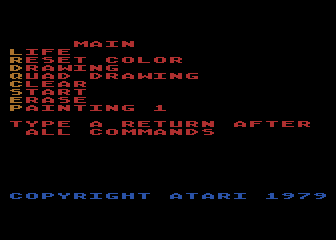
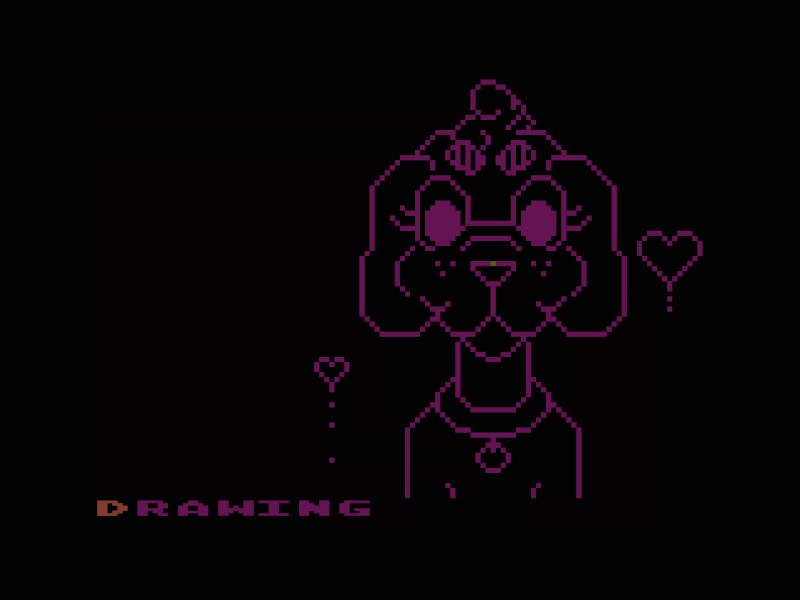
1. Press D for Drawing and then Enter/Return.
You have to press enter between issuing commands.
2. You can use your mouse to draw by holding down the left-mouse-button and dragging the cursor around.
This is not super effective though, because of the difference in resolution.
3. Instead, Hold the left mouse button down and draw using the numpad numbers 4, 8, 6 and 5.
They work like left, up, right and down arrow keys. I found this worked better.
! Make sure numlock is off.
Good Luck - I hope you enjoy this great piece of history!
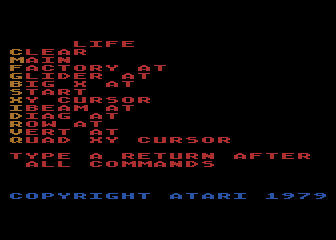
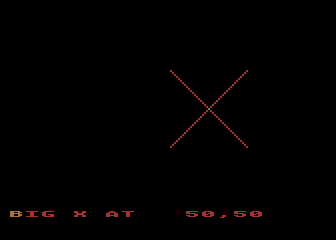
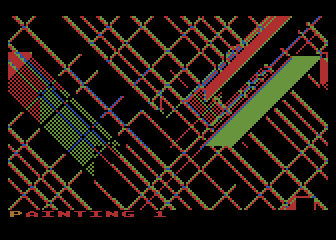
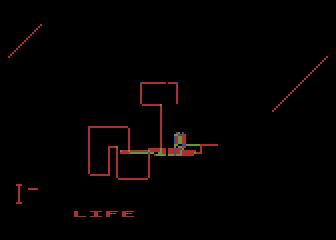
You can use the various options to draw and play the game of life.
See the manual for the game here:
https://archive.org/details/Atari_CXL4005_Video_Easel_Manual/mode/2up
* It's kind of like the Logo programming language. Logo was also released on Atari cartridge.
See en.wikipedia.org/wiki/logo_(programming_language)
No comment nor review for this game at the moment.