You are on the beta version of My Abandonware. The live site is still myabandonware.com. Your favorites and ratings here are copied to the live site. Comments and other changes are not — we delete them every morning at 08:00 Paris time, when this site goes down for about an hour. Leave feedback through this link to Pastel (email required).
The beta goes down at 08:00 Paris time, in a few minutes. We rebuild the database from the live site. It comes back in about an hour.
This game can be run with the CPU=8086 config option that is available in dosbox-x
0
PokemonTrainer03 Jul. 2022
You can run this software with Microsoft Visual PC in RGB display mode.
-1
oldfart07 Mar. 2022
I remember playing v1.0, I had the SAN FRAN. STAR disk and would "fly" from San Francisco to Sacramento and back. I also flew out of Des Moines to South Dakota to Lincoln, Nebraska to Omaha back to Des Moines. Ran on a TANDY 1000
1
Chi Tai23 Jun. 2021
It Can Run Limbo PC Emulator Microsoft Flight Simulator 1.0
0
demon05 Sep. 2020
I have the same issue with this sim as moonbug. The image boots fine and the game starts but crashes upon selecting demo or flight.
I've gone for FS 2.0 now, because it runs fine and is virtually identical.
1
RETRO GAMER05 Feb. 2020
im clicking to download button and clicking again download but not downloading pls help!!!!
-1
caco21 Jan. 2019
Hi, I remember this game came in bootable floppy disk, dont have directory dont have any files was a great game back then
1
fsnerd28 Aug. 2016
It needs the right dosbox settings to get it to run in CGA. I don't know what they are but I know one guy in Czechoslovakia has gotten that and other versions to work on his "Flight Simulator History Website" and has a dosbox download with many old FS versions including v1.00 and v1.05. It might use a different image for v1.05 than the one here.
0
moonbug01 Jan. 2015
The game starts up if you run like this (with fs105.ima in root directory of dosbox virtual C: drive): dosbox -machine cga boot fs105.ima
The problem is the game freezes right after you choose the game mode (demo or regular flight).
0
Mike22 Nov. 2013
Something's wrong with the disk image. Doesn't mount properly in DOSBox or Fake86. WinImage can't see a folder structure on it either.
0
Oocca14 Sep. 2013
Whenever I try mounting the bloody image in DOSBox, it says it can't extract the geometry from the image. What does this me?
1
No comment nor review for this game at the moment.


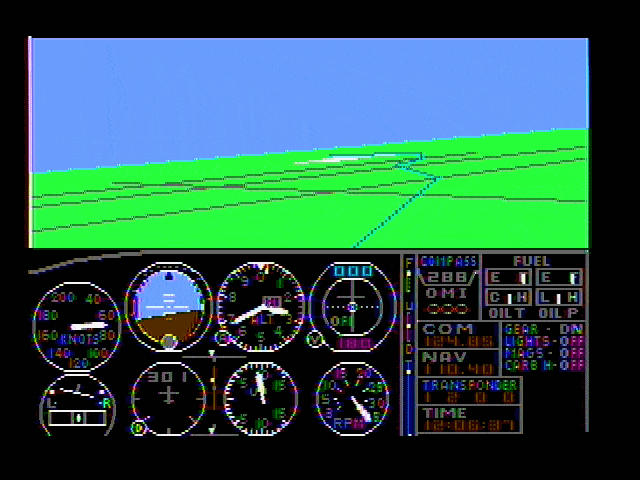


 English



Comments and reviews
it did not work for me
This game can be run with the CPU=8086 config option that is available in dosbox-x
You can run this software with Microsoft Visual PC in RGB display mode.
I remember playing v1.0, I had the SAN FRAN. STAR disk and would "fly" from San Francisco to Sacramento and back. I also flew out of Des Moines to South Dakota to Lincoln, Nebraska to Omaha back to Des Moines. Ran on a TANDY 1000
It Can Run Limbo PC Emulator Microsoft Flight Simulator 1.0
I have the same issue with this sim as moonbug.
The image boots fine and the game starts but crashes upon selecting demo or flight.
I've gone for FS 2.0 now, because it runs fine and is virtually identical.
im clicking to download button and clicking again download but not downloading pls help!!!!
Hi,
I remember this game came in bootable floppy disk,
dont have directory
dont have any files
was a great game back then
It needs the right dosbox settings to get it to run in CGA. I don't know what they are but I know one guy in Czechoslovakia has gotten that and other versions to work on his "Flight Simulator History Website" and has a dosbox download with many old FS versions including v1.00 and v1.05. It might use a different image for v1.05 than the one here.
The game starts up if you run like this (with fs105.ima in root directory of dosbox virtual C: drive):
dosbox -machine cga
boot fs105.ima
The problem is the game freezes right after you choose the game mode (demo or regular flight).
Something's wrong with the disk image. Doesn't mount properly in DOSBox or Fake86. WinImage can't see a folder structure on it either.
Whenever I try mounting the bloody image in DOSBox, it says it can't extract the geometry from the image. What does this me?
No comment nor review for this game at the moment.