You are on the beta version of My Abandonware. The live site is still myabandonware.com. Your favorites and ratings here are copied to the live site. Comments and other changes are not — we delete them every morning at 08:00 Paris time, when this site goes down for about an hour. Leave feedback through this link to Pastel (email required).
The beta goes down at 08:00 Paris time, in a few minutes. We rebuild the database from the live site. It comes back in about an hour.
Just so you know, if it crashes you need to delete the 2D panels.
0
LouD07 May. 2024
Hoping to download Flight Sim 98
0
cool111525 Jun. 2023
its awesome seeing how the game evuloted
3
voiurl01 Feb. 2023
to run microsoft flight simulator 98 in linux (i'm using ubuntu 22.04): run this command in the terminal: winetricks -q mfc42 then run flight simulator with this command: wine
3
SamyRETROGAMING27 Jan. 2023
this game is sooo nice
0
Daniel Monteiro17 Dec. 2022
Use a virtual machine with Windows XP and everything works wonderfully. Including joystick.
3
wolfen13 Sep. 2022
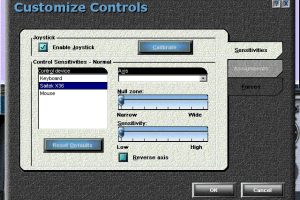
could not get game to run properly. game does not find joystick
0
someone12 Sep. 2022
1. Install The zip 2.Extract the Zip 3.Find the File to run the game 4. Go to properties Then go to compatibility 5.Set compatibility to "Windows 98/ME" Then Press apply & ok 6.Run the game
1
Barnacl15 Jul. 2022
For anyone who want to run this on newer system like Windows 10/11, I shall recommend run this on older systems like Windows 95 to at most Windows 7. 'Cause the newer Windows versions may cause compatible issue(s), that the game won't run, I tried too. You can also try running this game with compatibility mode by right-clicking the .exe file, head to Compatibility tab, check the box in the Compatibility mode and choose something like Windows 98.
0
thierry23 May. 2022
this is my first time play microsoft flight simulator 98
2
Samy597426 Mar. 2022
i will download the game next time
0
mona13 Mar. 2022
How to run it on Windows 11?
-11
donja16 Sep. 2021
hola compre flsimalator 98 pero no habre el video tengo windos 10 que programa nesecito para instalar micorsof simalator en windos 10 mi windos 10 es de 64 gijas
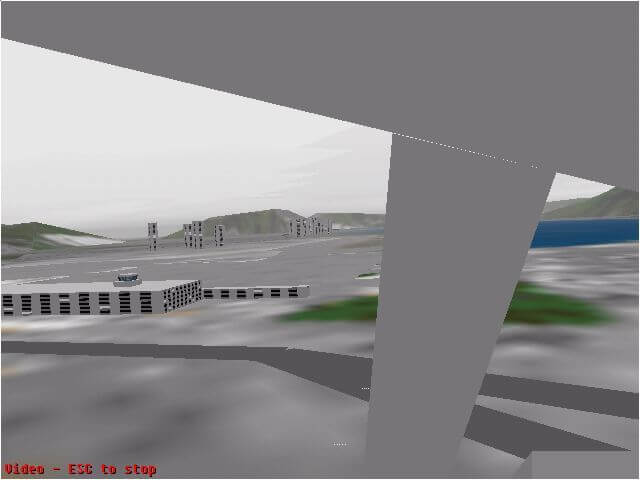
In my memories, this is the first version that included the awesome Kai Tak Airport (ex Hong Kong International Airport). So much memories of this airport. Thx
1
Mat Gamer25 Nov. 2020
es muy bueno biene en archivo rar
0
Randomguy15 Aug. 2020
How to install with the ZIP file?
-8
Carib07 Aug. 2020
It keeps crashing after the intro video on start up. installation seemed to go well.
2
abdelmalek21 Jun. 2020
Virtual flying is just perfect for a novic....!
-1
foxy13 Apr. 2020
very first flight sim I ever played
1
ZAZ21 Feb. 2020
Sorry Do not bother. I know how to mount an ISO file but it seems it is corrupted. When installing I received at least 50 "cannot fine file" prompts. Keeps crashing when trying to start up. I know it is disappointing but don't bother.
-5
Abbas25 Jan. 2020
It is perfect game I like it
2
admin18 Nov. 2019
Admin
Did scan the RIP, nothing reported from VirusTotal. Please report any new alert
2
Gen:NN.ZedlaF.32250.dy8@aKM85Hgi16 Nov. 2019
Attention i have detected a virus in this program, name of virus: Gen:NN.ZedlaF.32250.dy8@aKM85Hgi i don-t know if is a false positive, but be cautious.
-2
No comment nor review for this game at the moment.








 English
  German
  Spanish
  French
  Italian
  Japanese
  Portuguese (Brazil)





Comments and reviews
这款飞行模拟游戏我尝试过了,iso版本十分好玩。这个无法在现在的电脑游玩,想要游玩,您必须有一个Windows95/98环境。您可以使用虚拟机搭建
The RIP version is missing the videos and voices of instructors (flying lessons and adventures). I haven't checked the ISO version.
German version :
https://archive.org/details/msfs-98ger
Spanish :
https://archive.org/details/msflightsim98-es
Italian :
https://archive.org/download/redump_pc_M/Microsoft%20Flight%20Simulator%2098%20%28Italy%29.7z
Portuguese :
https://archive.org/details/flight_20240126
Japanese :
https://archive.org/details/fltsim-98_202303
French version provided by the French website Abandonware France (with the addon DC-3) :
https://www.abandonware-france.org/ltf_abandon/ltf_jeu.php?id=1863&fic=liens
works very well on windows xp home.
How can this work on Windows 11?
Just so you know, if it crashes you need to delete the 2D panels.
Hoping to download Flight Sim 98
its awesome seeing how the game evuloted
to run microsoft flight simulator 98 in linux (i'm using ubuntu 22.04):
run this command in the terminal: winetricks -q mfc42
then run flight simulator with this command: wine
this game is sooo nice
Use a virtual machine with Windows XP and everything works wonderfully. Including joystick.
could not get game to run properly.
game does not find joystick
1. Install The zip
2.Extract the Zip
3.Find the File to run the game
4. Go to properties Then go to compatibility
5.Set compatibility to "Windows 98/ME" Then Press apply & ok
6.Run the game
For anyone who want to run this on newer system like Windows 10/11, I shall recommend run this on older systems like Windows 95 to at most Windows 7. 'Cause the newer Windows versions may cause compatible issue(s), that the game won't run, I tried too. You can also try running this game with compatibility mode by right-clicking the .exe file, head to Compatibility tab, check the box in the Compatibility mode and choose something like Windows 98.
this is my first time play microsoft flight simulator 98
i will download the game next time
How to run it on Windows 11?
hola compre flsimalator 98 pero no habre el video tengo windos 10 que programa nesecito para instalar micorsof simalator en windos 10 mi windos 10 es de 64 gijas
I LIKE THIs game
I couldn't run this on win 10 x64, error: "requires Indeo Decoders of type IV41" in app log. It turns out this app will only run on x32 systems :(
https://www.flightsim.com/vbfs/showthread.php?304919-FS98-won-t-start-in-Windows-8-1
In my memories, this is the first version that included the awesome Kai Tak Airport (ex Hong Kong International Airport). So much memories of this airport. Thx
es muy bueno biene en archivo rar
How to install with the ZIP file?
It keeps crashing after the intro video on start up. installation seemed to go well.
Virtual flying is just perfect for a novic....!
very first flight sim I ever played
Sorry Do not bother. I know how to mount an ISO file but it seems it is corrupted. When installing I received at least 50 "cannot fine file" prompts. Keeps crashing when trying to start up. I know it is disappointing but don't bother.
It is perfect game I like it
Did scan the RIP, nothing reported from VirusTotal. Please report any new alert
Attention i have detected a virus in this program,
name of virus: Gen:NN.ZedlaF.32250.dy8@aKM85Hgi
i don-t know if is a false positive, but be cautious.
No comment nor review for this game at the moment.