

How to Play
The game has been tested on Windows 7 64-bit, Windows 10 and Windows 11, it works fine. The game supports high and wide screen resolutions up to 4K. You may experience some small troubles when you play the game on modern systems, check our Guide and Notes for details
Before installation - if you're using Windows 8, 8.1, 10 or 11 - make sure that you enabled DirectPlay if you didn't make it before, read this or this guide how to do it (if you're using Windows 7 or older - just install DirectX from the disc)
Install & play guide:
- Mount the disc image. You will need the utility for mounting disc image files, like WinCDEmu, UltraISO, Alcohol 52%/Alcohol 120% or Daemon Tools Lite
- Install the game. Select "Custom" installation method and choose all components to install the full game with all files
- It is recommended to install the game not in default path, but in some other, non-system folder, like
C:/Games/Flight Simulator 9, so you won't have troubles with NoCD or fixes - When the installation process will ask for CD2 - mount the disc image of CD2. CD2 must be mounted in same virtual drive as CD1, so first un-mount disc image of CD1 and then mount the disc image of CD2. Do the same with CD3 and CD4
- After you installed the game - install Update v9.1 (also known as patch v1.10)
- Then install NoCD, simply copy FS9.exe from the archive and put it into game directory, agree to replace original file
- Open the directory with the game and find FS9.exe. Right click on FS9.exe - Properties - Compatibility - Set "Run this app in compatibility mode with Windows XP" and "Run as administrator"
- Launch the game and play. If the game doesn't work in compatibility mode with Windows XP - try to launch it in compatibility mode with other version of Windows (Windows 95, 98, 2000, etc.)
English version of the game also had later re-release on DVD, as OEM version. That DVD has the game already updated to 9.1, with no DRM. Don't use NoCD if you install that OEM DVD release, otherwise the game won't run
Notes:
- If the installation doesn't start - try to launch Setup.exe in compatibility mode with old version of Windows (98, 2000 or XP)
- It is recommended to install all versions of Microsoft Visual C++ Redistributable and NET Framework for the correct work of the game. Also it is recommended to install K-Lite Codec Pack for the correct work of in-game videos
- The game works on DirectX 9, so if you're using Windows 8, 8.1, 10 or 11 - you need to enable DirectPlay: Go to Control Panel, and select 'Programs'. Select 'Turn Windows features on and off', click on 'Legacy Components' and check the box 'DirectPlay'. Select OK, once the installation is done, restart your computer
- NoCD is required for the launch because the game is using SafeDisc DRM protection, which doesn't work correctly on modern systems. That NoCD "breaks" DRM protection and allows to play the game on modern systems without the disc in optical drive
- At the first launch the game will check and configure the files, on old systems it may take some time, up to few minutes. Just wait until the game finishes configuring the files
- If the game doesn't run - find the directory with the game and disable "Read-only" parameter - right-click on the folder and in Properties uncheck "Read-only" box. Also, make sure to run the game as an administrator!
- For Windows 10 & 11 users: if you get black screen when you start the flight or the game crashes - force the windowed mode in the game. To do that go to
C:/Users/"Username"/AppData/Microsoft/FS9folder, open FS9.cfg in Notepad and changeFULL_SCREEN=1toFULL_SCREEN=0, save the changes. Now he game will now run in windowed mode by default and you will have no problem with it - The game has a critical bug where the game crashes when playing an in-game video, usually after 1-2 seconds. This occurs because Windows Media Player 12 and later does not support MSFS 2004 in-game videos, for some reason. While in-game videos of earlier games in the series work fine on modern Windows OS, MSFS 2004's in-game videos typically cause the game to crash. Changing the default video player in the game files has no effect. So just don't play the video tutorials in game, simply skip it, if you want to watch it - they're available on YouTube. This error only occurs on Windows Vista and after and does not occur on Windows XP or older OS
- For users of Windows 7 and newer OS: if you have troubles with the game - in Windows 7 in Compatibility settings choose "Disable visual themes" and "Disable desktop composition", in Windows 8 and after - choose "Disable fullscreen optimizations"
- For users of Windows 8.1 and newer OS: if the game doesn't run - try to run it in compatiblity mode with Windows 7 or Windows 8, that should help, especially on Windows 10 & 11
- If you get
"SCENERY.CFG file error"on launch or similar errors - this can be caused by a missing or incorrectly installed addon. Try to re-install the addon, if the problem keeps happening - follow this guide to fix it - For Windows 7 users: if the game doesn't run and only rundll32.exe process starts - open Windows Registry (press Win+R ->regedit.exe), go to
HKEY_CURRENT_USER/Software/Classes/Local Settings/Software/Microsoft/Windows/GameUX/Service Location, findGamesparameter, and changehttps ://games.metaservices.microsoft.com/games/SGamesWebService.asmxtolocalhost. Save the settings, close the Registry and after that try to run the game again, it should work (also works for many other old games) - The game supports high and wide screen resolutions up to 4K, but UI doesn't scale on higher resolution, so UI-elements in 4K resolution may look too small on your screen. So if you doesn't see UI on high resolutions - try to lower the resolution
- You can press Left Alt+Enter or Ctrl+Alt+Enter to switch between windowed and fullscreen modes in the game
- The game has a built-in framerate limiter. If the game runs too fast on your system (this usually happens when older games run on modern hardware), go to the settings and limit the framerate in the “Target framerate” field
- If you want to edit Field of View (FOV) in game - use - and = buttons
- The game had a lot of mods, you can find most of them on AllFlightMods, FlightSim, SimAviation, SurClaro, FlyAway, and many other websites, there's a lot of smaller websites with mods for Microsoft Flight Simulator game, just search them on the Internet
- Don't forget to check PCGamingWiki page if you have troubles!
 English
  German
  Spanish
  French
  Italian





 Russian


Comments and reviews
thx cuz i finally can download it also thx to micro edge
ich mag century flight
ITS A BEAUTIFUL GAME
that was a great game and visually, it was pretty amazing.
Je dispose actuellement de la version DRM-Free de Flight Simulator en anglais, le patch 9.1 destiné à la version française n'étant malheureusement plus disponible, bien que la version française puisse encore être trouvée.
La version DRM-Free en anglais est propre et parfaitement fonctionnelle. L'utilisation de l'anglais ne constitue pas une contrainte particulière et s'avère même plutôt agréable, tout en permettant de profiter pleinement de l'expérience de simulation.
I've loved Microsoft Flight Simulator since the first version. Today I'm playing Flight Simulator X; I also have the Flight Simulator 2020 Anniversary Edition, I just need to install it. The download is taking a very long time, considering its size.
Run Windows XP SP3 (32 bits) or Windows 7 in virtual machine (i.e: virtualbox, vmware, qemu, and also proxmox local mode with lxde desktop [an Debian Linux provided]) and sets as "Windows XP 32 bits" or "Windows 7 64 bits" mode (if the ram upper than 4 gb and find "fs9.exe" sets to "Windows XP SP3") mode in your VM configuration and happy games.
Do i download all of the discs file or just one?
ну еще пока не знаю. Думаю норм:D
VERY GOOD I LIKE BECAUSE I WANT TO PILOT ONE DAYS
For everebody wondering how to solve the error of the cds that u don't have download the file at this link https://flyawaysimulation.com/downloads/files/317/no-cd-patch-for-flight-simulator-2004/
@mugget12 If you plan to use the actual Windows XP 32-bit machine - use Daemon Tools Lite 4 or 5, you can find it on OldVersion.com
@Connor Lawrence Richey - We didn't test it on Windows 11, but the users on other websites says it works on Windows 11 with no problem. We ourselves tested it on Windows 10, it worked fine
@GB13 Use NoCD, or you can install OEM DVD release (it is DRM-Free, doesn't require the disc for launch) or repack by Magipack (simple installer, includes all patches and NoCD)
Hello I am going to install game on my old pc with windows xp 32 bits. As it is a real machine I don't know how to install from ISO. What should I do, should I install an iso image creator and put it on a cd/dvd? Please help me!
Will this be able to work on Windows 11?
How the hell do I install. It keeps on saying "Put the disc in the cd drive" So idk what to do.
We have updated this page, added many new language versions plus detailed guide with troubleshooting for most common problems
works good on win11...no probemo
Unfortunately Windows 10/11 don't even recognize the game. Perhaps running this in a virtual machine preferably running Windows XP would likely work.
The flight instruction videos only play for a second or two before the whole game crashes. Not sure if anyone knows a fix.
Thank you so much
Ednaldo Pereira é dono do mundo!
Scanned multiple times with Malwarebytes, KVRT, Norton Power Eraser (NPE), Windows Defender and all files were passed through virustotal.
Found Two detections that are probably false positives. So i'd say it's safe to say that it's virus free...
Though the Setup.exe file doesn't seem to work, no matter if I use compatibility settings or not...
i tried putting the files in a virtual drive but still nothing happens
how do i install? i just get some bin files i cant do anything with (im om win 11 BTW)
Na Pasta esta só 3 arquivos e não funciona.
i followed all outlined steps. i keep getting scenery config missing message
First off, this game fully works on Windows 10 & 11. I just tested it over the last few days with no issues. If you're having issues with downloading such a large file, I highly suggest an opensource freeware download manager. I ran a virus scan on the download, the unzipped files, then while playing the game (yes in the background while playing, just in case), and after it installed and found nothing, zilch, nada. No spyware, no boot loader, no data mining, no bit coin mining, nothing. So quit your crying and complaining that this site is infested with stuff. They make money from donations and ads, so click on them or donate. So first I extracted it using 7zip, but the default built in Windows extractor works just fine and extracted it to C:\temp\msft_flight_sim\ . Folder had three files. The NFO can be opened by right clicking and using notepad and you can see more details on the game and files. The other two files are Alcohol 120% files.
Okay, the game will install from a virtual mounted CD / DVD drive and in my case I labelled the virtual drive V:\ (V drive). You can also burn the DVD using an ISO burner, but keep in mind this is not an average ISO it is a patched and updated ISO (requires no serial key either, because this is the version that came on a DVD with newly purchased PCs!), but actually is labeled as an MDF. So, this is a Full DVD ISO created using Alcohol 120%. Thus the ISO is actually labelled MDF. So you must use Alcohol 120% or in my case I used the Opensource application called WinCDEmu-4.1. and again, mounted it to V:\ (drive). After mounting I right clicked on V Drive and then "open in new window". From there I clicked on the Setup.exe and installed it. Once mounted you might get an "Autoplay" to install from the mount. Do not install from the "Autoplay", not that it does anything crazy, it's just I didn't do it that way, so I don't if it works correctly. Okay so, installation takes a while once clicked on, and then it asks to launch. I allowed it to launch with no extra special setting like admin rights, compatibility mode, etc. nothing. Just launched it and it works. Then I adjusted it to my resolution (1680x1050 32 bit), and then watched the grandma & grandpa videos on how to fly and trying to sell me a Microsoft joystick and good it feels, and then I just took off flying. While flying grandpa flies with you (backseat driver) and helps you as needed with landing, leveling, explaining, etc. All audio and graphics work as they should. There is some pop-up and flickering in the far distance, but the same thing happened back in the day when I played it originally as well, hardly noticeable if at all. For a game that is quite dated, the game still looks amazing. The PDF version of the game manual is also included on the mounted drive\extras\Manuals folder.
After exiting the game the icons on the desktop no longer worked. Don't panick, I just rebooted the PC and everything was back to normal. I'm not sure if this was a Windows 11 update, but it did happen.
So then I installed my joystick, and on the second bootup of the game it recognized my joystick, but not all buttons and axis, sliders, dial, and rotations. Again don't panick, and just install the shareware (free) of JoyToKey and remap all the joystick buttons to keyboard buttons and you'll be flying like an Ace in no time! The game is also patched so it does not need the disk to be in the drive / virtual drive to work. Total install amount is 2.71GB, much lower than the 100GB requirement for Microsoft Flight Simulator 2020. So then unmount the virtual drive, delete the temp folder contents and happy flying fellow gamers,
Sam Booken
fui no banheiro com sua prima =)
i want a flight sim so i went on here i love this site thank you
I still do not know how to install it
idk if its virus free or a virus but if it is virus free how can i install the game by windows 11?
This is an addictimgGame for me, i can be flying for hours
This game made me choose a career in aviation and become a professional pilot. Thanks FS2004!
MICROSOFT FLIGHT SIMULATOR 2004: A CENTURY OF FLIGHT
This download is virus free.
TO THOSE WHO ARE GOING TO DOWNLOAD : This is not virus free, This was making my *WINDOWS 7* computer slow so I was surprised because this will run fine on Windows 7 so i restarted my computer and when it reached the welcome screen then it went into the BSOD (Black Screen of Death) so then i restarted it again in safe mode then i checked my antivirus which was showing me it crashed so I did a system restore to the previous day then it worked
Q.what OEM ver. stand for.in the download box? Is this a iso file if it is a iso you'll need a Virtual drive like magicdisc or third party iso reader windows 10 has it's own.to load it. Opening the virtual drive program and direct it to the iso file the original fs2004 was a 4 disc job and the 9.1 update was a separate
how do I even install this?
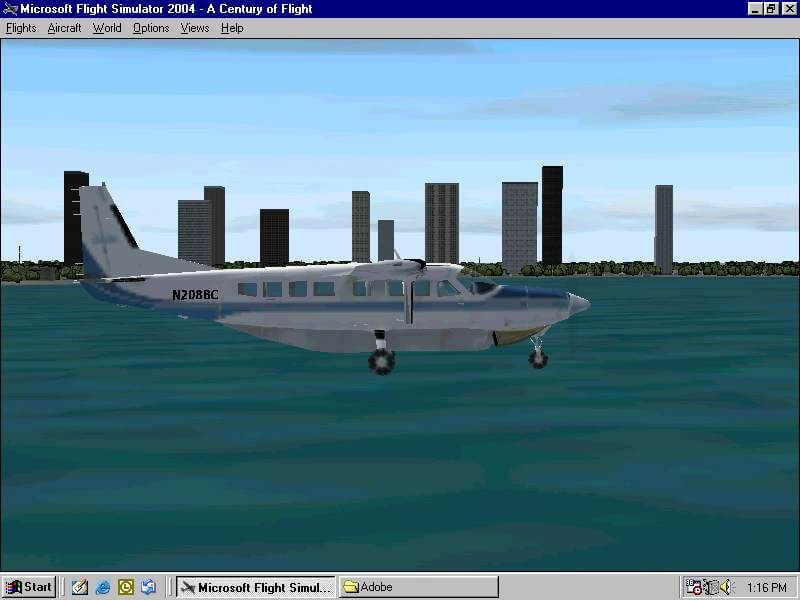
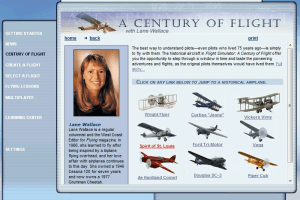
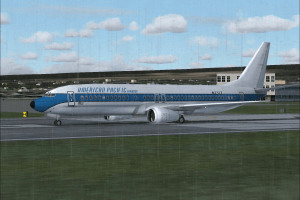
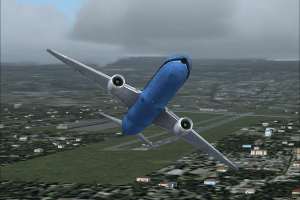
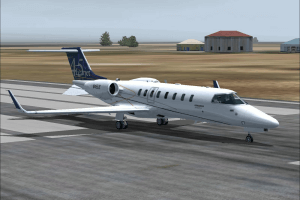
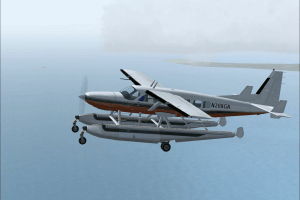
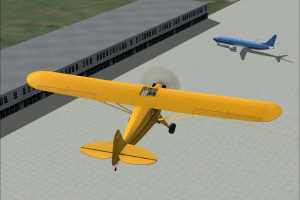
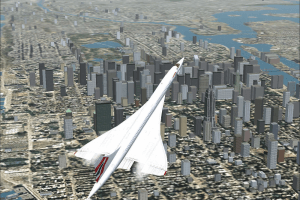
Just to say Don't know why Concorde is in the screen shot? as as it is not included with fs2004 only as a extra download. All the others are
I'm a great flightsim fan have. this on cdrom. Played it for years has a massive fan base even today with 1000s and 1000s of free addons From aircraft.scenery. textures and airport's. Ok its not got the pristine graphics of ms2020. But think of this as a base pack which you can update and add to to get it the way you want it.i have mine set up for the 1930s-1950s new texturs prop aircraft and airport's of the era.And it runs great on my old xp machine
No comment nor review for this game at the moment.