
It's for Trainiacs, Trainiacs...
The reviewer's challenge posed by a title as richly complex as Microsoft Train Simulator is the challenge posed by all serious simulations: Where does one start?
Perhaps by offering those who are not railroad, simulation or railroad simulation buffs this warning: this is a title aimed squarely at folks who really want the moment-to-moment experience of operating steam, electric and diesel trains, both passenger and freight, in all sorts of weather and in all seasons, all over the world. For those seeking that experience, Microsoft Train Simulator will provide hours of deeply immersive entertainment. Those not seeking that experience are gently urged to look elsewhere.
Microsoft Train Simulator is not so much a single program as it is the cornerstone of what will likely become an edifice of expansion packs, sequels and third party add-ons. Like Microsoft Flight Simulator, the intention is to provide an open framework for ongoing development by Microsoft and anyone else. There is even an editor included to allow the process of add-ons to begin immediately.
It takes a heap'a hard drive to house a whole world
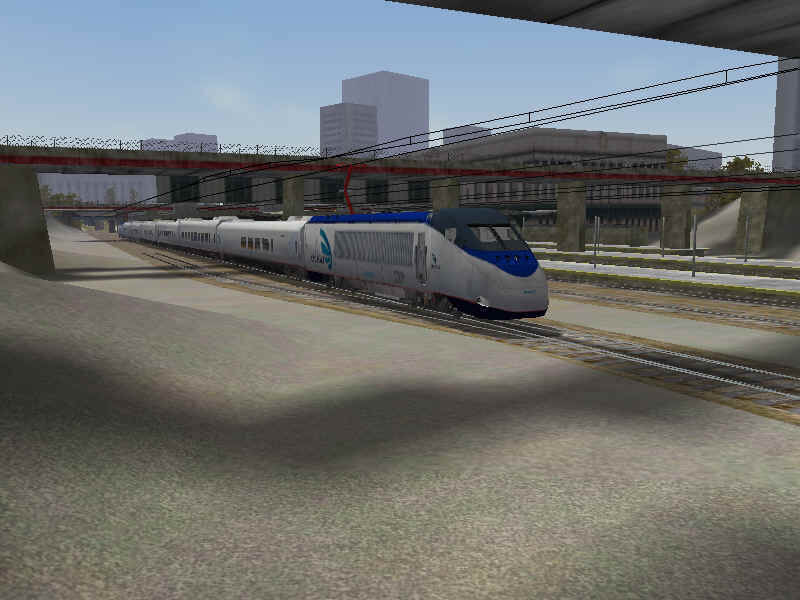
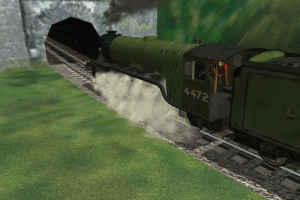
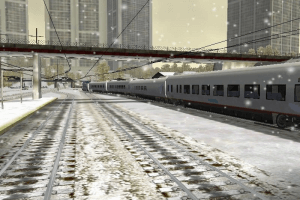
Fully installed, Train Simulator takes up about 1.8GB. That might seem extreme until you consider just how much has been wedged into that space. You're looking at two steam locomotives (the Flying Scotsman and the Golsdorf Series 380), three diesel locomotives (the GE-9-44CW or Dash 9, the GP38-2 and the Kiha 31) and four electric locomotives (the 2000 series, the 7000 LSE series and two versions of the Amtrak Acela).
These nine locomotives have been given more than 600 miles worth of track in the United States (Marias Pass in Montana and the Northeast Corridor), the Austrian Alps (Innsbrook-St. Anton aka "the Orient Express"), England (the Settle & Carlisle Railway) and Japan (Tokyo-Hakone and the Hisatu line). All of these routes can be run in all seasons, in all weather, day or night.
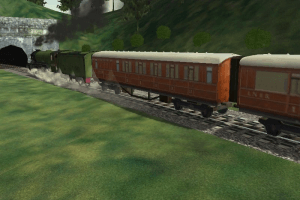
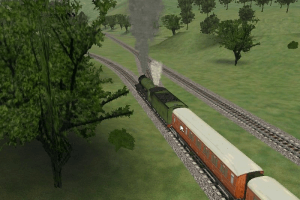
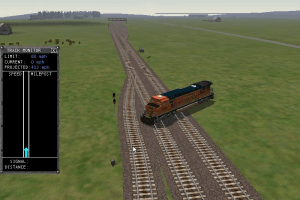
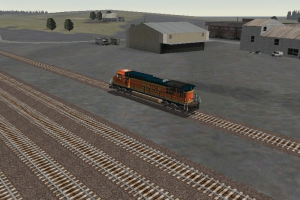
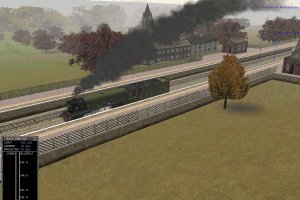
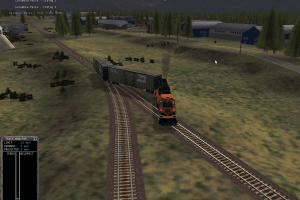
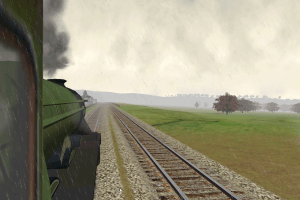
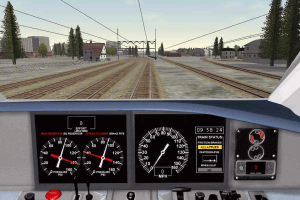
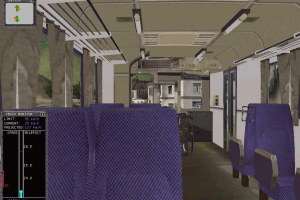
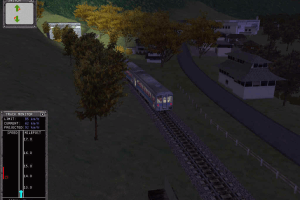
And all these routes look good enough to sustain the illusion that one really is operating a train rather than manipulating a simulation. Whether sticking one's head out of the cab of the Flying Scotsman or sitting quietly in a passenger car and watching the Northeast Corridor slip by, Train Simulator delivers impressive, if not stunning graphics. Other games may look better, but then they're not trying to model over six hundred miles of landscape at near-ground level.
Toot-torials
Since this is a simulation and not a summer blockbuster, it takes more than showing up in the cab and grabbing at things to nudge these iron horses out of the barn. Or, as it says on page 20 of the 90 page manual, "Before you start barreling down the track, we recommend you learn the basics of operating one of the three types of locomotives in Microsoft Train Simulator. These trains are modeled so closely on real trains that the challenges are significant, and a little preparation can go a long way."
You turn the page and find yourself reading about tractive force and the coefficient of adhesion and realize the folks at Microsoft really are serious when they insist on your sustained attention.
In addition to the concise introduction to train physics, Train Simulator also has fine in-game tutorials (beginners are advised to start with the electric train) that provide the foundation for safe and efficient train operation. Safe? Well, yes. As in the real world, you can take a corner too fast in Train Simulator and find yourself well off the rails. Efficient? Well, of course. Trains, especially passenger trains, are supposed to run on time, neither arriving early nor showing up late. And the source of efficiency on a train is whoever is handling of the controls.
Activity Time
Assuming you've gotten a handle on how to handle the handles in the cab of, say, an Amtrak Acela, it's time to put some distance between you and your point of origin. But what to do? Why not try an activity or two? Depending on the route, Train Simulator provides from six to thirteen different scenarios to challenge armchair engineers. There's the earthquake-damaged track in Japan, murder on the Orient Express and medical emergencies in England. And a hearty dose of ordinary freight operations that no one ever notices when they're done right.
The activities are like having a stern instructor at your elbow, praising you for things done well and letting you know when you've blown it. Making sure, for example, that you don't exceed the speed limit is a good thing, but not if you forget to stop for passengers while you're doing it. Once you have put all the different locomotives through all the different activities -- which includes servicing the Northeast Corridor of the United States with Britain's Flying Scotsman, moving tourists from Shinjuku to Hakone-Yumoto with an Amtrak Acela or whatever other combination of rolling stock and route appeals -- you can develop your own activities with the activities editor and share them with other buffs.
Personal Empire Building
If mastering all the activities and then devising your own is not enough to keep you occupied, why not take a shot at building your own route? While there is no reason why it can't be a fantasy route, the train buffs I know would be much more likely to recreate either an existing or historic one. The landscape editor, though not supported as a product by Microsoft, has a full tutorial to get you started on building a route of your own.
Train Simulator, like the Puzz3D CD titles from Wrebbit, makes it possible to enjoy what is usually a delicate and space intensive diversion without worrying about losing pieces or filling up an entire basement. Folks who live in apartments can now have train layouts that painstaking replicate hundreds of miles. Better yet, once a layout is complete, it is possible to climb into the cab and see the entire creation from a variety of perspectives, including the engineer's, a passenger's, a trackside observer and even a couple of birds, flying in front of and following the train. There are some limitations of movement within the cabs - while the passenger cars are rendered in 3D, the cabs offer 2D left, front and right views only. You can, however, stick your head out the window of the steam locomotives and look around.
It just seems large because it's empty.
One possible nit which can be picked with Train Simulator is the lack of people. The world, while highly detailed, is devoid of living inhabitants, with the exception of some livestock. Some will find this disappointing; I didn't. In fact, I much prefer miniatures (and that includes train layouts) that imply the presence of people rather than dropping in a poor substitute. I would jokingly suggest that including passengers runs the risk of pulling Train Simulator into the territory occupied by* The Last Express* or Gadget. Then again, some clever developer may be, even as you read this, feverishly coding a Train Simulator Passenger Pack.
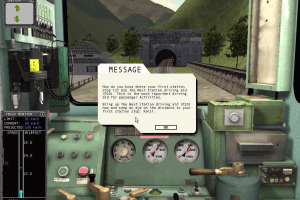
There are also some technical nits, such as the difficulty of maintaining appropriate speed due to the illegibility of some of the trackside signage. Real cabs don't have pop-up windows to offer advice and information. Getting a sense of the gradient of the track beyond the initial route-loading screen would also be helpful.
Great trip
Overall, Train Simulator reflects the level of polish and depth that can come from spending three years driving toward a specific goal. Designed to bring the realism and extensibility of Flight Simulator to railroad buffs, Train Simulator appears poised to take up a well-deserved extended residence on the hard drives of enthusiasts everywhere.
Review By GamesDomain
 English


 Japanese






Comments and reviews
When it say use CD 2 on the German version Of the game to complete game
It means use CD 2 FROM THE ENGLISH COPY OF Game as there is no CD 2 FOR German version of this game here hope this helps
God bless Myabandonware! Thank you!
Thank you ! C’est très sympa de revenir à ce qu’on aimait tant.
bhai mast hai
I didn't download MSTS (Microsoft Train Simulator) for a long time
I love this game so much
I HAVENT PLAYING THIS GAME THAN BEFORE
You can use Open Rails to run MSTS as a base data.
Just install MSTS on the any folder or any folder, install Open Rails, click Content, navigate to your MSTS folder and...done.
Remember to install .NET 4.7.2 before installing Open Rails.
Okay, I have installed the game multiple times, just because when I run it, it is very laggy and choppy both in the menu screen and in-game. I have also tried compatibility mode, but nothing works. Any solution to this low framerate problem would be appreciated. Thanks.
I am interested to play game
To avoid issues due to Microsoft's UAC preventing you saving settings and other issues, don't install in the default location (C:\Program Files), save into a root level folder (eg C:\MSTS). And do remember the game was developed over 20 years ago...graphics WILL be a bit rough.
It is very interesting game. I love this game very much.
Japanese addon just provided (translated into "Microsoft Train Simulator Real Add-on Series 1 JR Chuo Line Tokyo-Takao") :
https://archive.org/details/msts-chuo
nice game.its fire
In windows 11 nothing works
I've done everything to try and get this running on my Win 11 laptop. Everything loads as it should and how I remember it loading. I can select a train and when I press start the correct screen loads and the progress bar loads as it should. Once the progress bar gets to the end there is a small pause then it jumps back to my desktop. Iv tried several compatibility modes but nothing works.
Please help.
Everything loads and runs right up until the point where it would start the game in the drivers cab.
French version (without any addons) provided by the French website Abandonware France :
https://www.abandonware-france.org/ltf_abandon/ltf_jeu.php?id=3380&fic=liens
Thank you the game!
@OP You will need to unzip the two disc files, then mount the first disc file to a virtual drive letter using WinCDEmu (or similar), and run the setup.exe. When prompted, mount the second disc file onto the same drive letter.
i cant instal i dont understand how to install the game ?????
I want to play this game
it's a bit slow there is a black screen but if load it and restart the computer for time you will get it working.
The game doesn't start. Showing black screen for minutes
Bahut hi badhiya yah game hai
@HANSMÜLLER I mentioned it in the guide: "If you install German version of the game - use Disc 2 of English version to complete the installation"
Hi,
where is the disc 2 for the german version?
nice game nice graphics
I played and created a SD70Ace for train sim - just wanting to see if i can still run trains
We have updated this page, added few more language versions, plus some fixes and guide about most common troubles
J'apprécie énormément ce jeu ! *
you touch my trees i break your knees
Is beautiful 😍
Costume cool issued full off so PCC ed on from cool CCP was full gm cup d upt Good
Hey! Will this work on Windows 11 if I use its OpenRails upgrade?
Hey! Did you know that there are patches to make this program run on newer systems and an upgrade of OpenRails which is compatible for Windows 7 and above?
Sandeepkumar is the first person
Are you answering my question, Benno?
In the download section under "Game Extras" there is a guide how to install this version.
Worked for me. Thanks.
i cant get it on my ipad
False advertising, downloads as .BIN files, instead of actual ISO files. Waste of time messing with such an archaic and incompatible file format.
Will this work on Windows 11 without any problems?
I tried and didn't work!
I am gonna test this game today and see if it works!
Flutterdash, if know whether you're still looking for advice, There is a guide somewhere at this site. Apart from that, WinBin2ISO works for converting BIN files to ISO, and Open Rails is a good way to run MSTS routes and activities.
I'm a complete noob at pc gaming. How exactly do I figure this out? Is there a guide as to how to install?
I love the Thomas in trainz.
Quiero. El. Tren. Por. Favor
The program 'open rails' can run this as well as update the graphics and a whole lot of other stuff just need to directit it to MSTS. It also has very good train sims to try with the program. All free online Open Rails http://openrails.org
How do i run MSTS?
You can probably download and run MSTS on any operating system, the only problem is you have to use your keyboard and mouse to play. As for me, I purchased a used desktop with Windows XP installed. Doing this way I have the ability to use my RailDriver Console for more realism. RailDriver supports XP for MSTS in 32 bit
I've Never Played This Game But I'm Going To Test It
Concerning the person recommending Open Rails: I tried that program and it's not worth bothering. Microsoft Train Simulator (MSTS) works just fine on Windows 10, it doesn't even need compatibility mode. Just remember to patch it to its latest version and if your desktop resolution is bigger than 2048x2048 use D3DIM700.DLL (found this in a tpb archive, also has an exe that enables widescreen support). Good luck everyone!
#1 Depending on the route and consist (read: trains) used, you do not need to get this program. Instead use Open Rails. #2 Also MSTS is not suppported after XP. Open Rails installations will allow users to use MSTS assests on modern operating systems.
Very amazing
Thank you munna in the chatNu
I really like trucks and trains
How to CD ROM
Really its support on WWindows 10 any version compatible i cant supp on older version
Have this game on cdrom but run it with the programme ...open rails. Available free on the web. It adds some new physics i think it users its own grafix to update or fix the game has loads of options to play around with. You can also download 2 free train sim program's to run on 'open rails' zig zag line which is old steam line.and a heavy American freight sim. Check it out
I really love old generation games
Error message when running MS train Simulator SETUP.exe on Windows 7 64
Unable to find the language specif setup dll, unable to continue.
Any ideas on how to resolve this problem?
Thanks
ok this is creepy.
Just the other day I was thinking how much I would love to get this game here. I have it on discs (I bought it on release), but I can't be bothered to search for them.
Thanks.
No comment nor review for this game at the moment.