
- Export saves: export the savegame files from your browser, so you can switch to another browser or computer. You can also use them in an emulator installed on your computer.
- Import saves: import savegames that you exported before with the Export saves button.
- Download disk: export the whole game from your browser, with all your savegames. Useful to switch to an emulator installed on your computer.
- Reset game files: if you somehow messed up the game files, you can reset them to an exact copy of the original.
- Reset saves: delete all savegames from your browser. We recommend that you export them first: there is no turning back!
Wizardry V: Heart of the Maelstrom - Play Online
PC Booter - 1988
For small DOS games like Wizardry V: Heart of the Maelstrom, you can play online immediately with your browser (Chrome, Firefox, Safari, Edge, Opera...). This feature is experimental, the game may not work properly.
Warning: game save should work, but you should try it early! Also, be careful to select the right game executable in the list above.

 English
 Similar games
4.3/5 - 84 votes
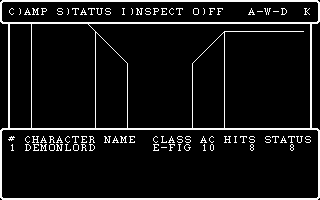
Wizardry: Proving Grounds of the Mad Overlord PC Booter, Mac, Commodore 64, MSX, Apple II, FM-7, PC-88, PC-98, WonderSwan Color
1984
4.2/5 - 84 votes
Wizardry: Knight of Diamonds - The Second Scenario PC Booter, Commodore 64, Apple II, FM-7, PC-88, PC-98
1987
4.3/5 - 21 votes
Wizardry: Legacy of Llylgamyn - The Third Scenario PC Booter, Commodore 64, Apple II, FM-7, PC-88, PC-98
1986
4.2/5 - 17 votes
Wizardry: The Return of Werdna - The Fourth Scenario PC Booter, Apple II, FM-7, PC-88, PC-98
1988
4.6/5 - 140 votes
Dungeon Master DOS, Amiga, Atari ST, Apple IIgs, FM Towns, PC-98, Sharp X68000
1992
4.5/5 - 116 votes
Rogue DOS, Mac, Commodore 64, Amiga, ZX Spectrum, Amstrad CPC, Atari 8-bit, Atari ST
1984
Comments and reviews
To create a new character (or more): Exit the castle by pressing 'e' (Edge of town), then press 't' (training) and then 'c' (create character). Then assign your randomly allotted points. You can only progress from here by pressing 'esc' to selecting your class if ALL your points are assigned (remaining points are down to zero) AND you qualify for AT LEAST one class. E.g. try assigning points to strength till "Fighter" appears on the right sight. I.Q. is for mages and Piety is for priests/clerics. You can read the manual about the different requirements. My advice: 10 points for free distribution are enough, do not obsess with higher allowances. You can start with a ninja (may take 2 hours or longer to get that lucky), but stick to the 4 "basic" classes. You are better off by changing your class after several levels gained.
Currently (2026-05-18) you have 2 choices for Game Version: option value="728" wizardry-v-heart-of-the-maelstrom.zip and option value="26832" wizardry-v-heart-of-the-maelstrom_dos_0kpc.zip.
The first option (728) is a if you obtained the software as a single release, e.g. you got gifted the release from 1988. You can find the answers for the apparation that appears when you enter the maze here:
https://mocagh.org/sir-tech/wiz-trilogy2-manual.pdf
https://www.mocagh.org/sir-tech/wiz5-magicword.pdf
https://www.zimlab.com/wizardry/walk/wizardry-5-game-codes.htm
The second option (26832) represents the Ultimate Wizardry Archives. This release bundled several Wizardry games on 1 CD and slighty modified the software for this. In particular, you are no longer prompted for magic words. Please note that you can also choose Wizardry scenarios 1 to 4 by choosing the game executable if you select the second option.
Addendum: Return of Werdna (wiz 4) is masterpiece and to play an evil that gets by with summoned minions was unheard of at that time. That is what all big bad evils did and do: Throw masses of minions into the heros way. However, I bet that you can not finish it (it has several endings) without getting even the tiniest bit of help. It is a masterpiece best left alone.
Also you could get a version, that doesn't ask for the codes from here: http://wizardryarchives.com/downloadsw5.html
Can't play this version, as it's asking for the copy protection code when you try to enter the maze.
No comment nor review for this game at the moment.