


- Export saves: export the savegame files from your browser, so you can switch to another browser or computer. You can also use them in an emulator installed on your computer.
- Import saves: import savegames that you exported before with the Export saves button.
- Download disk: export the whole game from your browser, with all your savegames. Useful to switch to an emulator installed on your computer.
- Reset game files: if you somehow messed up the game files, you can reset them to an exact copy of the original.
- Reset saves: delete all savegames from your browser. We recommend that you export them first: there is no turning back!
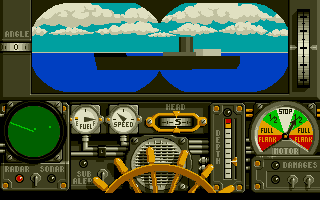
688 Attack Sub - Play Online
DOS - 1989
For small DOS games like 688 Attack Sub, you can play online immediately with your browser (Chrome, Firefox, Safari, Edge, Opera...). This feature is experimental, the game may not work properly.
Warning: game save should work, but you should try it early! Also, be careful to select the right game executable in the list above.

 English
Similar games
4.4/5 - 200 votes
SimCity DOS, Windows, Windows 3.x, Commodore 64, Amiga, Amstrad CPC, Atari ST, Acorn 32-bit, BBC Micro, CDTV, Electron, FM Towns, OS/2, Sharp X68000
1989
Comments and reviews
It does not work for me, I cannot leave the radio room. No hint what could be done.
as before, i have played this a few times on here, but now the old school mouse is know where to be seen.
What are the controls? After the initial start up screen its fine, then when it asks to select a level, I hit every button on my keyboard, then my mouse. Please help!
Showing this to my kids, who are rolling their eyes at the graphics, particularly the LA Sonar Op's visage (HA!). But I love it! This was an incredibly well-written strat/sim for its day.
I can't seem to click or select buttons... my trackpad doesn't get emulated as a mouse.
Help?
works great, sends me back , the graphics, sound and everything
I just took a trip back in time! Wow this game is just as I remember it and I'm very grateful for this website. Ready to take more trips down memory lane. Thank you!
The game is virtually unplayable because of the fact that the mouse randomly teleports around the screen when you move it, and there are absolutely no instructions on how to play.
To select the graphics, you need to use the number keys above the letters on the keyboard, not the 10 key off to the side. That will get you through selecting the graphics and the audio for the DosBox setup. After which, you have to use the 10 key to control the mouse in-game. As the mouse itself won't work, not sure why, yet. Possibly due to no driver being chosen for the mouse. Anyway, good luck.
OMG When I Going I Cant Just
Cant type on the game!! any help?
Just bash the number on your keyboard when it says "game loading"
Just like T-Omicron stated, in browser you can't get past the graphics mode screen.
Great game but I can't seem to type anything in the emulator so I can't choose the graphics mode...
No comment nor review for this game at the moment.