





How to Play
Notes:
- The game requires old RTP 2000 v1.0 from RPGMaker 2000, which means the game won't work with Steam version of RPGMaker 2000 or RTP from the official website. You can find English RTP 2000 v1.0 here, we also mirrored the installer on our website. The game won't work on RTP 2000 v1.3 or later, according to this thread. Also, the game is not compatible with EasyRPG utility, because EasyRPG cannot load in-game resources correctly (all in-game graphics became broken)
- By default the game runs in Fullscreen mode. If you want to play in Windowed mode - press Alt+Enter
- If the game doesn't start - try to launch it in compatibility mode with old version of Windows (Windows 98 or XP) and as administrator (right click on RPG_RT.exe -> Properties -> Compatibility)
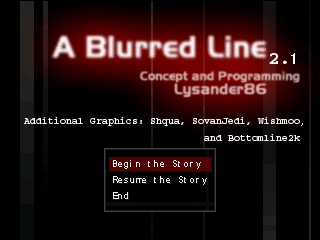
- The game should have the final installment called "Line's End" which should finish the story. But unfortunately, Lysander86 never finished it, version 2.1 is the latest available version at the current moment
 English








Comments and reviews
I couldnt get it to run, it still required "RTPe.exe" to run.
Has anyone tried getting A Blurred Line running on Android? Since it uses the older RPG Maker 2000 RTP, I’m curious if it works properly with mobile game players. I’ve been experimenting with some older RPG Maker games lately, and https://joiiplay.com/ has been useful for checking Android compatibility.
No comment nor review for this game at the moment.