You are on the beta version of My Abandonware. The live site is still myabandonware.com. Your favorites and ratings here are copied to the live site. Comments and other changes are not — we delete them every morning at 08:00 Paris time, when this site goes down for about an hour. Leave feedback through this link to Pastel (email required).
The beta goes down at 08:00 Paris time, in a few minutes. We rebuild the database from the live site. It comes back in about an hour.
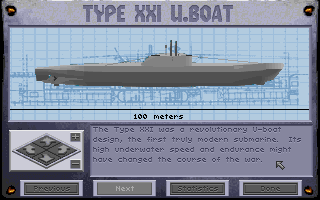
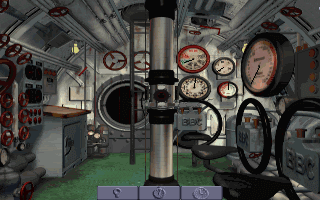
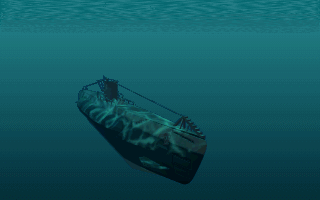
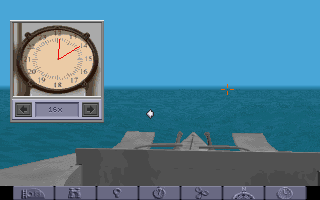
This add-on for Aces of the Deep adds new missions, areas and a special submarine prototype.
Comments and reviews
Strong Banana03 Jun. 2020
Unzip the patch. Inside will be two files of significance...a resource.000 file and a file folder that contains an unchunk file. Create a new folder for yourself and paste just these two files inside. Now go into DOSBox and go to the directory that contains your new folder that you created (with the two files). Type in unchunk resource.000 c:\(Your new folder directory). Note that there is a space between the last 0 and the c:\... Essentially you are asking DOS to unchunk (unpack) the resource file into that same new folder. Wait until everything is completed and exit DOS. Find and open your created folder in Windows and you'll see new file folders containing all the updates. Paste these new files / folders into your folder that has the original AOD game. Say yes to any changes (replacing the old files). You're in business. When you start the game and commence any simulation, press CTRL V and you should now have 4.67 sim and 4.9 shell as the version number. Please advise if anyone has issues with these instructions. Enjoy the updated game!
2
cs81434324 Jun. 2018
I just drag and drop the applications
1
Bigjon27 Feb. 2018
I can't play the game for some reason I unpacked an old IBM of my late grandmother just so I could play the game cause it has DoS well it will install fine and I can go to the Sierra on line prompt and do the test and again everything checks out but it will not let me play it. I go into DoS prompt and type E:AOD just like it says do but it just keeps saying bad command. Don't know what to do and it's really pissing me off. Someone please help me
0
The Hogster06 Jan. 2017
This was meant to be installed from a floppy disk. In DosBox mount the directory as the a: drive and then run the install. It will install with no problems.
0
XenonS16 Mar. 2015
Very good advice! I've taken a long time to figure this out myself, my command was
unchunk resource.000 . nul
which will create files and also folders in the same directory, you have then to move them manually to the right place like shown in the GER.BAT, ENG.BAT or FRN.BAT. Beware: In Dosbox after entering this command the cursor will blink during processing and it will take some time, don't interrupt!
The expansion disk will add these new features to the game: A new playable U-Boot, the latest XXI model together with historical missions. In the Watch Officer menu, there is a new command to see compressed air remaining and the general water flood level of your boat.
I remember there was also something like the deck gun that could be fired manually, but maybe I'm counfounding with other sub sims...
Thanks and Cheers, XenonS
3
Jegas01 Jan. 2014
DosBox 0.74 + Win7 (64bit) - I think I got it installed...
Note - when I tried to just install this by mapping one drive letter to Aces of the Deep and another to this software and tried to install - I didn't get anywhere. So I unzipped this file, found the resource.000 file and placed it in my aces of the deep folder (the game - where it run fine from) and I copied this file called unchunk.exe there too. I then used DosBox command prompt and ran:
unchunk resource.000 .
Notice the trailing SPACE and period. this unpacked the expansion. I copied the expansion pack's README.ENG to the Aces of the deep folder also.
I ran the game and it seemed to work fine. Admittedly I don't know the game well enough to ascertain whether or not I actually expanded the game but I think I did. But again - no 100% confirm.
I hope my ramblings at least give you some ideas if you run into trouble. To get this far I tried to interpret the DOS batch file for the INSTALL.BAT file that comes with this download. It in turn runs the batch file for the language you select ( ENG.BAT for me) but - that's all I have for ya.
The game does seem pretty cool from what I've seen overall.. the aces of the Deep game to be clear. I can't say how cool this expansion is or isn't for reasons stated above.
3
No comment nor review for this game at the moment.






 English



Comments and reviews
Unzip the patch. Inside will be two files of significance...a resource.000 file and a file folder that contains an unchunk file. Create a new folder for yourself and paste just these two files inside. Now go into DOSBox and go to the directory that contains your new folder that you created (with the two files). Type in unchunk resource.000 c:\(Your new folder directory). Note that there is a space between the last 0 and the c:\... Essentially you are asking DOS to unchunk (unpack) the resource file into that same new folder. Wait until everything is completed and exit DOS. Find and open your created folder in Windows and you'll see new file folders containing all the updates. Paste these new files / folders into your folder that has the original AOD game. Say yes to any changes (replacing the old files). You're in business. When you start the game and commence any simulation, press CTRL V and you should now have 4.67 sim and 4.9 shell as the version number. Please advise if anyone has issues with these instructions. Enjoy the updated game!
I just drag and drop the applications
I can't play the game for some reason I unpacked an old IBM of my late grandmother just so I could play the game cause it has DoS well it will install fine and I can go to the Sierra on line prompt and do the test and again everything checks out but it will not let me play it. I go into DoS prompt and type E:AOD just like it says do but it just keeps saying bad command. Don't know what to do and it's really pissing me off. Someone please help me
This was meant to be installed from a floppy disk. In DosBox mount the directory as the a: drive and then run the install. It will install with no problems.
Very good advice! I've taken a long time to figure this out myself, my command was
unchunk resource.000 . nul
which will create files and also folders in the same directory, you have then to move them manually to the right place like shown in the GER.BAT, ENG.BAT or FRN.BAT.
Beware: In Dosbox after entering this command the cursor will blink during processing and it will take some time, don't interrupt!
The expansion disk will add these new features to the game:
A new playable U-Boot, the latest XXI model together with historical missions.
In the Watch Officer menu, there is a new command to see compressed air remaining and the general water flood level of your boat.
I remember there was also something like the deck gun that could be fired manually, but maybe I'm counfounding with other sub sims...
Thanks and Cheers,
XenonS
DosBox 0.74 + Win7 (64bit) - I think I got it installed...
Note - when I tried to just install this by mapping one drive letter to Aces of the Deep and another to this software and tried to install - I didn't get anywhere. So I unzipped this file, found the resource.000 file and placed it in my aces of the deep folder (the game - where it run fine from) and I copied this file called unchunk.exe there too. I then used DosBox command prompt and ran:
unchunk resource.000 .
Notice the trailing SPACE and period. this unpacked the expansion. I copied the expansion pack's README.ENG to the Aces of the deep folder also.
I ran the game and it seemed to work fine. Admittedly I don't know the game well enough to ascertain whether or not I actually expanded the game but I think I did. But again - no 100% confirm.
I hope my ramblings at least give you some ideas if you run into trouble. To get this far I tried to interpret the DOS batch file for the INSTALL.BAT file that comes with this download. It in turn runs the batch file for the language you select ( ENG.BAT for me) but - that's all I have for ya.
The game does seem pretty cool from what I've seen overall.. the aces of the Deep game to be clear. I can't say how cool this expansion is or isn't for reasons stated above.
No comment nor review for this game at the moment.