



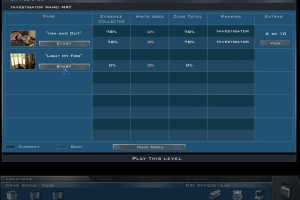
How to Play
Windows
Be sure to install QuickTime before starting the game!
Troubleshooting
Initially, the game was not designed to work correctly on computers with multi-core processors, so make the following steps at Windows 7 64-bit and newer systems. Type 'msconfig' into the Windows Search Box and hit Enter. Select the Boot tab and then Advanced options. Check the box next to Number of processors and select the number of cores you want to use (use 1 if you're having compatibility issues) from the menu. Select OK and then Apply. Click OK on both windows to close them and restart your computer.
When you go through the whole game or simply need additional cores for other applications to work, do not forget to uncheck the box in the way described above!
Also, if you're using Windows 7 or newer OS, try this method: download quicktime version 6.5.2, you can get it here, then open QuickTime , press Edit, and then QuickTime Preferences. Now select the Browser Plug-in and click on MIME Settings there, select Use Defaults and press OK. After that, select Video Settings and select Safe Mode (GDI only) there. After that, launch the game in compatibility mode with Windows XP. This method works with many old games with QuickTime, including other parts of CSI
Mac
For Mac OS X
 English
  French
  German
  Italian
  Russian





Comments and reviews
Hey! To all the people who are having trouble getting the game to launch on a Windows 10 PC, I recommend downloading Virtual Clone Drive and then mounting the disc image file using the program. I couldn't get the game to work until I did that. I didn't have to install Windows XP or anything. I know my comment is 3 years late but hopefully someone else sees it and it helps because I really liked this game when it came out!
-Cherry
Has anyone completed this game? I remember playing it as a kid and neither my mom or me could figure out the second case to the point where we just thought it was bugged
I do remember it having like 6-7 disks not 3 like is listed here
I have to run the game in 95 compatibility mode but then i can't type a file name, any suggestions?
Using the NoCD exe makes it throw out a missing Shockwave Player 8.5 error (tried downloading the last version, 12.3.5.205, from archive org, didn't solve it).
Using the original installed exe makes it ask for a bunch of .cst Director files that can't be found anywhere. After that an ingame window in german pops up and then a scripting error.
No idea how to solve any of this. Perhaps because I used the DVD version, or because I installed to a drive that wasn't C:, or even a failed attempt at installing the update(?). Got tired and uninstalled the whole thing instead.
I advise you to skip this problematic game entirely and download the newer CSI games. They run flawlessly on my quad core win 7 setup.
I finally got this to work but what a pain to do so. You first need to install Windows XP (I used the 64 bit edition) on a virtual machine, I used VM Player 16 and after you install quicktime set it to safe mode in the preference and it should work, well for me anyway it did.
If you're unable to name the profile when the game begins, deselect compatibility mode.
Damn, I got the game to start, no problems. Windows 98/ME Compatibility mode and game starts fine, I can access settings and introduction sound works fine. But when I try to start this, I can't write my name, so I'm unable to start the game. Has anyone solved this?
The game does not launch on Windows 10 because of an old version of quick time that does not install. I couldn't install it on a Win 98 emulator either.
No comment nor review for this game at the moment.