



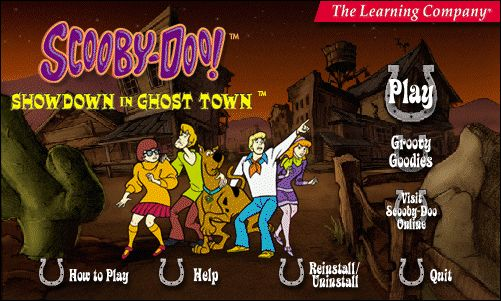
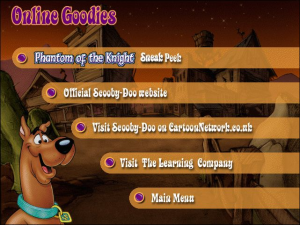
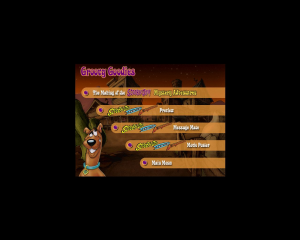

How to Play
The companion program MessageMate (Disc:\messagemate\Scoobymm.exe) is to be avoided, flagged as malicious / grayware on VirusTotal. For maximum security, run in a Virtual Machine, or block this specific exe files in your antivirus.
For the Polish version : on new systems does not work Autorun, It says unknown software, you need to go to the disk, and in the folder INSTALL there run the program _Setup.exe, and install the game . After installing it will launch a window with the offer to play, and everything works
 English
  Czech
Czech  Spanish
  French
  Polish
  Portuguese (Brazil)
  Russian
  Swedish






Comments and reviews
works great except for a slight mouse issue! Cowtow's intructions work the best! Here for the nostaliga
Miss this game from childhood thanks for sharing a link! A true blast from the past!
Polish :
https://archive.org/details/scooby-doo-pc-games-pl/
French version :
https://www.abandonware-france.org/ltf_abandon/ltf_jeu.php?id=3413&fic=liens
Spanish :
https://archive.org/details/scd_ciudad_fantasma_pc
Portuguese :
https://archive.org/details/ScoobyDoo__Aventura_na_Cidade_Assombrada_2000_PTBR_
Swedish :
https://archive.org/details/scooby-doo-showdown-in-ghost-town-swe
Russian :
https://archive.org/details/RusScoobyDooShowdowninGhostTown
How to play Scooby-Doo!: Show Down in Ghost Town on Windows 11 Pro
Step One: Click Download (ISO VERSION 448 MB)
Step Two: DRAG Scooby-Doo-Show-Down-in-Ghost-Town_Win_EN_ISO
from Recent Download History to your Desktop
Step Three: Right Click Then Select Extract All
Step Four: Extract Compressed (Zipped)Folders Click Extract
Step Five: RIGHT CLICK ON Extracted FILED (UNZIPPED FOLDER)CLICK OPEN
Step Six: Left Click Showdown Then Right CLICK Select Open with Windows Explorer
Step Seven: Open File-Security Warning Click Open
Step Eight: LEFT Click Play (APPLICATION)
OR Select Setup (APPLICATION)
Step Nine :(USER Account Control) Do you want to allow this app from an unknown publisher to make changes to your device Select Yes
Step Ten: Select Play Select Play (GAME SHOULD START UP )
:) Enjoy
which version is this one? is it the original 2000 version or the 2001 version?
File was so easy to run (windows 11). All I did was download the file and followed the on-screen commands. I remembered loving this game as a kid but its now a little too slow for me haha. Thank you MyAbandonware!!!
Marked as Trojan by Virustotal.
HOW DO I INSTALL THIS GAME IN HERE
CowTow's method works.
Game functioned well, but dang I forgot how often you get chased by the ghost.
i can view my game only on half of my screen . And the quality is bad and only green and purple as colors
@HELP? : Your screen resolution was probably lowered automatically (common in older games like these). Right click the desktop, go to your display settings and increase the resolution to a larger one.
For anyone wondering how to get this to work: (Tested and working on windows 11)
1. Extract the ISO for the zip folder.
2. Mount the ISO (Right click, mount. Or left click and mount should pop up as an option in windows explorer.)
3. Open the new drive that appears.
4. Copy the content of the "scooby" folder anywhere you like.
5. Run "scooby.exe."
6. Profit. No mouse problem. no virtual machine. Just Scooby Doo.
Mine says "windows cannot complete extraction" Any help?
I'm probably just not good at computers but it made my screen all "retro" and small and I can't get it to go back to normal. Any help?
thank you
it doesn't work for me, it says cd is needed or something like that :(
I have the same problem. Mouse doesn't work.
I don't know if anyone else had this issue, but I can't seem to get the mouse to work on this game at all. I'm running it on an XP VM and it installs, but I can't click anything after going into the name select screen. Mouse just spazzes around everywhere. Help!
No comment nor review for this game at the moment.