You are on the beta version of My Abandonware. The live site is still myabandonware.com. Your favorites and ratings here are copied to the live site. Comments and other changes are not — we delete them every morning at 08:00 Paris time, when this site goes down for about an hour. Leave feedback through this link to Pastel (email required).
The beta goes down at 08:00 Paris time, in a few minutes. We rebuild the database from the live site. It comes back in about an hour.
Game ONLY runs on the systems it was meant for in the requirements. If you try to force it to run on anything post XP it will crash or refuse to open period. Open the game in a windows 98SE virtual machine. I say 98SE because its lighter and faster than other releases for this purpose.
-1
Ahad14 Jun. 2026
I need the spngebob game empoly of the month Cd on order
-1
vitobertucci29 May. 2026
as of may 2026 on Win11 25H2, I was not able to run the original ISO using any guide. Not with dgVoodoo, not by editing regkeys, not with dxwnd, nothing on Win11.
Please safe yourself the effort and run it in a WinXP VM;
Run a win11 vm (VirtualBox 6.1.38), go through the install as normal.
Mount the original ISO, install it once, install DirectX8 when prompted to.
DO NOT RUN the normal sb2.exe or the game shortcut, instead navigate to the main directory:
C:\Program Files\THQ\SpongeBob\SquarePants\Employee of the Month
and run: sb2safe.bat
Worked like a charm for me.
2
dog29 Mar. 2026
Every single time I go to download this, the download fails halfway through. Is anyone else able to download this fully?
1
hydro16 Nov. 2025
im having the same thing as bkram said
2
Fancy01211 Sep. 2025
ITS SOOOO LAGGY WHY??
2
bkram10 Nov. 2024
I've installed the game and the version of direct x it requires but i dont see any iso files in the folder. it created a virtual disk so i dont know if thats something I still need to do? When i run the application i get the menu to play, re-install and download direct x, but once i click play it shows a black screen then closes. Not sure what I'm supposed to do to fix that, any help is super appreciated
4
AlphaNoah18 Oct. 2024
The game plays on my computer, but there is a few visual glitches. Does anyone know of any patches to fix them?
0
DomPlanet06 Sep. 2024
I absolutely loved playing this game as a kid and bought it on disc again. But I, along with so many others suffer from a glitch. Black textures are clear and there are visual glitches to SpongeBob's eyes, shoes and hat. I found a quick fix by running sb2safe.dat instead, but now shadows are broken when eneabled. If anyone has a fix to this glitch that would definitely help so much!
-1
MDONE26 Aug. 2024
I've tried to use both fixes here and the drive doesn't show up in the virtual machine, and the other one just didn't do anything. Windows troubleshooter got it to plat for like minutes and then just crashed. Can anyone help??
-1
rivera01 Aug. 2024
thank you for letting me play this game i like it
0
Thea31 Jul. 2024
The game seems to have a glitch, it runs fine but when I get to level 4 when I have to look through the binoculars spongebob just says "I don't think thats a good idea" and I have tried every clickable option on the level to no avail. No tutorials have any mention of this happening in the game.
0
an0nymooose30 Jul. 2024
If you followed all the fix steps and you still crash on start, get a dinput.dll wrapper, such as this: https://github.com/geeky/dinput8wrapper/releases and place dinput.dll in the installation folder, where sb2.exe is located.
1
kitay24 Jun. 2024
if anyone is having issues and does not want to run a virtual machine in order to get the game running, the speedrunning community came up with an installation guide: https://www.speedrun.com/eotm/guides/2e2il
0
mars24 Jun. 2024
Venom, I tried your method and it worked!! I've been trying so long to get this game to work, thank you so much!!!
1
Becy04 May. 2024
Fun with employee of the month
0
gvrtvcrexdwy26 Mar. 2024
The game is great, but I got exactly 7 fps on a relativly decent PC. Like something is blocking the fps. I saw videos of it on YT and there it worked fine
0
Caliber03 Mar. 2024
I don't remember much beyond the game itself. Certainly a nostalgia gold mine 1
0
ST0RM Lite15 Jan. 2024
after installing the game, there should be a .bat file in the files, it fixes the texture issues.
0
iamfake27 Dec. 2023
thanks for bring old memories
0
Joy21 Dec. 2023
Nicky Dean, you are an absolute lifesaver!
0
sjhksj17 Nov. 2023
The game did not work for me, it just went to a black screen and closed every time I try open it. Can someone help me please?
1
RulyCash08 Nov. 2023
Hey Nicky Dean, not sure if you'll ever see this but I tried following your steps exactly as posted. It seems to start the game but pulls a black screen for about 5 seconds before crashing. If I choose autorun the square with the "ah here we are in bikini bottom" pops up and pressing Play Game on there has the same result. I feel like it could be because when I install the game it makes a DVD (E:) drive. I am unsure if that is correct and I bring the dll files into that or if they go into the file folder I created for the game. That is where I put the files originally but it doesn't seem to work.
This is the first game I have ever tried to download like this so I am not really knowledgeable on this kind of stuff. I just really want to satisfy the inner child in me that misses this game. Any help would be appreciated but then again I doubt you will ever see this again so I will keep trying your methods.
4
Nicky Dean30 Sep. 2023
Top comment
Playing this today on your modern computer is super simple and easy! Listen to me and no one else because they are wrong. You DO NOT NEED a virtual machine or external program!
Follow these steps to get it working!
1. Download the ISO and click the MOUNT button. This will open an extra (disc) drive on your computer.
2. Open the mounted ISO folder and run setup.exe
3. Keep track of the folder location you install the game (you will need it later).
From here you can just play it BUT it will run very poorly. This is because your modern machine is most likely running DirectX 10 or above while the original game was created for DirectX 8.
Luckily you can circumvent this by downloading dgVoodoo2! Its a wrapper that will make it so the game will run using your current graphics API. If you aren't a technical person, don't worry because it just works.
5. Extract the zip to a location you'll remember on your hard drive (desktop or downloads folder would probably be the simplest).
6. From this folder open ..\MS\x86
7. Copy all the .dll files into the games install folder (the one you remember from earlier. It should contain the sb2.exe file -- if you can find it right click on the shortcut the game made and open its file location)
8. From there go back to the dgVoodoo2 folder and open dgVoodooCpl.exe
9. Under the general Tab, I recommend you set the "scaling mode" to "stretched, keep aspect ratio" so it fills your screen and keeps the original intended 4:3 aspect ratio. You can have it stretch to widescreen if you like things that look bad though.
10. Next, click on the DirectX tab and uncheck the "dgVoodoo watermark" option because it is stupid. You can also add various other enhancements to make the game less dated. I recommend setting the resolution to Max FHD to make it HD while (again) leaving it as the intended 4:3 aspect ratio. I also recommend leaving the MSAA setting as "App Driven" because the game looks really bad and buggy if you don't.
11. Finally, click apply and you're ready to play the game!!
I hope this helps the game look just as good as you remembered it!!
45
Squidward27 Jul. 2023
I when I download the game it just send me pictures of SPONGEBOB!!!
0
nat01 Jul. 2023
is there a way to play on mac?
0
Venom20 May. 2023
Top comment
Alright, everyone (including me for a LONG time) has issues installing and playing this game. So I'm gonna give a quick guide on how to get it to work!
Here is a step-by-step method to get this game! This guide will require you to do some outside research if you aren't sure how to do something. 1. You'll need a virtual machine as we will be running this game on Windows XP. Download a Windows XP iso file off the internet, as well as a VirtualBox by Oracle (recommended version 6.1.38, I had issues with later versions). From here set up the VM, I won't go into detail so look up a video if you need to. 2. Now go ahead and install the iso file for the game, once it is finished, if it is zipped, extract it to somewhere you can access later. 3. Boot up your virtual machine (again I recommend watching a video for this as setting up Windows XP can be a little annoying sometimes). 4. Now that you're in and on the desktop, go up to the top of the VM window and click on "Devices". From here go to Optical Drives Choose/Create a disk image. Click Add and now locate the iso game file from earlier. Click Choose. Now the disk image should be mounted and attached (you can check by going back to Devices Optical Drives and you should see the iso there and selected), the game installation page may open immediately. If it doesn't, go to Start in the bottom left My Computer. You should see a drive with a little Spongebob as the image. Double-click it and the game installation page should open. From here, click Install. When it asks to install DirectX 8, do so. 5. Here is where it gets a bit tricky. Normally you can just double-click the icon that appears on your desktop, but if you're like a lot of people, this won't work. Instead, you need to run it somewhere else. Click Start in the bottom left and go to My Computer. Select the C drive, then Program Files. Then open the folder named "THQ". Keep entering folders until you're in the folder titled the game's name. Inside this folder there should be a MS-DOT Batch File titled "sb2safe". Run this file and the game should open successfully!
Hopefully this works for you as well!
Also, if the game is running slow/audio is skipping. Close the VM, and go into it's settings. Go to display and enable 3D Acceleration. You can also allocate more resources if you feel necessary and are capable.
Enjoy!
16
Ninja Astral07 Jan. 2023
My lovely game
0
phillipPbor06 Jan. 2023
I've already installed that game from CD DVD disk ive bought years ago. I've installed it in my new laptop I've got from Christmas. somehow when i tried to play the game, the textures arnt right and the gameplay is lagging.
I've tried to set it to Newest verion compatible, but all there is was windows 8 and mine is windows 11.
2
big-g-23 Nov. 2022
Some model features are transparent, like spongebob's belt and shoes and patricks eyes
4
AGVYT10 Sep. 2022
(A better guide on how to install this game) Do you not know how to install this game? Well I got you covered. Step 1: first and foremost, install the iso file Step 2: like ZAZ said, you do not need a 3rd party program for Windows 10 (this tutorial is for how to install it in this 3rd party program), but you might need one for older windows oses, so download PowerISO if you do not know what bit version they're saying in the downloads page you have (64 bit or 32 bit) , type about your pc or type in control panel on your start button or search bar, type in control panel. click system and security, then click system, and there you go, now install PowerISO Step 3: Once you have installed it, restart your computer because you need the Virtual Drive Manager application, once you have restarted your computer, open that application by searching it in your start button or search bar Step 4: now it should pop-up in your system tray (in the bottom right corner of your taskbar), if not click the arrow that is in the bottom right corner, the one facing up, now what you want to do is right click the app icon, then click the set number of drives, you only need to set 1 Step 5: Now go to your downloaded iso file in your file explorer (search the app in your start button or search bar) right click it, hover to the poweriso tab (it should pop-up), hover to the mount c:/example/example/example to: then click on the virtual drive, now install the game, run the setup, wait, and you're done! As for running it properly on a modern windows computer, you need to look elsewhere, I'm sorry or this comment will be too long.
3
OOF14 Aug. 2022
Some lag and white doesn't render for some reason (everyone's eyes are spooky) but otherwise, it runs fine. Thought there was a better Win10 version somewhere.
3
oof12 Aug. 2022
Certified hood classic
4
a lost soul13 Jul. 2022
works fine lags a bit here and there but overall works fine, got what I came for
0
dicky19 May. 2022
It very good game
1
Hali27 Apr. 2022
Can you still play this game ? Or on iPhone
-4
kourshe07 Apr. 2022
It was so fun to relive my childhood with this game. The nostalgia was unreal. At first, I couldn't get the game to install/run. So, I'm dropping this link for anyone stuck in that boat. Literally took me less than 5 min to follow the steps in the video and play the game. https://www.youtube.com/watch?v=MTBQsfJIYA8
2
djmaner12 Mar. 2022
it works fine for me, lol feel sorry for yall who havin problems
-4
EmployeeOfTheDecade18 Feb. 2022
Hi. I'm getting a black screen and a crash after installing. I'm trying to install to an external hard drive. Any advice?
0
Emmanuel.17 Jan. 2022
The pictures and videos are very good
0
Olivia09 Jan. 2022
Im downloading the game, I hope this is legit, ive been looking for this game online for literal years bc new PCs dont come with disks and its too old to play it says. Anyways wish me luck fr
4
moon15 Dec. 2021
I clicked on autorun and photo director 8 started, with a pop up message saying that the file cant be opened.. what now? :(
0
AGV_YT10 Dec. 2021
Are you guys are getting the "Please insert the CD-Rom" error and the opening cutscene not showing up? Well I got you covered. Step 1: Install poweriso on your computer (you probably already have it) Step 2: Restart your computer Step 3: you may see a CD drive even though you may not have one (don't worry, it's a virtual cd drive) Step 4: Install the game/iso (obviously) Step 5: find the iso file you just downloaded Step 6 (crucial part): Right click the iso file, then hover to the poweriso thingy on the bottom, then hover to mount, and choose the virtual cd drive i mentioned earlier Step 7: Once your done mounting it, right click the iso file again, hover to the poweriso thingy, and click extract to [iso name] (that way the files in the iso won't be cluttered) Step 8: Finally, go to the folder you just extracted, run autorun.exe, and install the game.
0
Person12 Nov. 2021
Game downloads just fine but the minute I turn it on it goes black and shuts off, sucks because I really wanted to play this game again. It was my childhood.
0
eli10 Nov. 2021
I used to love this game as a kid. My parents only let me have an hour of computer time and I would speedrun the game and still have enough time to do something else. I use the word "speedrun" lightly since I was 5 years old lmao.
0
idk10 Oct. 2021
great game, i played it on my pc. the eye problem is kinda annoying, but i can look past it.
2
PoisonPickle0124 Sep. 2021
this game is great
0
Unkown17 Aug. 2021
If your having a insert cd message just go mount the iso and open it again i hope it helps. oh also you need to do it everytime you turn on your pc
1
Chasenina27 Jul. 2021
I would like it if somebody could please tell me how to fix it because I really want to play it. I haven't played it and it's going to be hard to play because it's driving me crazy when the eyes don't work.
2
NovaStar325 Jul. 2021
I only have a Macbook. is there a way for me to still play this game? I loved this game as a child.
4
chaserocks17 Jul. 2021
Does anybody know how to fix SpongeBob's eyes and the glitch in the game?
2
Gabe27 Jun. 2021
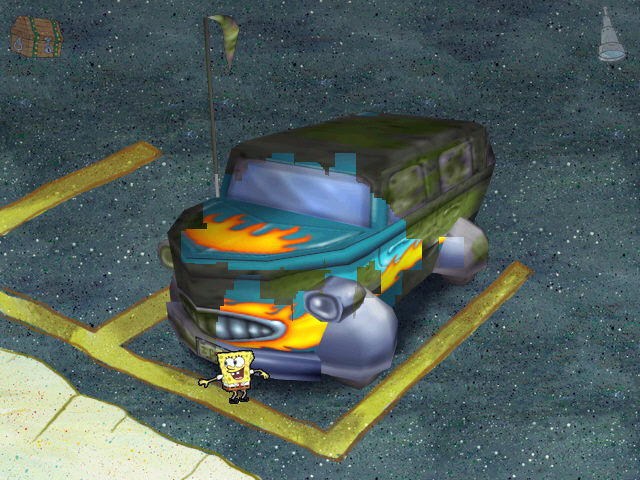
I 100%'ed this game. It's a good game, but it's very short. 4 levels long and only 2 hours. The gameplay is good and mellow, I recommend this game if you're bored.
1
Dirt03 Jun. 2021
at first I didn't think it would work but to my surprise it did with no issues
0
pepo15 Apr. 2021
but zaz theres no windows 9 ,but maybes windows 8.1 is windows 9 secertly????
0
L22 Mar. 2021
To everyone having an issue please watch this video: https://www.youtube.com/watch?v=MTBQsfJIYA8 I downloaded different versions because I thought it didn't work but it was just an internal glitch. Its finally installing for me now. I just continued going to the wait chain and deleting if i continued to not have anything change on the install. Hope this helps.
0
coolbeans27 Feb. 2021
Running the game, I get a graphical glitch where certain textures such as people's eyes and Spongebob's hat are see-through. Anyone know how to fix this?
2
CryBaby18 Jan. 2021
I haven't played it yet but i am going to
0
Adenns05 Nov. 2020
I click on the auto run application and it brings up a black screen...
1
sparkyfelix29 Oct. 2020
I can launch the installer, but nothing happens. Running Windows 10. Anyone have any advice? I haven't played this game in so long and I really want to.
(I've also seen something about an ISO file, but I don't have such a file)
1
Bird dad03 Oct. 2020
make sure to click the autorun application and not the folder like I did
1
TeamZoella09 Aug. 2020
How do I open the game? It says i need a CD but I dont know how to mount the winrar file pls help
1
ruler05 Aug. 2020
for whatever reason, the autorun file's installation wizard no longer works.
4
yababbadawa01 Aug. 2020
very nostalgic.
1
Anon20 Jul. 2020
I was able to get this to work on Windows 10 just by opening the folder and clicking on the “Autorun” application. Everything installed as normal. Just make sure you save every once in a while, it does crash sometimes
1
Demonic Doll16 Jul. 2020
How exactly do I get this to run on Windows 10? When downloaded it appears in the "My PC" file as if I have a disc. The launch works, the installation seems just fine. When I select play A mini black screen pops up then closes. The Emulator can't find the file. Is there a way to make it so it isnt showing as a disk? Or what did people do to get it running?
0
catz15 Jul. 2020
Does it work on chrome book???
-6
Kelleath03 Jul. 2020
The game is awesome, however it is incredibly laggy when choosing dialog options. It runs smooth when moving about using point and click, but starts to lag any dialog gets involved. Any ideas on how to fix?
0
Anon02 Jul. 2020
If anyone has trouble with the white colors being transparent go into the options in the pause menu and turn off 3d shadows.
3
Autumn24 Jun. 2020
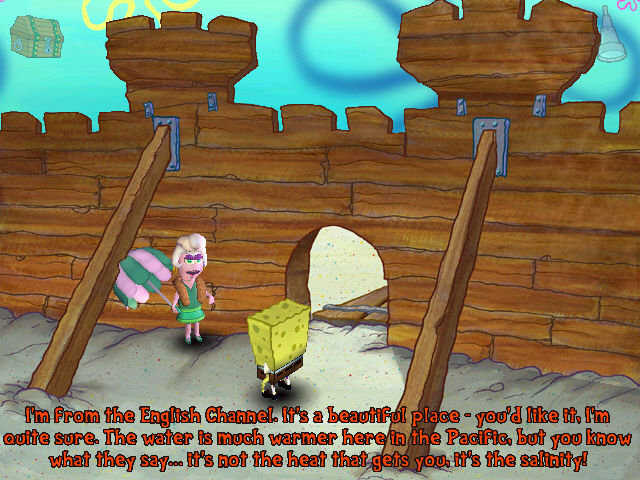
My only question is, how did the anchovy guy already know Spongebob's name?
0.o
3
Rooster26 May. 2020
So it works fine but how do you get the cut scenes to load?
1
MR. GUY18 May. 2020
Hopefully this game works! :)
0
kev15 May. 2020
YO THIS IS SO GOOD THIS ACTUALLY WORKS DO IT
1
uninstall03 May. 2020
couldn't get the game to work, now I keep trying to uninstall and it's giving me the "running in system" error message and I can't find the opened source anywhere. I have a windows 10 can anyone help out?
-3
ham30 Apr. 2020
the white colors on spongebob's character work when his back is facing me but when he is facing me with his face the white of his hat, eyes, and shirt are see through
2
ham30 Apr. 2020
none of the while character colors are working I can see through spongebob's eyes teeth shirt, as well as other characters. Not sure what to do would like some help, game seems to work otherwise so far
1
WomenLover6929 Apr. 2020
I'm on Windows 10 and I'm using DxWnd to play the game in windowed mode and it works fine for me. Had to reinstall it once because the cutscenes did not load for some reason. Unfortunately don't know more than that but I hope the issue resolves itself soon.
Also I love women a lot :)
3
wife guy29 Apr. 2020
love this game but not as much as my darling wife
1
kim wexler29 Apr. 2020
anyone figure out the black screen issue yet? changed the compatibility to windows 7 did the whole thaaang still not working :( ive been checking this comment section for over a week now waiting for updates lmao
0
doctor_coomer29 Apr. 2020
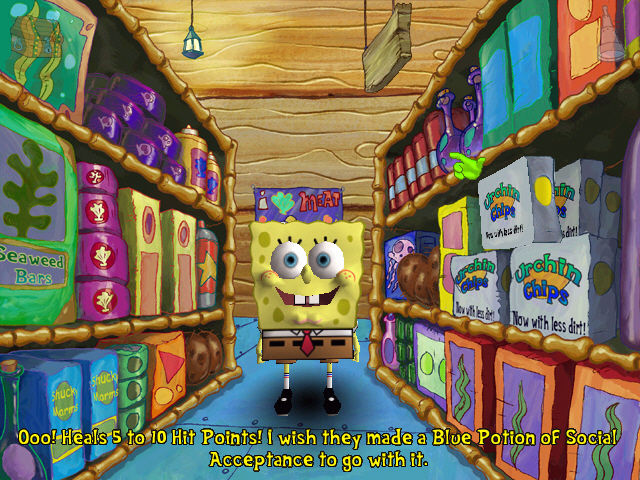
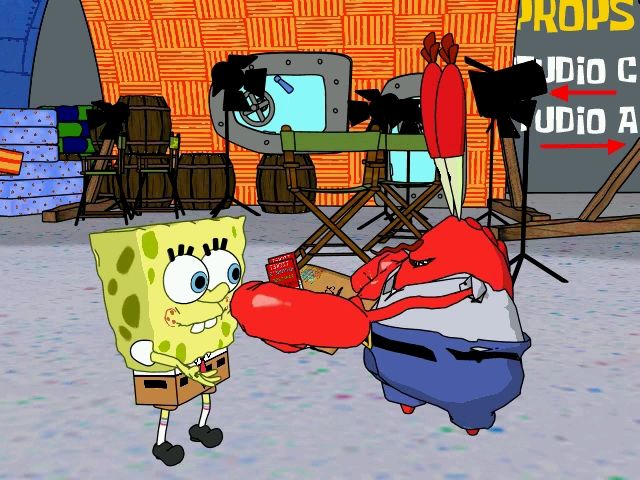
this is one of my favorite games as a kid!!!! squirting the mayonnaise in the kitchen and seeing mr krabs in the grocery store awakened something in me :3c
2
WomenLover6929 Apr. 2020
I love this game as much as I love women, which is a lot I'm a lesbian :)
3
Samuel Lewis Scrofne28 Apr. 2020
I want to play this game
0
FlyingMan23 Apr. 2020
Even after changing compatibility to windows 7 im still getting the black screen problem
0
Is clueless21 Apr. 2020
Everything seems to download right but after the intro movie plays the game always crashes
1
heheFunni20 Apr. 2020
yeah I have no idea what to do, I get through it and get the shortcut on my desktop and when I start it the screen flashes black and goes back to desktop, like the program started and immediately shut down
0
Rocket20 Apr. 2020
I had the black screen problem too, I now just fixed it! What you have to do is change the compatibility settings on the game’s properties. You can search compatibility on Windows and it should pop up with something like, “Troubleshooting compatibility”. Basically, you have to change the compatibility property to Windows 7, and it should work! The only issue I have now is that the graphics of the game turns Spongebob’s /everyone’s eyes transparent
4
Skittleram20 Apr. 2020
Top comment
The most i can make it too is the autorun. After that no matter what ive done nothing will happen. ive hit both of the install options,tried running as admin and many different ways of mounting the disk i just dont know what im doing wrong
12
donthelpmeanymore15 Apr. 2020
nvm i figured it out
-1
pleasehelpme12 Apr. 2020
i finished the game and i keep trying to uninstall it but it keeps saying its running in system could anybody help me with this? im using a windows 10 btw
-1
Shaundra10 Apr. 2020
Play sports and basketball team meeting at this time of year and then will continue working for a home visit and
0
HigDig31 Mar. 2020
Does this have any viruses in it?
0
SekikoGaming31 Mar. 2020
Not able to find ISO file. Can anyone help with that?
2
kalewale2728 Mar. 2020
IF anyone can help me get it to work on ios that would be great! i cant get it to work and im not very smart with computers
0
Sarah25 Mar. 2020
This isnt working. I tried everything it said in the comments. Even tried tricking the program into a DVD file by mounting it. Screen just goes black and I end up having to restart the computer.
2
bmitch16 Mar. 2020
the spongebob picture with the binoculars just saves a normal picture for me? can't get it to work
-1
sdds03 Mar. 2020
Top comment
All you have to do is first, create a destination file folder in (preferably, the desktop) so you have somewhere to open the actual game from. Then, you open the ISO file, then find the setup with a picture of SpongeBob looking through binoculars. A little window asking you to put the file location of said file folder will appear. It's easiest to open the destination, then click on the little file folder's address that should say your file name. Then, copy it, and then paste into the address bar into the installer, finish it, and wait for the game to download. Then, go to your destination, and open the executable file called sb2, and then have fun! I hope this helped anyone! (this is yes's comment to anyone who didnt see it)
8
Baybehgoats26 Feb. 2020
I set up the install for the game but it still wont play. Flashes a black screen like it will play and then nothing.
4
rainbow unibunny07 Feb. 2020
i have like playing spongebob also i dont know how to play this stupid pc games online for kids youtubes a good and so i played it and i said wow great job of this art work
1
Lily10 Jan. 2020
I love this game
0
teeth02 Jan. 2020
i love spongebob he my favorite character on nickelodeon
0
ZAZ20 Dec. 2019
Top comment
Are you getting an INSERT CD window pop up. Very simple. Mount the ISO file as VIRTUAL DRIVE option when you open it up. In Windows 8,9,10 you do NOT need 3rd party software to mount an ISO file. Right click on sponge bob ISO file and select "Mount as Virtual Drive". Select one of your DVD/CD drives as the one you wish to mount on. This makes the program think that you are installing as it was intended in 2001 when the game was made. For example when I mounted this to install for my girls I selected DVD Drive D:/. Then Window will say "Sponge Bob is mounted on Drive D:/". Then go to Drive D and you will see the ISO image of Sponge Bob game mounted there. Click on Install or Setup file and it will install just like you had the original Sponge Bob CD back in 2001. After it installs it will have a shortcut on your desktop. Click on it and it will run. Remember you have to right click and mount it on one of your DVD drives and trick this old program to think you are installing off the original disc. If you need help email me at mikemanners123@gmail.com. In short this will not only work for Sponge Bob but any ISO file that gives you an INSERT CD problem.
37
poopie11 Nov. 2019
Top comment
It worked perfectly (: You just need to wait some time for it to download and then there’s going to be a bunch of files and you should click the setup one w the computer and click allow and then click the auto run file with the picture of spongebob on it, but just double click once and then wait for some time and then it’ll work. but dude this game was the shit for me like i played it so much and it brought so much nostalgia
17
YepNo123 Sep. 2019
Rediscovered my childhood today. I'm so glad this game is here!
5
Meow12390902 Dec. 2018
Top comment
Rest in peace Stephen Hillenburg
59
No comment nor review for this game at the moment.




 English



Comments and reviews
Game ONLY runs on the systems it was meant for in the requirements. If you try to force it to run on anything post XP it will crash or refuse to open period. Open the game in a windows 98SE virtual machine. I say 98SE because its lighter and faster than other releases for this purpose.
I need the spngebob game empoly of the month
Cd on order
as of may 2026 on Win11 25H2, I was not able to run the original ISO using any guide. Not with dgVoodoo, not by editing regkeys, not with dxwnd, nothing on Win11.
Please safe yourself the effort and run it in a WinXP VM;
Run a win11 vm (VirtualBox 6.1.38), go through the install as normal.
Mount the original ISO, install it once, install DirectX8 when prompted to.
DO NOT RUN the normal sb2.exe or the game shortcut, instead navigate to the main directory:
C:\Program Files\THQ\SpongeBob\SquarePants\Employee of the Month
and run: sb2safe.bat
Worked like a charm for me.
Every single time I go to download this, the download fails halfway through. Is anyone else able to download this fully?
im having the same thing as bkram said
ITS SOOOO LAGGY WHY??
I've installed the game and the version of direct x it requires but i dont see any iso files in the folder. it created a virtual disk so i dont know if thats something I still need to do? When i run the application i get the menu to play, re-install and download direct x, but once i click play it shows a black screen then closes. Not sure what I'm supposed to do to fix that, any help is super appreciated
The game plays on my computer, but there is a few visual glitches. Does anyone know of any patches to fix them?
I absolutely loved playing this game as a kid and bought it on disc again. But I, along with so many others suffer from a glitch. Black textures are clear and there are visual glitches to SpongeBob's eyes, shoes and hat. I found a quick fix by running sb2safe.dat instead, but now shadows are broken when eneabled. If anyone has a fix to this glitch that would definitely help so much!
I've tried to use both fixes here and the drive doesn't show up in the virtual machine, and the other one just didn't do anything. Windows troubleshooter got it to plat for like minutes and then just crashed. Can anyone help??
thank you for letting me play this game
i like it
The game seems to have a glitch, it runs fine but when I get to level 4 when I have to look through the binoculars spongebob just says "I don't think thats a good idea" and I have tried every clickable option on the level to no avail. No tutorials have any mention of this happening in the game.
If you followed all the fix steps and you still crash on start, get a dinput.dll wrapper, such as this: https://github.com/geeky/dinput8wrapper/releases
and place dinput.dll in the installation folder, where sb2.exe is located.
if anyone is having issues and does not want to run a virtual machine in order to get the game running, the speedrunning community came up with an installation guide: https://www.speedrun.com/eotm/guides/2e2il
Venom, I tried your method and it worked!! I've been trying so long to get this game to work, thank you so much!!!
Fun with employee of the month
The game is great, but I got exactly 7 fps on a relativly decent PC.
Like something is blocking the fps. I saw videos of it on YT and there it worked fine
I don't remember much beyond the game itself. Certainly a nostalgia gold mine
1
after installing the game, there should be a .bat file in the files, it fixes the texture issues.
thanks for bring old memories
Nicky Dean, you are an absolute lifesaver!
The game did not work for me, it just went to a black screen and closed every time I try open it. Can someone help me please?
Hey Nicky Dean, not sure if you'll ever see this but I tried following your steps exactly as posted. It seems to start the game but pulls a black screen for about 5 seconds before crashing. If I choose autorun the square with the "ah here we are in bikini bottom" pops up and pressing Play Game on there has the same result. I feel like it could be because when I install the game it makes a DVD (E:) drive. I am unsure if that is correct and I bring the dll files into that or if they go into the file folder I created for the game. That is where I put the files originally but it doesn't seem to work.
This is the first game I have ever tried to download like this so I am not really knowledgeable on this kind of stuff. I just really want to satisfy the inner child in me that misses this game. Any help would be appreciated but then again I doubt you will ever see this again so I will keep trying your methods.
Playing this today on your modern computer is super simple and easy! Listen to me and no one else because they are wrong. You DO NOT NEED a virtual machine or external program!
Follow these steps to get it working!
1. Download the ISO and click the MOUNT button. This will open an extra (disc) drive on your computer.
2. Open the mounted ISO folder and run setup.exe
3. Keep track of the folder location you install the game (you will need it later).
From here you can just play it BUT it will run very poorly. This is because your modern machine is most likely running DirectX 10 or above while the original game was created for DirectX 8.
Luckily you can circumvent this by downloading dgVoodoo2! Its a wrapper that will make it so the game will run using your current graphics API. If you aren't a technical person, don't worry because it just works.
4. Download the latest stable build of dgVoodoo2 from http://dege.fw.hu/dgVoodoo2/dgVoodoo2/
5. Extract the zip to a location you'll remember on your hard drive (desktop or downloads folder would probably be the simplest).
6. From this folder open ..\MS\x86
7. Copy all the .dll files into the games install folder (the one you remember from earlier. It should contain the sb2.exe file -- if you can find it right click on the shortcut the game made and open its file location)
8. From there go back to the dgVoodoo2 folder and open dgVoodooCpl.exe
9. Under the general Tab, I recommend you set the "scaling mode" to "stretched, keep aspect ratio" so it fills your screen and keeps the original intended 4:3 aspect ratio. You can have it stretch to widescreen if you like things that look bad though.
10. Next, click on the DirectX tab and uncheck the "dgVoodoo watermark" option because it is stupid. You can also add various other enhancements to make the game less dated. I recommend setting the resolution to Max FHD to make it HD while (again) leaving it as the intended 4:3 aspect ratio. I also recommend leaving the MSAA setting as "App Driven" because the game looks really bad and buggy if you don't.
11. Finally, click apply and you're ready to play the game!!
I hope this helps the game look just as good as you remembered it!!
I when I download the game it just send me pictures of SPONGEBOB!!!
is there a way to play on mac?
Alright, everyone (including me for a LONG time) has issues installing and playing this game. So I'm gonna give a quick guide on how to get it to work!
Here is a step-by-step method to get this game!
This guide will require you to do some outside research if you aren't sure how to do something.
1. You'll need a virtual machine as we will be running this game on Windows XP. Download a Windows XP iso file off the internet, as well as a VirtualBox by Oracle (recommended version 6.1.38, I had issues with later versions). From here set up the VM, I won't go into detail so look up a video if you need to.
2. Now go ahead and install the iso file for the game, once it is finished, if it is zipped, extract it to somewhere you can access later.
3. Boot up your virtual machine (again I recommend watching a video for this as setting up Windows XP can be a little annoying sometimes).
4. Now that you're in and on the desktop, go up to the top of the VM window and click on "Devices". From here go to Optical Drives Choose/Create a disk image. Click Add and now locate the iso game file from earlier. Click Choose. Now the disk image should be mounted and attached (you can check by going back to Devices Optical Drives and you should see the iso there and selected), the game installation page may open immediately. If it doesn't, go to Start in the bottom left My Computer. You should see a drive with a little Spongebob as the image. Double-click it and the game installation page should open. From here, click Install. When it asks to install DirectX 8, do so.
5. Here is where it gets a bit tricky. Normally you can just double-click the icon that appears on your desktop, but if you're like a lot of people, this won't work. Instead, you need to run it somewhere else. Click Start in the bottom left and go to My Computer. Select the C drive, then Program Files. Then open the folder named "THQ". Keep entering folders until you're in the folder titled the game's name. Inside this folder there should be a MS-DOT Batch File titled "sb2safe". Run this file and the game should open successfully!
Hopefully this works for you as well!
Also, if the game is running slow/audio is skipping. Close the VM, and go into it's settings. Go to display and enable 3D Acceleration. You can also allocate more resources if you feel necessary and are capable.
Enjoy!
My lovely game
I've already installed that game from CD DVD disk ive bought years ago.
I've installed it in my new laptop I've got from Christmas. somehow when i tried to play the game, the textures arnt right and the gameplay is lagging.
I've tried to set it to Newest verion compatible, but all there is was windows 8 and mine is windows 11.
Some model features are transparent, like spongebob's belt and shoes and patricks eyes
(A better guide on how to install this game)
Do you not know how to install this game? Well I got you covered.
Step 1: first and foremost, install the iso file
Step 2: like ZAZ said, you do not need a 3rd party program for Windows 10 (this tutorial is for how to install it in this 3rd party program), but you might need one for older windows oses, so download PowerISO if you do not know what bit version they're saying in the downloads page you have (64 bit or 32 bit) , type about your pc or type in control panel on your start button or search bar, type in control panel. click system and security, then click system, and there you go, now install PowerISO
Step 3: Once you have installed it, restart your computer because you need the Virtual Drive Manager application, once you have restarted your computer, open that application by searching it in your start button or search bar
Step 4: now it should pop-up in your system tray (in the bottom right corner of your taskbar), if not click the arrow that is in the bottom right corner, the one facing up, now what you want to do is right click the app icon, then click the set number of drives, you only need to set 1
Step 5: Now go to your downloaded iso file in your file explorer (search the app in your start button or search bar) right click it, hover to the poweriso tab (it should pop-up), hover to the mount c:/example/example/example to: then click on the virtual drive, now install the game, run the setup, wait, and you're done! As for running it properly on a modern windows computer, you need to look elsewhere, I'm sorry or this comment will be too long.
Some lag and white doesn't render for some reason (everyone's eyes are spooky) but otherwise, it runs fine. Thought there was a better Win10 version somewhere.
Certified hood classic
works fine lags a bit here and there but overall works fine, got what I came for
It very good game
Can you still play this game ? Or on iPhone
It was so fun to relive my childhood with this game. The nostalgia was unreal. At first, I couldn't get the game to install/run. So, I'm dropping this link for anyone stuck in that boat. Literally took me less than 5 min to follow the steps in the video and play the game. https://www.youtube.com/watch?v=MTBQsfJIYA8
it works fine for me, lol feel sorry for yall who havin problems
Hi. I'm getting a black screen and a crash after installing. I'm trying to install to an external hard drive. Any advice?
The pictures and videos are very good
Im downloading the game, I hope this is legit, ive been looking for this game online for literal years bc new PCs dont come with disks and its too old to play it says. Anyways wish me luck fr
I clicked on autorun and photo director 8 started, with a pop up message saying that the file cant be opened.. what now? :(
Are you guys are getting the "Please insert the CD-Rom" error and the opening cutscene not showing up?
Well I got you covered.
Step 1: Install poweriso on your computer (you probably already have it)
Step 2: Restart your computer
Step 3: you may see a CD drive even though you may not have one (don't worry, it's a virtual cd drive)
Step 4: Install the game/iso (obviously)
Step 5: find the iso file you just downloaded
Step 6 (crucial part): Right click the iso file, then hover to the poweriso thingy on the bottom, then hover to mount, and choose the virtual cd drive i mentioned earlier
Step 7: Once your done mounting it, right click the iso file again, hover to the poweriso thingy, and click extract to [iso name] (that way the files in the iso won't be cluttered)
Step 8: Finally, go to the folder you just extracted, run autorun.exe, and install the game.
Game downloads just fine but the minute I turn it on it goes black and shuts off, sucks because I really wanted to play this game again. It was my childhood.
I used to love this game as a kid. My parents only let me have an hour of computer time and I would speedrun the game and still have enough time to do something else. I use the word "speedrun" lightly since I was 5 years old lmao.
great game, i played it on my pc. the eye problem is kinda annoying, but i can look past it.
this game is great
If your having a insert cd message just go mount the iso and open it again i hope it helps. oh also you need to do it everytime you turn on your pc
I would like it if somebody could please tell me how to fix it because I really want to play it. I haven't played it and it's going to be hard to play because it's driving me crazy when the eyes don't work.
I only have a Macbook. is there a way for me to still play this game? I loved this game as a child.
Does anybody know how to fix SpongeBob's eyes and the glitch in the game?
I 100%'ed this game. It's a good game, but it's very short. 4 levels long and only 2 hours. The gameplay is good and mellow, I recommend this game if you're bored.
at first I didn't think it would work but to my surprise it did with no issues
but zaz theres no windows 9 ,but maybes windows 8.1 is windows 9 secertly????
To everyone having an issue please watch this video: https://www.youtube.com/watch?v=MTBQsfJIYA8 I downloaded different versions because I thought it didn't work but it was just an internal glitch. Its finally installing for me now. I just continued going to the wait chain and deleting if i continued to not have anything change on the install. Hope this helps.
Running the game, I get a graphical glitch where certain textures such as people's eyes and Spongebob's hat are see-through. Anyone know how to fix this?
I haven't played it yet but i am going to
I click on the auto run application and it brings up a black screen...
I can launch the installer, but nothing happens. Running Windows 10. Anyone have any advice? I haven't played this game in so long and I really want to.
(I've also seen something about an ISO file, but I don't have such a file)
make sure to click the autorun application and not the folder like I did
How do I open the game? It says i need a CD but I dont know how to mount the winrar file pls help
for whatever reason, the autorun file's installation wizard no longer works.
very nostalgic.
I was able to get this to work on Windows 10 just by opening the folder and clicking on the “Autorun” application. Everything installed as normal. Just make sure you save every once in a while, it does crash sometimes
How exactly do I get this to run on Windows 10? When downloaded it appears in the "My PC" file as if I have a disc. The launch works, the installation seems just fine. When I select play A mini black screen pops up then closes. The Emulator can't find the file. Is there a way to make it so it isnt showing as a disk? Or what did people do to get it running?
Does it work on chrome book???
The game is awesome, however it is incredibly laggy when choosing dialog options. It runs smooth when moving about using point and click, but starts to lag any dialog gets involved. Any ideas on how to fix?
If anyone has trouble with the white colors being transparent go into the options in the pause menu and turn off 3d shadows.
My only question is, how did the anchovy guy already know Spongebob's name?
0.o
So it works fine but how do you get the cut scenes to load?
Hopefully this game works! :)
YO THIS IS SO GOOD THIS ACTUALLY WORKS DO IT
couldn't get the game to work, now I keep trying to uninstall and it's giving me the "running in system" error message and I can't find the opened source anywhere. I have a windows 10 can anyone help out?
the white colors on spongebob's character work when his back is facing me but when he is facing me with his face the white of his hat, eyes, and shirt are see through
none of the while character colors are working I can see through spongebob's eyes teeth shirt, as well as other characters. Not sure what to do would like some help, game seems to work otherwise so far
I'm on Windows 10 and I'm using DxWnd to play the game in windowed mode and it works fine for me. Had to reinstall it once because the cutscenes did not load for some reason. Unfortunately don't know more than that but I hope the issue resolves itself soon.
Also I love women a lot :)
love this game but not as much as my darling wife
anyone figure out the black screen issue yet? changed the compatibility to windows 7 did the whole thaaang still not working :( ive been checking this comment section for over a week now waiting for updates lmao
this is one of my favorite games as a kid!!!! squirting the mayonnaise in the kitchen and seeing mr krabs in the grocery store awakened something in me :3c
I love this game as much as I love women, which is a lot I'm a lesbian :)
I want to play this game
Even after changing compatibility to windows 7 im still getting the black screen problem
Everything seems to download right but after the intro movie plays the game always crashes
yeah I have no idea what to do, I get through it and get the shortcut on my desktop and when I start it the screen flashes black and goes back to desktop, like the program started and immediately shut down
I had the black screen problem too, I now just fixed it! What you have to do is change the compatibility settings on the game’s properties. You can search compatibility on Windows and it should pop up with something like, “Troubleshooting compatibility”. Basically, you have to change the compatibility property to Windows 7, and it should work! The only issue I have now is that the graphics of the game turns Spongebob’s /everyone’s eyes transparent
The most i can make it too is the autorun. After that no matter what ive done nothing will happen. ive hit both of the install options,tried running as admin and many different ways of mounting the disk i just dont know what im doing wrong
nvm i figured it out
i finished the game and i keep trying to uninstall it but it keeps saying its running in system could anybody help me with this? im using a windows 10 btw
Play sports and basketball team meeting at this time of year and then will continue working for a home visit and
Does this have any viruses in it?
Not able to find ISO file. Can anyone help with that?
IF anyone can help me get it to work on ios that would be great! i cant get it to work and im not very smart with computers
This isnt working. I tried everything it said in the comments. Even tried tricking the program into a DVD file by mounting it. Screen just goes black and I end up having to restart the computer.
the spongebob picture with the binoculars just saves a normal picture for me? can't get it to work
All you have to do is first, create a destination file folder in (preferably, the desktop) so you have somewhere to open the actual game from. Then, you open the ISO file, then find the setup with a picture of SpongeBob looking through binoculars. A little window asking you to put the file location of said file folder will appear. It's easiest to open the destination, then click on the little file folder's address that should say your file name. Then, copy it, and then paste into the address bar into the installer, finish it, and wait for the game to download. Then, go to your destination, and open the executable file called sb2, and then have fun! I hope this helped anyone! (this is yes's comment to anyone who didnt see it)
I set up the install for the game but it still wont play. Flashes a black screen like it will play and then nothing.
i have like playing spongebob also i dont know how to play this stupid pc games online for kids youtubes a good and so i played it and i said wow great job of this art work
I love this game
i love spongebob he my favorite character on nickelodeon
Are you getting an INSERT CD window pop up. Very simple. Mount the ISO file as VIRTUAL DRIVE option when you open it up. In Windows 8,9,10 you do NOT need 3rd party software to mount an ISO file. Right click on sponge bob ISO file and select "Mount as Virtual Drive". Select one of your DVD/CD drives as the one you wish to mount on. This makes the program think that you are installing as it was intended in 2001 when the game was made. For example when I mounted this to install for my girls I selected DVD Drive D:/. Then Window will say "Sponge Bob is mounted on Drive D:/". Then go to Drive D and you will see the ISO image of Sponge Bob game mounted there. Click on Install or Setup file and it will install just like you had the original Sponge Bob CD back in 2001. After it installs it will have a shortcut on your desktop. Click on it and it will run. Remember you have to right click and mount it on one of your DVD drives and trick this old program to think you are installing off the original disc. If you need help email me at mikemanners123@gmail.com.
In short this will not only work for Sponge Bob but any ISO file that gives you an INSERT CD problem.
It worked perfectly (: You just need to wait some time for it to download and then there’s going to be a bunch of files and you should click the setup one w the computer and click allow and then click the auto run file with the picture of spongebob on it, but just double click once and then wait for some time and then it’ll work. but dude this game was the shit for me like i played it so much and it brought so much nostalgia
Rediscovered my childhood today. I'm so glad this game is here!
Rest in peace Stephen Hillenburg
No comment nor review for this game at the moment.