


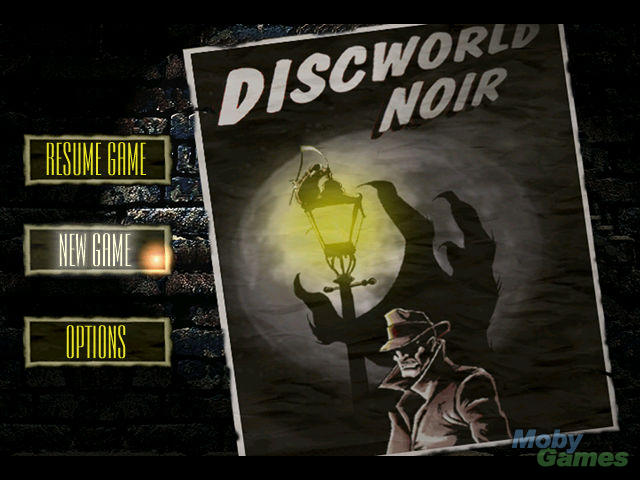
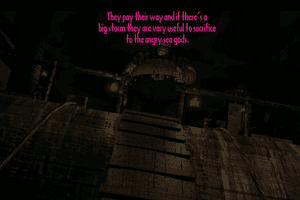
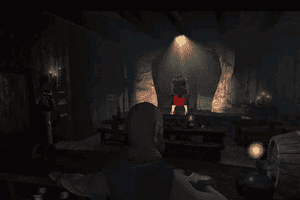
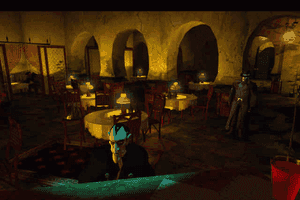
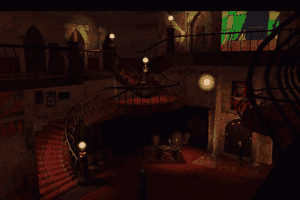
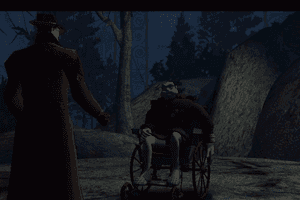
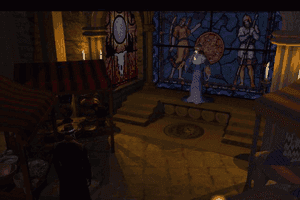
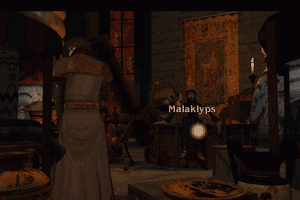
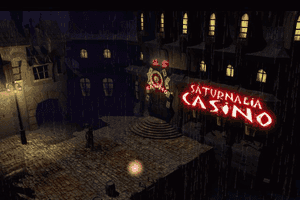
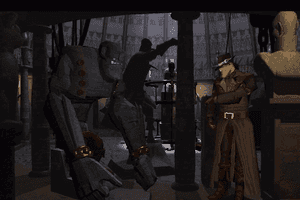
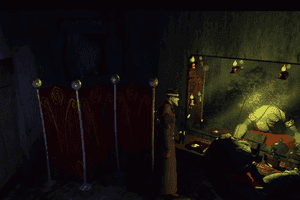
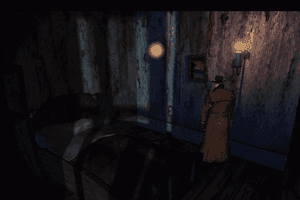
Discworld Noir is the third and last PC game based on Terry Pratchett's popular fantasy universe. It is also my most favorite, even though Rincewind (the hero from the other two games) is nowhere to be found, and light-hearted humor has been replaced by forboding atmosphere and shady characters.
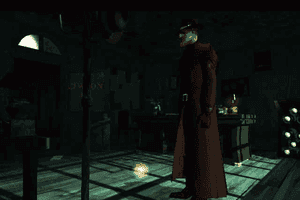
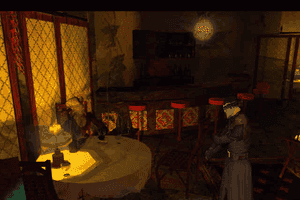
The one thing that Discworld Noir has in common with its predecessors, though, is the sharp British wit... and droning dialogues that seem to take forever. Discworld Noir is set in the most depraved city in the Discworld, Ankh-Morpork, where the sun never shines (because it is always night). You play Lewton, a downtrodden P.I. who was once a member of the Watch (i.e. Discworld police) until he was fired for accepting a bribe. The beautiful and mysterious Carlotta just hired you to find Mundy, her ex-lover. As you start looking into Mundy's disappearance more missing persons cases present themselves to you. Missing persons start turning up dead with yours truly as the prime suspect. Throw in a missing artifact, some shady underworld characters, and the ex-girlfriend who broke you heart, and you have all the elements of classic Raymond Chandler noir novels.
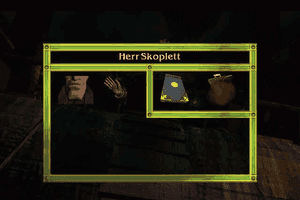
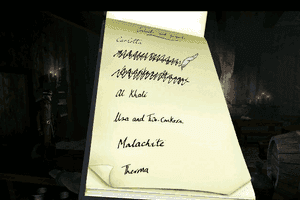
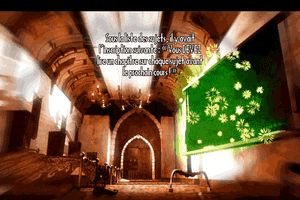
In a refreshing break from the recent trend of 3D adventures, Discworld Noir is a traditional third-person adventure with a few novel twists. In addition to the standard point-and-click interface, you have a notebook that contains a list of suspects and clues. You can use the clues and suspects' names just like any other inventory item: by clicking on its name, then clicking on something else in the environment that you think relates to it. If the two things are related, you will gain new insights that often lead to new clue(s) appearing in the notebook. This way of simulating the deductive process is highly effective, and fool-proof-- since there are dozens of names and locations, it is nearly impossible to deduce new leads by simple trial-and-error.
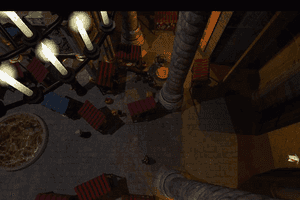
There are also many other pleasant surprises that keep gameplay fresh and fun, such as a special ability that you also use via the inventory screen, and many unexpected plot twists. Since you are a P.I., it only makes sense that you will spend a lot of time talking to suspects. Unfortunately, this is one of the game's few weaknesses. While most of the conversation is witty, they are also excessively long-- not unlike the previous two Discworld games. The same criticism also applies to most of the cut-scenes, which end up being mere showcases of the game's 3D effects rather than integral to the plot. The voice acting is also overdone, although it is somewhat appropriate for the game's tongue-in-cheek noir style.
Despite all my nitpickings about the weak use of multimedia, though, Discworld Noir is an excellent adventure that's well worth the money. Its interesting plot and characters, great interface, and challenging puzzles really brings Lewton's world to life, and make the game's weaknesses seem trivial. Similar to Adventuresoft's Feeble Files, all 3 CDs of the game are packed with a lot of solid gameplay and great plot development. Although this underdog was never released in the US, it is still widely available from stores in Europe-based on-line stores at bargain prices. A must-have!
Review By HOTUD
 English





Comments and reviews
Just go to ' The Collection Chamber ' website where there is a fully workable download. I have windows 11 and its works perfect.
Works on Win10
Install the game by mounting/ejecting/mounting discs.
Copy/paste the contents of the folder below to the install folder.
Run dn.exe
https://community.pcgamingwiki.com/files/file/2990-discworld-noir-fix-by-loma/
This took a minute, mounting iso in windows kept assigning each disc to another letter but eventually I got it, had to copy it into my C; Games drive from usb add nocd fix and it boots up
Both files flagged as virus
It's probably a false positive, but windows and other various antivirus have started flagging the nocd fix as virus.
This game had a decent port on PS1, so you can play it on an emulator if PC version doesn't cooperate on modern Windows. The main disadvantage on PS1 is the lower screen resolution but this actually allowed them to fit the game on 1 CD.
I could never get this game to play on my windows 11. I tried everything, and then stumbled across a site called "The Collection Chamber". The game is a free download and has everything included so it runs automatically. No more messing about with the games workings for me.
You can run this on the Residual VM emulator i have it works fine you only need s certain files of it to work the rest is done by the emulator whitch i think is part of ths scummvm group the latest version of scummvm maybe able to run it now as all efforts have been put towards the scum emulator give it a try
If you're having trouble, Ricardo's instructions should work fine. Some things not mentioned, however; you do NOT need dosbox or scummvm to play this even on windows 11, simply install, changing the discs as instructed (mounting specifically to the D drive letter), and copy the two exe files in the fix zip to wherever you installed the game (for me, dn.exe did not exist but the other did, copy both to that folder where it is located), set compatibility mode in properties for dn.exe to run in 16 bit color (reduced color mode), and set 640x480 mode only if you really care about widescreen stretching. Set a shortcut if you so choose and run dn.exe. Profit!
Hello,
I'm having issues installing and running - i get all the way through the install, though it never asked for disc 2, straight away from the initial setup box it asked for disc 3. anyway, I got the "successful install" message and if I wanted to play now, but though I click yes (and eject 3 and 'inset disc 1) nothing happens, even if I navigate to the setup file and select play game from that menu...
some system info:
I'm on Windows 10,
I installed DosBox
above Ricardo mentions a step about Replace the files with the fixed files but I don't know what this means, I didn't complete that step.
Please shout back if you think you might be able to help.
for the record. If you're still having color issues after copying over the loma fix because your OS doesn't have the option to set the game exe to 16 bit color (windows 7), get Qres from here https://sourceforge.net/projects/qres/
copy the qres.exe to the game folder and make a .bat file that looks something like this.
qres.exe c=16 /R DN.exe
i get to the point where it says insert disc 3 and goes no further. Can someone make a youtube clip how to download and play this?
Hey everyone,
To install on windows 10:
- Step 1: Use right-click the disc 1 iso file and click open with windows explorer.
- Step 2: Run the Setup
- Step 3: When asked for disc 2, go to windows exporer and eject the drive. Repeat Step 1 but for the Disc 2 iso file
- Step 4: When asked for disc 3, go to windows exporer and eject the drive. Repeat Step 1 but for the Disc 3 iso file
- Step 5: When the installation is complete, rpepeat Step 1 and finish the installation.
- Step 6: Replace the files with the fixed files
- Step 7: Select the dn.exe file, right-click and go to "Compatibility" and, as mentioned in an earlier post, on the "Settings" section, enable the "Reduced color mode" and select 16-bit. I also selected Run in 640x480 screen resolution
- Step 8: enjoy the game
Anyone else having trouble with the .lst file? I can't run the setup, I get a window saying that it cannot find the install list.
I can't get it to work, do I need to burn the 3 CD's to make it work. I can't get past "Insert disc 2".
How do you use the patche3s that are on this page?
The bottom one is getting blocked by my virus software. Is there something wrong with it or does it need the Trojan detected?
Update: I found a way to make the colors look normal and not have to change your desktop resolution/color bit depth. After you replace the EXE, right click it, select Properties, and go to the Compatibility tab. Check "Reduced color mode" and choose 16-bit color. (Also make sure "Run this program as an administrator" is checked.)
Then you can run it out of the box fullscreen on Windows 10, or at least it's working fine for me without any changes. I didn't need to press ALT+ENTER to go to windowed mode while in the opening cutscene, either.
Running in compatibility mode also doesn't seem necessary.
To FATSO/BEANS,
This is because you're opening the game in 32 bit color, and it doesn't know how to display it. You need to change the desktop to 16 bit color.
Check this page for more information: https://blog.ihobo.com/2015/02/how-to-run-discworld-noir.html
I, like @BEANS here, am also having the same issue. Got the game to run and now the game looks like my graphics card took acid. I'm not sure how to fix it and would like any assistance you are willing to give.
If you get stuck on installing disc 2, unmount the first disc and then mount disc 2, Then unmount 2 to mount 3 etc
I used the loma fix, so the game actually runs now, but my colours are completely messed up, and the screen is all scrunched to one side.
See this handy imgur album for deets - https://imgur.com/a/tU1FHtz
How do I fix this?
Any advice on just installing this? I cannot get past "insert Disc 2". I'm using Win10 via parallels on a Mac (I'm guessing that's not ideal) and have tried Win Xp compatibility but same issue.
I am desperate to get this working as it was always one of my favourite games to play on playstation, but not sure I can handle the slow loading and dodgy graphics now.
@NEWBIEDWFAN: This should help with install:
https://www.vogons.org/viewtopic.php?f=24&t=64638
HI, I have a copy of the original CD, I have tried to use them, your zipfiles and the fix file all to no avail. Is there a guide for me to get this to work?? There is a youtube vid but it is too bleary for me to follow. I can follow instructions well, I am clearly missing something. With the fix file there is not 'setup.exe' and i can't dn.exe to run on its own. I now it is frustrating for tech literates to pander to one such as me but i'm a huge Discworld fan. Pretty please? First old school game I have tried to revive. only previous experience was with dosh box sim for carmen sandieago.
Been trying to run this game on my Dell inspiron since I bought the damn thing back when windows 7 came out. it almost worked using Wine on Linux, but this time I just installed the original game (full install) in a Windows 10 partition and replaced the original tin3_dxd.exe with this one. Works like a charm and it's the only app I use on Windows10. Yes, the mouse cursor sometimes takes a second to find, but that might have happened in w98; I can't remember that far back.
Note. My Avira antivirus wasn't happy about the new .exe file. I'm happy that the programme works but I can't guarantee that it's 100% safe. You'll have to make your own choice...
Hi Hunter, this is just false positive. I have several harmless patches for old games detected as such and also some utilities like dgVoodoo. Some antivirus programs are just too sensitive. Plus if I remember correctly, this tin3_DXD.exe is not even needed to run the game, just dn.exe.
Hi All,
The fix from loma works very fine (only thing i needed to do additionally was to reduce the colors to 65k in the compatibility-mode)
I even can confirm that the fix works for non-English-Versions, as i used it to fix my german-version.
Bur i have an issue with the tin3_DXD.exe , as my virus scanner (Avira) blocks the file due to identified Virus. I don't know if thats due to a false-positiv of the scanner or if the file is really corrupted.. but if loma is still around, may he refresh his dropbox-download to make sure to get a clean copy ?
best,
hunta
PsycMonkey, you can find the patch in the game extras in the download section of this page.
Hi, Loma could you possibly reupload you fix, it was taken down from dropbox. I've desperately been looking for a fix for this game for years now.
Another problem I found with patch by LOMA: Mouse cursor moves beyond windows boundaries. Is it possible to fix that?
Hi, LOMA, some antivirus software do not like your tin3_dxd.exe. Only 6 of 72 in virustotal.com is positive so I guess they are false positives but it leads to problems with execution of the file. In my case is tin3_dxd.exe automatically deleted in Windows 10. I found recommendation to disable DEP but it is quite annoying and I had good results with running only dn.exe. The game so far worked fine and I had no antivirus problem. So is it ok to run the game this way and can everything work without tin3_dxd.exe?
@boubof:
I wanted to remove ALT+ENTER, or fix the windowed screen issue.
My original purpose was to make the game run in every resolution.
Please consider the followings:
- The game using 640x480 on directx side
+ This is really hardcoded in the game so I did not touched this
- What I did is to stretch the window basically
(cause of low frame rate on virtual side)
+ from 640x480 to YourScreenResWidth x YourScreenResHeight
If you use virtual machine please use the original exe, this fix is really made for
Windows fullscreen (any dimension)
(+ in the case of this fix, please do not use the Windowed mode )
I got the game to play but now it's virtually unplayable due to unbelievably slow frame rate. Any idea about what might be causing it and how to fix it? Also the game crashes whenever i attempt to switch to windowed mode by pressing alt+enter
thanks to (ó mighty, ó mighty) Loma :) see workaround for Windows 10!
https://youtu.be/MSVwOPvfk6E
Hi All,
Ive done the fix for discworld noir which now should run on WinXP, Win7,..Win10
Without any compatibility stuff.
Feel free to use it. :)
Thanks for your reviews / comments.
(make backup of it in case the storage get crached...etc)
Uploaded here:
https://www.dropbox.com/s/xwdimszr23ocer2/DiscWorldNoir_Fix.zip?dl=0
NB : fix mirrored here
Hey me again, Windows 10 didn't work for me, but running it on XP in VMWare Player did the job. Good luck!
So I went through the whole thing that AGJERDE suggested (with WMWare Player and stuff) and I got the same "Assert Message: Requested video mode is not supported" error that ColdBloodedLeeroy also reported.
Fortunately, I was able to get the game running straight from the Windows 10. Here's what I did:
I installed the game (Full Installation) and copied both the "fixed exe file" and NoCD patch in the game dir.
Next, I deleted the "tin3_dxd.exe" from the game folder and ran the NoCD patch and patched the "fixed exe file" (Discworld Noir - Fix.exe).
Finally, I started the game with the freshly patched file.
And damn, it's still an awesome game :)
PS: The game still crashes after the intro movie if you click that "New Game" main menu button, so hit Alt+Enter for windowed mode until you get to the actual gameplay. After that just slap that Alt+Enter again and enjoy.
I took AGJERDE's recommendation of running Windows 98 on VMWare Player. The game installed successfully, but I get the following message when I try to run it:
Discworld Noir
"Assert Message: Requested video mode is not supported"
I'm trying these settings:
Display: Default Monitor on VMWare SVGA II
Colors: 256 Colors
Resolution: 640 x 480
Any help would be greatly appreciated, I played this game as a kid but I was to dumb to complete it!
UPDATE: I now recommend using VMWare Player instead of VirtualBox. I ran into a lot of problems with stuttering audio and choppy video on VB, and after trying absolutely everything, I switched to VMWare. It handles Win98 much better than VB.
Damn, I completely forgot about this! But it's nice that I could help some people plaing it.
Got this working on my Windows 10 laptop: get VirtualBox, install Windows 98 in it and update the display adapter driver (tutorials/files online) so you can get more than 16 colors. Install Discworld Noir in Win98, replace the tin_dxd.exe file with the fixed .exe from the download, and run the NoCD patch in the same folder. Lower the resolution on your computer (my lowest was 800x600) and use the same in your virtual Win98 machine. You can enter full screen mode in VirtualBox, usually with Right Ctrl+F. Start the game, press F1 on the menu to load a game, or click New Game. If new game: press Alt+Enter for windowed mode so it doesn't crash after the intro scene. Enjoy. I know I am.
For details on how to get the game running check this out http://blog.ihobo.com/2015/02/how-to-run-discworld-noir.html
I can't install it. It asks me to insert CD2 but I open the CD" file but there's nothing I can do with those files. Can someone help out?
You're supposed to extract the iso file with a program like magic iso to a folder in your pc then run the game installer.
It will not download no matter what the hours keep going up but it won't download and another game from this site is downloading just fine. This link is broken.
I can't seem to get this game to work. Running windows 10, and the patch won't work or the NO CD fix. I tried burning a copy of the first .ISO and putting it into the disc drive in the hopes it would run. It did not.
Anyone have any advice on how to properly crack this game?
Is it possible to play it on windows 10 platform?
@ALEX
Can't you tell Win10 to run the executable to run in Windows 98 mode using the compatibility tab?
Use ScummVM to run this i believe
How do you get it to run on windows 10? it was made for win98...
hola
No comment nor review for this game at the moment.