






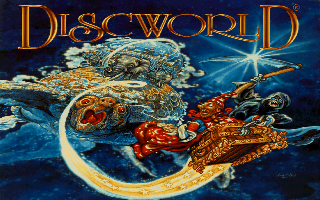
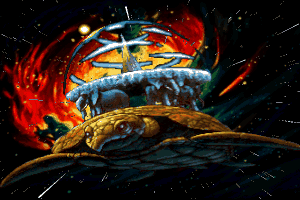
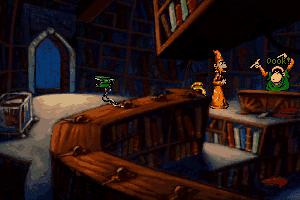
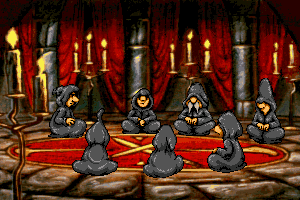
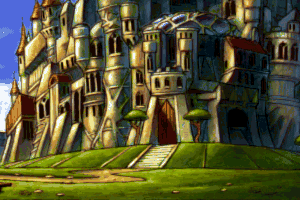
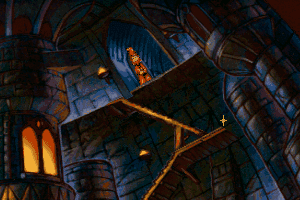
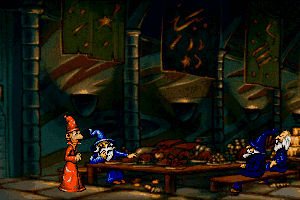
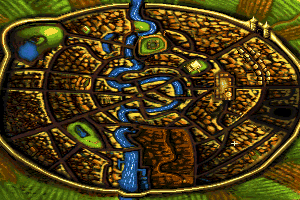
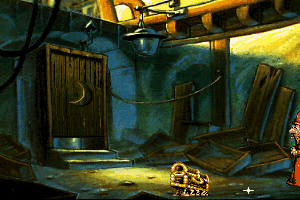
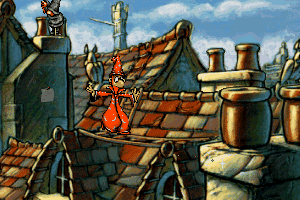
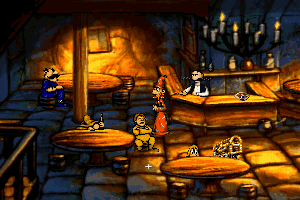
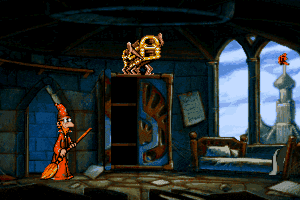
Two of the most underrated adventure games ever, both Discworld games are based on Terry Pratchett's pun-filled fantasy Discworld series, in which the whole world is carried through space by a turtle, and idioms and puns do have a life of their own.
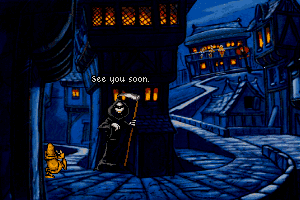
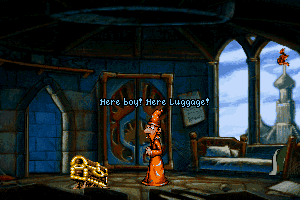
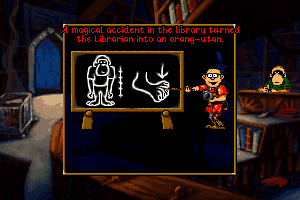
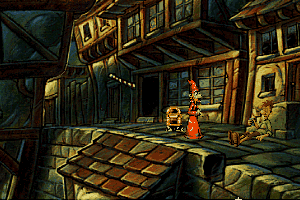
As bumbling wizard Rincewind, prevent the Dragon from destroying the world in Discworld 1 and find a way to convince the disillusioned Death to resume his day job in the sequel. Both games have great humor (although dialogues drag on at times), and some of the most devious but logical puzzles ever designed. Famed Monty Python veteran Eric Idle's performance as the voice of Rincewind is flawless, althought some dialogues are very long-winded to the point of frustrating. Clever puzzles and hilarious animations, however, more than make up for it.
Highly recommended for Pratchett fans and fans of zany adventure games in general-- just be prepared to sit through very long (and sometimes tedious) dialogues. Two thumbs up!
Review By HOTUD
 English
  French
  German
  Spanish
  Italian
  Japanese







Comments and reviews
Errata to the description below: in point 7, I wrote about "refresh" in DosBox -
the command for re-reading file system contents in DosBox is "RESCAN".
The game is somewhat tricky to set up, so some notes that might be helpful, if you struggle configuring this game (CD version, floppy version is crippled, without speech etc. not worth the time).
First note that using DosBox, you can mount directly the iso image with:
imgmount d discworld.iso -t cdrom (if you want the cd to be mounted as D:\).
So you do not have to mount in on your OS (Windows/Linux/whatever).
What worked for me:
1. Make a directory for C: drive for the game (somewhere in your host system).
2. Start dosbox (to have C:\ in the created directory), eg. "dosbox /home/username/dosbox/discworld" on Linux or "dosbox D:\dosboxgames\discworld" on Windows.
3. Put there (install if necessary) Gravis Ultrasound software, you should have C:\ULTRASND direcrtory (required for Gravis Ultrasound music). If you make the copy outside of DosBox, remember to do "rescan" to refresh contents within DosBox (check eg. doing 'dir'. if the directory and files are there).
If you do not have it, you can get the software eg. on the page: https://www.dosdays.co.uk/topics/Manufacturers/gravis.php
(the exact link: https://www.dosdays.co.uk/media/drivers/sound/Gravis%20UltraSound%20(GF1)%20DOS%20Win31%20Drivers%204.11/GUS_411.zip )
To install it, extract everything and put it somewhere on DosBox's(!) C:\ (eg. C:\install\gravis), and do:
CD C:\INSTALL\GRAVIS"
INSTALL.EXE
Select "Install Gravis Software".
If the installer complains about port conflicts, disable other cards (ie. Sound Blaster) in your DosBox configuration.
Also, unless you disable SB permanently in DosBox, select configuration that is different than for Sound Blaster. eg. if Sound Blaster have IO PORT=220, IRQ=7, DMA=1, then use IO PORT 240 and IRQ 5 DMA=3 for UltraSound (typical PC/DOS issues...).
The example GUS setup in DosBox conf.:
[gus]
gus=true
gusrate=44100
gusbase=240
gusirq=5
gusdma=3
ultradir=C:\ULTRASND
Now, within DosBox do:
4. imgmount d discworld.iso -t cdrom (assuming discwold.iso is your iso file with the game and D:\ is the disk to use for emulated CDROM)
5. cd d:\
6. DISC.BAT
Now you should have DISCWLD.CD directory in your C:\ drive, but incomplete... So:
7. Copy the contents of the "drivers" directory from CDROM to the directory with the game (C:\DISCWLD.CD), so that you have all files from "drivers" there (eg. C:\DISCWLD.CD/SETSOUND.EXE). You can do this outside of dosbox (if you mount ISO file in your OS, windows/linux/whatever, just remember to do "refresh" withing DOSBOX, if it is running) or within dosbox: COPY D:\drivers\*.* C:\DISKWLD.CD
8. Configure the game, run: CONFIG.BAT (doing "CD C:\DISKWLD.CD", if not there yet).
I tested several configurations: Sound Blaster 16 works for music and sound (but the music is FM synth, not very good). General MIDI/Roland MT-32 music did not work for me (seems to configure properly but no music played for some reason(?). The best config. seems to be:
- Gravis Ultrasound for music
- Gravis Ultrasound or Sound Blaster 16 for digital sound
The music played on Ultrasound is much better than FM synthesis on SB16, so even though it is harder to set up, it is worth doing.
I wonder if it works on windows 11
There's a YouTube video called "DOS Gaming HowTo - Discworld (CDROM Version) (1995)" that goes through setting this up step-by-step, I found it really helpful.
I tried the method Yon mentioned, it only worked when i dumped all the files in the .zip into the DISCWLD folder as it would throw up an error saying a sound file was missing otherwise.
Thanks for the help though, the other method looks like a hassle if you have to redo steps every time you want to play.
I think I ran into an anti-piracy measure, I followed the guides, I absolutely cannot get the barman to serve me, he'll say "you need money to buy a drink here", I don't see this happening in the playthroughs.
Another simple way would be to use scummvm to play. Copy the folder "DISCWLD" from the CD to your computer and add it to scummvm.
for anyone wanting to play the game without going through a 20 step process, you can play it online over here: https://playclassic.games/games/point-n-click-adventure-dos-games-online/play-discworld-online/play/
Sorry, I should have read the older comments first. Ignore my comment about nocd patch not working.
It works fine with the iso image mounted, but nocd patch seems to be broken. FYI.
I couldn't get it to run at all. Instead, I found a Windows 98 VM image and it runs just lovely in there!
Ok, got past the first issue, now on trying to complete step 2 it says Discworld cannot find english.txt?
I can't get past step 2, dosbox says Discworld cannot locate the Discworld CD???
Hmm, I'm stuck on install - very new to all this so I could have missed something fundamental.
Following Chortle's instructions I get as far as the disc.bat command, the blue install Discworld Install pops up all good - It actually refers to Sound Driver install straight away (is that right??)
anyway- C is prefilled, I hit enter and I get a red box with the message simply :
' rm.dmv hit enter to continue'
and I land back in the black dosbox
where the additional commands listed after my F:\disc.bat are
f:\echo off
Illegal command: dwu
Illegal command: gdrivers
Illegal command: setsound
Illegal command: dwbc:
c:\DISCWLD.CD
c is mounted as c:\progra~1\games\dw1
and f as simply d:\
If I close dosbox and navigate with explorer to c:\progra~1\games\dw1 I do not see the discwld.cd folder even if showing hidden items. I can see it in dos box though it shows up as a file name with a space Diswld CD and dosbox says I'm unable to change to it.
any tips much appreciated (about this or re my post on Discworld Noir)
Thanks,
Newbie/Tourist/Idiot
CHORTLE's method works great except for one small difference using dosbox-jz on linux. On step 5, instead of mounting the directory, mount that actual .iso file using the IMGMOUNT such as:
imgmount E ~/mounted/discworld/Discworld.iso -T ISO
I still had to extract the files from the iso and run the disc.bat file to start the game tho.
https://www.dosbox.com/wiki/MOUNT#Linux
To open game menu, press F1
I do not know how to close the game, what should i do?
Right for those who are struggling here is how I got this working with sound. Note that Text in " " should be typed into dosbox without quotes. Text in [ ] are options to select.
PART1 :: BEFORE YOU OPEN DOSBOX
1. Download ISO Version (Director's Cut) and extract the ISO
2. Mount the game ISO (google if unsure how)
3. Create a folder in which you intend to install discworld
STEP2 :: OPEN DOSBOX
4. "mount c /path/to/your/install/folder"
5. "mount f /path/to/the/mounted/iso/image/folder -t cdrom"
6. "f:"
7. "DISC.BAT"
8. Drive to install 'C' (press return)
9. Once installed the game starts.
STEP3 :: COPY SOUND FILES
10. Quit dosbox if you haven't. In your install folder should now be a folder called DISCWORLD.CD
11. Copy all files out from the ISO image /drivers folder to DISCWOLRD.CD folder (make sure you copy them out of the directory as SETSOUND.exe needs to be in the same folder as CONFIG.BAT)
STEP4 :: CONFIGURE SOUND
12. Open dosbox again and repeat steps 4. and 5.
13. "cd c:\DISCWORLD.CD"
14. "CONFIG.BAT"
15. [Select and configure MIDI music driver] (return)
16. [Creative Labs Sound Blaster(TM) 16] (return)
17. [Attempt to configure sound driver automatically] (return)
18. [OK] (return)
19. [Select and configure digital audio driver] (return)
20. [Creative Labs Sound Blaster 16 or AWE32] (return)
21. [Attempt to configure sound driver automatically] (return)
22. [OK] (return)
23. [DONE] (return)
24. This will quit the application
25. "DWB.EXE" will run the game with sound
IMPORTANT NOTES:
Each time you run the game you will need to repeat steps 2. 4. and 5. unless you configure dosbox to do so automatically in your dosbox .conf file. Otherwise it wont find the game CD and throw a nocd error.
For those who have never used dosbox Once you have followed 2. 4. and 5. "cd c:\DISCWORLD.CD" and then "DWB.EXE" will run the game. If this works for you; you are welcome :).
The nocdfix above is for the floppy version only and will not work with the directors cut.
I'm on Linux and I could get everything to work but sound.
No clue, from dosbox.conf edits to manually running drivers... I've spent 3 hours trying to figure it out. I hope the solution isn't in Windows.
I'm really sad because I love the game. The music would be the 1st reason for me to play it...
For the save game fix make sure your Discworld game files folder is titled "DISCWLD.CD"
Leave the "SAVE" file alone.
Disregard all my other posts xD
I made a mistake and left a letter out, I apologize. "discwrld.cd" should do the trick.
Rename the "SAVE" folder to "discwld.cd" I mean.
If any of you are having problems with the save game thing I figured it out.
Replace the "SAVE" folder in your game files with "discwld.cd"
There are apparently three versions of this game.
Version 1 - the first release, with bugs.
Version 2 (aka. Director's cut) - the second release, with many of the bugs patched.
Version 3 (aka. The Director's other cut) - the third (final) release which patched the last remaining bugs, and considered the perfect version.
Where could you find the 3rd version? I only see the floppy, first version, and second version.
The game runs with French subtitles. How do I get English subtitles please?
Crazy Question: How would I go about installing this in ScummVM? I personally don't have a lot of experience with the program, and despite trying repeatedly, I cannot for the life of me get this to work.
If your having any issues, you can try using https://www.scummvm.org/ to run it
I have just solved my sound issue with this game by copying the individual contents of the drivers folder into the main discwld.cd folder. Hope this helps. ; )
The trick with installing this game is that it can only be installed on (what the game thinks) is the C drive.
I downloaded the ISO version and mounted it on drive L.
Then I copied the Discworld folder to my Games folder on the D drive.
After starting up DosBox I used the following command to make the game think the mounted ISO was my CD ROM drive:
MOUNT L L:\ -t cdrom
After that I mounted my game folder on the D drive, which I gave the alias C
MOUNT C D:\Games\Discworld
Now you can run the game with the DWU.exe in the DosBox command line.
To set up sound, as Elph-kun mentioned, you should copy the Drivers folder to the new discwld.cd game folder that DosBox created. You can do this in windows.
After that is done, run the Setsound.exe command in discwld.cd from DosBox and you should be able to set up SoundBlaster sound for everything.
when i go into the setsound and try and set it for the sound blaster 16 it says could not save configuration file.
I had this game on floppy when i was a kid!
Can't wait to play it again!
Got the floppy version. Could not get any sound to work on DosBox. Switched to ScummVM and it solved the problem.
I have now tried both versions and still no sound. I guess it can be played with no sound, but sound would be a nice touch.
I have the DOS game up and running in Boxer on a Mac, I have set up the sound using SoundBlaster as instructed, which works for most games. However, like Sirawsmface64 has stated, I have no sound. But DAVE says he has the game running perfect on a MAC, but can't save. I think I downloaded the ISO version, but will try again with the floppy version.
Anyone having problems with getting audio working:
After installing the program to your DOSbox 'C' drive, copy the contents of the 'Drivers' folder in the ISO to c:\discwld.cd\
Then run Setsound.exe and you should be good to go.
why is there no audio with the floppy version?
Super! This game excelent!
i wanna be the first person in a video game to say f***
I'm not getting any sound, even after i made the resident sblaster.
@arf: do you honestly think a 385 MiB download is not the CD version?
@Admin, is this download the cd version? cause I searched your site and none other than this is available.
To all those who can't get this to run try SCUMMVM.
This game runs perfectly on a mac but i can't seem to access the save menu or save the game at all. Does anyone know how to do it?
Got it to work using Dosbox, but later it started saying that it couldn't find the disk (heh.). Any suggestions?
I can not get this to even load up. I am using the latest D-Fend. The screen will flash and go back to D-Fend.
It is saying there is a windows compatibility problem :(
Espero que funcione gracias
yaw
thanks
Now the CD version is available, enjoy it!
For the save problem: Create a folder inside the game folder, with the name discwld, and inside this one create another folder with the name save. If this doesn't work, create a folder with the name save directly in the game folder.
this wrocks!!!!
How do i get it to save the game? if anyone could tell me how i would appreciate it
My father used to read the discworld novels to me when i was small and i played this (Installed on my "pc" if you could call it that back then on 22 floppy discs haha).
My father recently died and this is just what i need to remember him by.
I have a huge probnlem - I couldn't save. Only thing I can do is to keep PC hibernated and don't close game till I beat it...
This is a true gem! Dear GOD I spend so much time on this one back in 1996!
However : Some puzzles are VERY difficult, so using a walkthrough when stuck is not wrong in any sense. And trust me, despite being am old "spelunker" I was tearing my on hair out sometimes back then!
Hint : I was stuck at giving c*****d to Nanny Ogg for atleast 2 month before I gave in and found a walkthrough.
the cartoon was good, game was average, slightly sad
Discworld is an amazing experience (as are the novels) but there is a reason why the file size is so small - sound files for a game that has complete voice acting officially by the amazing Eric Idle.
The good news is that the entire game IS subtitled by default. So you can enjoy the experience, but without audio, you're truly missing out.
No comment nor review for this game at the moment.