You are on the beta version of My Abandonware. The live site is still myabandonware.com. Your favorites and ratings here are copied to the live site. Comments and other changes are not — we delete them every morning at 08:00 Paris time, when this site goes down for about an hour. Leave feedback through this link to Pastel (email required).
The beta goes down at 08:00 Paris time, in a few minutes. We rebuild the database from the live site. It comes back in about an hour.
can you add games Scooby Doo First Frights and Scooby Doo Spooky Swamp you don't have much of these two games
0
ViperG16 Jul. 2026
Per a request from a friend, I saw if this works on Linux. And it does - and well - with Lutris. Here's how I ran it.
Prerequisites: WINE and Lutris installed. The iso file from here or the internet archive.
Steps to run: 1: Extract the iso somewhere you can easily get to. I used a 'games' folder I'd made. 2: Open Lutris and select 'add game'. 3: Point Lutris to the 'play.exe' inside the install folder, and select WINE as your runtime. 4: Boot the game up and click 'install', then go through the motions. 5: Click 'play' if it doesn't boot you straight into it, and enjoy. The game should run as though it were native Windows.
0
JJM15 Jun. 2026
I loved playing this game as a kid! Not long finished my 1st playthrough as an Adult! Only took me an hour but I had a lot of fun and it brought back a lot of good childhood memories.
Glad the download worked!
0
J04 Jan. 2026
Thanks for uploading this! Got this to work and I used to play this when I was little. Levans installation instructions worked. just hit play and love scooby!
How to play Phantom of the Knight on Windows 11 Pro Step One: Click Download (ISO VERSION 458MB) Step Two: DRAG Scooby-Doo-Phantom-of-the-Knight_Win_EN_ISO from Recent Download History to your Desktop Step Three: Right Click Then Select Extract All Step Four: Extract Compressed (Zipped)Folders Click Extract Step Five: RIGHT CLICK ON Extracted FILED (UNZIPPED FOLDER)CLICK OPEN Step Six: Left Click Phantom Then Right CLICK Select Open with Windows Explorer Step Seven: Open File-Security Warning Click Open Step Eight: LEFT Click Play (APPLICATION) OR Select Setup (APPLICATION) Step Nine :(User Account Control) Do you want to allow this app from an unknown publisher to make changes to your device Select Yes Step Ten: Select Play Select Play (GAME SHOULD START UP ) :) Enjoy
3
mb25 Aug. 2024
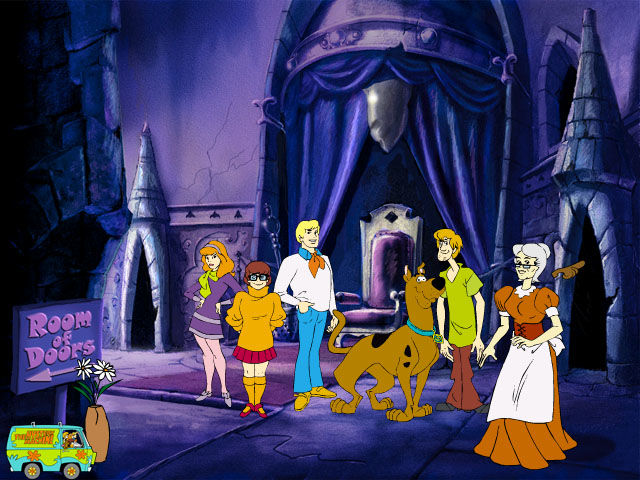
for the life of me, i can't get the jester to appear in the hall of doors and i tried everything, watched walkthroughs, and nothing i just can't trigger him for some reason
1
ASKA22 Jul. 2023
I remember we played the shit out of this game. Hours and hours when I was a kid
1
George13 Nov. 2021
Works on Windows 10. I run it thru LaunchBox. I was able to uninstall it from Windows after making a copy of the install folder LaunchBox. In LaunchBox I use a batch file to mount the .iso and launch the game.
0
midnight mortifera09 Apr. 2021
I got this out of a cereal box and it was the greatest game to me back then oh nostalgia sweet, sweet nostalgia
3
No comment nor review for this game at the moment.





 English
  Czech
Czech  Spanish
  French
  Hungarian
  Polish
  Portuguese (Brazil)
  Russian




Comments and reviews
can you add games Scooby Doo First Frights and Scooby Doo Spooky Swamp you don't have much of these two games
Per a request from a friend, I saw if this works on Linux. And it does - and well - with Lutris. Here's how I ran it.
Prerequisites:
WINE and Lutris installed.
The iso file from here or the internet archive.
Steps to run:
1: Extract the iso somewhere you can easily get to. I used a 'games' folder I'd made.
2: Open Lutris and select 'add game'.
3: Point Lutris to the 'play.exe' inside the install folder, and select WINE as your runtime.
4: Boot the game up and click 'install', then go through the motions.
5: Click 'play' if it doesn't boot you straight into it, and enjoy. The game should run as though it were native Windows.
I loved playing this game as a kid! Not long finished my 1st playthrough as an Adult! Only took me an hour but I had a lot of fun and it brought back a lot of good childhood memories.
Glad the download worked!
Thanks for uploading this! Got this to work and I used to play this when I was little. Levans installation instructions worked. just hit play and love scooby!
French version :
https://www.abandonware-france.org/ltf_abandon/ltf_jeu.php?id=3363&fic=liens
Spanish :
https://archive.org/details/scd_caballero_fantasma_pc_cd
Portuguese :
https://archive.org/details/ScoobyDoo__O_Cavaleiro_Fantasma_2000_PTBR_
Hungarian :
https://archive.org/details/scooby_phantom_hun
Polish :
https://archive.org/download/redump_pc_S-2/Scooby%20Doo%20-%20Strachy%20na%20Lachy%20%28Poland%29.7z
Russian :
https://archive.org/details/RusScoobyDooPhantomoftheKnight
How to play Phantom of the Knight on Windows 11 Pro
Step One: Click Download (ISO VERSION 458MB)
Step Two: DRAG Scooby-Doo-Phantom-of-the-Knight_Win_EN_ISO
from Recent Download History to your Desktop
Step Three: Right Click Then Select Extract All
Step Four: Extract Compressed (Zipped)Folders Click Extract
Step Five: RIGHT CLICK ON Extracted FILED (UNZIPPED FOLDER)CLICK OPEN
Step Six: Left Click Phantom Then Right CLICK Select Open with Windows Explorer
Step Seven: Open File-Security Warning Click Open
Step Eight: LEFT Click Play (APPLICATION)
OR Select Setup (APPLICATION)
Step Nine :(User Account Control) Do you want to allow this app from an unknown publisher to make changes to your device Select Yes
Step Ten: Select Play Select Play (GAME SHOULD START UP )
:) Enjoy
for the life of me, i can't get the jester to appear in the hall of doors and i tried everything, watched walkthroughs, and nothing i just can't trigger him for some reason
I remember we played the shit out of this game. Hours and hours when I was a kid
Works on Windows 10. I run it thru LaunchBox. I was able to uninstall it from Windows after making a copy of the install folder LaunchBox. In LaunchBox I use a batch file to mount the .iso and launch the game.
I got this out of a cereal box and it was the greatest game to me back then oh nostalgia sweet, sweet nostalgia
No comment nor review for this game at the moment.