How to Play
Windows
The game with NoCD has been tested on Windows 7 64-bit and Windows 10, works fine. But the game has some graphical issues on modern systems, for troubleshooting and fixes check our guides and Notes
Here's also some video guides how to run first Harry Potter games on modern systems, if you prefer video over text: first guide, second guide
Install & play guide:
- Mount the disc image. You will need the utility for mounting disc image files, like WinCDEmu, UltraISO, Alcohol 52%/Alcohol 120% or Daemon Tools Lite
- Install the game (if autorun doesn't work - simply launch the installation from Setup.exe inside the disc)
- Also it is recommended to install DirectX from the disc (if you're using Windows 10 - enable DirectPlay, read this or this guide how to do it)
- After you installed the game - install NoCD (simply copy Game.exe from the archive and put it into
Harry Potter Chamber of Secrets/System folder, replacing original Game.exe) - Open the directory
Harry Potter Chamber of Secrets/System and find Game.exe. Right click on Game.exe - Properties - Compatibility - Set "Run this app in compatibility mode with Windows 2000 or XP" and "Run as administrator" - Launch the game and play. If the game doesn't work - try to launch the game in compatibility mode with old versions of Windows (98, 2000, WinXP or Vista)
That way you will get clean version of original game, but it has poor graphics on modern systems. Here's some advices how to improve game graphics (make sure to save back-ups of original files):
- By default the max resolution of the game is 1024x768, but you can launch it in widescreen by editing Game.ini file. Read this guide how to do that; after you finish editing Game.ini - make it "read-only", otherwise the game will reset the resolution at next launch. The game menu in widescreen is not fully displayed, some buttons are "disappear", use Widescreen menu mod. Also, you can change the screen resolution with Harry Potter Settings tool. Please note that with this method it is not recommended to run the game in any resolution higher than 1920x1080, because the game starts to show graphical glitches/bugs. If you want to play in higher resolution - use dgVoodoo
- If you want to play with anti-aliasing, anisotropic filtering and other cool features - run the game through dgVoodoo utility: copy the dll-files from the MS/x86 folder, dgVoodooCpl.exe and dgVoodoo.conf in
Harry Potter Chamber of Secrets/System folder, then launch dgVoodooCpl.exe to change dgVoodoo settings. After that run the game through desktop shortcut or Game.exe. dgVoodoo is compatible with HP Settings tool, so you can enable anti-aliasing + texture filtering in dgVoodoo settings, then change the resolution through HP Settings and the game will look really great & working in good resolution. Please note that dgVoodoo requires video card with DirectX 9 support, so it doesn't work on most of Intel graphics - As alternative - you can run it through DirectX 9 renderer for Stock HP2 patch. That patch requires Microsoft Visual C++ 2012 runtime (X86) and installed DirectX 9 (better to install it through dxwebsetup, to get all needed dlls). To install that patch drop D3D9Drv.dll and D3D9Drv.int in
Harry Potter Chamber of Secrets/System folder, then open My Documents/Harry Potter II/Game.ini in a text editor and change GameRenderDevice=D3DDrv.D3DRenderDevice to GameRenderDevice=D3D9Drv.D3D9RenderDevice. After that make Game.ini as "read-only" and launch the game. If you want to change patch settings - run the game in debug mode and press F4 - The other variants: to use new version of that patch called Harry Potter 2 Game Engine and Editor, it is still in development, you can find the most recent update on HP Modding Discord server
- If your graphics card doesn't support DirectX 9 (like most Intel graphics) - use Unreal Engine DirectX 11 Renderer, it is fork of Kentie's Direct3D 10 renderer, it might cause some bugs, read this guide for more details. If you want you can install ESRGAN Upscale Pack (pack of upsacled textures) with DirectX 11 Renderer
In summary, to run the game on modern systems you need NoCD + edit configs (manually or with HP Settings tool) + Widescreen menu mod + graphical wrapper like dgVoodoo, DirectX 9 renderer for Stock HP2 or UE DX11 Renderer, also you will need to cap the framerate to 60 FPS
Notes:
- If the installation doesn't start - try to launch Setup.exe in compatibility mode with old version of Windows (98, 2000 or XP)
- NoCD is required for the launch because the game is using SafeDisc DRM protection, which doesn't work on modern systems. That NoCD "breaks" DRM protection and allows the game to work on modern systems
- If the game doesn't work in compatibility mode with Windows XP - try to run it in compatibility mode with older Windows versions (Windows 2000, Windows 98/Me, etc.). For some users the game didn't work in compatibility mode with Windows XP but worked with Windows 2000
- The game works on DirectX 7, so if you're using Windows 8, 8.1, 10 or 11 - you need to enable DirectPlay: Go to Control Panel, and select 'Programs'. Select 'Turn Windows features on and off', click on 'Legacy Components' and check the box 'DirectPlay'. Select OK, once the installation is done, restart your computer
- If you have graphical bug with broken shadows, like this one - edit Game.ini by following this guide or install Transparency Fix. Make sure to make back-ups of original files before installing that fix, because on some systems it breaks the game. Also, if you have troubles with 2021 version of the fix - you can try old versions of the fix. And the fix probably will not work if your graphics cards doesn't support Vulkan API. As alternative - use dgVoodoo utility
- If you have low frame rate or any graphical bugs - use dgVoodoo or DDRaw Compact, read this guide for more details
- Sometimes the in-game physics and/or cutscenes are getting broken when the game works too fast, so better to limit the game's framerate to 60 FPS. There are 3 ways to do that:
- Install an app that allows to limit the framerate, like RTSS or Bandicam, read this guide for framerate limit utilities
- If you're using dgVoodoo 2.75 or later version - open dgVoodoo.conf with Notepad and find the line FPSLimit = 0. Change "0" to "60" to limit the game's framerate to 60 FPS
- For advanced users - you can use Deus Ex Speedup Fix, both games work on Unreal Engine 1 and that fix is compatible with Harry Potter game, according to PCGamingWiki
- For users of Windows 64-bit systems: if the game doesn't work after you launched it - open Task Manager (Ctrl+Alt+Del by default) and check for processes Game.exe and rundll32.exe. Close Game.exe but don't touch rundll32.exe (it's a Windows app for running old apps from 32-bit operational systems, most old games running through rundll32.exe). Now try to launch the game again, it must work. Don't forget to close rundll32.exe process in Task Manager after finishing playing
- You can install High Quality Music Mod which adds enhanced music files to the game
- Don't forget to check PCGamingWiki page if you have troubles, it is very useful!
Mac
Visit MacintoshGarden for more information about MacOS version and how to install it



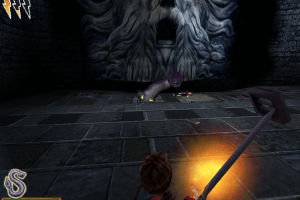
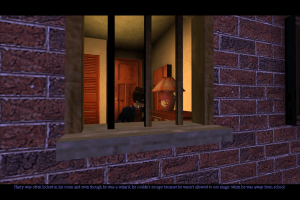
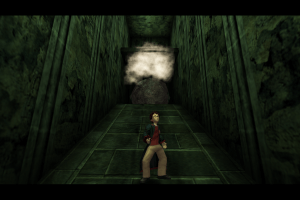
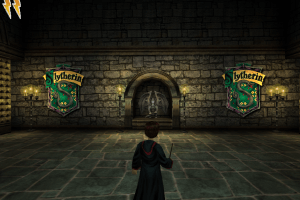
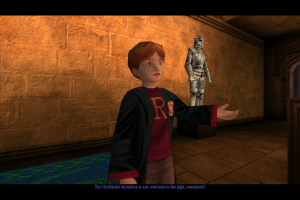
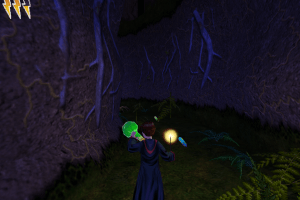
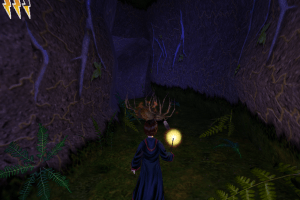
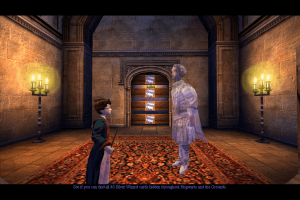
 English
  French
  German
  Dutch
Dutch  Spanish
  Italian
  Portuguese
  Finnish
  Danish
  Japanese
  Korean
  Norwegian
  Swedish
  Polish
  Russian
  Thai
Thai  Chinese
  Traditional Chinese





 Czech
Czech 




Comments and reviews
Installed the game, gameplay is fine, but the game stops working upon every save (the book, meaning if I encounter the book, it blocks up, I have to forcibly close it) and Lumos moments are laggy to the point of it being unplayable, any ideas?
I have a found a magipack version in another site:
https://oldgamesdownload.com/file/82291-2/
(Please, do not click on any click blindly, confirm that the site is safe first by going to fmhy.net, then search for the game after entering the site safely)
note: the link I present it safe
note2: magipack's official site no longer exists so coming across this version was a lucky encounter, magipack simply concludes all the steps written in description above and all you do is just launch the game & enjoy
I searched for the code and found it so i could install the game.
The code is: 4500-8655619-5696606-1751
I downloaded repack and it keeps crashing on me. I open the application, I get the little popup asking if I want a new game or reload. I select new game, and a white box pops up, like it's starting, but then it freezes and says Not Responding. I've reinstalled it and still get the same issue :(
I played through sorcerer's stone, no problem. I'm on windows 10.
Code that might help: 1740-9488245-5171152-5225 (worked for PL version)
Can you also add Slovak Transaltion?
HELP! i try to 100% the game but there is a bug with the first secret in rictusempra challange with the painting of smalhart. it doesnt cast the spell on it and its one of the few secrets that bug. i downloaded repack by magipack.
it asks me for code tried to find it in readme section no answer, so where to find the code?
it says I have to log in as administrator and try again
I cant seem to download it, actually every game that I try, it seems to be a problem with the site Idk. I downloaded the firts one before and it word fine, but now I cant anymore.
Don't work on Windows 11
Hola, me piden que ingrese un codigo, alguien tendra el codigo ?
the second time i open up the application it does not open. I can't even press on the white box before it crashes
WORKS PERFECTLY ON WIN 11! Thank you so so so much
It does work on Win11, but you might want to play around with resolution setup exe a bit and possibly go to properties of the game exe and set compatibility to winXP, when that white window pops un press on it once (tapping might crash it). It should go fullscreen and load the game or if improper resolution set - game might just stay windowed and borderless so takes a bit of time to play around with settings. You can try 1280x800 for best result
For GNU Linux users:
Wine 6.0.2 works for me, and I guess can work for most.
DirectX9C must be installed
Enable virtual desktop, 1280x720
Start the game, click in top button.
Once you saved your progress (it's automatic), when you log off and back again, you'll have to click in the second button, to load your game.
It's a nice game, and works surprising well in Linux, despite some minor gfx quirks
Can it work on Microsoft Surface?
For Linux users:
If main menu (launcher?) is black and has only "Quit" button try to launch with Wine's virtual desktop, however it still shows only part of menu but it's enough to click on top button ("Start game") or second button ("Load game"). Depending on virtual desktop's you might get different results, it worked for me for 1280x720 but didn't show with 1920x1080, I guess it depends more on screen ratio.
Also with wine-ge and soda (Bottle's default runner) the game was launched with missing 20% of bottom screen. The system's wine (wine-10.0 (Staging) for me installed from Fedora's official repo) worked perfectly by placing window correctly.
If you have issues with Cyrillic font add LANG=ru_RU.UTF-8 environment variable. It helps with Russian localization but it should work with other Cyrillic languages - if not use your languages locale.
I used Bottles for all wine management, but should work with console commands as well.
Tag me if you have question I would check this page from time to time if I would not forget.
@Zbigniew use tools like Daemon tools; additionally you might try to open this file with as an archive, in some cases it works.
wo bekomme ich diesen code her muss ich das spiel dafür kaufe?
How to install polish version? When I unpack the file, two files appear: HPCOS (type BIN) and HPCOS.CUE (type CUE). And what next?
Seems does not work on Windows 11 :/
@MAD your sound is set to surround. on your PC go to settings and select sound. on the right side select sound control panel. Locate your sound device in the playback tab of the sound control panel.Left click and select configure . select stereo on the next screen then run the test to make sure you hear out of both speakers. run the game and see if that fixes the problem.
I got my game up and running but the character voices in cutscenes and spell casting for the different spells are not not working ( can't here them ) what patch do I download to fix this
Hello there,
I've installed the game, but unfortunatly I do have background music but no spoken audio. Do you have any idea how to fix this?
I really Want they give also the Czech Version to Download
So i've installed them game, got the menu to come up with Load Game etc. However when the game opens the Logo comes up on half the screen and then its just a white screen taking up bottom right with the music, sound and voices.
I've tried installing the widescreen mod (I'm guessing it's just a case of copying the file over to system. But still keep getting a white screen.
I tried downloading a lot of stuff (not the most tech savyy, apologies) and it told me that the game is unable to run because it is missing core.dll and window.dll. I think the window.dll has something to do with the resolution or what not. Either way, I have no idea where to get these files. Please help!
I want just only the harry potter 2 series and I also think that it is a good platform form for downloading the movies files .
It asks me to put the code in, what's the code please?
I downloaded the game from one link and installed, mounted ISO too, but when I click the shortcut nothing is happening...
Nevermind, I instead downloaded the Repack from MagiPack whereas before I was using the one from Bladez1992. Not sure if it's something I did with the Bladez one but it works now
So, the game works great. The only problem is that there is no music. How can I fix that?
After installing the DirectX 11 Renderer on the RU version, the graphics improved, but the subtitles, text and numbers in the game disappeared. Please help me how to fix this error?
Hey everyone, I've had a project for a few years now making new installers for old PC games; Harry Potter Classic Collection (Chamber of Secrets + Philosopher's Stone + Prisoner of Azkaban) are three of the games I've restored
Come check out Legacy Gamer's Union on Discord for this game and plenty of others that actually work on Windows 10/11
discord.gg/invite/wF3zJPDVQg
I've downloaded this for Mac, but I can't get the game to open. It says it is an unsupported format?
I've downloaded this game, and while it was fine to start, once I closed out of it and tried to go back to playing at a later time, the game won't won't open. I've tried right-clicking for run as administrator, and it won't do anything. How can I fix this?
the game won't save. everytime i restart the game, the save slots are empty.
umm.. everything worked well for the install but it runs in circles to the left as soon as i get out of the first cinematic.. please help, the game seems to be running just fine too
what about the 4 spaces code?
@ROCKGUITARFAN Yes, that's how Widescreen menu mod works. It reduces the size of menu so you can see the buttons. Without that mod the menu will be stretched and buttons are not visible, it "disappears" beyond the screen borders
I downloaded the Repack by MagiPack and found the pause menu was not widescreen and on the left side of the screen. I then downloaded the Widescreen menu mod and placed the file in the system folder, but nothing was fixed.
@GEE Make sure to install Widescreen menu mod, it's available in Downloads - Game Extras. Main menu of the game works only on 4:3 displays, on widescreen displays it's "broken". Widescreen menu mod fixes that problem
Hi there, after the installation the main menu shows up, but no logo or options of new game etc show up - it only allows me to quit the game. Could anyone help?
@ROBBIE98 Serial keys are available in Downloads - Game Extras https://www.myabandonware.com/game/harry-potter-and-the-chamber-of-secrets-f67#download
"It says access denied after instalation, how can I fix this ?"
Use NoCD, otherwise the game won't work on modern systems. The game is protected with SafeDisc DRM which doesn't work on new Windows OS, NoCD "breaks" DRM protection. And don't forget to check the guide above
It says access denied after instalation, how can I fix this ? Can someone help me please?
It says before the installation that I need a code, can someone help me?
Small update - added repack by Magipack which includes all required fixes
@ME The "system" folder is literally in directory with installed game, next to "Maps", "Textures", "Sounds" and other folders. Watch this video guide, the author shows how to copy Game.exe in Harry Potter Chamber of Secrets/System folder https://youtu.be/mDL3IUeo_wo
@CBD - try to run the game only on CPU 0: launch the game, open Task Manager (Ctrl+Alt+Del), find Game.exe, click on it with right mouse button - Set affinity - disable all cores excepet "CPU 0" (leave only "CPU 0").
If you can't run the game with dgVoodoo with enabled antialiasing and texture filtering - try to run the game with default dgVoodoo settings (all graphics enhancements disabled) and if the game work that way, enable graphics enhancements one by one.
For Stock DX9 patch - make sure you have installed Microsoft Visual C++ Redistributable (better install all of them). If it didn't help - you can ask for advice by DX9 patch creators, they're currently working on new version https://discord.gg/2RWHg4URun
If nothing of it worked - run the game with standard DirectX 7 render (if you video card supports DX9, then it should support DX7 too). Simply fix transparency bug with config edit or using Transparency fix https://www.pcgamingwiki.com/wiki/Harry_Potter_and_the_Chamber_of_Secrets#Issues_fixed , then change the game resolution with HP Setting tool or manually. That way you'll be able to play the game, I think
So when the instructions say "copy Game.exe from the archive and put it into Harry Potter Chamber of Secrets/System folder, replacing original Game.exe."... what system folder? I can't find any such folder in the game files.
I love the first trilogy and this one is probably the best with length, economy and good control scheme.
Could not get dgvoodoo to work at all, game wouldn't launch with it enabled, just stops responding when I click start game in the launcher. It worked fine with the first game.
Stock DX9 worked but I can't get to it's configuration menu, I press F4 with debug mode enabled and it just brings up a level selector, not any kind of configurator for dx9 that would allow me to set anti aliasing etc.
Any insight into either problem would be helpful!
We have updated the game, added many new languages (all sorted out) plus all required fixes and patches to make the game work on modern systems. We wrote detailed guide how to install fixes, don't forget to check it
Protips:
1) To make the game run under Windows 10, use the patch shown here: https://www.fdossena.com/?p=hp2/i.frag
2) You may still have glitchy graphics and fullscreen may not work. In that case use dgVoodoo2: http://dege.freeweb.hu/dgVoodoo2/dgVoodoo2/
Download the zip file and paste the .exe file, the .conf file and the dlls under MS/x86 into the system directory of Harry Potter 2.
Fixed voices by downloading "English (USA)" patch-files instead of "English (International)" from the guide.
Everything works fine on Windows 10 (thanks to Just a guy for linking the guide), but the characters have no voices when they speak. Does anyone know how to fix it?
you have to download "MISC" in order to get the key, and then insert it to continue installation, copy the crack and then use JUST A GUY link and follow the steps. It works perfectly for me!
it says to login with admin privevlages i dont know how to spell it btw
Changer the game and graphics settings - https://github.com/r57zone/Harry-Potter-Settings
i can not mount the cd image, whenever i try to it says "the file being saved or retrieved has been blocked"
help pls
Nothing my brother wants to play thats why
where is the code, whice i have to be back of the cd case?
Where do I find the no cd crack for this game?
Thanks @JUST A GUY! With your fix it works like a charm. Remember that the link is for Sorcerers Stone though. On the website at the buttom you will find the link for Chamber of Secrets.
Instruction for running under windows 10
https://www.fdossena.com/?p=hp1/i.md
Installation went well but the game does not open even as admin! Thank you for this site I did spend two hours searching where and how to get this game. Now others are downloading:-))
No comment nor review for this game at the moment.