How to Play
Windows
The game with NoDVD has been tested on Windows 7 64-bit and Windows 10, works okay, the game supports widescreen. But the game has some troubles and critical bugs, don't forget to check our guides and Notes.
Here's also some video guide how to run the game on modern systems, if you prefer video over text
Some versions of the game may trigger antivirus warnings because of keygen and NoDVD inside ISO image. It is safe, there's nothing to worry about
Install & play guide:
- Mount the disc image. You will need the utility for mounting disc image files, like WinCDEmu, UltraISO, Alcohol 52%/Alcohol 120% or Daemon Tools Lite
- Install the game (if autorun doesn't work - simply launch the installation from Setup.exe inside the disc, run as administrator)
- Also it is recommended to install DirectX from the disc (if you're using Windows 10 - enable DirectPlay, read this or this guide how to do it)
- After you installed the game - install NoDVD (simply copy files from the archive and put it into game folder, agree to replace original files)
- Open the game folder and find hp.exe. Right click on hp.exe - Properties - Compatibility - Set "Run this app in compatibility mode with Windows XP or Vista" and "Run as administrator"
- Launch the game and play. If the game doesn't work - try to launch the game in compatibility mode with old versions of Windows (98, 2000, WinXP or Vista)
Notes:
- If the installation doesn't start - try to launch Setup.exe in compatibility mode with old version of Windows (98, 2000 or XP) and as administrator
- If you see error "This application has been blocked for security reasons, please contact your administrator", try next: mount ISO image in virtual drive; then open a command prompt as administrator. After that open mounted ISO image and run Autorun.exe. Do not close the command prompt until the installation is completed
- If you cannot install the game at all (Autorun and Setup doesn't work) - open ISO image and find 0compressed.zip and 1compressed.zip. Copy that archives to the folder on your hard drive, both archives must be in one folder. Then extract both archives, and you will get the installed game. After that simply install NoDVD and run the game
- NoDVD is required for the launch because the game is using SecuROM DRM protection, which doesn't work on modern systems. That NoDVD "breaks" DRM protection and allows the game to work on modern systems
- DO NOT play this game on Hard difficulty, because the game has critical bugs on that difficulty, like broken NPC scripts in some quests. You cannot complete the game on Hard difficulty
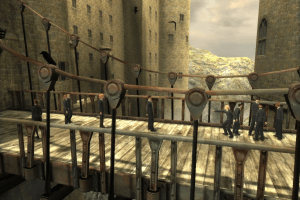
- There's a random bug on some systems when the game crashes at the bridge area. The possible "fix" for that bug - to load the latest savegame before bridge area, select Normal difficulty and set the game to lowest possible screen resolution in Settings. After that you should be able to past the bridge area. Once you do that, you can change the game setting back. Watch this video for more details
- It is recommended to install all versions of Microsoft Visual C++ Redistributable for the correct work of the game
- The game works on DirectX 9, so if you're using Windows 8, 8.1, 10 or 11 - you need to enable DirectPlay: Go to Control Panel, and select 'Programs'. Select 'Turn Windows features on and off', click on 'Legacy Components' and check the box 'DirectPlay'. Select OK, once the installation is done, restart your computer
- By default the game's max resolution is 1440x900 for 16:10 displays and 1920x1080 for 16:9 displays. If you want to play in higher resolutions - you will need to edit exe-files with HeX editor, read this instruction how to do that. Here's also video guide
- If you have choppy animations - disable V-sync through the control panel of your graphics card
- For users of Windows 64-bit systems: if the game doesn't work after you launched it - open Task Manager (Ctrl+Alt+Del by default) and check for processes hp.exe and rundll32.exe. Close hp.exe but don't touch rundll32.exe (it's a Windows app for running old apps from 32-bit operational systems, most old games running through rundll32.exe). Now try to launch the game again, it must work. Don't forget to close rundll32.exe process in Task Manager after finishing playing
- Don't forget to check PCGamingWiki page if you have troubles, it is very useful!
Mac
Visit MacintoshGarden for more information about Mac version and how to use NoDVD






 English
  Dutch
Dutch  Danish
  Russian
  Polish
  Czech
Czech  Hungarian
  Swedish
  Norwegian
  Finnish
  Spanish
  Portuguese
  French
  German
  Italian
  Korean
  Chinese
  Traditional Chinese








Comments and reviews
I've downloaded UK release, opened .iso from W11 (without additional app), changed datetime to 2019-01-01,replaced hp.exe with content of NoDVD zip file, run the hp.exe ,introduced one of the key.txt keys and game started with no problem.
8% played so far without bugs or any problem, (cross fingers)
He,
The game keeps crashing everytime I'm on the bridge to go to hagrid's hut. Can anyone help?
you gotta manually change clock to before 2019 because its software license thing has expiered i seen it on a youtube video
id much rather change my clock then mess around in command prompt and stuff not knowing what im doing
Windows 10 - installer doesn't run on my pc..
I tried everything, autorun runs, both ways, but after entering serial key noting happens.
There's an American (US) ISO Image already archived: https://archive.org/details/harry-potter-and-the-order-of-the-phoenix-ibm-pc-usa/HP5%20US%20PC%20Scans/JPG/1_itemimage.jpg
Dunno why it isn't listed, but there you go
Hi! I've problems intalling the No DVD thing. I try to copy and paste it to the game files but it doesn't let me and says i need more space, and it gives me the options to retry or cancel. I have windows 11 and i mounted the disc image with Daemon tools lite. Please help :(
If the setup is blocked, run it by command line or turn off smart screen filter.
Now I see that here https://www.pcgamingwiki.com/wiki/Harry_Potter_and_the_Order_of_the_Phoenix the hard mode is fixed.
To verpingvin: Use Daemon Tools to mount mdf or mds file.
Hi
@ADMIN
I have a litte problem, so the Russian releas that has the Hungarian langue has no iso file at all. Just a HPOOTP.mdf, HPOOTP.mds file and a serial.txt.
If you know how to make it work than please help me.
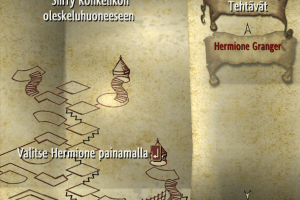
Hello and thank you for the game. I've got an issue where the moving staircases are frozen during the quest where Neville guides me to the room of requirement, so I can't move forward in the game.
I've downloaded the first file on the list and use the fix for 60 fps linked in the wiki. My computer runs on windows 10.
If anyone knows of a solution or if I need to download the game again, thanks
Bitte legen Sie anstelle der Backup-CD die Original-CD ein (1000).
"Please insert the original CD instead of the backup CD (1000)."
how can i avoid this ? i dont know what to do about it . i think i followed all steps correctly.
I just want to thx to ' roelox ' it help me and fix my issue with the video youtube and now I'm able playing normally 3
I appreciate the hosting of the old Harry Potter games - finally, I can finish my childhood adventures! As mentioned by others, autorun.exe is blocked on modern Windows. I suggest following the PCGamingWiki guide to run in the terminal (CMD) or adjusting your system policies (registry).
I also recommend using the "hp-order-of-the-phoenix-fix" from the wiki to enable high resolution and 60/120fps.
Issues I found:
· be sure to cap the FPS to avoid screen flickering, especially if it occurs due to unstable frame rates
· If you are re using borderless fullscreen and have multiple monitors, always use the taskbar on the main display of your game to reopen it. Otherwise, it can cause issues, ...which may be avoidable by adjusting the d3d9.ini file (not fully tested)
Greetings from the FMHY community!
If you're experiencing problems with the damned autorun file, here's what you have to do:
Run the commandline as an admin, find the location of your virtual image with the file and type it (so if it's for example drive G, type: g:). Type autorun.
That should do it, certainly did for me.
Good afternoon
I'm going through Order of the Phoenix and could not do spells with the mouse. It helped to connect the controller from Ixbox, now spells (as well as control in general) do not cause discomfort. Add this information to the site, I couldn't find it anywhere else
I have problems when I try to install the game on my computer. It say everytime I click on "autorun" a admin have blocked me! What to do?
fajnie ja to instaluje napisze gdy coś się stanie
I made a tutorial on how to install it on Windows 11 for a friend. Its a bit unclear but it should be fine. https://www.youtube.com/watch?v=TgblaA55NKM
at 0:18 I am installing the "FIX" thing, YOU DON'T NEED TO INSTALL THAT!!!
Insert cd error.. how I can fix that? there is no any instructions fix that issue..
"conflict with emulation software detected"
I know admin wrote a comment on how to fix it but I don't know a lot about this so I don't really understand what to do.. can anyone explain like I'm 5?
i've read most of the comments and i'm pleased to find that the admins are actually very active and very helpful. The thing is when the pop up "Conflict with Emulation Software detected" came up i tried the solutions provided, yet they were a bit vague, i've tried the Daemon tools lite installation but obviously simply installing it can't be enough, so i stopped there since no one explained. i'm sorry if the message is a bit long but i'd love if someone can help me with giving a slightly detailed explanation of how to counter the "Conflict with Emulation Software detected" problem, Thanks in advace! :)
i've got an amazing pc yet this game always runs at the same choppy 20-15fps. anyone know how i can increase the fps?
on fedora linux, playing through lutris. i can accept windows instructions as well.
is there any way to activate the controller functions? sorrry i know its a lot of trouble sometimes but i have issues with my wrists and hands sometimes so i tend to use a controller more often...
please let me know if possible and thanks for this game, ive been looking for it for ages and just love it!
The game isn't keeping track of my progress! It saved until 9 percent and the save vanished. Any help?
Hi,
Howdy guys???
Sorry I have been busy in real life stuff. Admin seems busy too so I will do my best to humbly try to help out you guys.
@Bibi8 2023-05-24
Do you get an error message if so please write it down here in English please.
@ kral 2023-06-15
daemon toools lıte yi kurarsanız oyun calışır
(In English: If you install daemon tools lite, the game will work.)
Well and good if it works, if it does not try other cd /DVD mounting softwares, even without no cd patches.
Anthony 2023-06-16
This is typically windows XP trouble. There shoud be 3 options in message box.
1-Abort 2-Retry 3-Ignore.
Choose ignore and it will resume installation.
Good luck and have fun!!!
It's summer and it could be a good idea to get some sunlight, I mean beside gaming on PCs.
Thanks
Themevictory
so i have installed it and when i go to copy the nocd folder into the file it says there isnt enough space. please help!
daemon toools lıte yi kurarsanız oyun calışır
I've got a crash during the cutscene with the Weasley brothers listening at the door, at the beginning of the game. I'd change resolution and all the other stuff but I'm unable to play after this.
@Diganta
He /Admin is right. Most possibility is issue with SecuROM DRM.
Please let us know if your issue has been resolved???
If you may still need help then please let us know what Windows version are you using???
Windows 11? Windows 10? Windows 7? Windows Vista??? Which one???
Also if you see any particular error message? Please write it down on a paper exactly as it shows on your computer, then please write it down exactly as it is on your paper and we shall do our best to help you out???
In case your Windows is in another language than English see if you can use Google translation, but please notice that translation may differ from as if it was Windows in English.
If your English is OK, see if you can use /Install Windows 7 /10 /11 and so on in English language???
Thank you,
Its summer, have a lovely day outside.
@DIGANTA Install NoDVD, obviously. Simply copy files from the archive and put it in the folder with installed game, agree to replace original files.
The game is using SecuROM DRM which doesn't work on modern systems, so you will keep seeing that error if you didn't install NoDVD
please help me
conflict with emulation software detected
how to solve this problem?
Hello friends Especially Admin,
How are you doing???
@Admin
Nice job updating all Harry Potter Games!!!
You did a really wonderful job fixing all faults in all games. Especially previously key-gen problem with game "HP & D Half-Blood Prince".
For all this fixing and making these games up we are really grateful to you Admin!!!
I have personally installed and tested all games.
They all work well!!! I thought I should give you a feedback :)
Where all is well, possibilities for making things even better always present itself.
We understand that you /Admin may have a family and a popular person like you must have many friends so although you have a busy social life beside Admin's work, we will be grateful if you please fix these betterment.
Thank you Admin!!! :-)
Guys the only game which created problems for me was "Harry Potter and the order of the Phoenix".
This game gives me this error message:
Harry Potter and the Order of the Phoenix's Autorun.exe says:
"This app has been blocked for your protection. An administrator has blocked you from running this app. For more information, contact the administrator."
AutoRun.exe
Publisher: Unknown
Program Location: "C:\Users\theme\AppData\Local\Temp\AutoRun.exe" -restart -dir "E:\"
I have spent 10 hours Googling this issue to solve out, then I have found this solution here on this website.
There are 5 different solution. In my case the last solution worked out and solved out this issue.
https://www.freecodecamp.org/news/an-administrator-has-blocked-you-from-running-this-app-how-to-fix-on-a-windows-10-pc/
This works for Windows 11 too, in case you have Home Version you may need to create GPedit before you may proceed with my solution.
Please view it here to learn how to create it:
https://www.majorgeeks.com/content/page/enable_group_policy_editor_in_windows_10_home_edition.html
-----------------------------------------------------------------------------------------------------------------------------------
OBS!!!
I saw a post somebody shouting at Admin, please don't come up with such behavior as he does his best to make All Harry Potter games available for free for us all despite having a busy life.
If you like these games please at-least give Admin Thumbs up which may encourage him to deliver even more games in future, and this encouragement has already begun to show results not to mention all those great solutions to our previous problems.
In the End! I would like to request all of my brothers and sisters who spend time figuring out many different things when it comes to Video Games and /or OS and so on...
If you learn something please share it.
There is a lot of power in sharing knowledge with each other.
The more knowledge you give away the more you get from the Nature.
If you like a game, and you are sure about it, be-siding having enough money, please purchase and support developer, so that they are not discouraged to more work in developing directions!!!
Thank you for listening and paying attention!!!
Have a happy Spring & A Happy Summer.
Best regards from Norway,
Your friend,
Themevictory
@DOG Not sure if it helps but you can run the game through DxWnd. Harry Potter and the Half-Blood Prince uses same engine, and people recommend to run it through DxWnd if the game crashes. Read this instruction https://www.pcgamingwiki.com/wiki/Harry_Potter_and_the_Half-Blood_Prince#Crashing_at_launch and try to run The Order of the Phoenix with DxWnd. Here's also video guide https://youtu.be/X5TgI2yBsNA?t=97 , it's on Portuguese but the author shows all steps in the video
Can't play the game. followed the instructions but the game crashes when ever I try to create a new save or try to make any changes in the video settings.
We have updated the game, added more languages plus instruction how to run the game on modern systems. Plus we added Mac version
@FIRE Try to run the game with NoDVD, there's xinput1_3.dll that should "break" DRM and make the controller working in the game
managed to get the game working but controller only works in menu not in game for some reason please help
I HOPE YOU WILL NOT UPLOAD A FAKE SETUP
PLEASE DONT BREAK MY HEART I INVESTED MY 5 HOURS AT DOWNLOAD BECAUSE MY INTERNET IS VERRY SLOW LIKE ME , SO PLEASE UPLOAD REAL GAME ALWAYS I ALSO WASTWD MY 350.PKR TO BY THIS GAMES CD BUT THIS CD IS FAKE BECAUSE THIS CD HAVE ONLY
A DEMO GAMEPLAY. GREATING FROM ME
i cant install it because files contains virus
See NAS210 help for "An administrator has blocked you from running this app for more information contact administrator."
If you get stuck on the install "Please Wait", task manager and end the task, restart the install but stop after entering cd-key, then set the date back to normal then press next, give it a min and should work.
I have an error "An administrator has blocked you from running this app for more information contact administrator" tried to find out about this problem and fix it but nothing helps.
For those who can't run the game because they need to insert the original cd :
you need to replace the .exe launching the game with a "no cd crack" .exe
This step is necessary for every harry potter games i played so far.
You can find those files here : https://archive.org/download/harry-potter-pc-games-no-cd-cracks/
The same thing happened to me. Thanks for the previous advice. I managed to install it successfully, but when I start:
Incorrect disc inserted.
Please insert the original 'Harry Potter and the Order of the Phoenix™' CD/DVD.
My game is installed but I can't open it "insert the CD"
What is the last part to do ?
It says wrong disk inserted, put in the original CD/DVD plate for the game
Game force closes itself as soon as I click on "Continue". Resolution and everything else seems fine, installation was also without any hassle, so I'm not sure why, did anyone experience anything similar? Can't get past the menu this way.
I am getting this error "An administrator has blocked you from running this app for more information contact administrator". The files also were picked up by my anti-vurus and deleted.
if you are having trouble installing the game on your PC. simply go to the date and time settings and change the date manually to January 1, 2019.
this will allow you to install the game. once done change the date and time settings back.
Happy Gaming!
I opened an terminal with admininstrator privileges and was able to then run the installer.
For the key the following works: 352S-7A5C-22FA-84ZX-HBKF
I am getting this error "An administrator has blocked you from running this app for more information contact administrator". The files also were picked up by my anti-vurus and deleted.
how do you uninstall this? the game appears as a dvd drive and wont delete
crack please
nice game...but its with a top graphic
I played this on my ps2...
No comment nor review for this game at the moment.