How to Play
The game with NoCD has been tested on Windows 7 64-bit and Windows 10, works fine. But the game has some issues on modern systems, for troubleshooting and fixing check our guides and Notes
Here's also some video guides how to run first Harry Potter games on modern systems, if you prefer video over text: first guide, second guide, third guide, fourth guide.
Install & play guide:
- Mount the disc image. You will need the utility for mounting disc image files, like WinCDEmu, UltraISO, Alcohol 52%/Alcohol 120% or Daemon Tools Lite
- Run the installation (if autorun doesn't work - simply launch the installation from Setup.exe inside the disc). Ignore the registration window, click "Register later"
- At the end of installation you probably will get error "Please enter correct CD-ROM" - just click "OK", it doesn't affect anything, the game is already installed
- Also it is recommended to install DirectX from the disc (if you're using Windows 10 - enable DirectPlay, read this or this guide how to do it)
- After you installed the game - install NoCD (simply copy HPPoA.exe from the archive and put it into
Harry Potter and the Prisoner of Azkaban/System folder, replacing original HPPoA.exe) - Open the directory
Harry Potter and the Prisoner of Azkaban/System and find HPPoA.exe. Right click on HPPoA.exe - Properties - Compatibility - Set "Run this app in compatibility mode with Windows 2000 or XP" and "Run as administrator" - Launch the game and play. If the game doesn't work - try to launch the game in compatibility mode with old versions of Windows (98, 2000, WinXP or Vista)
That way you will get clean version of original game, but it has poor graphics on modern systems. Here's some advices how to improve game graphics (make sure to save back-ups of original files):
- By default the max resolution of the game is 1024x768, but you can launch it in widescreen by editing .ini files:
- Launch the game one time and close, so the game will create configuration files
- Then go to
My Documents/Harry Potter™ and the Prisoner of Azkaban folder and open hppoa.ini in Notepad. Set the FullscreenViewportX and FullscreenViewportY values under [WinDrv.WindowsClient] to your desired resolution - Optionally, edit User.ini and set the DesiredFOV value to compensate: 100 for the 16:10 aspect ratio, and 106.26 for 16:9
- Also, you can change the screen resolution with Harry Potter Settings tool, just launch it and select desired settings, then press "Apply" and tool will make all required changes in .ini-files.
- Please note that with this method it is not recommended to run the game in any resolution higher than 1920x1080, because the game starts to show graphical glitches/bugs. If you want to play in higher resolution - use dgVoodoo
- If you want to play with anti-aliasing, anisotropic filtering and other cool features - run the game through dgVoodoo utility: copy the dll-files from the MS/x86 folder, dgVoodooCpl.exe and dgVoodoo.conf in
Harry Potter and the Prisoner of Azkaban /System folder, then launch dgVoodooCpl.exe to change dgVoodoo settings. After that run the game through desktop shortcut or HPPoA.exe. dgVoodoo is compatible with widescreen config and HP Settings tool, so you can enable anti-aliasing + texture filtering in dgVoodoo settings, then change the resolution, and the game will look really great & working in good resolution. Please note that dgVoodoo requires video card with DirectX 9 support, so it doesn't work on most of Intel graphics - If your graphics card doesn't support DirectX 9 (like most Intel graphics) - you can try to run the game with 3D Analyze utility. But we didn't test that method
In summary, to run the game on modern systems you need NoCD + edit configs (manually or with HP Settings tool) + graphical wrapper like dgVoodoo, also you will need to cap the framerate to 60 FPS. If you don't want or don't know how to do all of that - you can download repack by Magipack (also mirrored on this page), it includes all needed fixes & dgVoodoo for graphics enhancement
Notes:
- If the installation doesn't start - try to launch Setup.exe in compatibility mode with old version of Windows (98, 2000 or XP)
- NoCD is required for the launch because the game is using SafeDisc DRM protection, which doesn't work on modern systems. That NoCD "breaks" DRM protection and allows the game to work on modern systems
- If the game doesn't work in compatibility mode with Windows XP - try to run it in compatibility mode with older Windows versions (Windows 2000, Windows 98/Me, etc.). For some users the game didn't work in compatibility mode with Windows XP but worked with Windows 2000
- The game works on DirectX 8, so if you're using Windows 8, 8.1, 10 or 11 - you need to enable DirectPlay: Go to Control Panel, and select 'Programs'. Select 'Turn Windows features on and off', click on 'Legacy Components' and check the box 'DirectPlay'. Select OK, once the installation is done, restart your computer
- If you launch the game on Windows 8 and later and get error LockRect failed: D3DERR_DEVICELOST - run the game with dgVoodoo or change renderer device in config file, read this guide how to do that
- If you have low frame rate - use dgVoodoo or DDRaw Compact
- If the game doesn't work with dgVoodoo - you can try to run the game with d3d8to9 wrapper, it is simple dll-file that adapts DirectX 8 games to DirectX 9 renderer. Simply put d3d8.dll next to HPPoA.exe; please note that your graphics card must support DirectX 9
- Sometimes the in-game physics and/or cutscenes are getting broken when the game works too fast, so better to limit the game's framerate to 60 FPS. There are few ways to do that:
- Install an app that allows to limit the framerate, like RTSS or Bandicam, read this guide for framerate limit utilities
- If you're using dgVoodoo 2.75 or later version - open dgVoodoo.conf with Notepad and find the line FPSLimit = 0. Change "0" to "60" to limit the game's framerate to 60 FPS
- For users of Windows 64-bit systems: if the game doesn't work after you launched it - open Task Manager (Ctrl+Alt+Del by default) and check for processes HPPoA.exe and rundll32.exe. Close HPPoA.exe but don't touch rundll32.exe (it's a Windows app for running old apps from 32-bit operational systems, most old games running through rundll32.exe). Now try to launch the game again, it must work. Don't forget to close rundll32.exe process in Task Manager after finishing playing
- Don't forget to check PCGamingWiki page if you have troubles, it is very useful!





 English
  Danish
  Norwegian
  Dutch
Dutch  Swedish
  Chinese
  Spanish
  Portuguese
  French
  German
  Italian
  Japanese
  Polish
  Czech
Czech  Russian





 Slovak
  Turkish




Comments and reviews
Descargue el juego pero no puedo instalarlo, busque en diferentes paginas web pero tampoco encuentro alguna ayuda para poder instalarlo
Ahoj, stahne se mi akorát hippoA.bin a hippoa.cue. Pise mi to, že nemám program na to, co mam jako delat s tim? Aby se to nejak rozchodilo?
Hi Guys when i start up the game it starts flashing like crazy. just sound and flashing screen. Somebody has this experience ?
Will this run on a steam deck?
This game is playable but has many glitches and bugs that impede it from being fully playable. very broken in places
very time taking download
I am still having the issue with the IMP glitch and can't move past it. I've tried Window mode, lowering the frames, lowering the resolution, everything and it isn't working. Thoughts?
ok I know this is years later, but there is no Installer part on here, Installer I have installed the other stuff until I looked into them more no hp.exe has it been taken away or am I missing something I am not the smartest but I have looked and I don't see half the stuff you lot are talking about it is what is there, wish steam didn't get rid of those games I would to loved to play them again
THANK YOU SO MUCH it has never been easier to install and play the old HP games!
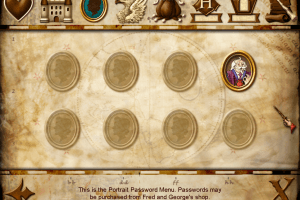
Anyone else have a problem with the portrait passwords that you buy from Fred and George? Harry says the password when I walk up to the paintings I bought them for, but they wont open. There is a sound effect that indicate that they should be opening (stone door moving sorta), but I cannot enter.
Anyone run into this? Better yet found a fix for it?
Otherwise this was a helluwa nostalgic trip for me, thanks for uploading this here
anyone stuck in the first mission where that little shit didnt move and throw no crackers?
Introducing popular and famous online games that can be bet on the www.jbosport.org website and for bettors who are looking for ways to make money from e-sports games. There are up to 100 games to choose from, complete with every genre you want. With the best price rate that is difficult to find
No Label
OS: Windows NT 6.2 (Build: 9200)
CPU: GenuineIntel PentiumPro-class processor @ 2196 MHz with 3979MB RAM
Video: No Video
Please install DirectX 8.1b or later (see Release Notes for instructions on how to obtain it)
WHAT TO DO???
So I found a workaround for my issue with charming - I replaced the arrow keys to the WSAD for the left stick and now everything works as expected. IDK why it is not working correctly with regular arrow keys.
Have a question about moving the camera while charming. I am playing on my Rog Ally. When I press the charm button and try to walk forward or backward - the cursor automaticaly moves up or down (correspondly). Trying to find a solution in the config files but no luck yet.
I downloaded the magipacks version and it worked but it was stuttery as hell. I removed all the dgvoodoo files, removed the resolution tool. Then just used dxwrapper dx8to9 (with windowed mode = 1 and vsync = 1) and now the game is stutter free and smooth as butter. Literally not one stutter anymore
By far the best game in the series (for its age). It's nice to see it again.
Ive downloaded Bladez1992 LGU repack.
It seems for me that the only one where I can get the mouse to work is 'The Prisoner of Azkaban'. So that is really the only one that works. The others are basically unplayable without the mouse to choose the options in the main menu and gameplay etc.
Does anyone know a work around in the file directories or a patch that could help make Philosophers Stone and Chamber of Secrets mouse work? It can only glide up and down on the left hand side of the screen.
Is the top downlaod safe to use? My anti virus program blocked it, when I tried to run the prgram.
When I get to the Glacius final exam and I defeat those fire turtles, I get stuck in the section. Nothing happens after I defeat them. From what I seen in videos, it's supposed to lower the four chests and out pop jelly beans and pixies. But nothing happens. Any suggestions?
Hey everyone, I've had a project for a few years now making new installers for old PC games; Harry Potter Classic Collection (Chamber of Secrets + Philosopher's Stone + Prisoner of Azkaban) are three of the games I've restored
Come check out Legacy Gamer's Union on Discord for this game and plenty of others that actually work on Windows 10/11
discord.gg/invite/wF3zJPDVQg
italian version is broken and cant be seen through deamon tools
I added the patches and it's saying I need directx 8.1b. If I instead insert d3d9.dll instead of 8, I get "Error setting display mode: No fullscreen display modes found (D3D_OK)."
is this the game or the book?
if it download and start so i love this game
I usually never comment but this website is a hero. I wanted to stream these lovely games to my boyfriend, since we both experience huge amount of nostalgia when talking about them, but I couldn't find anywhere to buy legit. This game is running perfectly, as well as Chamber of Secrets and Philosopher's Stone. Thank you very much
@HP2005 you need to limit the game's framerate to 60 FPS. In-game scripts and physics are getting broken when the game runs on more than 60 FPS. For instructions check my guide above
@BEMAX re-install the game and try to run it in compatibility mode with Windows 98 (and other old Windows versions). And don't forget to limit the game's framerate to 60 FPS, otherwise it will be broken
can anyone pls tell me how can i pass through the imp glitch?
Hi, after when I starting a new game, it's not saving once I walk into the save book.
Everytime I need to start a new game, if I die. Is that common?
We have updated the game, added many new languages (all sorted out) plus detailed guide how to run the game on modern systems
Hi, im having issues trying to run the game, when i try to run i get pop up messages telling me that the following files were not found
core ddl
engine ddl
window ddl
I dont understand since i have these in the compressed winzip folder but they arent being detected after install, please advise, thanks
The game works perfectly fine contrary to what some comments say, you just need to do some settings.
1 - When you installed the game with the .iso file (with Daemon tools lite for example), you need to replace the main .exe (hppoa.exe) with a cracked one which allows you to play without cd.
2 - This game suffers RARE bugs (imp intro and fred&georges secret passwords) because it is not capped at 60 fps. If you do so when you encounter these bugs, it will work perfectly fine. To cap it at 60 fps, you might use some Nvidia techno. I am not, so I used "RivaTuner Statistics Server" instead (downloaded with MSI Afterburner).
Thanks to these commands, I found how to make it work, so shoutout to
@KEIO (imp bug) @HEDWIG (no cd crack : https://archive.org/details/harry-potter-pc-games-no-cd-cracks) @BW (check pcgamingwiki for config info)
Harry Potter IBM PC Games: No-CD Cracks for Software Preservation https://archive.org/details/harry-potter-pc-games-no-cd-cracks
@MRLONDONWEEZY I don't know why you got downvoted but that worked thanks
The crack works. You just have to copy it to "system" folder and rewritte the exe file there.
This game has some known bugs on modern systems, running it windowed and fps limited does wonders. check out pcgamingwiki for more config info
@to all users: do not waste your time installing this cracked version is full of bugs and it totally spoils the game experience with frustration. so basically i tried exploring the secret portraits' part on windowed mode (as it wouldn't let me in full window) and it was fine as i could get in most of them, except for the one portrait on the fourth floor. thing is then i couldn't get out of one of the portraits in the dungeons so i had to quit the game - enough of this bllsht
hey. i'm having a bug with the secret portraits which passwords you buy at fred's and george's shop. I bought the passwords but they won't open. fix pls
Anyway I fixed the IMP glitch. Before the Imp battle,play in window mode.The Game will show you cutscene with the imp.It will show you Imp throwing you that exploding candy and then camera shows Ron.Right before it shows Imp again,right before battle,exit the window mode with ALT+ENTER and the battle will continue =)
Why can´t people just upload games normally where you just install and play,like GOG :D It would be way better and would save lot of time :D
I'm also having problems with the first imp freezing in place during Ron's spell challenge.
During Ron's first class (Defence Against the Dark Arts) I need to fight an Imp but it doesn't move after the cinematic. What can i do?
Harry Potter 3 Installation:
1) Open the iso file you've downloaded
2) Istall the game with autorun, when it asks for a key: SD6W-RU6Z-VM32-ZQFX-7DEV
3) After you're done installing, copy the hppoa.exe from the virtual disc (DEViANCE folder) into your install/system folder located in Program Files (x86), for example in my case it's:
E:\Program Files (x86)\EA GAMES\Harry Potter and the Prisoner of Azkaban(TM)\system
4) Enjoy the game!
Only "safe" crack I found currently is on megagames, if you search for "harry potter 3 game no cd fix" you'll find it, avoid lonebullet and other websites that look waaaay to sketchy. Especially if the zipfiles are password locked (like honestly who password locks a zipfile).
You want to find the deviance cd fix
The zipfile should only contain two files:
hppoa.exe which you drag into the folder where you installed the game
and deviance.nfo
Also CD key that works: 3C8G-ZMFJ-PB6Q-PYTD-VDEV (shoutout to ya boi RICARDO down in the comments!)
I know this game is not available on any digital platforms, but is it ok to get the games like this that aren't available on digital platforms?
To those complaining about a virus, keygens will almost ALWAYS produce a false positive. Just run the keygen in a sandbox if you are worried.
Can someone please tell us how to work around the required CD Rom?!
Can install it but cant start the game. computer ask for the cd rom and I have try to google how I fix it but a iso program did not work and to download a no cd file I got virus warning. anyone please help me and tell how I going to get the game working
Regardless if you have issues with the iso asking for the cd-rom or not. You can extract the compressed.zip in the cd rom. Just extract it to desired location, (I also copied the file from system folder on the iso into the extracted system folder just in case) copy over the cracked executable and the game should load.
asking for CD rom
Hey, do not use the kegen. It has a virus. Use one of these keys to activate:
3C8G-ZMFJ-PB6Q-PYTD-VDEV
U5XP-DCFY-A2UD-2SZH-TDEV
RP66-PKGT-F4AY-TBGC-9DEV
5RMD-GTGE-MMB2-KQ58-DDEV
HV8G-FUVD-NTVF-UU5E-WDEV
YCF7-AYER-N9AC-DL7E-8DEV
Don't forget to copy the crack after.
Dumb fact: As visually stunning Hogwarts is compared to the console versions, they made the PC version more friendly towards younger audiences losing the dark ambience of the third movie but there is still plenty to do, see, and collect.
Open .iso using an iso program....winiso, ultraiso or something.
Extract DEViANCE folder from the .iso somewhere.
Run KGen inside DEVIANCE folder. Install game using the KGen key from the window playing music.
Once installed, copy the other files from DEVIANCE folder to the games install directory and overwrite when prompted.
Play
Keeps asking for CD rom?
@Jojo same issue here- my virus protection popped up as soon as I downloaded this file. It looks like the no-CD crack used for this game may contain a trojan, but I didn't run it to confirm.
@D There should be a file called something CD, where there is a CD key you can copy and paste into the game.
Hi I can't get this to work It just keeps telling me to insert the CD rom is there another file I need to bypass this?
No comment nor review for this game at the moment.