You are on the beta version of My Abandonware. The live site is still myabandonware.com. Your favorites and ratings here are copied to the live site. Comments and other changes are not — we delete them every morning at 08:00 Paris time, when this site goes down for about an hour. Leave feedback through this link to Pastel (email required).
The beta goes down at 08:00 Paris time, in a few minutes. We rebuild the database from the live site. It comes back in about an hour.
works great after installing all the fixes listed on pcgw! use dgvoodoo2 to change the resolution and fix the aspect ratio, you can also play it with a modern xinput controller.
0
eblousenko19 May. 2026
Hi. Has anybody tried to install russian version?
2
manu18 Feb. 2026
me he tirado toda la tarde instalandolo para nada, no pierdan el tiempo
0
kenzymohamed03 Feb. 2026
i want to play quack attack
0
Kvisten08 Dec. 2025
I got it to start but it is super blurry, when I try to change the video settings to medium or high it just crashes
1
Kate9620 Nov. 2025
Hey, does it really work? Even polish version from comments doesnt work. I tried everything. Fix, dgvoodoo, download a couple ISO´s - but nothing happened. The only right version was last month on internetarchive.org, but yesterday they deleted it :(
I played this game a TON as a kid. Which is weird given there's about 2-3 hours of content, but back in the days, my brothers and I would repeat the levels, farm lives and see who could get the most remaining time on time attack. Fun times!
And now I can play it again! Awesome! How I got it to work on Windows 10: 1. Download the Disk Image Bin/Cue (haven't tried the Fix for other versions, don't know if it'll work then/if there is any difference) 2. Download the Fix listed under game Extras 3. Unzip both 4. Use a tool such as Virtual CloneDrive to mount the .bin (the link in MAW's help section is deprecated, but a quick online search directs you to elby, the new provider of this software) 5. In the bin, run the setup.exe - be mindful of the directory you install the game in, you will need to navigate there! 6. after setup is complete, paste the Fix files - Donald.exe into the game folder, overwriting the existing one - Ubi.ini into the same folder - the .dll file into the DLL folder 7. Right click Donald.exe, select properties, then switch tabs to compatibility. There, select run in compatibility mode and Windows XP SP3. Save and exit the Properties dialogue. 8. Enjoy!
One small problem: The resolution is terrible on my system (Windows 10) right now, I tried compatibility settings, none seem to help. Everything looks fuzzy and the game is forced full screen so I can't adjust anything there, either. If anyone can help with that, it'd be greatly appreciated.
1
john23 Jan. 2025
I got as far as pressing "launch" and nothing happens. Do I have to copy the "fix"? HoW to properly do that?
hey i cannot get this to work for the life of me im not sure what im doing wrong, does anyone know if there ia a guide video somewhere ect?
0
david_quack23 Nov. 2024
Thanks, it works great on Windows 10!!!
0
Sewi07 Sep. 2024
Works great for me - thanks! Just make sure you copy and replace the files of the Fix in the game file and run the executable in compatebility mode (otherwise nothing happens when trying to run the game)
1
Queen08 Jul. 2024
I extracted the winrar file from the game and the fix. I clicked on the application and nothing happens. It could be my laptop, it's a windows 10 or 11. But IDK.
1
Tom27 May. 2024
Who removed the Czech title?
In Czechia released by CD Projekt in 2004, titled as "Kačer Donald vr@cí úder".
1
Neto14 May. 2024
The setup dont even start stalling anything.
2
Nostalgicon17 Mar. 2024
If anyone else has trouble with launching the installation like I had, (getting an error "_SETUP.DLL is missing"), during the setup from the ISO when prompted to choose a language, instead of choosing any specific variant of English -like "English (United States)"- choose "English". This simple change allowed the installation to continue.
2
admin27 Dec. 2023
Admin
For windows 11 players, just a heads up; You might find a bug that softblocks Donald when picking a powerup. I do not know how to fix it, but the game is beatable without grabbing any powerups. Treat it as an extra challagne I guess. Remember to properly install the fix too!
-2
iframe26 Dec. 2023
it says to me detecting resolutions
-1
Jesse851117 Nov. 2023
When I try to install this, I get to the language select for the setup then it tells me SETUP.DLL is missing.
4
ShadeColdfang05 Sep. 2023
To everyone that cant run the game on setup. grab a ISO Launcher. Those make the setup belive u have the CD inserted in a Virtual Cd Drive
3
SANCHIES H2K10 Dec. 2022
This game is one of best plataformers out there. But i only played the PS1 version.
1
Tom19 Sep. 2022
The Czech title is "Kačer Donald vrací úder" (styled as "Kačer Donald vr@cí úder").
1
Anonymous09 Jun. 2022
Can't even install. I click on Setup.exe with or without administrator the Disney window pops up I click on install and nothing happens spite the task manager shows a couple Setup.exe on the processes tab until one disappears then still nothing seems to be happening. Unless it is installing in the background and just taking its sweet old time but there's not quite a way to tell.
5
Canami06 May. 2022
Does not work, when starting it crashes. Task manager tells me: not responding
1
nice toes01 Mar. 2022
Same problem as above, game launches, however comes up with an option to install game and nothing happens when you click on this. Same problem with link from different website
1
fufu12 Jul. 2021
is this real
0
RAMBO4707 Oct. 2020
I dont know how to run the game
-5
Abdallah15 Sep. 2020
Top comment
Hi i download game but if iam go to open to play he say please insret cd
13
No comment nor review for this game at the moment.




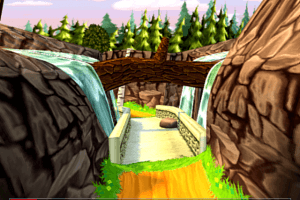
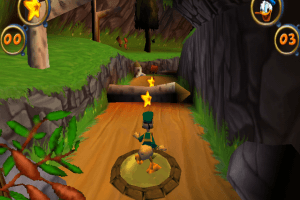
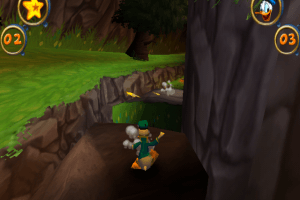
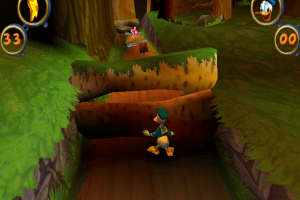





 English
  French
  German
  Spanish
  Italian
  Czech
Czech  Danish
  Polish
  Portuguese (Brazil)
  Russian
  Swedish
  Norwegian
  Finnish
  Dutch
Dutch 




Comments and reviews
works great after installing all the fixes listed on pcgw! use dgvoodoo2 to change the resolution and fix the aspect ratio, you can also play it with a modern xinput controller.
Hi. Has anybody tried to install russian version?
me he tirado toda la tarde instalandolo para nada, no pierdan el tiempo
i want to play quack attack
I got it to start but it is super blurry, when I try to change the video settings to medium or high it just crashes
Hey, does it really work? Even polish version from comments doesnt work. I tried everything. Fix, dgvoodoo, download a couple ISO´s - but nothing happened. The only right version was last month on internetarchive.org, but yesterday they deleted it :(
Update : Polish :
https://archive.org/details/szalone-przygody-kaczora-donalda-pc
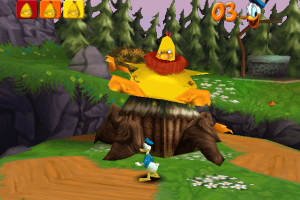
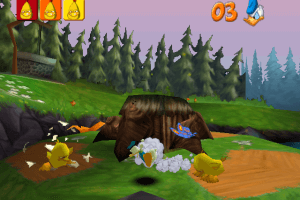
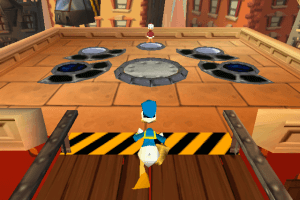
I played this game a TON as a kid. Which is weird given there's about 2-3 hours of content, but back in the days, my brothers and I would repeat the levels, farm lives and see who could get the most remaining time on time attack. Fun times!
And now I can play it again! Awesome! How I got it to work on Windows 10:
1. Download the Disk Image Bin/Cue (haven't tried the Fix for other versions, don't know if it'll work then/if there is any difference)
2. Download the Fix listed under game Extras
3. Unzip both
4. Use a tool such as Virtual CloneDrive to mount the .bin (the link in MAW's help section is deprecated, but a quick online search directs you to elby, the new provider of this software)
5. In the bin, run the setup.exe - be mindful of the directory you install the game in, you will need to navigate there!
6. after setup is complete, paste the Fix files
- Donald.exe into the game folder, overwriting the existing one
- Ubi.ini into the same folder
- the .dll file into the DLL folder
7. Right click Donald.exe, select properties, then switch tabs to compatibility. There, select run in compatibility mode and Windows XP SP3. Save and exit the Properties dialogue.
8. Enjoy!
One small problem: The resolution is terrible on my system (Windows 10) right now, I tried compatibility settings, none seem to help. Everything looks fuzzy and the game is forced full screen so I can't adjust anything there, either. If anyone can help with that, it'd be greatly appreciated.
I got as far as pressing "launch" and nothing happens. Do I have to copy the "fix"? HoW to properly do that?
Portuguese :
https://archive.org/details/pato-donald-2000-pt-br-donald-duck-goin-quackers
Multilanguages version provided (Norwegian, Swedish, Danish, Finnish and Dutch) :
https://archive.org/details/donald-duck-kvakk-attack
hey i cannot get this to work for the life of me
im not sure what im doing wrong, does anyone know if there ia a guide video somewhere ect?
Thanks, it works great on Windows 10!!!
Works great for me - thanks!
Just make sure you copy and replace the files of the Fix in the game file and run the executable in compatebility mode (otherwise nothing happens when trying to run the game)
I extracted the winrar file from the game and the fix. I clicked on the application and nothing happens. It could be my laptop, it's a windows 10 or 11. But IDK.
Who removed the Czech title?
In Czechia released by CD Projekt in 2004, titled as "Kačer Donald vr@cí úder".
The setup dont even start stalling anything.
If anyone else has trouble with launching the installation like I had, (getting an error "_SETUP.DLL is missing"), during the setup from the ISO when prompted to choose a language, instead of choosing any specific variant of English -like "English (United States)"- choose "English". This simple change allowed the installation to continue.
For windows 11 players, just a heads up;
You might find a bug that softblocks Donald when picking a powerup. I do not know how to fix it, but the game is beatable without grabbing any powerups. Treat it as an extra challagne I guess. Remember to properly install the fix too!
it says to me detecting resolutions
When I try to install this, I get to the language select for the setup then it tells me SETUP.DLL is missing.
To everyone that cant run the game on setup.
grab a ISO Launcher. Those make the setup belive u have the CD inserted in a Virtual Cd Drive
This game is one of best plataformers out there. But i only played the PS1 version.
The Czech title is "Kačer Donald vrací úder" (styled as "Kačer Donald vr@cí úder").
Can't even install. I click on Setup.exe with or without administrator the Disney window pops up I click on install and nothing happens spite the task manager shows a couple Setup.exe on the processes tab until one disappears then still nothing seems to be happening. Unless it is installing in the background and just taking its sweet old time but there's not quite a way to tell.
Does not work, when starting it crashes. Task manager tells me: not responding
Same problem as above, game launches, however comes up with an option to install game and nothing happens when you click on this. Same problem with link from different website
is this real
I dont know how to run the game
Hi i download game but if iam go to open to play he say please insret cd
No comment nor review for this game at the moment.