






- Export saves: export the savegame files from your browser, so you can switch to another browser or computer. You can also use them in an emulator installed on your computer.
- Import saves: import savegames that you exported before with the Export saves button.
- Download disk: export the whole game from your browser, with all your savegames. Useful to switch to an emulator installed on your computer.
- Reset game files: if you somehow messed up the game files, you can reset them to an exact copy of the original.
- Reset saves: delete all savegames from your browser. We recommend that you export them first: there is no turning back!
Doom - Play Demo Online
DOS - 1993
For small DOS games like Doom, you can play online immediately with your browser (Chrome, Firefox, Safari, Edge, Opera...). This feature is experimental, the game may not work properly.
Warning: game save should work, but you should try it early! Also, be careful to select the right game executable in the list above.

 English

Similar games



Comments and reviews
The classic controls were as follows;
|| --- pause
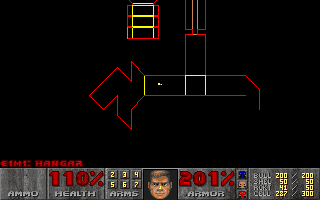
Tap --- automap
esc --- menu
Function Keys
F2 --- save
F3 --- Load
F4 --- sound volume
F5 --- Detail
F6 --- quicksave
F7 --- End game
F8 --- messages
F9 --- Quickload
F10 --- quit
- --- Reduce view
+ --- Increase view
automap functions
f --- follow mode
m --- mark place
c --- clear marks
o --- full/zoom
+ --- zoom in
- --- zoom out
weapon select
1 --- fist
2 --- pistol
3 --- shotgun
4 --- chaingun
5 --- rocket
6 --- plasma rifle
7 --- BFG 9000)
Movement
Up arrow & mouse forward --- forward
down arrow & mouse backward --- backward
left arrow & mouse left --- turn left
right arrow & mouse right --- turn right
shift --- sprint
Alt and arrow keys --- strafe
double right click & spacebar --- open/use
Ctrl & left click --- shoot
num keys = choose weapon (1 = melee)
space = open door
ctrl = fire
arrow keys = move
, = strafe left
. = strafe right
tab = map
To change the controls load up the game executable Doom/SETUP.EXE and change the inputs to something you like. Then load the game from that menu.
"wasd" doesn't work? it's ',' for left '.' for right WTF happened to key-map ??
also arrows do not work in the comments editor Why ? i appreciate the contribution still...
Does it work on a tablet
I Don't know how to play it.I could not pass none of the level.
As I have tested, the proper BASIC controls for the game is:
Spacebar: Open Door
Left Ctrl: Shoot/Fire
Num Keys 1-9: Weapon Change
Enter: Start
Esc: WHAT DO YOU THINK?
How can I play
Hey, thats pretty good
can i add mods?
for those with F1 problems change from opening with DM.EXE to DOOM.EXE to open the game directly...
lol sweet
HH... use ctrl to fire. Spacebar opens door.
how do you shoot? spacebar does NOTHING!!
i cant even push the button F1 cuz it opens google help
and if i download there is an error opening it damn it
awesome
Great work!
But it is a tad laggy and the framerates are bad for a 90s game. (My laptop has 4th gen Core i5, 12 gigs of ram and GT 840m)
To whoever is going to play that, I'd advise you to download it and use any doom engine for better performance and graphics too. (Like Doomsday, Zandronum, Zdoom, ...etc), there are plenty of them out there.
Change the game executable to doom.exe in the drop down menu in emulator configuration to get to single player.
nothing happens just get 2 the death manager
No comment nor review for this game at the moment.