

How to Play
The game has been tested on Windows 7 64-bit and Windows 10, it works fine. You may experience some small troubles when you play the game on modern systems, check our Notes for details.
Multilingual version includes 6 languages: English, French, German, Italian, Spanish & Dutch. The language can be selected on the starting screen
Notes:
- If the installation doesn't start - try to launch the installer as Administrator and in Compatibility mode with old version of Windows (98, 2000 or XP)
- If the game doesn't work - run it in Compatibility mode with old Windows (like Windows XP) and as Administrator. Also, it is recommended to install all versions of Microsoft Visual C++ Redistributable and NET Framework for the correct work of the game
- On modern systems the game may close right after the start, with "Blocked by administrator" prompt. That usually happens if your antivirus or Windows Defender block the application, add the game's executable to list of exceptions. If it didn't help - try to run the game directly through Command Line, check this thread for details
- If the game still doesn't run, that may be because of DEP (Data Execution Prevention). If the game doesn't run or closes right after the start - add elements.exe to the exceptions of DEP (Data Execution Prevention): Go to
Control Panel -> System Properties -> Advanced System Settings. From theSystem Propertiesdialog, selectSettings. Select theData Execution Preventiontab. Select "Turn on DEP for all programs and services except those I select". ClickAddand use the browse feature to show the path to the program executable you want to exclude, in that case elements.exe inside the game folder. Here's the guide with pictures - If in-game mouse cursor is flickering - disable "Custom cursors" in game settings. If you have any other graphical glitches - switch the game to Windowed mode
- If you have Windows 10 or 11 and the game doesn't work even after you tried all methods above - install the game on Virtual Machine with old Windows, it should work. The game works with no problem on Windows 7 or older OS, it was tested on VMWare + Windows 7
 English


 Russian







Comments and reviews
I've downloaded the pre-installed version and encountered some errors.
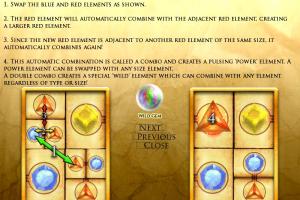
1. The special element (the double combo element) they do not have proper animation, meaning its missing its special effects and all it does is pulsate.
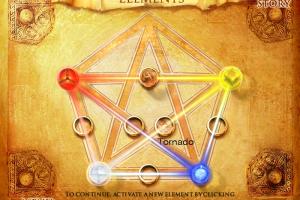
2. Upon reaching the stage of combining elements (such as choosing rain, magma, geyser, etc) the game pops up with an error and i can't proceed, forcing me to close the game. The error was something about a Lua error.
No comment nor review for this game at the moment.