You are on the beta version of My Abandonware. The live site is still myabandonware.com. Your favorites and ratings here are copied to the live site. Comments and other changes are not — we delete them every morning at 08:00 Paris time, when this site goes down for about an hour. Leave feedback through this link to Pastel (email required).
The beta goes down at 08:00 Paris time, in a few minutes. We rebuild the database from the live site. It comes back in about an hour.
In dos box you can mount the directory where the install file is say drive A. So you will have 2 mounted drives in total. Then run the install file from your first mounted drive and select to install to drive C from drive A.
0
(c°_}14 Feb. 2020
Top comment
Wow! You should download it fast before GOG/Steam finds that page and asks for money again.
7
Phil02 Oct. 2016
i have the original 3 1/2 floppies of lucasarts classic adventures and the lost treasures of infocom. are they worth anything?
0
Solomon10 Jan. 2016
I am having trouble seting the games up specifically the floppy disk part any hint
0
Jay Dee01 Aug. 2015
you can get manuals,but ive just uploaded some cracks to remove the copy protection from maniac mansion and zac.so try downloading again soon and they should be included
0
JAY DEE24 Mar. 2015
if using d-fendRL right click profile select edit,click on the drives option on the left and click add,to add a virtual A: drive.choose folder as floppy then point that to the correct folder,so you should have two drives listed A: and C:.then run the install program in d-fend and the installer will think its running from A:.this will create several folders on d-fends virtual C: drive one for each game,you then have to add a profile for each one and point the profile to the correct exe file,or just drag the folders from the virtual C: to d-fend.many games need this procedure.also ive finished loom but maniac mansion has copy protection, open the steel security door and it hits you with a code input screen
0
Tammy23 May. 2012
I installed it separate from D-Fend and it installed fine. I unzipped the file on a blank flash drive and the install read it as the install cd. then when the games were installed I could play them on d-fend
0
Tenebrae10 Mar. 2012
Can't get it to install / run using D-Fend Reloaded... anyone else?
0
No comment nor review for this game at the moment.





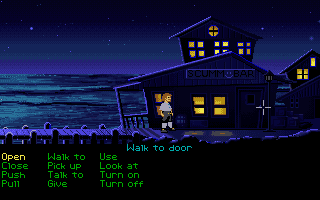
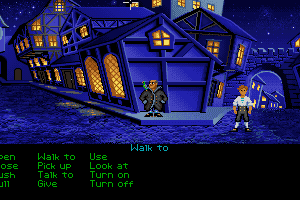
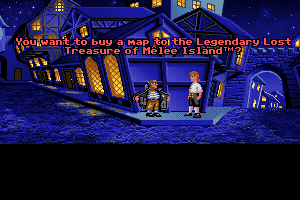




 English



Comments and reviews
In dos box you can mount the directory where the install file is say drive A. So you will have 2 mounted drives in total. Then run the install file from your first mounted drive and select to install to drive C from drive A.
Wow! You should download it fast before GOG/Steam finds that page and asks for money again.
i have the original 3 1/2 floppies of lucasarts classic adventures and the lost treasures of infocom. are they worth anything?
I am having trouble seting the games up specifically the floppy disk part any hint
you can get manuals,but ive just uploaded some cracks to remove the copy protection from maniac mansion and zac.so try downloading again soon and they should be included
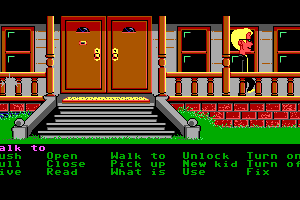
if using d-fendRL right click profile select edit,click on the drives option on the left and click add,to add a virtual A: drive.choose folder as floppy then point that to the correct folder,so you should have two drives listed A: and C:.then run the install program in d-fend and the installer will think its running from A:.this will create several folders on d-fends virtual C: drive one for each game,you then have to add a profile for each one and point the profile to the correct exe file,or just drag the folders from the virtual C: to d-fend.many games need this procedure.also ive finished loom but maniac mansion has copy protection, open the steel security door and it hits you with a code input screen
I installed it separate from D-Fend and it installed fine. I unzipped the file on a blank flash drive and the install read it as the install cd. then when the games were installed I could play them on d-fend
Can't get it to install / run using D-Fend Reloaded... anyone else?
No comment nor review for this game at the moment.