You are on the beta version of My Abandonware. The live site is still myabandonware.com. Your favorites and ratings here are copied to the live site. Comments and other changes are not — we delete them every morning at 08:00 Paris time, when this site goes down for about an hour. Leave feedback through this link to Pastel (email required).
The beta goes down at 08:00 Paris time, in a few minutes. We rebuild the database from the live site. It comes back in about an hour.
2) Create new installation folder where you copy all the files from mounted iso
3) Download 32-bit InstallShield 5.10.146.0 from https://kippykip.com/threads/installshield-32-bit-binaries-x64-windows-fix.5648/
4) Extract all files from "InstallShield 5.10.146.0 - 32 Bit Binaries.zip" archive to the previously created folder with installation and run Setup32.exe. The game installation should work now, so install it.
5) Download last stable dgVoodoo2 from https://dege.freeweb.hu/dgVoodoo2/dgVoodoo2/
6) Extract dgVoodooCpl.exe and all files from archive folder /MS/x86 to the base folder of the game installation
7) Run dgVoodooCpl.exe and configure on the DirectX tab: - Videocard: dgVoodoo Virtual 3D Accelerated Card - VRAM: 128 MB - Resolution: Unforced - Antialiasing: off
0
chacall06 Jun. 2024
rodou no windons 10
0
Inside Chessie23 Dec. 2023
Hi. Inside Chessie - Virtual Babe is a game, but how to run it on Windows 10?
1
Juw.oIl25 Jun. 2022
Bed,Tea-Honey?
0
Sgz08 find me on insta03 Nov. 2021
Yeah kinda nice not as nice as my girlfriends Zoe Senica whomst I get top from at Charles Entertainment Cheese's cold room
0
No comment nor review for this game at the moment.






 English
  German



Comments and reviews
How run on win11
1) Download iso file and right click - mount it
2) Create new installation folder where you copy all the files from mounted iso
3) Download 32-bit InstallShield 5.10.146.0 from https://kippykip.com/threads/installshield-32-bit-binaries-x64-windows-fix.5648/
4) Extract all files from "InstallShield 5.10.146.0 - 32 Bit Binaries.zip" archive to the previously created folder with installation and run Setup32.exe. The game installation should work now, so install it.
5) Download last stable dgVoodoo2 from https://dege.freeweb.hu/dgVoodoo2/dgVoodoo2/
6) Extract dgVoodooCpl.exe and all files from archive folder /MS/x86 to the base folder of the game installation
7) Run dgVoodooCpl.exe and configure on the DirectX tab:
- Videocard: dgVoodoo Virtual 3D Accelerated Card
- VRAM: 128 MB
- Resolution: Unforced
- Antialiasing: off
rodou no windons 10
Hi. Inside Chessie - Virtual Babe is a game, but how to run it on Windows 10?
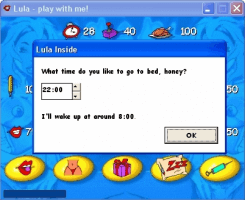
Bed,Tea-Honey?
Yeah kinda nice not as nice as my girlfriends Zoe Senica whomst I get top from at Charles Entertainment Cheese's cold room
No comment nor review for this game at the moment.