You are on the beta version of My Abandonware. The live site is still myabandonware.com. Your favorites and ratings here are copied to the live site. Comments and other changes are not — we delete them every morning at 08:00 Paris time, when this site goes down for about an hour. Leave feedback through this link to Pastel (email required).
The beta goes down at 08:00 Paris time, in a few minutes. We rebuild the database from the live site. It comes back in about an hour.
How do we get the screen bigger? Game runs fine but it runs in a small box on desktop. Id like to get fullscreen if possible on a 1920x1200 monitor.
1
french toast24 Feb. 2026
I can't get it to work on my laptop at all :( how do I get it to install on a 64bit windows?
-1
kyinva02 Dec. 2023
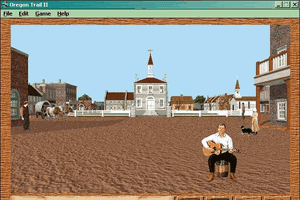
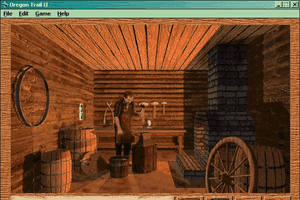
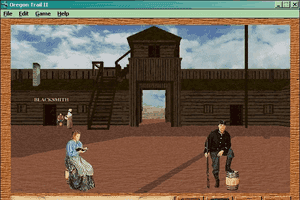
i remember this game from my childhood, mostly the starting town because i wasnt very good at it (due to being a child)
1
Joe13 Dec. 2022
Which windows do you hit the first or second
2
Nero30 Nov. 2022
Hei guys, I've installed the game, but it seem's is doesn't work on mac M1
-1
oregontrailer07 Nov. 2022
worked great for me on windows 11 with 7zip to unpack and daemon tools free to mount. No glitch.
0
c.i.b.magic23 Sep. 2022
sorry, forgot to remark: my OS: win 11
-3
c.i.b.magic23 Sep. 2022
works proper just follow the instructions linked to youtube right under the download-button and above the screenshots. Graphics, sounds, all fine
But there's a game bug - clicking the wagon-conditions, you have no chance to turn back to the journey menu - so you can't finish your journey (Restart game - never click wagon button (the very last right)
2
Lukariogirl18 May. 2022
It is not working
1
fartaster09 Jan. 2022
does not work on windows 11
0
dor_nob06 Nov. 2021
This game installs and runs perfectly if you use a 32-bit installation of Linux with the PlayOnLinux app.
0
Mary06 Aug. 2021
OMG, the memories I'm recovering just from this website~ I remember playing this in grade school. This site is seriously amazing.
0
marciedog20 Mar. 2021
does this game work and is this site safe? Any updates on windows 10 and any known viruses?
-7
zach27 Jun. 2020
try this: put the data in programs folder. rename OREGONII.ini rsrcpath= to that folder
I got the game running but if you get stuck on the window travel pace, rations you need to click turn and then turn back and you'll be able to move forward. Only issue I get is game freezes at Columbia river.
-2
Kvlt23 Jun. 2020
Don't make is so complicated, just download Windows 95 Portable.
-3
Stephen06 Jun. 2020
Managed to start playing but it just freezes up when trying to do anything at a river, you select your option then it just grays out and stays that way till you open the journal or another menu then you just repeat the process. I guess it's a problem with the animations?
3
Bandit07 May. 2020
I got the game to work by decompressing the .iso file in 7-zip. Then I altered the oregonII.ini file to edit the path where the data folder was. Then I just double-clicked on the otii32.exe file after setting the compatibility mode to win95 and the screen size to 640 x 480.
Only thing I am having problems with is getting the game to save. I click on the save button and it won't save the file. Anyone know how to fix this?
-2
IMTHEGUYIFYOUWANTPIE19 Apr. 2020
Top comment
to play with nocd
-Create new folder in C:\ ( eg: c:\games\Oregon Trail 2) -Mount ISO -Explore -Copy DATA folder to your new folder -Copy other files on the CD's base folder: sampler, install/uninstall, setup.txt etc, all of them Inside the DATA folder is a config file called OREGONII.txt, open this with notepad -beneath where it says cdrom is where you will direct the game to find the DATA folder
-Save and unmount the ISO -Open the DATA folder and right click OTII32.exe, create a shortcut and place it on your desktop - You may have to change compatibility settings, right click the shortcut you made, go into properties----compatibility-----WIN95 -The game will start in full screen and appear black, just press alt+tab to return to windows, open it up again and it will greet you with the menu
11
Anthony06 Apr. 2020
can someone tell me exactly which file should be dropped in dos box- win32- _ibnst32I.EX_ or Setup32? i am able to drop them in the dosbox but nothing happens when i press the key mapper ctrl+f10
2
Kirby07 Jan. 2020
Game works fine, but halfway through the trail on every game the wagon simply stops. "No progress," it says. People continue to get sick, I keep getting notified of fog, etc., but the wagon will not move. 5th edition is a corrupted ISO, so can't play that. 1.2 won't load installer, so can't play that. Not even going to try 3rd edition since people seem to be having problems with it. So going to try the 25th anniversary edition.
0
River02 Jan. 2020
The screen freezes whenever I go to another screen. I can't go into the items screen without having to either turn or go hunting. The Dalles has become impossible. I lost all my stuff and turning just makes me go back on the river. loading a save freezes it on the menu screen. even hunting after trading freezes it on the hunting screen. Help
-1
kylelot20 Nov. 2019
awesome game from the past
0
kevdogYT0821 Aug. 2019
Ooo yeah, the memories with this game... Oregon Trail takes ya back to the "cowboy days". ????
0
Elvie18 Jul. 2019
I had trouble on windows 10 with all the suggested methods here. What worked for me was the fact I downloaded a program called Power2Go when I bought a CD drive for my laptop a couple months back. This program allowed me to right click the ISO file that extracted from the oregontrailii folder and mount it as a virtual drive. It asked me what I wanted to label the drive as (I picked D:\) and then I went to the virtual D:\otii drive it created for me and then then I went to WIN32 and open application file Setup32 and it installed it for me. To open the game I opened back up the d:\otii and went to data and opened the OTII32 application file. Mine went to black screen then, but I hit the windows button and it minimized it to a playable window. This may not be new info to some but I hope this helps anyone as confused as I was at first.
0
crys27 Jun. 2019
What do you click to get the .exe file? All I got was some disc image file.
0
AMY29 May. 2019
Downloaded the mac version.. finally got it into .dmg format anddd.. "You can’t open the application “Installer” because it may be damaged or incomplete." What gives?
-1
HeiferNa18 Feb. 2019
Need this on iPhone android app
-3
Haya12 Feb. 2019
This game is weird
-8
allan18 Jan. 2019
Just wondering- why is the download 402 MB? I remember having this game back in the mid-90s and it was only a few MBs back then. In those days, my entire hard drive only had 256 MBs of storage.
3
Reeeeeeee10 Jan. 2019
*Whole family dies YEet Gotta get to CAlifOrnIa
2
sss18 Dec. 2018
so, i used a program to mount the file and it says i need administrative permission to move the file after i mount it. please help!! there is only one user on this computer.
-2
Arlude03 Nov. 2018
The Mac version is the actual Mac OS 9 Version?
1
cmc03 Sep. 2018
I've been trying to download this, but every time I hit the download button, it loads and nothing happens. So I can't even download it. :\
1
fortnitetrolling23 Aug. 2018
it was the best game when i had the disc... havent played n 4ever bc all i do is play fortnite.. best game tho
-1
draeger15 May. 2018
Don't have the disc? No problem: get a program like daemontools that can mount .ISO files to a virtual CD drive, follow the tutorial vid instructions, but in the .ini file copy and paste the path for the virtual drive instead.
2
kylelot10 May. 2018
had to attempt twice but successfully worked for me
1
jewboy06 May. 2018
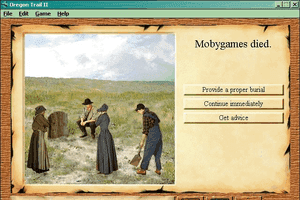
i died of cholera
1
jkhhl29 Apr. 2018
So you have to have the disc? What is the point of downloading this if you already have the game
-4
Chona02 Apr. 2018
Has anyone made a version that works on a smartphone? I have the original disc but for some reason my computer doesn't recognize it. Could it be that the disc is too old?
2
Mich8326 Mar. 2018
WOW it worked on my Lenovo Windows 10! (see link to great directions for windows youtube video on this page) - I posted this on 3/26/2018 fyi. So happy it worked!!
2
Rich10 Dec. 2017
This sucks it says file is corrupted I've tried re-downloading it a few times. Sort of depressing. Maybe someday someone will come out with one that works
1
allen rc09 Dec. 2017
i downloaded it already how do i install it? when i click setup it says file not copied and there is no dat file
0
ST8601 Nov. 2017
Can this be made playable on the page?
0
abhijitsprasanth@gmail.com21 Sep. 2017
This game is so nice
1
anonymous10 Aug. 2017
I've heard of Oregon Trail countless times, but can't remember playing it. Seems I either started school a little too late for that or said school didn't have the game.
1
Tempest09 Aug. 2017
Top comment
So I couldn't figure out how to get this to run at first, but I poked around a bit and finally clicked not on the folder thing, but the Oregon Trail II file. Go to Win16 or Win32 ( I don't actually know the difference, except maybe the graphics?? )) and double click on Setup.16 or Setup.32
It should install the game, although I have noticed in my first attempt to play the game that it's a bit buggy, particularly when you go to the screen to check your supplies. It won't toggle back to the travel screen very easily.
Hope this helps someone!
14
Angiel31 Jul. 2017
Even I can not play The Oregon Trail II in full screen. Help? The Oregon Trail II is a game for Windows not for DOS and it does not work with DosBox.
0
Redbaron30 Jul. 2017
Can someone help me? I've tried setup and both OTII32 and OTII16 but it says it can't find the .dat file. I've also tried the thing in the video but it still won't work.
0
Oliver The Mrs12 Jul. 2017
Top comment
For people needing to know how to get it to run on Windows 10 and in full screen mode, here goes: 1) download from here Oregon trail 2)Download DosBox, just Google it, it's free and safe and takes up hardly no space 3) left click on the (.exe) of Oregon trail, drag and drop it onto your dosbox shortcut on your desktop, game loads 4) scroll mouse onto the small dosbox window 5) press Ctrl+F10 which locks the mouse on the window 6) press Alt+Enter, Bingo full screen
Pointers: before loading game check compatibility mode of both dos box and Oregon trail by right clicking on each shortcut or .exe, go to properties, go to compatibility mode, check "run this program in compatibility mode for" choose windows 8 in the drop down menu (because windows 10 isn't an option) and check run in 640 x 480 screen resolution. Viola! If you don't do this is will still go full screen but the picture may still be small, so do that first to make it take up the whole screen in big size! Running Windows 10 (32 bit) works for me, hope this helps!
27
Cole02 Jul. 2017
I can not get this to play in Full Screen, can anyone help? I followed this video to install the game. https://www.youtube.com/watch?v=QKan-FbCfVM
0
zec wodlik31 May. 2017
Top comment
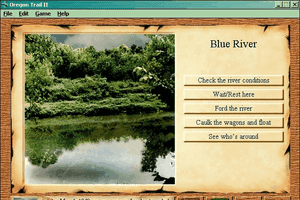
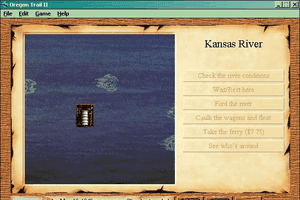
you know, this riverbank makes for a good resting place.
32
: (13 May. 2017
How do i play this without the cd??
1
HeatherMarion20 Apr. 2017
cannot get this to work for windows 10 please help!!!
-1
kitty04 Apr. 2017
its great now we can play together on orgon trail
1
Tony25 Mar. 2017
love this game
1
ahh23 Feb. 2017
Well, thank you for that wonderful explanation, Sal. Unfortunately, I didn't understand a word of it. Oh, Wait! I got the part that said "Windows 10". Would love to play the game, but alas, I am not a techie. Guess I'll just have to live with my memories of all those times I died.....
3
Sal22 Feb. 2017
In order for this to work; your best bet is to do a dual bootable OS setup with windows 98 as your secondary OS or use a virtual machine program. There are ways to get this to work on Windows 10; however, from personal experience with emulators, work arounds in other games; the games don't always play/work as intended. For example: I've emulated some old RPG games where no matter what you did; your MC would start off with 1HP; other games would have a stutter; AI would act weird; even encountered one where the turn based game gave the enemy ai 5 turns in a row... So best option is to install the original OS as a 2nd OS or virtual machine.
-1
Ginny14 Feb. 2017
You know , it would be nice if you people who made this game , could make it compatible with windows 10 , the 90s went out a long time ago you know would be nice if you rolled with the modern drivers .
-14
Littlesprinkles924 Jan. 2017
I just played this in school today. It was fun. But when we killed an ox for food, all of our people died.
1
Annoyed18 Jan. 2017
Was excited to find this... waited almost 3 hours for it to download and it doesn't work... :(
-3
CuriousGirl18 Dec. 2016
Is this really a 4 hour download?? I have been searching for this game for a long time,...I'm going to be very disappointed if it doesn't work!
0
DeerElephant03 Nov. 2016
Played this game in school long time ago. Forgot about it for about 6 years or so
-1
Michaela Morgan14 Oct. 2016
Piece of wood! I was bit by a cobra!
0
paavo08 Oct. 2016
Does not work on new osx
-2
die in a hole05 Oct. 2016
is pretty cool game... But I thought it die long ago but it not die, it try 2 live its life in supersticial charecter
0
Mr.Jack26 Sep. 2016
Piece of Wood
0
NibblerLover09 Aug. 2016
When I try to install it says "can't open app b/c classic environment is no longer supported". What do I do?
0
XX_OMO_xx03 Aug. 2016
HUNTING NOSCOPE STAMPEDEMURDER 11/10 IGN
-1
dodododododododododo22 Jun. 2016
awesome the nostalga meter is off the charts
0
makia04 Jun. 2016
i love this game
0
Mighty might21 May. 2016
Oregon trail is awesome
1
crypticmoses03 May. 2016
@KZY:
Jake is right. Use an archiver program to extract the ISO. WINRAR seems to work best for me.
2
Compassman19 Apr. 2016
"Ya know, this river bank makes for a good resting place."
2
cptawkward19 Apr. 2016
You sure it was an accident? I dont want any murdering varmin around...
1
Lexi01 Apr. 2016
I downloaded it but can't open the zip file. I have a Windows 8 laptop lenovo Can anyone help me?
0
addi31 Mar. 2016
I love this game it's awsome
0
ragegamer25 Mar. 2016
when i tried to open the download it wouldent work
1
TheCriminalViolin02 Mar. 2016
I got to say, looking at all the screenshots, I'm actually quite saddened. Mecc/The Learning Company simply rehashed the game ever since 2? Oregon Trail 5 was the one I had while in the 3rd-5th grade during lunch break, and this is literally the EXACT SAME GAME. I honestly see NOTHING different here. Did they seriously just simply rebrand it after 2 with 3,4 & 5? I love Oregon Trail Deluxe, always have, same with the rehash of deluxe, 1.2, and of course thoroughly enjoy OT5. But this rehashing honestly is sad & kind aggravating.
0
Jake25 Feb. 2016
KZY the ISO file either needs to be mounted with Daemon Tools, Burnt to a Disc, or you could simply open it using Winrar. (With Winrar, just right click the ISO file and open or extract with Winrar) hope this helps :)
2
Desz09 Feb. 2016
I'm not sure if I am allow to post this, but this tutorial will help anyone having issues opening without CD. It's fairly simple. Hope that helps friends :). This is my first time here. I had to first google and make sure this was safe. Thankful to see others have used it as well.
https://www.youtube.com/watch?v=QKan-FbCfVM
2
kzy29 Jan. 2016
I'm having trouble with the download. the only file that exists after I extract the zip is a .iso. Anybody know how to solve this? I'm using d-fend reloaded
4
tanyon26 Jan. 2016
i played at school and loved
0
Aubrey28 Oct. 2015
I remember I played this is second grade whenever I finished my work and had free time. The "Bad thing happened" noise used to terrify me, and watching a video of it, it still makes me cringe. Replaying it is going to be fun...
0
oldiegamer30 Jul. 2015
wish I can play this game online!
0
gabs08 Jul. 2015
i downloaded it trust and it doesn't work something about CD error
4
ZiggCGI17 Jun. 2015
meh
-6
Maximus Terranis06 Jun. 2015
Eight years old, is enjoying Oregon Trail 1.2 (from CD rom). Someday will upgrade him to OTII and later.
0
Mursa28 May. 2015
Thank you, I was looking all over for a mac copy.
-1
Emily05 May. 2015
I like this version better than the first. For one thing, it is more realistic (In the first one, I got robbed almost every night. Once the thief took 6 oxen! How is that even possible?) and it has better graphics, and you can walk around and the controls are better. Plus, it's historically accurate (duh).
1
KU26 Apr. 2015
Thank you so much!!! Have been looking for this version across the internet for ages.
2
Awesome Girl13 Apr. 2015
I can't wait to play it, I am downloading it now. My brother remembers playing it but I don't remember it at all. I still think it will be awesome though, I am going to go see if it is done downloading now!
0
me04 Feb. 2015
i have this game on a cd so i cant get it on my air but this game was awesome when i played
1
Guest16 Jan. 2015
I don't think this was a dos format game. Pretty sure I had this back in the day and we had windows 95
1
hi20 Dec. 2014
oregon trail 2 wont work
-3
Wovan04 Dec. 2014
No viruses yet, with only a couple downloads. Can't say if it's 100% virus free, but it seems safe currently.
1
Wovan04 Dec. 2014
Does not seem to work with DosBox, or at least I couldn't get it to work.
-1
jim18 Nov. 2014
has anyone gotten a virus from this site?
-3
goobs17 Nov. 2014
Is the downloads in this website free from malware?
2
bohner19 Oct. 2014
if you can't load it on dosbox, give scummVM a try.
-2
Abbbby33329 Sep. 2014
Hi Im trying to play this on BasiliskII and i've expanded the file with stuffit expander and copied the Oregon Trail II.toast file to my MacOS753 hard drive on basilisk but when i try to open it i get this message- "The Document "Oregon Trail II.Toast" could not be opened, because the application program that created it could not be found. could not find a translation extension with appropriate translators." any suggestions on how to resolve this?
-3
No comment nor review for this game at the moment.
Comments and reviews
How do we get the screen bigger? Game runs fine but it runs in a small box on desktop. Id like to get fullscreen if possible on a 1920x1200 monitor.
I can't get it to work on my laptop at all :( how do I get it to install on a 64bit windows?
i remember this game from my childhood, mostly the starting town because i wasnt very good at it (due to being a child)
Which windows do you hit the first or second
Hei guys,
I've installed the game, but it seem's is doesn't work on mac M1
worked great for me on windows 11 with 7zip to unpack and daemon tools free to mount. No glitch.
sorry, forgot to remark:
my OS: win 11
works proper
just follow the instructions linked to youtube right under the download-button and above the screenshots.
Graphics, sounds, all fine
But there's a game bug - clicking the wagon-conditions, you have no chance to turn back to the journey menu - so you can't finish your journey
(Restart game - never click wagon button (the very last right)
It is not working
does not work on windows 11
This game installs and runs perfectly if you use a 32-bit installation of Linux with the PlayOnLinux app.
OMG, the memories I'm recovering just from this website~ I remember playing this in grade school. This site is seriously amazing.
does this game work and is this site safe? Any updates on windows 10 and any known viruses?
try this: put the data in programs folder. rename OREGONII.ini rsrcpath= to that folder
https://gaming.stackexchange.com/questions/315505/getting-oregon-trail-ii-2-to-run-on-windows-10-64-bit-without-dosbox
I got the game running but if you get stuck on the window travel pace, rations you need to click turn and then turn back and you'll be able to move forward. Only issue I get is game freezes at Columbia river.
Don't make is so complicated, just download Windows 95 Portable.
Managed to start playing but it just freezes up when trying to do anything at a river, you select your option then it just grays out and stays that way till you open the journal or another menu then you just repeat the process. I guess it's a problem with the animations?
I got the game to work by decompressing the .iso file in 7-zip. Then I altered the oregonII.ini file to edit the path where the data folder was. Then I just double-clicked on the otii32.exe file after setting the compatibility mode to win95 and the screen size to 640 x 480.
Only thing I am having problems with is getting the game to save. I click on the save button and it won't save the file. Anyone know how to fix this?
to play with nocd
-Create new folder in C:\ ( eg: c:\games\Oregon Trail 2)
-Mount ISO
-Explore
-Copy DATA folder to your new folder
-Copy other files on the CD's base folder: sampler, install/uninstall, setup.txt etc, all of them
Inside the DATA folder is a config file called OREGONII.txt, open this with notepad
-beneath where it says cdrom is where you will direct the game to find the DATA folder
[cdrom]
rsrcpath=C:\Games\Oregon Trail 2\Data
intromovieid=100
-Save and unmount the ISO
-Open the DATA folder and right click OTII32.exe, create a shortcut and place it on your desktop
- You may have to change compatibility settings, right click the shortcut you made, go into properties----compatibility-----WIN95
-The game will start in full screen and appear black, just press alt+tab to return to windows, open it up again and it will greet you with the menu
can someone tell me exactly which file should be dropped in dos box- win32- _ibnst32I.EX_ or Setup32? i am able to drop them in the dosbox but nothing happens when i press the key mapper ctrl+f10
Game works fine, but halfway through the trail on every game the wagon simply stops. "No progress," it says. People continue to get sick, I keep getting notified of fog, etc., but the wagon will not move. 5th edition is a corrupted ISO, so can't play that. 1.2 won't load installer, so can't play that. Not even going to try 3rd edition since people seem to be having problems with it. So going to try the 25th anniversary edition.
The screen freezes whenever I go to another screen. I can't go into the items screen without having to either turn or go hunting. The Dalles has become impossible. I lost all my stuff and turning just makes me go back on the river. loading a save freezes it on the menu screen. even hunting after trading freezes it on the hunting screen. Help
awesome game from the past
Ooo yeah, the memories with this game... Oregon Trail takes ya back to the "cowboy days". ????
I had trouble on windows 10 with all the suggested methods here. What worked for me was the fact I downloaded a program called Power2Go when I bought a CD drive for my laptop a couple months back. This program allowed me to right click the ISO file that extracted from the oregontrailii folder and mount it as a virtual drive. It asked me what I wanted to label the drive as (I picked D:\) and then I went to the virtual D:\otii drive it created for me and then then I went to WIN32 and open application file Setup32 and it installed it for me. To open the game I opened back up the d:\otii and went to data and opened the OTII32 application file. Mine went to black screen then, but I hit the windows button and it minimized it to a playable window. This may not be new info to some but I hope this helps anyone as confused as I was at first.
What do you click to get the .exe file? All I got was some disc image file.
Downloaded the mac version.. finally got it into .dmg format anddd.. "You can’t open the application “Installer” because it may be damaged or incomplete." What gives?
Need this on iPhone android app
This game is weird
Just wondering- why is the download 402 MB? I remember having this game back in the mid-90s and it was only a few MBs back then. In those days, my entire hard drive only had 256 MBs of storage.
*Whole family dies
YEet Gotta get to CAlifOrnIa
so, i used a program to mount the file and it says i need administrative permission to move the file after i mount it. please help!! there is only one user on this computer.
The Mac version is the actual Mac OS 9 Version?
I've been trying to download this, but every time I hit the download button, it loads and nothing happens. So I can't even download it. :\
it was the best game when i had the disc... havent played n 4ever bc all i do is play fortnite.. best game tho
Don't have the disc? No problem: get a program like daemontools that can mount .ISO files to a virtual CD drive, follow the tutorial vid instructions, but in the .ini file copy and paste the path for the virtual drive instead.
had to attempt twice but successfully worked for me
i died of cholera
So you have to have the disc? What is the point of downloading this if you already have the game
Has anyone made a version that works on a smartphone? I have the original disc but for some reason my computer doesn't recognize it. Could it be that the disc is too old?
WOW it worked on my Lenovo Windows 10! (see link to great directions for windows youtube video on this page) - I posted this on 3/26/2018 fyi. So happy it worked!!
This sucks it says file is corrupted I've tried re-downloading it a few times. Sort of depressing. Maybe someday someone will come out with one that works
i downloaded it already how do i install it?
when i click setup it says file not copied and there is no dat file
Can this be made playable on the page?
This game is so nice
I've heard of Oregon Trail countless times, but can't remember playing it. Seems I either started school a little too late for that or said school didn't have the game.
So I couldn't figure out how to get this to run at first, but I poked around a bit and finally clicked not on the folder thing, but the Oregon Trail II file. Go to Win16 or Win32 ( I don't actually know the difference, except maybe the graphics?? )) and double click on Setup.16 or Setup.32
It should install the game, although I have noticed in my first attempt to play the game that it's a bit buggy, particularly when you go to the screen to check your supplies. It won't toggle back to the travel screen very easily.
Hope this helps someone!
Even I can not play The Oregon Trail II in full screen. Help?
The Oregon Trail II is a game for Windows not for DOS and it does not work with DosBox.
Can someone help me? I've tried setup and both OTII32 and OTII16 but it says it can't find the .dat file. I've also tried the thing in the video but it still won't work.
For people needing to know how to get it to run on Windows 10 and in full screen mode, here goes:
1) download from here Oregon trail
2)Download DosBox, just Google it, it's free and safe and takes up hardly no space
3) left click on the (.exe) of Oregon trail, drag and drop it onto your dosbox shortcut on your desktop, game loads
4) scroll mouse onto the small dosbox window
5) press Ctrl+F10 which locks the mouse on the window
6) press Alt+Enter, Bingo full screen
Pointers: before loading game check compatibility mode of both dos box and Oregon trail by right clicking on each shortcut or .exe, go to properties, go to compatibility mode, check "run this program in compatibility mode for" choose windows 8 in the drop down menu (because windows 10 isn't an option) and check run in 640 x 480 screen resolution. Viola! If you don't do this is will still go full screen but the picture may still be small, so do that first to make it take up the whole screen in big size!
Running Windows 10 (32 bit) works for me, hope this helps!
I can not get this to play in Full Screen, can anyone help? I followed this video to install the game. https://www.youtube.com/watch?v=QKan-FbCfVM
you know, this riverbank makes for a good resting place.
How do i play this without the cd??
cannot get this to work for windows 10 please help!!!
its great now we can play together on orgon trail
love this game
Well, thank you for that wonderful explanation, Sal. Unfortunately, I didn't understand a word of it. Oh, Wait! I got the part that said "Windows 10".
Would love to play the game, but alas, I am not a techie. Guess I'll just have to live with my memories of all those times I died.....
In order for this to work; your best bet is to do a dual bootable OS setup with windows 98 as your secondary OS or use a virtual machine program. There are ways to get this to work on Windows 10; however, from personal experience with emulators, work arounds in other games; the games don't always play/work as intended. For example: I've emulated some old RPG games where no matter what you did; your MC would start off with 1HP; other games would have a stutter; AI would act weird; even encountered one where the turn based game gave the enemy ai 5 turns in a row... So best option is to install the original OS as a 2nd OS or virtual machine.
You know , it would be nice if you people who made this game , could make it compatible with windows 10 , the 90s went out a long time ago you know would be nice if you rolled with the modern drivers .
I just played this in school today. It was fun. But when we killed an ox for food, all of our people died.
Was excited to find this... waited almost 3 hours for it to download and it doesn't work... :(
Is this really a 4 hour download?? I have been searching for this game for a long time,...I'm going to be very disappointed if it doesn't work!
Played this game in school long time ago. Forgot about it for about 6 years or so
Piece of wood! I was bit by a cobra!
Does not work on new osx
is pretty cool game... But I thought it die long ago but it not die, it try 2 live its life in supersticial charecter
Piece of Wood
When I try to install it says "can't open app b/c classic environment is no longer supported". What do I do?
HUNTING NOSCOPE STAMPEDEMURDER 11/10 IGN
awesome the nostalga meter is off the charts
i love this game
Oregon trail is awesome
@KZY:
Jake is right. Use an archiver program to extract the ISO. WINRAR seems to work best for me.
"Ya know, this river bank makes for a good resting place."
You sure it was an accident? I dont want any murdering varmin around...
I downloaded it but can't open the zip file. I have a Windows 8 laptop lenovo
Can anyone help me?
I love this game it's awsome
when i tried to open the download it wouldent work
I got to say, looking at all the screenshots, I'm actually quite saddened. Mecc/The Learning Company simply rehashed the game ever since 2? Oregon Trail 5 was the one I had while in the 3rd-5th grade during lunch break, and this is literally the EXACT SAME GAME. I honestly see NOTHING different here. Did they seriously just simply rebrand it after 2 with 3,4 & 5? I love Oregon Trail Deluxe, always have, same with the rehash of deluxe, 1.2, and of course thoroughly enjoy OT5. But this rehashing honestly is sad & kind aggravating.
KZY the ISO file either needs to be mounted with Daemon Tools, Burnt to a Disc, or you could simply open it using Winrar. (With Winrar, just right click the ISO file and open or extract with Winrar) hope this helps :)
I'm not sure if I am allow to post this, but this tutorial will help anyone having issues opening without CD. It's fairly simple. Hope that helps friends :). This is my first time here. I had to first google and make sure this was safe. Thankful to see others have used it as well.
https://www.youtube.com/watch?v=QKan-FbCfVM
I'm having trouble with the download. the only file that exists after I extract the zip is a .iso. Anybody know how to solve this? I'm using d-fend reloaded
i played at school and loved
I remember I played this is second grade whenever I finished my work and had free time. The "Bad thing happened" noise used to terrify me, and watching a video of it, it still makes me cringe. Replaying it is going to be fun...
wish I can play this game online!
i downloaded it trust and it doesn't work
something about CD error
meh
Eight years old, is enjoying Oregon Trail 1.2 (from CD rom). Someday will upgrade him to OTII and later.
Thank you, I was looking all over for a mac copy.
I like this version better than the first. For one thing, it is more realistic (In the first one, I got robbed almost every night. Once the thief took 6 oxen! How is that even possible?) and it has better graphics, and you can walk around and the controls are better. Plus, it's historically accurate (duh).
Thank you so much!!! Have been looking for this version across the internet for ages.
I can't wait to play it, I am downloading it now. My brother remembers playing it but I don't remember it at all. I still think it will be awesome though, I am going to go see if it is done downloading now!
i have this game on a cd so i cant get it on my air but this game was awesome when i played
I don't think this was a dos format game. Pretty sure I had this back in the day and we had windows 95
oregon trail 2 wont work
No viruses yet, with only a couple downloads. Can't say if it's 100% virus free, but it seems safe currently.
Does not seem to work with DosBox, or at least I couldn't get it to work.
has anyone gotten a virus from this site?
Is the downloads in this website free from malware?
if you can't load it on dosbox, give scummVM a try.
Hi Im trying to play this on BasiliskII and i've expanded the file with stuffit expander and copied the Oregon Trail II.toast file to my MacOS753 hard drive on basilisk but when i try to open it i get this message-
"The Document "Oregon Trail II.Toast" could not be opened, because the application program that created it could not be found.
could not find a translation extension with appropriate translators."
any suggestions on how to resolve this?
No comment nor review for this game at the moment.